Cocobi Baby Care - Babysitter
- 89.00
- 3.7
- Installs
- 10.00M
- Price
- Free

Screenshots



Analysis by Reviewed
When I’m choosing a game for a young child, I look for something they can understand without constant help, with activities that feel worthwhile rather than just noisy. Cocobi Baby Care - Babysitter aims for that sweet spot: it turns looking after a little character into playful tasks, with dinosaur friends adding a distinctive Cocobi touch. I’d consider it for a child who enjoys pretend play and wants a gentle introduction to caregiving, rather than for someone seeking a complex game with long-term challenges.
Choosing a game that fits the child
Before downloading, I’d think about what the child already enjoys doing on a screen. A little one who likes pretend kitchens, toy doctor sets, or taking care of dolls may understand the appeal quickly. A child drawn to races, collecting, or puzzles with clear right-or-wrong answers may not stay interested just because the characters are cute. The central question is whether caring for a character sounds fun to them, not whether the game can hold every child’s attention.
It also helps to consider how the game will be used. On a parent’s phone during a short wait, simple interactions can be an advantage: there is no need to remember a complicated storyline before starting. For a longer stretch of independent play, I’d be more cautious. A young player may need help getting settled, and a caregiver may want to check in rather than treat any game as a hands-off babysitter. That expectation makes the experience easier to judge fairly.
What to consider before downloading
This is a free educational game from KIGLE, rated for Everyone, with optional in-app purchases listed at $1.99 per item. That makes it easy to try, but I’d still check the purchase settings on a device a child uses. The game has a 3.7 average from around 5,000 ratings and more than 10 million installs, so it has reached a broad audience, though that doesn’t mean every child will connect with its style. It was released on March 16, 2023, and version 1.0.21 requires Android 7.0 or later.
My practical test for a game like this is whether a child can choose an activity, understand what the character needs, and move on without an adult turning every moment into a lesson. The baby-care theme gives children familiar pretend-play cues, while the short actions are easier to approach than a story-heavy game. For a younger player, I’d sit nearby the first time, help them get oriented, and then see whether they can make their own choices.
Let's Get Into It!
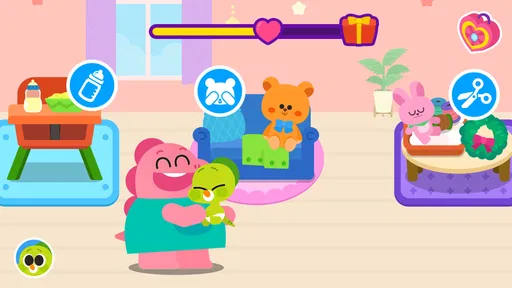
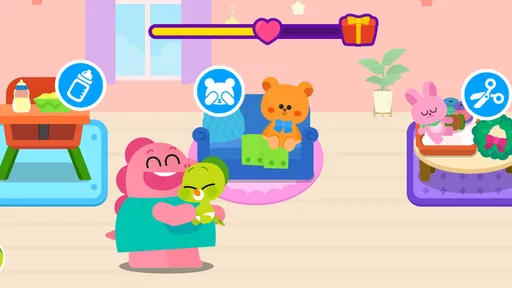
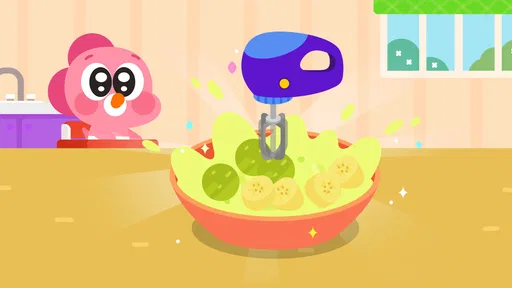
The first thing I noticed about Cocobi Baby Care - Babysitter is its vibrant and engaging design. The app is like a colorful playground that instantly grabs your attention. It's super easy to navigate, with intuitive controls that even the little ones can master in no time. The game starts by introducing you to your virtual baby, who is just the cutest thing ever! Your main task? Keep this little bundle of joy happy and healthy.
Tasks and Challenges
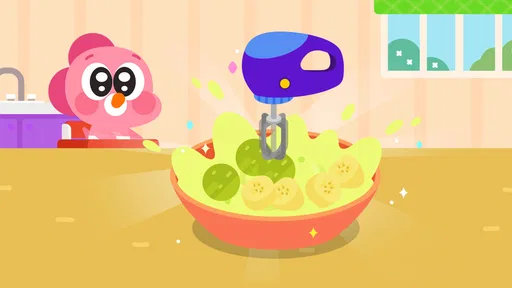
In this app, you’ll find yourself doing all sorts of babysitting duties. From feeding and bathing to playing and putting the baby to sleep, it’s a full-on babysitting experience. What I love is how the tasks are designed to mimic real-life actions, making it not only fun but also educational for kids. Feeding the baby involves choosing the right food, while bath time is all about bubbles and rubber duckies. It’s like a crash course in parenting!
More From Our News Desk

Weather by Xiaomi Review: Clear at a Glance, Less Clear Up Close

X Under Pressure: Can It Recover When Posting Goes Wrong?

Clash of Clans Is Won Between the Battles

Android Auto Makes the Case for Quieter Car Software

MobiOffice: Transforming Mobile Productivity with Seamless Integration

EA SPORTS FC™ Mobile Soccer: Redefining Mobile Sports Gaming
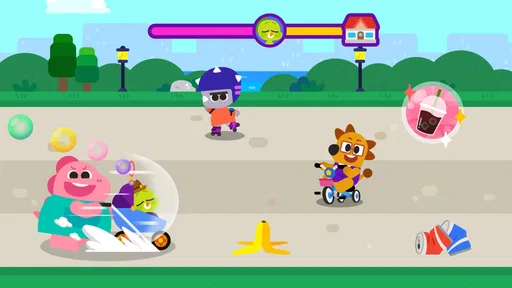
But it’s not just about the daily routine. The app throws in some unexpected challenges to keep you on your toes. Maybe the baby is feeling a bit grumpy, or perhaps there’s a mysterious rash you need to deal with. These little surprises add a layer of excitement and teach problem-solving skills in a fun way.
Making the playtime useful
The activities work best when a child can treat them as small decisions instead of rushing through taps. I’d use a feeding moment to ask what the baby might need, then let the child pick and see what happens. That turns a simple game action into a chance to talk about noticing cues and taking turns. It’s a more natural fit for a short shared play session than a substitute for real-world learning or unsupervised screen time.
For a practical everyday scenario, this could be a quiet activity while a parent is preparing dinner: let the child handle one care task, then pause the game and invite them to help with a safe, age-appropriate real-life task, such as putting a napkin on the table. The game can prompt imaginative conversation, but I wouldn’t present its pretend caregiving as a guide to actual infant care. That distinction keeps the play light and avoids asking a child to interpret a cartoon situation as real advice.
Small ways to make play go more smoothly
I’d introduce the game when there is time to sit together for a few minutes, rather than handing it over in the middle of a rushed transition. Letting the child explore one care activity at a time makes it easier to see what they understand and what they find enjoyable. If they immediately want to jump between tasks, that is useful information too: the game may work best as a brief diversion, not as an activity they return to for a long session.
Another practical approach is to let the child lead the conversation instead of quizzing them about every choice. They might explain why the baby is upset or what should happen next; following their idea can make the pretend play feel more natural. If they get stuck, a simple prompt is usually more helpful than taking the device and completing the task for them. The point is to keep the game accessible without turning it into a test.
A Learning Experience
What struck me as particularly impressive is how the app subtly incorporates learning into play. Kids get to practice decision-making and learn the importance of patience and empathy—qualities that are essential in real-life caregiving. Plus, the app encourages creativity, allowing kids to personalize their baby’s outfits and room decor. It's a nice touch that makes the game feel personal and engaging.
A useful trade-off is that familiar care routines are easy to grasp, but they may also feel repetitive to a child who wants a changing story, tougher puzzles, or a clear sense of progression. The outfit and room choices give play a personal angle, though a child who mainly wants open-ended building or drawing may get more from a creative game. I’d choose this one for role-play and simple care activities, not as an all-purpose learning app or a deep management game.
How it compares with other children’s games
Compared with a puzzle game, this one is less about finding a single solution and more about imagining what a character needs. Compared with a drawing or building app, it offers a more guided kind of make-believe, with care tasks providing a reason to move from one interaction to another. That distinction matters: children who enjoy acting out familiar routines may find the structure reassuring, while children who want complete freedom to create might feel constrained by the caregiving premise.
It also sits apart from lesson-focused educational apps. I wouldn’t pick it to practise a particular academic skill; its value is more in pretend play, simple choices, and talking together about the character’s needs. If the goal is a specific subject or a more deliberate learning sequence, a purpose-built lesson app is a better match. If the goal is a light character-based activity, this is a more fitting choice than trying to make a formal learning tool serve as playtime.
Sound, pace, and a parent’s role
And let’s not forget the sound effects! The playful music and baby giggles are bound to bring a smile to your face. The developers did a fantastic job creating an immersive audio-visual experience that complements the gameplay perfectly.
The sound is part of the appeal for a child who likes lively feedback, but it may be less welcome during a quiet wait or in a shared space. I’d check the device’s audio before handing it over, and use a short play window if repeated care actions start to lose their charm. Children who prefer calmer puzzles, or parents looking for a game that teaches a specific school subject, may be better served by a different kind of app.
Questions I’d settle before a child plays
One question parents often have is whether a child can simply start playing. The controls are described as intuitive, and the familiar theme should make the basic idea approachable, but I’d still be present for the first session with a very young player. Watching them try the tasks tells me more than guessing from their age: some children quickly understand visual prompts, while others benefit from an adult explaining what the character is asking for.
Another question is whether the game is a good choice for travel or waiting rooms. It can suit a short, low-pressure break if the child enjoys caring for characters, but I would not rely on it as a guaranteed distraction. Interest varies, and lively sound may not suit every public setting. I’d keep the device’s volume low or muted where appropriate and have a non-screen activity ready in case the child’s attention moves on.
Parents may also wonder whether it can replace a more structured learning game. In my view, no: its strength is imaginative caregiving, not a defined lesson plan. That is not a flaw if a child wants playful role-play, but it is a reason to choose another app when the aim is practising letters, numbers, or a particular classroom topic. Likewise, I’d avoid treating its pretend-care scenarios as real-world instructions.
Cost and the choice to switch
Because the game is free to start and has optional purchases, I’d decide before play whether purchases are allowed, rather than negotiating after a child encounters one. If the child enjoys the baby-care theme, there’s little reason to switch immediately; if they lose interest, moving to another simple pretend-play game is an easy change in activity. The main cost of switching is familiarizing them with a new set of controls and characters, so I’d let their interest—not the number of activities alone—guide that decision.
To keep that decision calm, I’d make the purchase boundary clear before the device is handed over and check the device’s purchase controls rather than expecting a young child to manage them. If a child asks for an optional item, that can be a natural stopping point: an adult can decide whether to continue, without making the purchase feel like a reward for finishing a task. Since the game is free to try, it is reasonable to see whether the child likes its central theme before spending anything.
Switching is most worthwhile when the child’s interest points toward a different kind of play. If they want to invent a world, choose a creative app; if they want clear goals and a challenge, try a puzzle or age-appropriate learning game. If they still enjoy the baby-care routine but only for a few minutes, that can be enough—the game does not need to become a daily habit to have served its purpose.
Final Thoughts
If you’re looking for a game that’s both entertaining and educational for your kids, Cocobi Baby Care - Babysitter is a fantastic choice. It’s a playful dive into the world of babysitting, offering a mix of fun tasks and learning opportunities. The app is well-designed, easy to use, and packed with enough surprises to keep the little ones engaged for hours. So, grab your imaginary diaper bag and dive into the cutest babysitting adventure ever!
My recommendation is strongest for a young child who likes caring for characters, enjoys bright presentation, and benefits from an adult nearby to turn play into conversation. I’d skip it for a child who needs a quiet, structured lesson or quickly tires of repeating familiar routines. As a low-commitment way to try dinosaur-themed pretend care, it earns a place on my shortlist—provided a parent sets sensible limits around purchases and playtime.
Cocobi Baby Care - Babysitter Frequently Asked Questions
Is Cocobi Baby Care - Babysitter free to download, and what might cost extra?
Cocobi Baby Care - Babysitter is free to download, so families can try the game without paying upfront. It also offers optional in-app purchases priced at $1.99 per item, which is worth keeping in mind when a child is playing. Consider setting purchase controls on your device or supervising play to help prevent an accidental purchase.
What is Cocobi Baby Care - Babysitter and what does it offer?
Cocobi Baby Care - Babysitter is an engaging and educational app designed for young children to experience the responsibilities of babysitting. It offers a variety of interactive activities that simulate real-life scenarios, such as feeding, bathing, and playing with the baby. The app aims to teach children empathy and responsibility while providing a fun, game-like experience.
Is Cocobi Baby Care - Babysitter suitable for all age groups?
Cocobi Baby Care - Babysitter is primarily designed for young children, typically those aged between 3 to 8 years old. The app features simple and intuitive controls that are easy for young children to navigate. The game has an Everyone content rating, making it a child-oriented choice, though parents are encouraged to monitor gameplay and decide whether it suits their child.
Does Cocobi Baby Care - Babysitter contain in-app purchases or ads?
Yes, Cocobi Baby Care - Babysitter includes in-app purchases. This is common in many free-to-play apps to support the developers. Parents should be aware of this and may want to disable in-app purchases on their devices or supervise their child's use of the app to prevent accidental purchases.
Can Cocobi Baby Care - Babysitter be played offline?
Cocobi Baby Care - Babysitter can be played offline once it has been downloaded onto your device. This makes it a convenient option for entertainment during travel or in situations where an internet connection is not available. However, certain features, such as updates or additional content, might require an internet connection.
Pros
- Engaging and educational gameplay for kids.
- Colorful graphics that attract children.
- Easy to navigate for young users.
- Variety of activities keeps kids entertained.
- Promotes creativity and responsibility.
Cons
- Contains in-app purchases for premium items.
- May require parental guidance for some tasks.
- Ads might interrupt gameplay.
- Limited free content available.
- Can be repetitive over time.













