Chess - Play and Learn
- 40.45K
- 4.7
- Installs
- 100.00M
- Price
- Free

Screenshots

Analysis by Reviewed
Chess is easiest to stick with when a game, a lesson, and a chance to review your thinking are all close at hand. That is the appeal I see in Chess - Play and Learn: it brings online play and study together, so I can move between trying an idea and figuring out why it worked—or failed—without treating chess as a once-in-a-while pastime.
Choosing the right way to play each day
I find this game most useful when I match its activity to the time and attention I actually have. If I have only a brief pause, a puzzle is easier to fit in than a live match; if I can set aside a longer stretch, a game followed by a careful review gives me a fuller practice session. That distinction sounds simple, but it prevents one of the common frustrations of online chess: starting a game when I cannot stay focused until it ends.
A realistic routine might be to solve a position while waiting for an appointment, then later play a game when I am settled at home. Afterward, I can revisit one decision rather than trying to study every move. This makes the app work as a collection of small, connected activities instead of a demand to spend a long session on chess every time I open it. I would recommend that approach to casual players who want regular practice without turning a hobby into homework.
Reads About Chess - Play and Learn
Where it sits among chess options
Compared with a physical board or a lightweight offline chess app, Chess.com’s game puts online opponents and learning tools in the same place. That is convenient when I want to move from practice to a real match without switching apps. A physical board, however, is more comfortable for players who prefer to think away from notifications and screens, while a stripped-down board app can be better for setting up a position or playing privately without community features.
There is also a difference between this flexible approach and a formal coaching course. Here, I can choose a puzzle, play, or review as my interest changes, but that freedom means I have to decide what to work on. Someone who wants a fixed curriculum and a teacher guiding each step may prefer a dedicated course. For me, the app is strongest as a practical place to play and learn in short loops, rather than as a complete replacement for every kind of chess study.
Who should give it a try
I would point beginners toward it if they are curious about chess and want more than a board with legal moves. Lessons and puzzles can make the first steps less intimidating, while playing real opponents gives those ideas a practical test. Regular players may value having games and review tools together, especially if they want to notice habits that keep appearing in their play.
It is less suitable for someone who wants a fully offline experience, dislikes competitive play, or prefers not to engage with a broader app environment. In that case, a local board app or a real board with a friend may be more relaxing. I would also think carefully before treating it as a structured training plan: the range of activities is useful, but the player still needs to choose a focus and resist jumping between tools without purpose.
More From Our News Desk

X Under Pressure: Can It Recover When Posting Goes Wrong?

Clash of Clans Is Won Between the Battles

Android Auto Makes the Case for Quieter Car Software

MobiOffice: Transforming Mobile Productivity with Seamless Integration

How Microsoft OneDrive Became a Mobile Productivity Giant

How Google Translate Breaks Language Barriers Effortlessly
A chess app built around both playing and learning
This is a free board game from Chess.com, and its scope makes it useful beyond simply filling a spare few minutes. The app has a 4.7 average from around 2.6 million ratings, and it has been installed over 100 million times. Those figures suggest a large pool of potential opponents, but they also mean the experience may feel busy to someone who wants a quiet, offline board above all else. It is rated for Everyone, while optional in-app purchases range from $1 to $119.99 per item, so I would check the purchase details before spending.
The app has been around since its release on February 1, 2010. That long history is a useful point of context, but it is not evidence of any particular recent redesign or feature change. What matters in everyday use is the combination of online games, learning material, puzzles, and analysis: each can serve a different purpose, whether I have a few minutes or enough time to study a full game.
Interactive Learning Experience
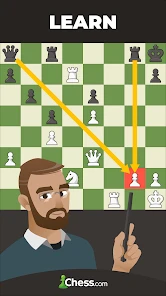
The first thing that caught my attention was the app’s extensive learning resources. Whether you’re a complete newbie or a seasoned player, Chess - Play and Learn serves up a buffet of tutorials, lessons, and puzzles. It’s like having a personal chess coach guiding you through every move. The lessons are interactive, engaging, and tailored to fit your skill level. I found myself glued to the screen, eager to learn new strategies and tactics.
Making practice useful in short sessions
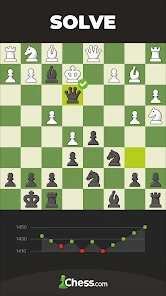
A practical way to use the learning tools is to give each session one narrow goal. I might spend a short break on a puzzle, then use a later game to look for the same kind of opportunity. That is more manageable than trying to absorb a whole opening or overhaul my play in one sitting. When I get a puzzle wrong, I treat it as a prompt to examine the position rather than as a score to chase; the useful question is what changed the calculation.
This approach suits a beginner who wants guided practice as well as an experienced player who needs a structured warm-up. It is less satisfying if what you want is a full course with a fixed syllabus and a clear start-to-finish path. The app offers several ways to learn, but deciding what to work on still takes some self-direction. I get more from it when I arrive with a small question—such as whether a move leaves a piece vulnerable—than when I simply tap around hoping to improve.
Live Games and Tournaments
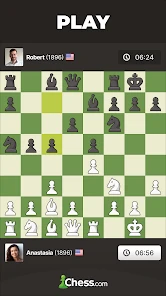
One of the app’s standout features is the ability to play live games with opponents from around the world. I was amazed at how quickly I could jump into a match, thanks to the app’s large community of players. There’s something thrilling about playing against real people, testing your skills, and climbing up the ranks. And if you’re feeling competitive, the app hosts tournaments that really get the adrenaline pumping. Who knew chess could be so exhilarating?
For a realistic everyday use, I would start a game only when I can give it uninterrupted attention. A quick match can turn a commute break or a quiet evening into a focused challenge, but live chess is a poor fit for a moment when messages, errands, or a weak connection may interrupt concentration. If my time is unpredictable, puzzles or reviewing an earlier game are safer choices. That distinction matters: a live opponent cannot be paused just because the rest of the day gets busy.
Compared with a basic chessboard app, the main trade-off is clear. Here, human opponents and a broader learning environment are central; a simple board is usually better for setting up positions privately or playing without the social and competitive layer. If I want a casual game against someone I know, connecting with friends can make this app more appealing than a bare board. If I want to analyze a position in isolation, a dedicated analysis tool may feel more direct.
Analysis and Feedback
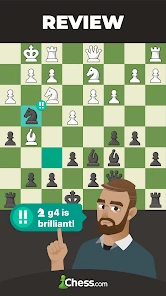
Another feature I absolutely love is the post-game analysis. After each match, the app provides detailed feedback on your performance. It highlights your mistakes, suggests better moves, and helps you learn from your errors. This kind of insight is invaluable for anyone looking to improve their game. I found the feedback to be constructive and incredibly helpful in refining my strategies.
To make that feedback stick, I would first replay the critical moment and explain to myself what I expected the move to do, then compare that idea with the suggested alternative. Otherwise, it is easy to accept a recommendation without understanding the position. Reviewing one turning point carefully can be more useful than scrolling through every move. Players who enjoy analyzing their own decisions will get the most from this loop; someone who only wants a quick result may find post-game commentary intrusive or unnecessary.
Not only does the app offer detailed analyses, but it also allows you to review your games at your own pace. You can pause, rewind, and fast-forward through each move, which is perfect for those moments when you need a little extra time to understand what went wrong.
Community and Social Features
Chess is as much a social game as it is a mental one, and this app does a fantastic job of building a community. You can connect with friends, join clubs, and participate in forums to discuss strategies and share experiences. The camaraderie among players is palpable, and it adds an extra layer of enjoyment to the game.
That social side is a bonus rather than a requirement. I can approach the app as a solo learner, but clubs and friends give me a reason to return when playing against anonymous opponents starts to feel repetitive. On the other hand, players who dislike accounts, community spaces, or competitive pressure may prefer a local chess app with fewer distractions. The broad feature set is a strength only if I actually want more than a board and an opponent.
Moreover, the app’s interface is user-friendly and visually appealing. Whether you’re playing a quick game or diving deep into a lesson, the layout is intuitive and easy to navigate. I particularly appreciate the customizable board themes, which allow you to personalize your playing experience.
Who will get the most from it
I would recommend it to someone who wants one place to play, practise tactics, and revisit their decisions, especially if they enjoy learning through actual games rather than reading theory alone. It also suits friends who want to stay connected through chess and players who like having competition available when motivation dips. A newcomer can begin with lessons and puzzles, while a regular player can use game review to spot recurring habits.
I would steer away from it if I wanted chess to be completely offline, private, and distraction-free, or if I knew I would resent seeing optional purchases inside a free app. It is also not the best match for someone seeking a tightly structured coaching program without having to choose what to study. In those cases, a simple offline board or a specialist study resource may be a better companion, even if it lacks this app’s combination of play and community.
In conclusion, Chess - Play and Learn is more than just an app; it’s a comprehensive chess platform that caters to players of all levels. Whether you’re playing for fun, aiming to improve your skills, or looking to compete, this app has something for everyone. So go ahead, download it, and make your move!
What I would keep an eye on
Because the game has a long history, I would judge it by how well its current tools fit my routine rather than assume that age alone guarantees a better experience. For an existing player, the most useful test is whether lessons, live play, and post-game review still support the way they want to learn. For someone new, I would begin with a puzzle and one deliberate review after a game, then decide whether the social and competitive parts add value or simply make the app feel crowded.
My overall advice is to treat it as a flexible chess home, not an automatic substitute for every kind of study. The strongest habit it encourages is a simple cycle: practise a position, play with that idea in mind, and inspect the decisions afterward. If that sounds enjoyable, this is an easy app to recommend; if you only want an occasional board with no extras, a lighter alternative will likely suit you better.
Chess - Play and Learn Frequently Asked Questions
Can I play Chess - Play and Learn with friends?
Yes. The app’s store summary highlights playing chess online with friends, making it a good option if you want to share a game with someone you know. Online play requires an internet connection, so both players will need to be connected. You can also explore lessons, puzzles, and analysis alongside your games.
Who develops Chess - Play and Learn?
Chess - Play and Learn is developed by Chess.com. It is a chess-focused board game app, with features centered on playing, learning, and improving your understanding of the game. If you are looking for a mobile chess app from Chess.com rather than a general board-game collection, this is the product to consider.
Is Chess - Play and Learn free to download and use?
Chess - Play and Learn is free to download, so you can get started without paying upfront. The app also offers optional in-app purchases, with prices ranging from around one dollar to around 120 dollars per item. These purchases are not required to begin playing, and you can decide whether any paid extras are worthwhile for your needs.
Is Chess - Play and Learn suitable for children?
The app is rated Everyone, making it suitable for a broad audience that includes children. Its chess lessons and puzzles can provide a practical way to explore the rules and think through moves. As with any app that includes online play, parents may want to consider whether multiplayer features fit their child’s age and comfort level before downloading.
What is Chess - Play and Learn?
Chess - Play and Learn is an interactive mobile application designed to help users improve their chess skills. The app offers a variety of features such as lessons from chess masters, puzzles to solve, and the ability to play against other users online. Whether you're a beginner or an advanced player, this app provides resources to enhance your understanding and enjoyment of chess. It is a board game app developed by Chess.com, and its store summary highlights online games with friends, lessons, puzzles, and analysis.
Pros
- Engaging tutorials for beginners.
- Variety of difficulty levels.
- Interactive puzzles available.
- Global player competition feature.
- Customizable board themes.
Cons
- Ads can be distracting.
- Limited features offline.
- Occasional app freezes.
- Requires internet for full access.
- High battery usage.
- Category
- Board
- Version
- Varies with device