Bingo Story – Bingo Games
- 19.90K
- 4.1
- Installs
- 5.00M
- Price
- Free
Screenshots


Analysis by Reviewed
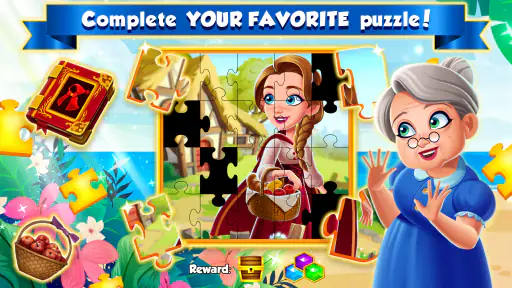
I would judge Bingo Story – Bingo Games less by how long it can keep someone tapping and more by whether it fits the way a household actually shares phones and downtime. It is a free board game from Clipwire Games Inc, built around bingo, with puzzles and tournaments in the mix. That blend gives it more going on than a bare digital bingo card, but it also makes it worth setting expectations before handing a shared device to someone else.
A shared-device game for short breaks
Picture a quiet stretch after dinner: one person has a few minutes to play, then passes the tablet along while someone else waits for a turn. Bingo suits that kind of casual handoff better than a game that demands a long, uninterrupted session. The rounds give the player a clear focus, while puzzles and tournament-style play offer reasons to return when there is more time. I would still treat it as one person’s active session rather than a game that several people can meaningfully play on one screen at once.
That distinction matters on a family device. A child might enjoy the bright presentation, while an adult may prefer the competition or the routine of checking in for a quick game. But shared access is not the same as shared progress: before passing the device over, agree who is using the current session and avoid assuming that everyone has a separate space or profile. If keeping play histories, purchases, or progress distinct is important, a game designed around clearly separate user accounts may be a better fit.
Make a simple plan before play
I find it useful to decide in advance whether a session is meant to be a quick diversion or a longer stretch of play. Bingo can make “one more round” tempting, especially when a tournament or puzzle is in view. On a shared device, a simple turn-taking agreement can prevent one player from using all the available leisure time. It also helps to decide who may make purchase decisions: the game is free to start, but optional in-app items range from $0.99 to $199.99 per item, so I would not leave spending expectations vague.
The practical trade-off is that free access does not mean every optional extra is free. Players who are happy to stick with what they earn through play can approach it as a no-cost pastime, while anyone who dislikes purchase prompts or resource-management pressure may find a simpler offline bingo app more comfortable. I would treat buying extras as a deliberate choice, not as a requirement for deciding whether the basic style of play is enjoyable.
Who is likely to enjoy it
The game makes the most sense for someone who already likes bingo and wants a livelier mobile version, or for a casual player who enjoys brief rounds with puzzle and tournament elements around them. It can also work as a low-effort shared topic: household members can talk about a round or take turns on the same device without needing to coordinate a full team session. If the goal is focused family play where everyone acts at once, though, a party or board game built for a group around one screen or table will usually do that job better.
For children, the age classification is Everyone, which makes the intended content broadly accessible. That is useful context, but I would not take an age label as a substitute for a household’s own rules about screen time, spending, or chatting with other players. Adults can set those expectations before play, especially when the device is shared. Anyone who prefers a wholly solitary game, no competitive atmosphere, or no optional purchases should weigh those preferences before settling in.
More From Our News Desk

Weather by Xiaomi Review: Clear at a Glance, Less Clear Up Close

X Under Pressure: Can It Recover When Posting Goes Wrong?

Clash of Clans Is Won Between the Battles

Android Auto Makes the Case for Quieter Car Software

MobiOffice: Transforming Mobile Productivity with Seamless Integration

EA SPORTS FC™ Mobile Soccer: Redefining Mobile Sports Gaming
First Impressions and Interface
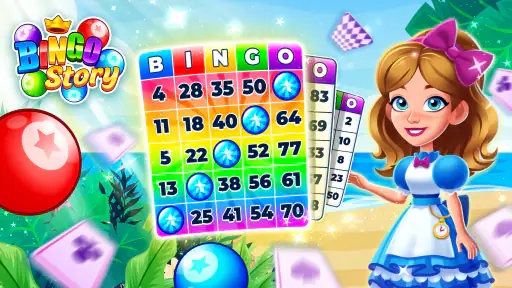
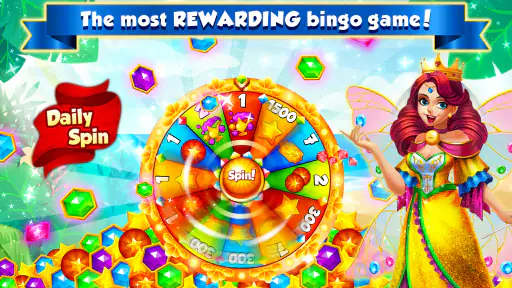
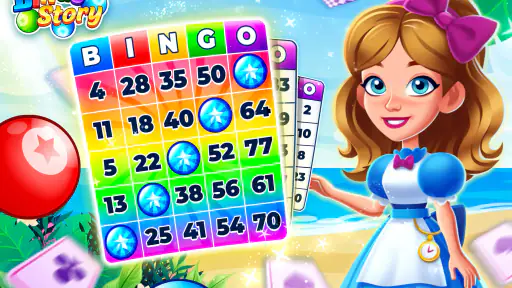
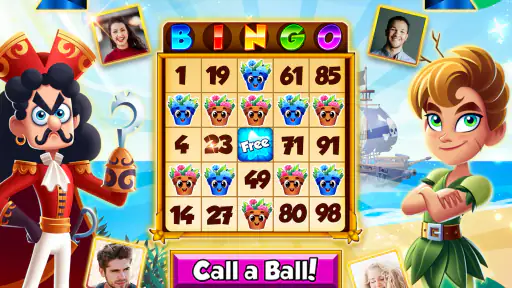
When I first opened Bingo Story – Bingo Games, I was greeted by a vibrant and inviting interface. Right from the start, the game exudes a sense of fun and excitement, which is exactly what you want from a bingo game. The graphics are sharp, colorful, and engaging, making it easy to get lost in the game for a few hours.
Navigation through the app is a breeze. From the main menu, you can quickly jump into different game modes, check out the latest events, or manage your profile. The developers have done a stellar job in ensuring the user experience is smooth and intuitive. Even if you’re new to mobile gaming, you’ll find your way around without any hiccups.
Gameplay and Features
The core of Bingo Story is, of course, its bingo games. But what sets it apart is the variety of modes and themes you can explore. From classic bingo to more adventurous themes like fairy tales and holidays, there’s always something fresh to keep players entertained.
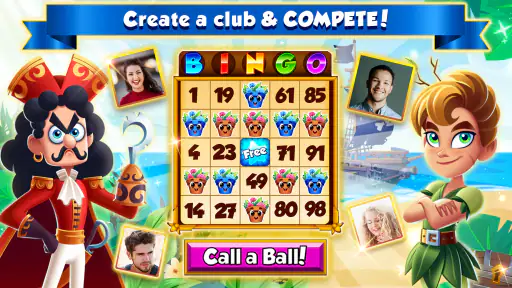
One of the standout features is the multiplayer aspect. You can join live games and compete against players from around the world. This adds a competitive edge to the gameplay, making each win feel even more rewarding. And let's not forget about the power-ups and boosters that can give you that extra nudge towards victory.
The app also offers daily challenges and events, providing players with opportunities to earn extra rewards and bonuses. These events are a great way to keep the gameplay dynamic and exciting. Plus, who doesn’t love a little bonus now and then?
When I want to keep a short session from turning into an open-ended one, I choose a single activity before starting rather than sampling every mode. That makes it easier to stop after a round or challenge, and it gives the game’s variety a practical purpose instead of making the menu feel like a list of things I must complete. For a shared device, this is a useful way to leave the next player a clean handoff: finish the current activity, then let them decide what to try.
Community and Social Interaction
Another aspect I loved about Bingo Story – Bingo Games is its strong sense of community. You can join clubs, chat with fellow players, and even trade gifts. This social element adds a layer of depth and connection that’s often missing in mobile games. It’s nice to know you’re not just playing against AI, but real people from all over the globe.
The chat feature is particularly handy during multiplayer games. It’s fun to engage with others, share your excitement over a bingo win, or simply enjoy some light-hearted banter while playing. The community is generally friendly and welcoming, making it easy for newcomers to feel at home.
On a shared household device, I would be more cautious about letting younger players use social features without an adult’s guidance. The Everyone rating describes the game’s age suitability, but a live community still involves interacting with other people. If that is not a fit for your household, the bingo and puzzle side may still appeal, but the social element is something to consider rather than switch on by assumption.
It is also worth separating social play from household coordination. Clubs and in-game conversation connect a player with the wider game community; they do not solve the practical question of who gets the tablet next or whose session is open. I would agree on a simple handoff routine outside the game, and avoid treating another family member’s turn as a continuation of my own. That small boundary is especially useful if several people share one device but want their play to feel independent.
Visuals and Soundtrack
The visual appeal of Bingo Story cannot be overstated. The design team has done an incredible job with the artwork, ensuring each game mode has a unique and captivating visual theme. Whether you’re playing in a winter wonderland or a magical forest, the graphics are consistently top-notch.
As for the soundtrack, it complements the gameplay perfectly. The music is upbeat and cheerful, setting a delightful tone as you daub away at your bingo cards. It’s not too intrusive, allowing you to focus on the game, yet catchy enough that you might find yourself humming along.
One small but useful household habit is to check the sound before starting a round, particularly if someone is playing in a shared room or late in the evening. The cheerful audio suits the bright presentation, but it may not suit every setting. A quiet puzzle game or a book is the better alternative when the priority is silence rather than a more animated break.
The same choice applies when deciding whether to play around other people: the colourful, active presentation is part of the appeal, but it can make the game more noticeable than a subdued offline pastime. If someone is watching a show, working, or trying to wind down, I would save a session for a more suitable moment rather than assume that a quick round will be unobtrusive. This is a small consideration, but it makes the game easier to fit into shared living spaces.
In-App Purchases and Monetization
Like many free-to-play games, Bingo Story – Bingo Games offers in-app purchases. These range from additional coins and tickets to special power-ups and boosters. The game is balanced in such a way that you can enjoy it without spending a dime, but the option is there if you want to enhance your experience.
For those who prefer not to make purchases, the game provides plenty of opportunities to earn rewards through gameplay. Whether it’s completing challenges, participating in events, or simply logging in daily, there’s always a way to gather resources.
My practical advice is to treat rewards as a reason to play only when the game itself sounds enjoyable, not as a checklist that dictates when everyone gets the device. Daily activities can encourage a regular routine, which some players like, but they can also turn a casual pastime into an obligation. If you want a game that can be ignored for days without any sense of catching up, a traditional physical bingo set or a simpler offline option may feel more relaxed.
For a household, the key question is not only whether a player can avoid spending, but who is allowed to decide. I would make that rule clear before a child or another family member starts playing, and check the device’s own purchase safeguards rather than relying on a verbal “no” alone. The game’s free entry point makes it easy to try, while the wide spread of optional item prices means a purchase should be treated as an intentional decision, not a casual tap.
Choosing the right fit for your home
Compared with a basic digital bingo game, this one puts more emphasis on themed play, events, and social competition. Compared with a physical bingo set, it is easier to pick up for a solo break, but less naturally suited to a roomful of people playing together and calling their own numbers. Its puzzles and tournament framing add variety, yet they also give the experience a busier feel than a stripped-down card-and-dauber app.
There is no single best choice for every household. I would choose this game for a bingo fan who likes a colorful interface, changing activities, and the option to interact with other players. I would skip it in favor of a quieter or offline alternative if the main requirement is dependable play without social contact, optional spending, or a reason to check in regularly. The current version is 1.72.0, and it requires Android 7.0 or later; those details matter if you are deciding whether it suits an older device.
In everyday use, it fits best as a personal leisure game that can be shared by turns, rather than a substitute for a family board-game night. A physical set is easier when everyone wants to participate together and talk across the table; a bare-bones bingo app is a better match when minimal extras are the priority. This one lands between those options: the digital format is convenient, while events and multiplayer give it more to explore. That added activity is a strength for players who want variety, and a drawback for anyone seeking a quiet, one-purpose game.
If you are deciding whether to install it on an older Android device, the minimum operating system requirement is a practical first check. The game is also available as a free download, so trying its style does not require an upfront purchase. I would still judge the fit after a few sessions: notice whether the extra modes make bingo more enjoyable for you, or whether you would rather have a simpler card and fewer reasons to return.
Final Thoughts
In summary, Bingo Story – Bingo Games offers a delightful and engaging experience for bingo enthusiasts and casual gamers alike. Its colorful design, engaging gameplay, and strong community make it a must-try. Whether you're in it for the thrill of competition or just to have some relaxing fun, this app delivers on all fronts.
It has an average rating of 4.1 from around 100,000 ratings, with over 5 million installs, which suggests that it has found a sizeable audience without making it the right choice for every player. It was released on December 20, 2016, and is free to download. For me, the deciding question is whether you want bingo with a social, event-led layer or a calmer, more contained version of the pastime. The former is where this game is most appealing; for shared-device use, clear turn-taking and sensible purchase boundaries make the experience easier to enjoy.
So, if you’re ready to embark on a bingo adventure, give Bingo Story a try. You might just find yourself hooked on the excitement and camaraderie it brings. Happy daubing!
Bingo Story – Bingo Games Frequently Asked Questions
Is Bingo Story – Bingo Games free to download, and what should I expect after installing it?
Bingo Story – Bingo Games is free to download and centers on bingo, with puzzles and tournaments alongside the main play. Optional in-app purchases are available, so the free download does not mean every item or gameplay option is necessarily free. It suits players looking for a board game with bingo at its core and additional activities to explore.
What is the age rating for Bingo Story, and is it appropriate for family play?
Bingo Story – Bingo Games has an Everyone content rating, and its colorful presentation and straightforward bingo format may make it approachable for a broad audience. Families should still consider the online features and optional purchases when deciding whether it is right for younger players. Reviewing device purchase controls and discussing online play expectations can help parents set suitable boundaries.
What kind of game is Bingo Story – Bingo Games, and who developed it?
Bingo Story – Bingo Games is a board game built around bingo, with puzzles, tournaments, and bingo games as part of its appeal. It is developed by Clipwire Games Inc. If you enjoy familiar bingo play but want additional activities around each session, the game combines those elements in one app. It is free to download, with optional in-app purchases.
What makes Bingo Story – Bingo Games different from other bingo apps?
Bingo Story – Bingo Games offers a unique blend of classic bingo gameplay with engaging storylines and quests. Unlike other bingo apps, it features vibrant characters and themed events that provide a narrative experience, keeping players entertained and motivated as they progress through the game. The app also includes special power-ups and challenges, adding layers of strategy and excitement.
Can I play Bingo Story – Bingo Games offline?
Bingo Story – Bingo Games primarily requires an internet connection for gameplay. This is because the app features live events and multiplayer options that depend on connectivity. While some aspects of the game might be accessible offline, such as reviewing past achievements or customizing your profile, the core bingo games and events need an active internet connection to function properly.
Pros
- Engaging story-driven gameplay.
- Frequent events with great rewards.
- Vibrant graphics and animations.
- Smooth and intuitive interface.
- Multiplayer options enhance social fun.
Cons
- In-app purchases can be costly.
- Occasional connectivity issues.
- Limited free energy for play.
- Ads can interrupt gameplay.
- Requires constant internet connection.
- Category
- Board
- Version
- 1.72.0












