Beat Shooter Night: Rap Battle
- 75.00
- 4.2
- Installs
- 1.00M
- Price
- Free
Screenshots
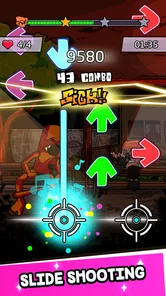
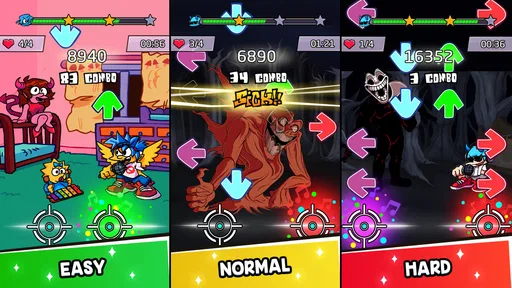
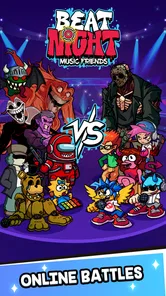
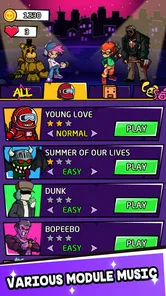
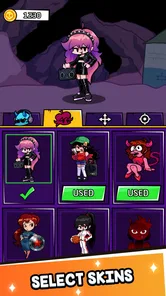
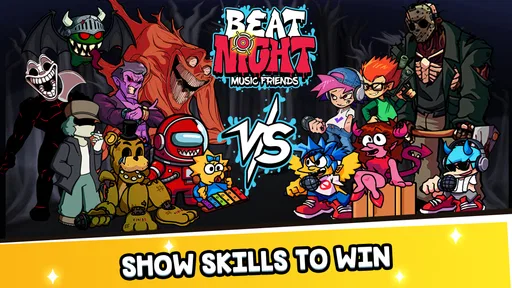
Analysis by Reviewed
Beat Shooter Night: Rap Battle is a rhythm-focused music game from HOLA GAME that puts timing and aiming at the center of its play. I found its appeal easy to understand: instead of treating a song as background decoration, it asks me to react to the beat while handling the action on screen. That combination gives it a more active feel than a simple tap-along music title, although it also means small setup problems or an awkward control habit can make the first sessions feel harder than they should.
The game is free to install and is rated for Everyone, so it is an approachable choice for a quick session on a compatible Android device. It has passed the one-million-install mark and holds an average rating of 4.2 from roughly 1.9 thousand ratings, which suggests that the basic idea has found a solid audience. My recommendation is not based only on those figures, though. The important question is whether you want a music game built around immediate reactions and shooting-style interaction rather than a deeper rhythm system, a long story, or a conventional rap simulator.
Getting started without the usual confusion
The first point where players can get stuck is understanding what kind of game this really is. The short store description calls it Beat Shooter Night, while the broader presentation connects it with rap battles and aiming. I would not approach it expecting a traditional rhythm-game interface made entirely of falling notes, nor would I expect a full music-production tool. It is better understood as a music action game in which the beat helps define the timing of your shots and movements.
That distinction matters because the correct first-session goal is not to chase a perfect score immediately. I recommend spending the opening minutes learning how the visual targets relate to the music. Watch the screen, listen for the pulse, and notice whether you are reacting too early because you are anticipating the next beat. In games of this type, a player can blame poor touch response when the real issue is simply pressing at the wrong point in the rhythm.
Before playing seriously, I would check the device itself. The current version is 1.3.3, and the game requires Android 7.0 or later. A phone that meets the minimum system requirement may still offer a less comfortable experience than a newer device, especially if other apps are active or the screen is crowded with notifications. Closing unnecessary apps, charging the phone, and turning off interruptions can make a short music session feel much more consistent.
Screen position is another practical detail that is easy to overlook. I prefer holding the phone with both hands at first, keeping my thumbs near the areas where I expect to interact. If the controls require more movement than that, I adjust my grip before attempting a difficult track. A loose grip can create accidental taps, while holding the phone too tightly makes quick aiming less precise. This is a small change, but it is one of the most useful ways to separate a control problem from a timing problem.
What to check before blaming the controls
If the game feels unresponsive, I would first test whether the issue happens consistently. Try a calm section rather than judging the entire experience from a fast sequence. If taps register in one part of the screen but not another, clean the display and remove anything that may interfere with touch input. If the whole phone feels delayed, the cause may be system performance rather than the game itself.
More From Our News Desk

Weather by Xiaomi Review: Clear at a Glance, Less Clear Up Close

X Under Pressure: Can It Recover When Posting Goes Wrong?

Clash of Clans Is Won Between the Battles

Android Auto Makes the Case for Quieter Car Software

MobiOffice: Transforming Mobile Productivity with Seamless Integration

EA SPORTS FC™ Mobile Soccer: Redefining Mobile Sports Gaming
Audio deserves equal attention. Rhythm games are much easier when sound and image agree, but a player can accidentally make the task harder by using a noisy environment or listening at an uncomfortable volume. I find that moderate volume works better than turning the sound up aggressively. The goal is to hear the beat clearly without losing concentration or creating fatigue after a few rounds.
There is also a useful mental setup: treat the music as the main guide and the visual action as confirmation. New players often stare at the targets and react only after seeing them, which can feel late. Once the rhythm becomes familiar, listening first helps the hands move with less hesitation. This does not turn the game into an automatic experience; it simply reduces the delay caused by waiting for every visual cue.
Because the game is free, it is easy to install it casually and expect everything to feel perfect on the first launch. I would give it a more deliberate test. Play long enough to see whether the timing becomes more natural after the initial learning curve, but do not spend money just to solve frustration. Optional in-app purchases range from $0.99 to $2.99 per item, so I would treat them as extras rather than a requirement for deciding whether the core game suits you.
Recovering when a session goes wrong
When a round goes badly, restarting immediately is not always the best response. I first ask what failed: timing, aiming, visibility, or concentration. If the misses cluster around one repeated moment, I slow down mentally and focus on that transition in the next attempt. If the misses are scattered, I take a short break instead of repeating the same mistake until the game feels unfair.
A practical recovery routine is to lower the difficulty of your expectations rather than forcing a high-performance run. Use an early or familiar section to rebuild the connection between beat and action. Keep your hands relaxed, avoid tapping harder when a note feels important, and watch whether your eyes are jumping between too many parts of the screen. The strongest improvement often comes from reducing unnecessary movement.
Another useful habit is to play in short blocks. A quick session before a commute or during a break can work well because the game is naturally suited to immediate interaction. However, repeated retries can become tiring, especially when the music encourages you to keep chasing a better result. I would stop when my reactions become rushed. Continuing past that point may produce more frustration than progress.
If the app closes, freezes, or behaves strangely, I would use ordinary troubleshooting before assuming a serious fault. Reopen the game, make sure the phone has enough free working space, and restart the device if the problem continues. Checking that the installed version is current is also sensible. These steps are intentionally simple, but they address many temporary problems without changing settings blindly or installing unrelated tools.
For connection-related trouble, I would check the network only if the affected part of the experience clearly needs it. A weak connection can make an online-dependent screen slow to respond, but not every touch or timing issue is a network issue. Switching between available connections, waiting briefly, and trying again is safer than repeatedly pressing a button and assuming the game has ignored every input.
Separating app problems from device problems
It is tempting to blame Beat Shooter Night whenever a difficult sequence feels inconsistent. To test that fairly, I would compare the behavior across different conditions: after a fresh restart, with other apps closed, and with the phone held in a stable position. If the experience improves after those changes, the game may only be exposing a limitation in the device’s current workload or touch conditions.
Heat can also change how comfortable a session feels. Even without measuring performance, a phone that becomes warm may feel less pleasant to hold, and a player may start gripping it differently. That altered grip can affect aiming. I would move to a cooler place, remove an unnecessary case temporarily if it traps heat, and let the device rest rather than pushing through a long series of retries.
Notifications are a surprisingly common source of disruption in music games. A banner or vibration can break concentration at exactly the wrong moment. Before an important run, I use the phone’s normal interruption controls and silence anything I do not need. This is not a special feature of the game, but it is a realistic part of getting a fair result from it.
Touchscreen protectors can matter too. If the display responds normally in other apps but feels unreliable only when my fingers move quickly, I check whether the protector is dirty, damaged, or making the surface less comfortable. I would not change advanced system settings without a clear reason. Basic cleaning, a stable grip, and a fresh launch are more appropriate first steps.
Players should also separate personal preference from technical failure. Some people dislike aim-based interaction because they want a pure rhythm lane with predictable note patterns. Others may find the action satisfying but dislike repeating a section to improve timing. Neither reaction means the app is broken. It means the design is aimed at a particular kind of music-game player.
How it compares with familiar music games
Compared with a conventional tap rhythm game, this title adds a more physical layer through aiming and shooting-style interaction. That makes it feel more immediate to me, especially when I want something active rather than a passive music playlist. The trade-off is that the screen can demand more attention, and a player who prefers clean, minimal rhythm lanes may find the action busier than necessary.
It also differs from rap-focused games that emphasize lyrics, character progression, or story choices. Here, the musical identity is tied to the battle atmosphere and the action loop. If your priority is writing verses, managing a performer, or exploring a narrative rivalry, another category of game would be a better match. If your priority is reacting to music with quick visual input, this approach is more relevant.
Against larger rhythm games, the attraction is accessibility rather than depth. A free download and an Everyone rating make it easy to try, while the simple premise can suit short sessions. The limitation is that players seeking extensive customization, a highly technical scoring system, or a broad competitive structure may eventually want something more specialized. I would choose this one for quick engagement, not as a replacement for every other music game.
The developer, HOLA GAME, has kept the central idea easy to grasp: follow the musical energy while aiming at what appears on screen. That clarity helps new players begin without studying a complex rule set. At the same time, the simplicity means the experience depends heavily on whether the music-action pairing holds your attention. If it does not click after several fair attempts, more practice may not change your opinion.
Who will enjoy it and who should skip it
I think it works best for players who like short, reactive games and enjoy the satisfaction of matching hand movement to a beat. It is also a reasonable choice for someone who wants a free music game that can be tested without committing to a large download purchase. The age rating makes it broadly approachable, although younger players may still need normal supervision around optional purchases.
A realistic use case is a few rounds during a break when you want something more engaging than scrolling but do not have time for a long adventure game. I would silence notifications, hold the phone with both hands, play one familiar section to settle into the timing, and then attempt a stronger run. That routine gives the game a clear purpose and avoids turning a short break into an endless retry cycle.
I would skip it if you are looking for a relaxing music player, a realistic rap battle simulator, or a story-heavy game. I would also be cautious if your phone is older, your touchscreen has trouble registering quick input, or you dislike games where visual aiming and musical timing compete for attention. In those cases, a simpler tap-based rhythm game may feel fairer and easier to read.
Players who are sensitive to repetition should make their decision gradually. The core loop is intentionally focused, so its strength is immediacy rather than variety in every possible direction. I enjoyed the directness, but I would not recommend buying optional items before learning whether the basic rhythm-action loop remains enjoyable after the novelty of the first session fades.
My practical verdict
Beat Shooter Night: Rap Battle is a straightforward music game with an active twist. Its most appealing quality is the way it asks me to listen and react instead of merely watching a song play. When the timing, grip, and screen response line up, the aiming mechanic gives each beat a satisfying sense of purpose.
Its main friction is equally clear: the game can feel harder when the device is busy, the audio environment is poor, or the player has not yet learned to use the rhythm as a guide. I would troubleshoot those basics before judging the controls, and I would avoid confusing a preference for traditional rhythm lanes with a genuine technical problem.
The free price makes trying it low-risk, while optional items between $0.99 and $2.99 mean I would keep spending separate from the initial evaluation. With a 4.2 average and more than a million installs, it has enough audience interest to justify a fair test, but those figures should not replace personal experience. My advice is to give it several focused sessions on a compatible phone, using headphones or a quiet room if possible, and decide whether the rap-battle atmosphere improves the rhythm gameplay for you.
For me, it is worth recommending to casual music-game fans who want quick aiming action and do not need a deep story or elaborate progression system. It is not the right pick for everyone, but it knows what it wants to be. If you approach it as a fast beat-and-reaction game rather than a complete rap simulator, its strengths become much easier to appreciate.
As a final practical note, the release history places the game on Android from September 28, 2022, and the current version remains 1.3.3. That makes the basic compatibility check important before planning a regular routine. If the phone runs Android 7.0 or later and the controls feel stable after the simple checks above, I would keep it installed for short musical breaks. If not, a less demanding rhythm alternative will probably give you a smoother experience.
Beat Shooter Night: Rap Battle Frequently Asked Questions
What does Beat Shooter Night: Rap Battle offer before I download it?
Beat Shooter Night: Rap Battle is a free music game from HOLA GAME, with a store summary describing a rap battle experience that combines aiming and shooting. It is rated for Everyone, and the game is available for devices running Android 7.0 or later. If you enjoy rhythm-focused games with an action element, its mix of beats and targets may suit you.
What is Beat Shooter Night: Rap Battle?
Beat Shooter Night: Rap Battle is a rhythm-based music game that combines fast shooting mechanics with rap and electronic-style tracks. You control the action by aiming at incoming notes or targets and tapping in time with the beat. The game is designed for short, energetic sessions, while progressively faster patterns and more demanding songs test your timing, concentration, and reflexes.
How do you play Beat Shooter Night: Rap Battle?
Gameplay is based on following the rhythm rather than simply shooting as quickly as possible. Notes or targets move toward the player, and you must tap, swipe, or aim at them at the correct moment, depending on the control layout. Accurate hits help maintain your score and combo, while missed beats can reduce performance. Headphones and a quiet environment can make timing easier.
Is Beat Shooter Night: Rap Battle free to download and play?
The game is free to download, with optional in-app purchases ranging from $0.99 to $2.99 per item. Before installing, review the purchase prompts and use your device’s purchase controls if you want to prevent accidental spending. The game’s free download makes it accessible to try, while optional purchases may provide additional paid choices during play.
Does Beat Shooter Night: Rap Battle require an internet connection?
Some features may work without a constant connection, especially if the required game files and songs are already installed. However, an internet connection may still be needed for the initial download, advertisements, updates, cloud-related functions, or certain online content. If you plan to play while traveling, open the game once online and test the available modes before relying on offline access.
Pros
- Fast rhythm gameplay that is easy to learn but challenging to master.
- Rap-themed presentation gives the game a distinctive urban atmosphere.
- Short rounds make it convenient for quick gaming sessions.
- Responsive tap controls work well on most touchscreen devices.
- Unlockable content adds motivation to keep improving your scores.
Cons
- Difficulty can rise sharply
- which may frustrate casual players.
- Repeated patterns may make later sessions feel somewhat predictable.
- Visual effects can become distracting during intense sections.
- Some features may depend on ads or in-app purchases.
- The game may consume noticeable battery during longer play sessions.













