ABC Games: Phonics & Tracing
- 2.26K
- 4.7
- Installs
- 5.00M
- Price
- Free
Screenshots
Analysis by Reviewed
Choosing a first reading game for a young child is less about finding the most impressive app and more about matching the activity to the child’s attention span, motor skills, and learning stage. I spent time with ABC Games: Phonics & Tracing as an educational game for early learners, and I found its strongest appeal in the way it keeps the focus narrow: letters, sounds, reading practice, and writing movements rather than a large collection of unrelated mini-games.
That focused approach matters in a busy home. A child can open it for a short practice session while a parent prepares dinner, or use it beside an adult who wants to guide the first few attempts. I would not treat it as a complete reading course, but I do see it as a practical starting point for families looking for a simple alphabet activity on Android or iOS. The developer is Bebi Family: preschool learning games for kids, and the game is free to start, with optional in-app purchases priced at $2.99 per item.
What to consider before choosing an alphabet game
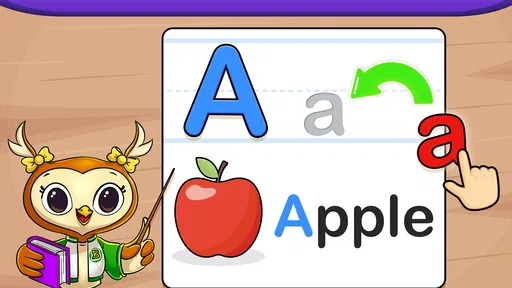
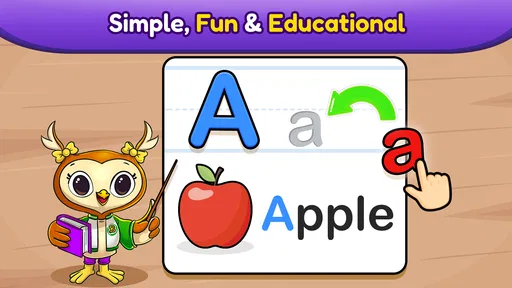
My first decision criterion is whether the app connects recognition with action. Many alphabet games let children tap a letter and hear its name, which can be entertaining but passive. Here, the useful combination is the relationship between seeing a character, hearing or working with its sound, and following a tracing movement. That gives a child more than one way to remember the same symbol.
The second criterion is whether the activity feels manageable without constant adult correction. Preschoolers often lose interest when an app demands precise taps, long instructions, or reading ability before they are ready. A good early-learning game should make the next step obvious. In my experience, this title is most comfortable for children who can already follow a short instruction and are beginning to notice letters, but who still need repetition before the alphabet feels familiar.
I also look at how an app fits into a real routine. A parent may want something for a five-minute transition before school, a quiet activity during travel, or a little practice after a storybook. The best choice is not always the one with the most lessons. It is the one that can be opened quickly, understood quickly, and stopped without turning practice into an argument.
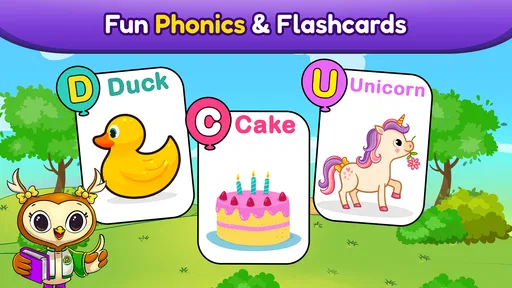
There is also a difference between learning letter names and learning early phonics. Knowing that a symbol is called “B” is useful, but connecting it with the sound it represents is a more important step toward reading. The phonics angle makes this game more relevant than a basic alphabet song app, especially when an adult uses the screen as a prompt and then asks the child to find the same letter in a book, on a cereal box, or on a sign.
Finally, I would consider the child’s temperament. Some children enjoy tracing the same shapes repeatedly. Others become frustrated if their finger does not stay exactly where the game expects. This is not a replacement for paper, crayons, magnetic letters, or conversation. It works best as one tool in a wider routine, not as the only way a child encounters written language.
More From Our News Desk

Weather by Xiaomi Review: Clear at a Glance, Less Clear Up Close

X Under Pressure: Can It Recover When Posting Goes Wrong?

Clash of Clans Is Won Between the Battles

Android Auto Makes the Case for Quieter Car Software

MobiOffice: Transforming Mobile Productivity with Seamless Integration

EA SPORTS FC™ Mobile Soccer: Redefining Mobile Sports Gaming
How the learning flow feels in everyday use
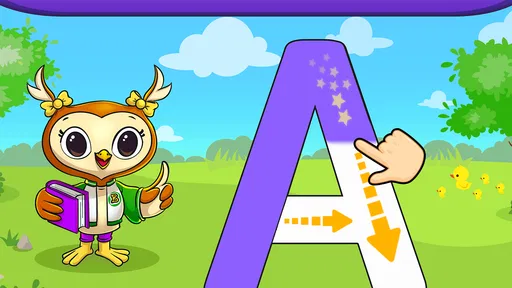
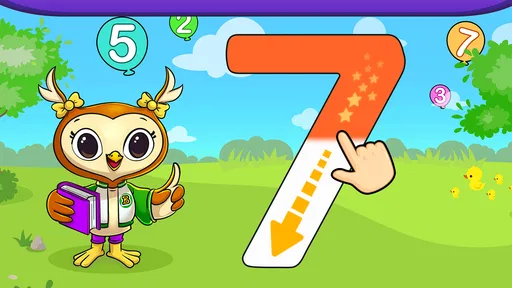
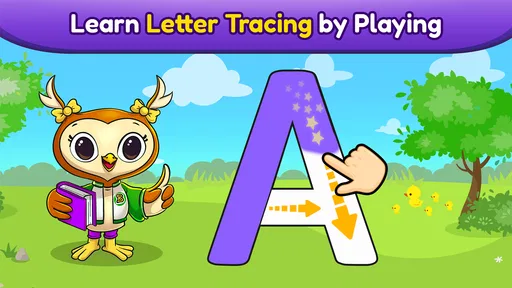
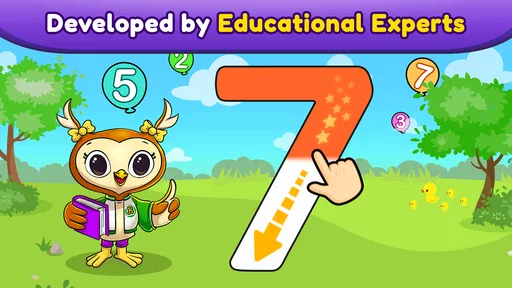
The central experience is built around early alphabet practice, with activities connected to phonics and tracing. That gives the game a clearer educational purpose than a collection of colorful taps. A child is not simply trying to reach the next reward; the repeated movement can help build familiarity with the direction and shape of letters.
I especially like the possibility of using it in short, repeatable sessions. Instead of asking a child to complete a long lesson, I would choose a small goal: revisit a few letters, say their sounds aloud, and then stop while the child is still comfortable. Repetition is more valuable here than rushing through the entire alphabet. If a child struggles with a particular shape, returning to it on another day is likely to be more productive than insisting on mastery in one sitting.
Parents should stay close enough to turn screen activity into spoken practice. When a letter appears, say its name and sound together, then ask the child to repeat it. After tracing, invite the child to draw the same shape in the air or with a finger on the table. This simple bridge from screen to physical movement is one of the most useful ways to get more from the game.
A realistic example would be a child who is waiting while a sibling finishes an appointment. I would open the game, let the child choose a familiar letter, and use the tracing activity as a calm five-minute task. Rather than handing over the device for unlimited play, I would finish by asking the child to spot that letter in a nearby book. The app supplies the prompt; the adult supplies the connection to ordinary life.
Where this game wins against simpler alternatives
Compared with a video that only sings the alphabet, this game asks the child to do something with each symbol. That extra interaction can be valuable for children who learn better through movement. Compared with a general preschool game collection, its narrower purpose may make it easier for a parent to understand what practice is happening.
It also has an advantage over worksheets for children who are not yet willing to sit with pencil and paper. Tracing on a screen can feel less intimidating, and the immediate response may encourage a hesitant child to try again. I would still introduce paper later, because touchscreen movement does not fully reproduce the pressure, grip, and control needed for handwriting. The game is a gentle entry point, not a substitute for fine-motor practice.
The store summary emphasizes a no-ads experience, which is important for a child-focused activity. Fewer interruptions make it easier to keep the learning flow intact and reduce the chance that a child will tap into something unrelated. That does not remove the need for an adult to check the device and manage purchases, but it does make the app feel more suitable for supervised early learning than an ad-supported game that constantly changes direction.
Its broad reach also suggests that it has found an audience: the game has a 4.8 average from around 31 thousand ratings and more than 5 million installs. I would not use popularity as proof that every child will enjoy it, but those figures do make it easier to view the app as an established option rather than an obscure experiment.
Small techniques that make the app more useful
My first practical tip is to separate recognition from tracing. On the first attempt, let the child look at the letter and say its name. On the next attempt, focus on the sound. Only then emphasize the tracing movement. Asking for all three at once can overload a beginner, while separating them gives you a clearer idea of what the child actually understands.
A second useful technique is to use the game diagnostically rather than competitively. If a child recognizes a letter but cannot trace it, the issue may be hand control rather than memory. If tracing is easy but the sound is forgotten, add spoken examples away from the screen. This prevents the common mistake of assuming that a successful tap means the whole concept has been learned.
Third, change the physical position of the device. Holding it flat on a table may make tracing easier for some children, while others work more naturally with the screen slightly angled. A stable surface and a relaxed hand can make the difference between a useful attempt and a frustrating one. I would also avoid using the app when the child is already tired or hungry; an educational game cannot overcome poor timing.
Another worthwhile workflow is to choose a “letter of the day” from the game and then build a tiny search around it. Look for the letter in a favorite book, say a word that begins with its sound, and draw it with a finger in flour or on a fogged window. This turns a digital exercise into a memory anchor. It is a more meaningful use of the app than simply completing as many screens as possible.
Where another type of app may fit better
This game may not be the right choice for a child who already reads simple words and needs sentence-level practice. Its early alphabet focus is better suited to beginners than to children looking for spelling, comprehension, or independent reading challenges. In that situation, a graded reader or a more advanced literacy app would probably offer a better next step.
I would also consider a physical alphabet kit for a child who avoids touchscreens or needs more hands-on movement. Wooden letters, magnetic tiles, and paper tracing can support skills that an app cannot fully reproduce. The digital format is convenient, but convenience should not become the reason every learning activity happens on a device.
Some families may prefer a story-based phonics program. A narrative can give sounds a memorable context and may hold the attention of children who find isolated letters dull. On the other hand, a story can move too quickly for a child who needs repeated practice with one shape. The choice depends on whether the child needs focused repetition or a richer reading context.
There is also a trade-off with open-ended drawing apps. Those tools provide more freedom and may be better for children who are ready to experiment with lines and shapes. This game offers more direction, which is helpful for beginners but can feel restrictive to a child who wants to create rather than follow a model.
Parents should think about supervision as well. Even a well-designed educational activity benefits from an adult who can pronounce sounds accurately, notice frustration, and decide when to stop. If you are looking for an app that can replace teaching entirely, this is not the right expectation. Its value increases when an adult turns each screen into a short conversation.
Device setup, access, and the cost of changing tools
The game is free, carries an Everyone content rating, and runs on devices using Android 6.0 or later. That makes it accessible for families using an older compatible phone or tablet, although the actual comfort of tracing will depend on the screen size and condition. A small phone can work for quick recognition, but a larger tablet is likely more comfortable when a child is practicing letter movements.
The current version is 19.14.09. I would keep the app updated through the normal device store when possible, especially if a child uses it regularly. Before handing over the device, I would also open it myself, check the available activities, adjust the volume, and make sure the child cannot accidentally approve a purchase. Optional items cost $2.99 each, so purchase controls are worth setting up even when the basic download is free.
The cost of switching from this game to another tool is low in money, but there can be a learning cost for the child. A familiar interface reduces the time spent explaining what to do. If the child has developed confidence with these letter activities, moving immediately to a more complex reading app may create unnecessary frustration. I would switch gradually: keep the familiar tracing routine while adding a book, paper practice, or a different phonics activity beside it.
On the other hand, staying with one app for too long can limit progress. If the child can name and trace the letters comfortably, repeating the same level may become screen habit rather than learning. That is the right moment to move some practice off-screen, introduce simple word building, or choose an app that works with blending sounds. The goal is not loyalty to one product; it is steady movement toward independent literacy.
Who should download it, and who should skip it?
I would recommend it to parents of preschoolers who are beginning alphabet recognition, need a gentle introduction to tracing, or resist paper worksheets. It is also a sensible option for families wanting a focused educational game rather than a broad entertainment app. The no-ads positioning and simple learning purpose make it easier to include in a supervised routine.
I would be more cautious if the child has advanced beyond individual letters, becomes upset by guided tracing, or has very limited interest in touchscreens. In those cases, books, physical letter materials, or a more advanced phonics and reading tool may be a better match. I would also skip using it as an unsupervised substitute for conversation and shared reading.
My strongest recommendation is to treat each session as a starting point. Let the child explore a few letters, then connect them to sounds, objects, names, and printed words in the room. That approach makes the game part of learning rather than the entire learning experience.
My final view: ABC Games: Phonics & Tracing is a worthwhile free educational game for early alphabet practice, particularly when a child benefits from repeating letter shapes and hearing their sounds in a guided setting. It does not cover every stage of reading, and it cannot replace handwriting materials or shared books. Still, for a beginner-friendly routine that combines recognition, phonics, and tracing without advertising interruptions, I would feel comfortable recommending ABC Games: Phonics & Tracing to a parent who wants a practical first step.
ABC Games: Phonics & Tracing Frequently Asked Questions
What does a child do during a typical session with ABC Games: Phonics & Tracing?
Children use the educational game to explore alphabet letters, hear their sounds, and practice tracing letter shapes on the screen. Its activities are designed for early learners, so a parent can sit alongside a child, encourage them to say the letters aloud, and connect the onscreen practice with words they already know. This can make a short learning session feel more interactive than simply looking at a letter chart.
Who publishes the game, and what should I know about its update history?
ABC Games: Phonics & Tracing is developed by Bebi Family, which makes preschool learning games for kids. The current version is 19.14.09, and the game was released on October 30, 2019. Checking that your device can run the current version and keeping the app updated can help you get the intended experience. As with any children’s app, it is sensible to review it together before handing it over for independent use.
Is ABC Games: Phonics & Tracing free to download, and are there optional purchases?
ABC Games: Phonics & Tracing is free to download, with in-app purchases available at $2.99 per item. That gives families a chance to try the educational game before deciding whether to buy anything. If a child will use the device independently, consider setting purchase restrictions or using parental controls so an accidental tap does not lead to an unwanted purchase.
What age rating does the game have, and what devices can run it?
The game is rated Everyone and is aimed at young learners beginning to explore letters and sounds. It requires Android 6.0 or later, so it is worth checking your device’s operating-system version before downloading. The age rating can help parents make an initial assessment, but it is still sensible to supervise a child’s screen use and decide whether the activities suit their individual needs.
What is ABC Games: Phonics & Tracing designed to teach?
ABC Games: Phonics & Tracing is an early-learning app designed to help young children become familiar with the alphabet, letter sounds, and basic writing movements. It typically combines phonics activities with tracing exercises, allowing children to recognize letters, listen to their pronunciation, and practice following letter shapes on the screen in an interactive, game-like environment.
Pros
- Fun phonics activities help children connect letters with their sounds.
- Tracing exercises support early handwriting and fine-motor development.
- Simple controls are suitable for preschool and kindergarten learners.
- Bright visuals and friendly audio help maintain young children’s attention.
- Works well as a short
- independent practice activity at home.
Cons
- Some activities may feel repetitive after extended play sessions.
- Progress tracking may be limited for parents and teachers.
- Younger children might need help navigating between activities.
- Audio quality or pronunciation may vary by device settings.
- The educational content may not suit children already beyond beginner phonics.













