YouMail: Block Spam on Android
- 40.85K
- 4.2
- Installs
- 5.00M
- Price
- Free

Screenshots




Analysis by Reviewed
My first impression of YouMail: Block Spam is that it aims to turn an irritating part of phone life into something easier to manage. It is a communication app from YouMail, Inc, and the appeal is clear if unknown callers regularly interrupt your day. I would not expect any call blocker to recognize every unwanted caller, but having a dedicated place to screen calls and handle voicemail can make the phone feel less demanding.
The first week: setup and useful routines
Getting started is less about exploring a complicated tool and more about deciding how you want calls to reach you. I would take a moment during setup to check each permission prompt and make sure the app’s call-handling choices fit the way I use my phone. That small pause matters: call blocking only helps if legitimate calls, such as deliveries or appointments, still have a sensible route to reach you.
A realistic first-week test is to leave the app in place while you go through an ordinary workday. If an unknown number calls during a meeting, you can later review the voicemail rather than interrupting yourself to answer. For someone who gets calls from new customers, job applicants, or service providers, that distinction is important: silence is helpful, but losing a real opportunity is not. I would check missed calls and messages at a convenient time before deciding how aggressively to rely on blocking.
Setting Up and First Impressions
Getting YouMail: Block Spam up and running is a breeze. After downloading it from the Play Store, you’ll be guided through a straightforward setup process. The app asks for a few permissions—totally standard stuff, nothing to worry about. You’ll be up and receiving calls in no time, but the difference now is that spam calls will be a distant memory.
Features That Stand Out
So, what makes YouMail shine in the crowded field of call blockers? For starters, its ability to identify and block spam calls with impressive accuracy. It’s like it knows who’s calling before you even look at your phone. I especially appreciate the customizable greetings. Imagine leaving a professional-sounding voicemail message without actually recording one. Genius!
Another nifty feature is the visual voicemail. It transcribes your voicemails, letting you read them at a glance. No more listening through endless messages to get to the important ones. It’s a time-saver and a sanity saver. Plus, the app’s interface is clean and intuitive, making it easy to navigate even for the less tech-savvy among us.
Making voicemail useful beyond missed calls
I find visual voicemail most valuable when I treat it as a sorting tool rather than a complete replacement for listening. A short transcript can tell me whether a message needs attention now, whether I should call back, or whether I can leave it for later. Names, numbers, and urgency can be misheard or rendered imperfectly, so I would use the text to prioritize and then play the recording before making a decision that matters.
You May Like

Clash of Clans Is Won Between the Battles

Android Auto Makes the Case for Quieter Car Software

MobiOffice: Transforming Mobile Productivity with Seamless Integration

EA SPORTS FC™ Mobile Soccer: Redefining Mobile Sports Gaming

How Microsoft OneDrive Became a Mobile Productivity Giant

How Google Translate Breaks Language Barriers Effortlessly
That distinction is useful for people who share a phone number across work and personal life. A caller might leave a brief message while I am commuting or talking with someone else; reading first lets me decide whether to step away and return the call. If a message is vague, the recording still carries tone and details that a transcript may not capture. This is a small workflow change, but it can make voicemail feel less like a backlog and more like an inbox I can process deliberately.
Month-to-month value and maintenance
The lasting value is not just whether fewer nuisance calls get through; it is whether the app fits into a routine without asking for constant attention. I’d make a quick habit of checking voicemail and reviewing blocked or unfamiliar callers, especially if I rely on my number for work. Transcription can help me triage messages quickly, but I would still listen to anything important before acting on it. A written transcript is a shortcut, not a substitute for context.
YouMail is free to install, and its age rating is Everyone. Optional in-app purchases range from $7.99 to $239.99 per item, so I would look carefully at what a paid option includes before committing and decide whether its benefits solve a real problem for me. The app has been around since June 17, 2011, and version 7.0.3 is the current release; it requires Android 10 or later. Its 4.2 average from about 113,000 ratings, alongside more than 5 million installs, suggests that it has found an established audience, though popularity cannot guarantee that its call handling will suit every carrier or personal setup.
Who is likely to get lasting value
I see the strongest case for someone whose phone number is public or used for both work and everyday errands. A freelancer waiting for a new client, a renter coordinating repairs, or a parent expecting calls from a school may want fewer interruptions without simply ignoring every number they do not recognize. For them, voicemail handling can be as useful as blocking: a caller who cannot get through at the right moment still has a way to leave information.
On the other hand, if I receive only occasional nuisance calls, the built-in tools on my phone may be enough. They are already close at hand and avoid adding another service to manage. I would also think twice about using an assertive blocking setup when I am actively expecting a call from a new number. In that situation, screening first and checking messages promptly is safer than treating unfamiliarity as proof of spam.
Where it fits—and where it may not
Compared with relying only on a phone’s built-in blocking tools, a specialist app can offer a more focused way to identify unwanted calls and manage voicemail. The trade-off is another app to configure and keep in your communication routine. If you receive very few nuisance calls, the native call controls may already be enough. If you need to answer nearly every unfamiliar number, such as when arranging interviews or waiting for a first-time client, I would use a cautious screening approach rather than assuming every unknown caller is spam.
There is also a practical fatigue point: a blocker can create confidence that is not always deserved. Legitimate numbers may be unfamiliar, and caller identification should not replace judgment. If something important is missing, check voicemail and the call history before changing settings or assuming the person never tried to reach you. That simple habit makes the app more useful without turning every missed call into a mystery.
A practical day-to-day test
Imagine I am working through a meeting-heavy afternoon and a number I do not know calls while my phone is away. Rather than interrupting the meeting, I can wait until a break, review whether a message was left, and decide whether a return call makes sense. If it turns out to be a delivery or someone arranging an appointment, I have a clear next step; if there is no useful message, I can move on without repeatedly stopping to answer every unfamiliar ring.
The best version of that routine is a short check at a predictable time, not constant monitoring. I would review recent calls and voicemail together, because looking at one without the other can make a missed call harder to interpret. That approach is especially helpful when a number is important but not saved in contacts. It also keeps the app from becoming another source of alerts that competes for attention.
Performance and Reliability
In terms of performance, YouMail is rock solid. During my testing period, the app didn’t miss a beat. Spam calls were effectively blocked, and I was only notified of the calls that mattered. It’s like having a virtual assistant who’s always on call, 24/7. The app runs smoothly in the background without draining your battery, which is a huge plus.
Still, I would judge reliability by what happens over several weeks, not by one quiet stretch. Spam patterns change, and a setting that feels right at first may need adjustment if expected callers are being caught or unwanted interruptions persist. Rather than frequently tinkering, I’d first observe which calls are actually getting through and then make one deliberate change at a time. That keeps troubleshooting manageable and helps you understand whether the adjustment improved your day.
Keeping the routine from becoming work
A useful way to keep maintenance light is to avoid treating every blocked or unfamiliar call as a case that needs investigation. I would focus on exceptions: a caller I was expecting, a message that sounds important, or a number that repeats often enough to deserve attention. If nothing in my routine is being disrupted, there is no need to keep changing settings just to feel busy. The point is to reduce interruptions, not create a new daily chore.
It is also worth being honest about what kind of reassurance I want. If I need to know immediately who is calling and cannot tolerate any uncertainty, no call-screening app can remove that trade-off completely. If I mainly want fewer interruptions and can check messages later, YouMail’s combination of blocking and voicemail tools is a more natural fit. My decision would depend less on how impressive the feature list sounds and more on whether I am comfortable with that delayed check-in habit.
Long-term verdict
In a world where spam calls are more common than ever, having an app like YouMail: Block Spam is a game-changer. It’s efficient, easy to use, and incredibly effective at keeping unwanted calls at bay. I can’t stress enough how much peace of mind this app brings. If you’re tired of being interrupted by calls you don’t want, give YouMail a shot. It might just be the best decision you make for your Android this year.
My recommendation is strongest for people who get enough unwanted calls to value screening and who are willing to check voicemail as part of their normal routine. Someone who wants a completely hands-off system, or who cannot risk missing an unfamiliar but important caller, may be happier with the phone’s simpler controls and a more cautious approach. If the app reduces interruptions without making you wonder where legitimate calls went, it earns its place; if not, there is little reason to keep adding another layer to call management.
For me, the deciding question after the novelty wears off is whether I still use the voicemail and screening routine without thinking about it. If the app quietly saves interruptions and the occasional transcript helps me decide what deserves a callback, it has a practical reason to stay installed. If I find myself checking too often, worrying about a missed contact, or paying for options I do not actually need, the simpler native setup is the more sensible choice. That is why I would judge its value by the shape of an ordinary month, not by one unusually quiet day.
So, go ahead, download it, and enjoy the silence. Your phone will thank you!
YouMail: Block Spam on Android Frequently Asked Questions
Can I use YouMail as my main voicemail app, or is it only for blocking unwanted calls?
YouMail combines call management with voicemail features, so it may be useful beyond blocking unwanted calls. It is designed to help users manage calls and improve their voicemail experience, including personalized greetings and transcriptions. Whether it works as your primary voicemail option depends on the features you want and how you prefer to handle calls; review its setup and options after installing.
What should I check before setting YouMail up on my Android phone?
Before installing YouMail, check that your device runs a compatible Android version and consider whether you are comfortable using an app to manage calls and voicemail. YouMail is a communication app from YouMail, Inc, and its tools are intended to help with unwanted calls and voicemail. The app is free to download, with optional purchases, so you can also review the available choices before deciding whether to pay for anything.
Is YouMail suitable for someone who mainly wants to stop robocalls and spam texts?
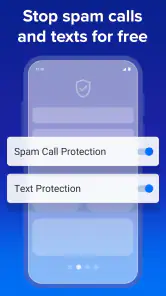
YouMail is a communication app designed to help users manage unwanted calls and communicate safely. Its smart blocker is intended to stop robocalls and spam texts, making it relevant if those are the main problems you want to address. The app also offers voicemail features, so it may suit people who want call management and voicemail in one place.
Who makes YouMail, and is it intended for general audiences?
YouMail is developed by YouMail, Inc and is intended for a general audience. Its content rating is Everyone, so it is presented as suitable for users of all ages. The app focuses on communication, with tools for managing unwanted calls and voicemail, which may be useful for people who want a more orderly way to handle incoming calls.
What is YouMail and how does it work?
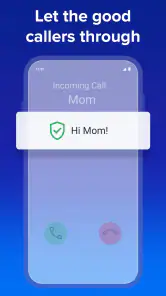
YouMail is a comprehensive call management app designed to block spam calls and enhance your voicemail experience on Android devices. It automatically identifies and blocks unwanted calls, including robocalls, telemarketers, and scammers, by using a vast database of recognized spam numbers. Additionally, YouMail offers personalized voicemail greetings and transcriptions, providing users with a seamless and efficient communication experience.
Pros
- Effective spam call blocking
- Easy voicemail management
- User-friendly interface
- Customizable greetings
- Free basic features
Cons
- Premium features require subscription
- Occasional notification delays
- Limited free transcription
- Ads in free version
- May miss some spam calls

- Category
- Communication
- Version
- 7.0.3











