WWMT News 3
- 202.00
- 4.2
- Installs
- 50.00K
- Price
- Free

Screenshots

Analysis by Reviewed
I judge a local news app by a simple question: does it help me understand what is happening nearby without making a quick check feel like a project? WWMT News 3 is at its best when I want regional news, weather, and sports close together. That focus makes it a practical everyday companion, though it is not the app I would choose as my only source for a broad view of national and international events.
For me, its clearest use is the quick check-in: I can look for a local update, then move to weather or sports without treating each as a separate task. That makes it handy before leaving home or during a short break. I would still keep another source for broad national or international coverage; this app is most useful when local reporting is the priority.
Why WWMT News 3 Stands Out
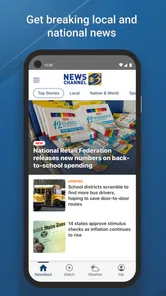
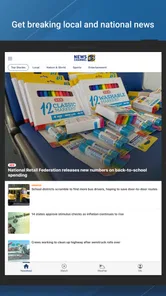
Firstly, let's talk about the user interface. The moment I opened the app, I was greeted with a clean and intuitive design that made navigation a breeze. Unlike other apps that bombard you with too much information at once, WWMT News 3 presents the news in a concise and organized manner, making it super easy to find the stories that matter to me.
The app also offers a personalized news feed. Based on your reading habits, it curates articles and stories that are most relevant to your interests. It’s like having a personal news assistant that knows exactly what you want to read about. And trust me, it’s a game-changer!
One practical way to use that feed is to treat it as a starting point, not a complete record of the day. I check the local stories first, then deliberately look beyond the items the app surfaces so that familiar topics do not crowd out something important. Compared with a general-purpose news aggregator, a local outlet can make nearby developments easier to follow, while an aggregator is usually the better choice when I want a wider mix of publishers in one place.
Following Local Stories Without Losing Perspective
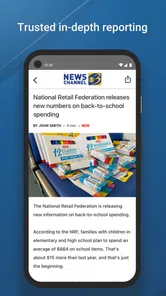
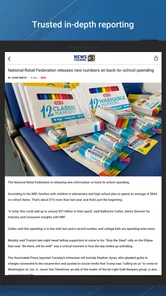
The local-first approach is most valuable when a story affects a real decision: whether to adjust a route, keep an eye on a community issue, or make time for a local event. I find it useful to read beyond the headline when a report could change what I do that day. A short headline gives me a quick signal; the full article is where I can judge context and avoid reacting to a fragment.
For a useful routine, I would check the main feed once at a natural pause rather than repeatedly reopening it whenever I have a spare few seconds. That keeps the app from turning into another stream of interruptions and gives the stories more room to make sense. If an issue is developing quickly, I can check back later, but for a routine day I do not need to treat every refresh as essential.
More From Our News Desk

Weather by Xiaomi Review: Clear at a Glance, Less Clear Up Close

X Under Pressure: Can It Recover When Posting Goes Wrong?

Clash of Clans Is Won Between the Battles

Android Auto Makes the Case for Quieter Car Software

MobiOffice: Transforming Mobile Productivity with Seamless Integration

EA SPORTS FC™ Mobile Soccer: Redefining Mobile Sports Gaming
There is a trade-off in relying on a regional source. The coverage is more relevant when the subject is nearby, but a local feed is not a substitute for comparing national reporting or specialist coverage on a complex topic. When a story has implications beyond the region, I would use WWMT as the local angle and consult another trusted outlet for additional context.
Features That Keep You Hooked
One of the features I absolutely love is the real-time updates. You’ll never miss out on any critical news as the app keeps you informed with notifications about breaking news as it happens. Whether it’s local news or global events, you’re always in the loop.
Notifications are most useful when I let them flag genuinely time-sensitive developments rather than treating every alert as something that needs an immediate read. If frequent interruptions are a concern, it is worth checking the app’s notification controls and keeping only the alerts that help you act or stay informed. For a quieter routine, opening the app when convenient may be a better fit than relying on push alerts.
A small but useful habit is to decide what an alert should do for you before enabling it: tell you about an urgent local development, or simply remind you that there is new coverage to browse. Those are different needs. The first can justify a prompt; the second is often better handled by opening the feed when you have time. This helps keep breaking-news notifications meaningful instead of making them blend into a constant buzz.
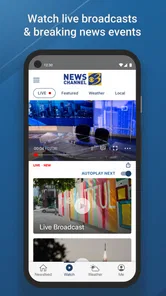
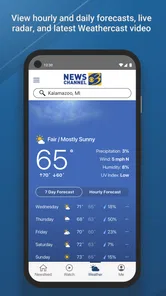
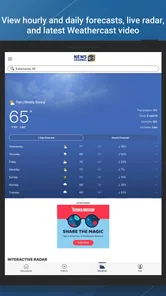
And let's not forget the weather updates. The weather section is detailed and accurate, providing forecasts that help you plan your day better. It’s like having a weather channel right in your pocket. Plus, the app's live streaming feature allows you to watch news broadcasts on the go, keeping you connected even when you're out and about.
A realistic routine is to check the forecast before a commute, then return to the news later rather than keeping a stream running in the background. Live viewing is appealing when I want the broadcast experience, but reading a story is more convenient when I need to be quiet or have only a moment. For specialized forecasts or a second opinion during changing conditions, a dedicated weather service may be the more useful companion.
Choosing the Right Format for the Moment
The choice between reading and watching is not just a matter of preference; it depends on the setting. If I am waiting somewhere with a few minutes to spare, an article lets me move at my own pace and stop when I need to. If I want a broadcast-style overview and can give it my attention, live streaming offers a different way to follow the news. I would not assume that one format is always better: the useful option is the one that fits the moment.
For weather, I treat a local news app as a convenient first check, especially when I am already opening it for headlines. If conditions are important to a specific plan, I would compare the forecast with a dedicated weather app rather than rely on a single glance. That is a practical division of labor: WWMT keeps local coverage and a general forecast nearby, while a specialist tool can serve people who need deeper weather detail.
Sports readers may also appreciate having coverage alongside local news rather than switching to a separate destination for every topic. The advantage is convenience, not necessarily exhaustive coverage of every league or team. If sports are the main reason you open a news app, I would compare the local reporting you care about with a dedicated sports service before deciding that a general regional app covers all your needs.
Who Will Get the Most from It
I’d recommend this app to readers who want a straightforward way to keep local news, weather, and sports within reach. It also suits someone who prefers a familiar regional source over a feed built from many publishers. Sinclair Digital Interactive Solutions develops the app, which is free and rated for Everyone; it has a 4.2 average from around 675 ratings and more than 50,000 installs.
One everyday example is a morning when I have to leave soon and want a quick sense of local developments before heading out. I can check the news, glance at the forecast, and decide whether I need to look more closely at anything that could affect my plans. Later, if I have more time, I can read a full story or watch a broadcast. The appeal is having those local checks in one place, not expecting the app to make decisions for me.
It is also a reasonable fit for someone who wants a free starting point and does not want to build a complex collection of news sources. The Everyone content rating is reassuring for general audiences, but families should still use their own judgement about which stories are appropriate to read together; a general news feed can include serious real-world events. The app is best understood as a way to access reporting, rather than a filtered entertainment feed.
The app is currently at version 10.16.0 and has been available since October 16, 2012, with Android 7.0 as its minimum OS requirement. Those details make it easier to judge basic compatibility, but the better test is whether its local focus matches your habits. Someone who mainly wants international headlines, extensive source customization, or a dedicated weather tool may be happier with a broader news reader or a specialist app instead.
When Another News Option Makes More Sense
If I wanted a single place to compare many publishers, I would choose a general news aggregator. It can provide a broader mix of viewpoints and subjects, while a regional news app makes the local beat its main reason to exist. Neither approach is automatically more complete: the choice depends on whether I value a concentrated local perspective or a wide selection of sources.
I would also skip this as my primary app if my routine depends on highly tailored topic controls, deep international coverage, or specialist reporting. In those situations, a broader reader or a publication focused on the subject would be a better match. Keeping WWMT as a local supplement could still make sense, but expecting one regional app to cover every information need would be unfair to the format.
For a person who mainly wants weather, a dedicated forecast service is the more direct option. For someone who mainly wants sports scores and analysis, a sports-focused app may be more suitable. WWMT’s strength is the combination of local news, weather, and sports; that convenience matters most when those areas are all useful, even if none is the only thing a reader follows.
Ending Thoughts: A News App Worth Downloading
In a world where information is at our fingertips, having a reliable news app is essential. WWMT News 3 not only keeps you informed but does so in a way that’s easy and enjoyable. If you’re looking for an app that delivers news efficiently and effectively, this might just be the one for you.
So, next time you’re on the hunt for a news app, give WWMT News 3 a try. It’s not just an app; it’s your new favorite way to stay connected with the world. Happy reading!
My recommendation is strongest for readers who regularly want a local check-in and appreciate having weather and sports close by. I would use it as part of a sensible news routine: start with nearby coverage, follow a developing story when it matters, and use another source when I need a broader or more specialized view. That balance lets the app do what it is best at without asking it to be every kind of news service at once.
WWMT News 3 Frequently Asked Questions
Is WWMT News 3 suitable for all ages?
WWMT News 3 has an Everyone content rating, so it is designated for a general audience. As with any news app, the stories it carries can cover a wide range of real-world events, and parents may wish to consider whether particular news content is appropriate for younger readers. The app focuses on delivering news, weather and sports in an instant.
What should I know about the app before downloading it?
WWMT News 3 is a free news and magazines app developed by Sinclair Digital Interactive Solutions. It has a 4.2 average rating from around 675 ratings, with over 50,000 installs. Its current version is 10.16.0, and it requires Android 7.0 or later. These details can help you judge whether it suits your device and what you want from a news app.
What platforms is the WWMT News 3 app available on?
The WWMT News 3 app is available for download on both Android and iOS platforms. Users can find it on the Google Play Store for Android devices and the Apple App Store for iOS devices. This ensures that a wide range of users can access the latest news updates on their preferred devices.
Is the WWMT News 3 app free to use?
Yes, the WWMT News 3 app is free to download and use. Users can enjoy access to news articles, videos, and live streaming without any cost. However, there may be advertisements within the app, as they support the free content. Premium features, if any, might require in-app purchases.
What type of content can I expect from the WWMT News 3 app?
The WWMT News 3 app provides a comprehensive range of content, including breaking news, weather forecasts, sports updates, and community events. Users can also find video clips and live streaming options to stay updated on current events. The app covers both local and national news, ensuring a broad coverage of information.
Pros
- User-friendly interface for all ages
- Comprehensive coverage of local news
- Real-time weather updates
- Customizable news alerts
- Live streaming of news broadcasts
Cons
- Limited international news coverage
- Frequent ads disrupt user experience
- Requires a stable internet connection
- Occasional app crashes
- No offline reading mode











