US News - Breaking News Brief
- 3.08K
- 4.2
- Installs
- 1.00M
- Price
- Free

Screenshots

Analysis by Reviewed
I approach a news app differently after the first few days than I do on opening night. A stream of headlines can feel useful simply because it is new; the better question is whether it helps me make sensible choices about what deserves my attention a few weeks later. US News - Breaking News Brief is built for brief check-ins and selected topics, so its staying power depends less on novelty and more on whether its mix fits an everyday routine.
What the first week is good for
During the first week, I’d use the app to work out what kind of news reader I am when I’m not trying to keep up with everything. A quick scan before leaving home can reveal whether I want national headlines, local developments, or a particular subject in the foreground. The app’s appeal is that it gives me a place to begin without requiring a long reading session right away.
I would resist turning on every alert just to see what the app can do. Instead, I’d start with the subjects I actually follow and notice which notifications lead to something useful. That gives me a practical way to judge its value: an alert should help me decide whether to read more, not create a new obligation to check my phone whenever it buzzes.
A routine that can last
The app is most promising for someone who wants a lightweight overview rather than a complete replacement for newspapers, broadcasters, or specialist reporting. If I have a short break, I can use a few headlines to decide what is relevant today and leave deeper reading for a trusted source. That division of labor is a useful long-term habit: the app helps with discovery, while the original reporting supplies context when a story matters.
For a reader who follows US events alongside international developments, a broad news feed can also make it easier to notice a subject outside the usual daily routine. I’d still take care not to confuse seeing a headline with understanding an issue. When a story could affect a decision, I would open the full report, check its source, and look for more than one account rather than relying on a brief summary alone.
How much upkeep it asks of you
Keeping the app useful does not need to become a project. I’d review my chosen subjects when the feed starts feeling stale, remove interests that no longer matter, and keep notifications limited to genuinely useful updates. That small reset is more likely to improve the experience than repeatedly refreshing a feed out of habit.
There is a reasonable question about whether a free app can remain useful without adding costs. The app is free to download, with optional in-app purchases priced from $1.99 to $24.99 per item. I would treat those purchases as optional rather than assume they are necessary to follow the news; if a particular paid option matters to you, check its details in the app before buying. For casual headline checking, the main decision is whether the free experience already suits your routine.
More From Our News Desk

Weather by Xiaomi Review: Clear at a Glance, Less Clear Up Close

X Under Pressure: Can It Recover When Posting Goes Wrong?

Clash of Clans Is Won Between the Battles

Android Auto Makes the Case for Quieter Car Software

MobiOffice: Transforming Mobile Productivity with Seamless Integration

EA SPORTS FC™ Mobile Soccer: Redefining Mobile Sports Gaming
When a news feed starts to wear thin
Even a well-organized news feed can make current events feel like an endless queue. A developing story may generate repeated attention, and an alert-heavy setup can make that repetition more tiring than informative. I’d set a deliberate time to check in, then close the app once I have enough to decide what deserves a closer read. That boundary is especially helpful during a busy workday, when breaking updates can pull attention away without changing what I need to do.
There is also a trade-off between convenience and editorial familiarity. A mix of subjects can expose me to more than one corner of the news, but it may not offer the depth, reporting approach, or consistent perspective I get from following a publication directly. If I already know which newsroom I trust and want its investigations or analysis, that publication’s app is likely the better daily home. If I want a starting point for a quick scan, this app has a clearer role.
Who is likely to keep it installed?
I’d recommend trying it if you want a compact way to check US news and related topics without committing every spare minute to reading. It may suit commuters, students, or people who want a quick sense of the day before choosing a longer article. It is less suitable for someone who expects one app to provide exhaustive coverage, specialist expertise, or the full perspective of a particular newsroom.
One useful approach is to treat the feed as a decision tool, not a finish line. A headline can tell me that a local issue is developing; the next step is to open the article, consider who published it, and decide whether another source would add context. This reduces the chance that a fast scan becomes a substitute for understanding, while still letting the app save time when the story is only of passing interest.
My first impression of US News - Breaking News Brief is that it aims to make checking the news feel quick rather than like opening a stack of newspapers. That can be handy when I have a few minutes between tasks, though a tidy first visit is only the beginning: the real test is whether the app remains useful once breaking alerts stop feeling novel.
Stay Updated with Ease
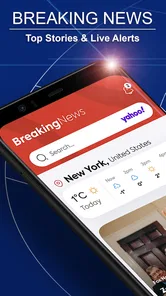
When it comes to news consumption, convenience is key. The US News - Breaking News Brief does a stellar job at ensuring you’re updated without the fuss. From the moment you fire up the app, you’re greeted with a clean, user-friendly interface that doesn’t overwhelm you with too much information at once. It’s like having a personal news curator right in your pocket.
Features That Stand Out
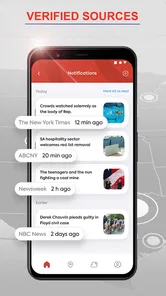
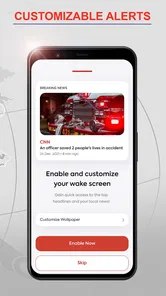
One of the standout features is the app’s ability to deliver news alerts in real-time. Whether it’s politics, sports, entertainment, or tech, you get notified about the stories that matter most to you. I found this particularly useful during major events when you want to be in the loop as things unfold.
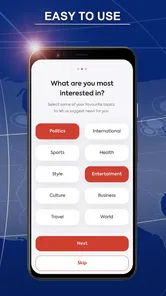
The app also offers a nifty feature that allows you to customize your news feed. You can tailor the content based on your interests, which is a huge plus for someone like me who’s more into tech and less into, say, celebrity gossip. The personalization aspect really enhances the user experience, making it feel like the app is designed just for you.
Making the Daily Check-In Count
To make the feed earn a regular place on my home screen, I’d treat the first few visits as setup time: follow the subjects I genuinely want to track, then check whether the resulting mix is broad enough to be useful without turning every idle moment into another news session. A commuter, for example, could scan the headlines over breakfast, open a story only when it affects the day, and leave the rest for later. That routine makes alerts a prompt to check in, not a reason to keep the phone within reach all day.
There is a trade-off in personalization. Narrowing a feed can reduce unrelated stories, but it can also make the news feel smaller than it is. I’d keep at least a little room for topics outside my usual interests, especially when a local development or a major national story may matter even if it is not my normal reading. If the mix starts repeating the same subjects, revisiting those choices is more useful than simply switching every alert on.
Seamless Navigation and User Experience
Navigation within the app is smooth and intuitive. The developers have done a commendable job ensuring that all the features are easily accessible with just a few taps. I particularly love the night mode option, which makes for comfortable reading during those late-night scrolling sessions.
The simplicity and efficiency of the app are what makes it stand out in a crowded market.
There’s also a section dedicated to video content, which is great for when you prefer a more visual form of news consumption. The videos are crisp and load quickly, even on a moderate internet connection.
How It Fits Beside Other News Options
Compared with going directly to one newspaper or broadcaster, a personalized news feed can be a faster starting point when I want a cross-topic scan rather than a deep dive into one publication’s coverage. That convenience comes with a judgment call: for a developing story, I’d open the source article and compare reporting before treating a short alert as the whole picture. Readers who want a single newsroom’s consistent voice, extensive analysis, or a clear editorial perspective may be better served by that publisher’s own app. This one makes more sense as a daily overview than as my only source for consequential news.
In an ordinary morning, I might check the feed while coffee is brewing, use a headline to decide whether a story deserves more time, then close the app and get on with the day. If alerts interrupt work or make it harder to switch off, I’d be selective about which topics can reach me. That small habit is important: staying informed should not mean reacting to every update as it arrives.
Keeping It Useful Over Time
News apps can become tiring when every notification feels urgent or the same major story appears in several forms. I’d judge this one by whether its mix still helps after the first week: are the selected subjects worth checking, do the alerts add something I would otherwise miss, and does the feed leave me with enough context to choose what to read next? If the answer turns into “not really,” checking less often or relying on a few trusted publications may be a better fit than trying to make the app do everything.
US News - Breaking News Brief is a free news and magazines app from My Apply Apps, with optional in-app purchases ranging from $1.99 to $24.99 per item. It has a 4.2 average from around 12,000 ratings, with about 3,100 written reviews, and has been installed over a million times. It is rated Teen, first appeared on December 18, 2020, and version 5.01.0 supports devices running Android 7.0 or later. Those details place it as an established, accessible option, but the more useful question for me is whether its brief, tailored checks suit your own routine.
Wrapping It Up
So, is the US News - Breaking News Brief worth downloading? I’d say it’s a resounding yes! With its seamless navigation, personalized news feeds, and real-time updates, it caters perfectly to the modern news consumer. Whether you’re a news junkie or just someone who likes to stay informed, this app offers a reliable and efficient way to keep up with the world around you. Give it a try and see how it fits into your daily routine. You might just find it becoming one of your go-to apps!
US News - Breaking News Brief Frequently Asked Questions
How much storage space should I set aside before downloading US News - Breaking News Brief?
US News - Breaking News Brief is a news app for readers who want quick access to updates about the United States, local stories, and world events. It is listed for Android devices running version 7.0 or later. Before downloading, check the available space on your device and the app’s current requirements in your app store, as storage needs can vary by device and app version.
Is US News - Breaking News Brief intended for younger readers?
The app has a Teen content rating, so it is intended for teen audiences and older users. Its news coverage includes subjects such as the economy, politics, health, and other current events, which may involve mature or complex topics. Parents and younger users should consider that rating and decide whether the app’s news content is appropriate for them.
What is US News - Breaking News Brief and what does it offer?
US News - Breaking News Brief is a news application designed to provide users with the latest news updates from the United States and around the world. It offers concise and timely news briefs, making it easier for users to stay informed without having to read lengthy articles. The app covers various categories such as politics, technology, entertainment, and sports, ensuring a comprehensive news experience.
Is US News - Breaking News Brief free to use or does it require a subscription?
US News - Breaking News Brief is free to download and offers access to news updates, with optional in-app purchases available. The app’s purchases range from $1.99 to $24.99 per item, so check the purchase details before confirming anything. This means you can try the app without paying upfront, while any paid options are separate from the free download.
Can I customize the news topics I receive on US News - Breaking News Brief?
Yes, US News - Breaking News Brief allows users to customize their news feed according to their interests. Users can select specific categories or topics they wish to follow, ensuring they receive only the news that matters most to them. This feature helps in personalizing the news experience and makes it more relevant to the user’s preferences.
Pros
- Real-time news updates
- User-friendly interface
- Personalized notifications
- Wide range of topics
- Offline news reading
Cons
- Limited video content
- No dark mode feature
- Ads can be intrusive
- Occasional app crashes
- Subscription for premium features











