TMZ
- 16.19K
- 4.8
- Installs
- 1.00M
- Price
- Free

Screenshots




Analysis by Reviewed
I use the TMZ app when I want a quick read on celebrity news without opening a general-purpose news feed and digging through unrelated subjects. Its entertainment-first approach is the main reason to install it: stories, photos, and videos are gathered around the world of show business, making it easy to dip in for a few minutes. That focus is useful, but it also sets clear expectations. This is a place for entertainment coverage, not a complete daily briefing or a substitute for careful reporting across a range of topics.
Where it fits into an everyday news routine
I’d treat TMZ as a focused entertainment feed, not as a replacement for a general news app. It makes the most sense when I want celebrity stories, show-business developments, and videos in one place rather than a broad mix of politics, local reporting, and world news. If I’m mainly looking for dependable coverage across those subjects, a newspaper or public broadcaster’s app is a better first stop; if I want a quick look at what’s being discussed in entertainment, TMZ has a clearer purpose.
A realistic use is checking the feed during a commute or while waiting for coffee, then saving my attention for a longer article or video when I have time. I’d also be selective with notifications: breaking alerts can be useful for someone who follows entertainment closely, but constant interruptions can make a casual interest feel like a job. Choosing only the subjects I genuinely care about, where the app’s feed customization allows it, is a practical way to keep the stream from taking over the day.
Inside the TMZ experience
When you first launch the TMZ app, you're greeted with a sleek, user-friendly interface. It's designed to make your news surfing experience as smooth as possible. Right off the bat, the app hits you with an array of current stories ranging from Hollywood headlines to sports drama and everything in between.
What the mix of stories and videos is good for
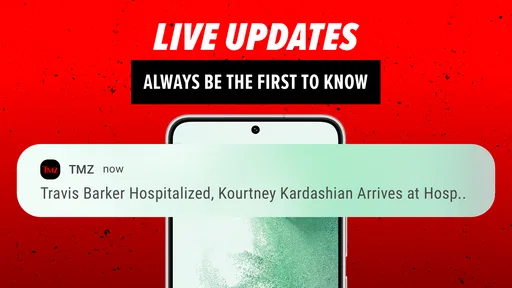
One of the standout features of this app is the real-time updates. I mean, who doesn't want to know what's happening with their favorite celebrities at any given moment? The app keeps you in the loop with push notifications that alert you to breaking news as it happens. It's like having a backstage pass to the world of fame.
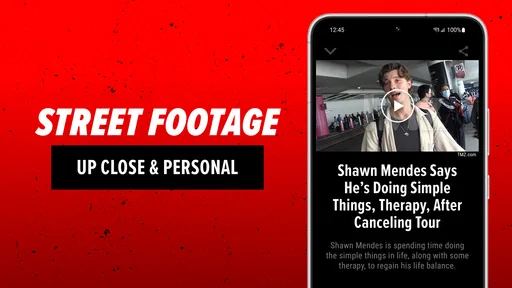
Another cool feature is the video content. They've got everything from celebrity interviews to paparazzi clips. It's a visual treat, especially for those who prefer watching over reading. Plus, the app allows you to share stories and videos directly to your social media, so you can be the first to spill the tea to your friends.
The mix of formats is more useful than it may sound. A short clip can give a fast sense of a moment, while a written story is usually the better choice when I need context or want to follow what has developed. I try not to treat a video fragment as a complete account: clips are easy to watch and pass along, but they may not answer the questions a full article raises. For a casual check-in, that quick format is a strength; for understanding a complicated or developing story, I slow down and read.
More From Our News Desk

Weather by Xiaomi Review: Clear at a Glance, Less Clear Up Close

X Under Pressure: Can It Recover When Posting Goes Wrong?

Clash of Clans Is Won Between the Battles

Android Auto Makes the Case for Quieter Car Software

MobiOffice: Transforming Mobile Productivity with Seamless Integration

EA SPORTS FC™ Mobile Soccer: Redefining Mobile Sports Gaming
Navigation and a more manageable feed
Navigating through the app is a breeze. The bottom menu provides easy access to different categories like News, Videos, and Photos. You can also customize your feed to focus on the topics you care about the most, ensuring you never miss out on your favorite stories.
For those who love to be part of the conversation, the app also offers a comments section. It's a great place to see what other users think about the latest news or to share your own thoughts. Just be prepared, it can get a little heated in there!
My practical tip is to decide what I want from a visit before opening the feed. If I have only a minute, I can scan headlines; if I’m looking for a particular kind of entertainment story, a focused feed is less distracting than browsing every category. Photos and videos are worth opening when I have time to watch or look closely, rather than tapping through them automatically. This small habit helps keep a lively stream from turning into an endless scroll.
Who will get the most from it
In my view, this app suits readers who enjoy keeping up with celebrity news as it unfolds, especially those who like alternating between quick headlines and video. The ability to share a story can also make it handy when a friend asks about a headline everyone is discussing. I’d read the article before passing it along, though: a headline or short clip is a starting point, not always enough context to understand a developing story.
The comments can add a sense of what other readers are reacting to, but I wouldn’t use them as confirmation of a claim. If a conversation gets heated, I’d simply move back to the reporting rather than treating the loudest response as the most informed one. That distinction matters with celebrity coverage, where rumor and opinion can travel quickly alongside news.
It is also a reasonable fit for someone who likes to share entertainment stories socially, but I’d use that feature with a little care. Before sending a clip or headline to a group chat, I check whether the article itself supports the impression the headline gives. That takes only a moment and reduces the chance of spreading a half-understood update. If I’m simply looking for conversation starters or a fast view of what is attracting attention, the app makes that easy; if I need a fully sourced account for a serious decision, I turn to more comprehensive reporting.
A long-running app, with limits worth knowing
TMZ is a free News & Magazines app from EHM Productions, Inc. It first arrived on March 23, 2010, and its current version is 3.24.0. That long history gives it an established place in entertainment news, but the version number alone doesn’t tell me what changed between releases, so I wouldn’t assume a particular feature is new or recently redesigned. For someone already using it, the practical test is whether the current feed, alerts, and media still suit their habits.
Its audience is substantial, with over a million installs and an average rating of 4.8 from around 82,000 ratings. Those figures suggest plenty of people find it useful, but they don’t guarantee that its editorial focus will match every reader. The app is rated Teen, and I’d keep that in mind when deciding whether its celebrity coverage and comment discussions are appropriate for younger users.
For an existing user, the clearest way to judge the current version is by everyday behavior rather than by expecting a particular redesign. Are the alerts relevant? Is the feed easy to scan? Do videos and stories load into a routine you actually enjoy? Those are the questions I’d use when deciding whether to keep it installed. The version number is a useful marker of the app’s present release, but it shouldn’t be mistaken for a changelog or proof that one specific feature has recently changed.
How it compares with other ways to follow entertainment
The trade-off is focus: TMZ is built around entertainment attention, so it isn’t the app I’d choose for a quiet, carefully curated overview of every major news topic. A broader news reader is better if I want one place for varied reporting; a publication devoted to long-form entertainment coverage may suit me better when depth matters more than immediacy. TMZ’s appeal is the quick mix of stories and video, while its pace and subject matter may feel distracting if I only check celebrity news occasionally.
Compared with following entertainment accounts on social media, an app organized around news stories can be a more direct way to browse coverage instead of relying on a timeline shaped by posts from friends and creators. Social feeds may still be better for seeing a wider range of reactions or discovering voices outside one outlet. Compared with a general news app, TMZ is narrower but more immediately relevant to celebrity-focused readers. I see it as a specialist alongside other sources, not a reason to abandon them.
There’s a useful trade-off in that specialization. A broad app can help me catch major developments outside entertainment, but celebrity news may be only a small part of its coverage. TMZ puts that subject front and center, which saves time when that is exactly what I came to read. The reverse is true when my interests shift: if I want local updates, business coverage, or a measured overview of world events, I need another source rather than expecting this one feed to stretch beyond its purpose.
When another option makes more sense
Readers who want long explanations, a calmer pace, or a broad range of public-affairs reporting may not enjoy checking this feed regularly. The same goes for anyone who finds celebrity coverage tiring or prefers not to encounter lively comment threads. I wouldn’t install it just because I want “news” in the abstract; I’d install it because I specifically want entertainment stories in a quick, accessible format. That distinction is the simplest way to decide whether it belongs on your phone.
Parents should also think about the Teen rating in context rather than treating it as a promise that every item will suit every young reader. Entertainment reporting and user comments can vary in tone, so I’d consider a young person’s maturity and how they use the app. For adults who want a fast entertainment check, the rating is simply another point to bear in mind; for a household looking for a carefully controlled news experience, a different choice may be more appropriate.
Questions I’d consider before relying on it
If you’re wondering whether you need an account to browse, whether you can make the feed quieter, or whether every story is available in video form, I’d approach those as practical checks when you open the app rather than assume one answer applies to every part of the experience. The features that are clearly useful day to day are the story, video, and photo categories, feed customization, sharing, comments, and alerts. If you prefer a low-interruption experience, start by reviewing notification choices and use the app manually; if you want immediate updates, alerts may be part of the appeal.
Another reasonable question is whether it works for someone who only cares about one corner of entertainment. Feed customization can help narrow what you see, but I’d still judge the actual mix after using it for a while. If the stories remain too broad or the pace feels excessive, opening the app less often may be better than trying to turn it into a specialist publication it was not designed to be. And if you need a full account of a story, compare the article with other reporting rather than relying on a headline alone.
What to watch as you use it
I’d pay attention to whether the app’s pace adds value or just pulls me into checking my phone more often. A useful routine might be one deliberate visit during a break, with alerts reserved for topics I genuinely follow. If the notifications interrupt work or the feed encourages aimless scrolling, muting alerts and using it only when I choose is a straightforward adjustment. That keeps the app in the role of a convenient entertainment source instead of letting it set the rhythm of the day.
For longtime users, the most meaningful sign of improvement is not a bigger version number by itself but whether everyday tasks feel smoother and the content remains relevant to their interests. I’d watch for changes in how easily I can find a story, manage the feed, or move between reading and video, while avoiding assumptions about features that have not been clearly established. The app’s long presence and current release make it a familiar option, but the right measure is still how well it serves your own habits now.
My take after using it
In conclusion, the TMZ app is a must-have for any celebrity news enthusiast. With its real-time updates, engaging video content, and easy navigation, it keeps you connected to the world of entertainment like never before. Whether you're in line for coffee or chilling at home, this app ensures you're always in the know.
So, if you're ready to dive into the glitz and glam of Hollywood, go ahead and download the app. Trust me, you won't regret it!
My recommendation is more measured: give it a try if entertainment headlines are a regular part of your day, then adjust your feed and alerts until they feel useful rather than noisy. If celebrity coverage isn’t your thing, or you want a single app for serious reporting across many subjects, you’ll probably be happier elsewhere. For the right reader, though, TMZ offers a convenient way to dip into entertainment stories and video without having to hunt across several sources.
TMZ Frequently Asked Questions
Does TMZ focus on entertainment news or cover other topics too?
TMZ is an app in the News & Magazines category, with entertainment reporting at its core. Its store summary describes it as a go-to source for breaking entertainment news, so it is best suited to readers interested in celebrity and Hollywood stories rather than people seeking a general news reader. Consider whether that focus matches the kind of coverage you want before installing.
Who publishes the TMZ app?
The TMZ app is published by EHM Productions, Inc. It brings the TMZ name and its entertainment-news focus to a mobile app, giving readers a way to follow its coverage on a phone or tablet. If you already know TMZ’s reporting style, the app offers a convenient place to keep up with that kind of news; if not, its celebrity-centered focus is worth considering first.
What devices and operating systems can run TMZ?
TMZ is available for Android and iOS devices, giving readers a choice of mobile platform. On Android, the app requires version 7.0 or later. Before downloading, check that your device is running a compatible operating system and has enough space for the installation. Once installed, TMZ offers a mobile way to follow entertainment headlines and updates.
What is TMZ and what kind of content does it offer?
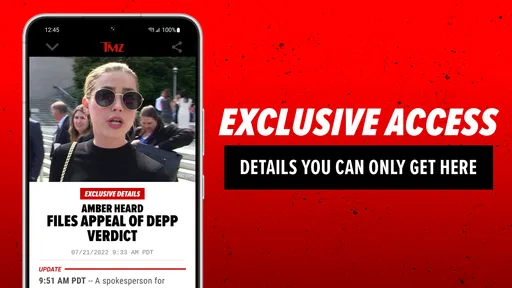
TMZ is a leading entertainment news app that provides the latest on celebrity gossip, scandals, and breaking news in Hollywood and beyond. Users can expect up-to-the-minute updates on their favorite stars, exclusive interviews, and behind-the-scenes insights into the entertainment industry. The app is known for its bold reporting style and often features video clips and photo galleries.
Is TMZ a free app, or does it require a subscription?
TMZ is a free app, which means users can download and enjoy its content without an upfront charge. If you are considering downloading, you can begin using the app without paying for the download itself. The app is aimed at readers looking for entertainment news, so it may suit people who want a dedicated source for celebrity and Hollywood stories.
Pros
- User-friendly interface
- Quick celebrity news updates
- High-quality video content
- Extensive celebrity coverage
- Easy social media sharing
Cons
- Frequent ads interrupt usage
- Limited customization options
- Some content is sensationalized
- Requires internet connection
- Occasional app freezes











