The White House
- 1.50K
- 4.8
- Installs
- 100.00K
- Price
- Free

Screenshots



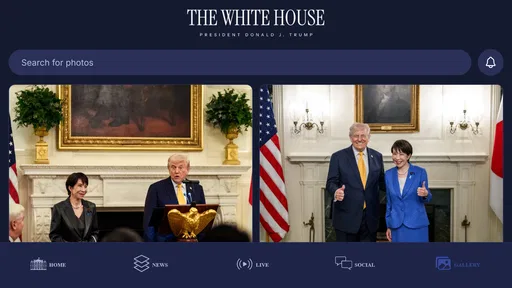
Analysis by Reviewed
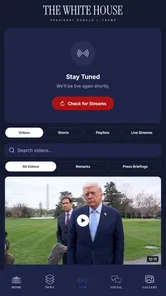
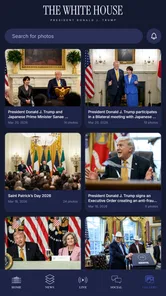
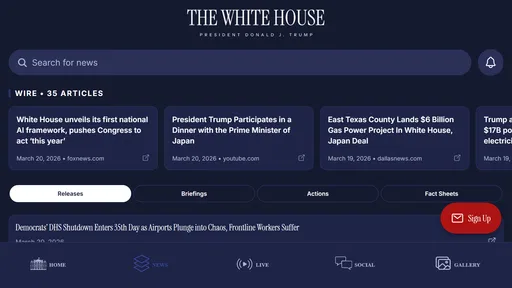
I found The White House most useful when I treated it as a direct source for presidential news rather than as a complete replacement for a general news app. It is an official News & Magazines app from the Executive Office of the President, and its focus is clear: bringing together White House announcements, policy information, breaking updates, and live streams in one place. That narrow purpose is also its biggest strength. I do not have to sort through headlines from several publishers before finding the administration’s own material.
The app is free, rated for Everyone, and available for Android devices running Android 7.0 or later. Its current version is 47.6.2. The listing shows a 4.6 average from around 2.7 thousand ratings, with more than 100 thousand installs, which suggests that it has found a steady audience among people who want official government updates on a phone.
What using The White House feels like
My first impression was that this is a purpose-built information tool, not an app designed to entertain me or keep me scrolling indefinitely. The value comes from having a central place to check what the White House is publishing and when a live event is available. That makes it especially handy during a major announcement, a policy rollout, or a scheduled address when I want to consult the primary source instead of relying only on someone else’s summary.
The official origin matters here. News coverage can add context, criticism, historical background, and independent verification, but it also filters events through an editorial process. This app gives me access to the administration’s own presentation of its priorities and actions. I still need outside reporting to understand the wider debate, yet the app provides a useful first stop for the actual statement, announcement, or broadcast.
I also appreciate the difference between reading a report about an event and watching an official live stream. A written article may be faster when I only need the main point, while a stream can show the full sequence and wording. The White House brings both kinds of access into the same official destination, which is more convenient than jumping between a browser, a video platform, and several news apps.
A practical morning routine
A realistic way to use it is as part of a short morning information check. I can open the app before work, scan the latest White House material, and decide whether a topic deserves deeper reading elsewhere. If there is a new policy announcement, I can use the official wording as a reference before comparing it with independent coverage. This is more efficient than trying to identify the administration’s original statement through search results, where commentary often appears before the source itself.
For journalists, students, researchers, teachers, and people who follow public policy closely, that workflow is particularly sensible. The app can help establish what was actually announced before a discussion becomes dominated by headlines or social-media reactions. It is also useful for anyone who wants to watch an official event directly rather than depend on clipped excerpts.
More From Our News Desk

Weather by Xiaomi Review: Clear at a Glance, Less Clear Up Close

X Under Pressure: Can It Recover When Posting Goes Wrong?

Clash of Clans Is Won Between the Battles

Android Auto Makes the Case for Quieter Car Software

MobiOffice: Transforming Mobile Productivity with Seamless Integration

EA SPORTS FC™ Mobile Soccer: Redefining Mobile Sports Gaming
One of the less obvious advantages is source discipline. When I begin with the White House’s own material, I can separate three things more clearly: what the administration said, how other outlets interpreted it, and what critics or supporters argued afterward. That separation does not make the official version automatically complete or neutral, but it makes my later reading more informed.
Where the app is strongest
The strongest part of The White House is its directness. Its subject is not broad world news, local reporting, sports, technology, or culture. It stays centered on the work and public communication of the White House. For a reader who specifically wants that material, the limited scope reduces the noise found in large news aggregators.
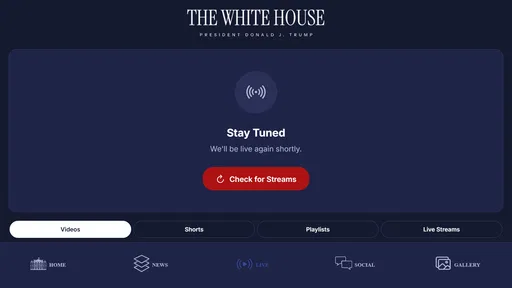
Live streams are another meaningful strength. A live broadcast is valuable when timing and full context matter, such as a public address or an event connected to a major announcement. Watching the source directly can prevent misunderstandings caused by short clips. I would not use a stream for every update, but having that option in the same app makes it easier to move from a quick scan to deeper attention when the subject warrants it.
The policy focus also gives the app a practical role beyond daily headlines. If I am trying to understand what a new administration initiative is supposed to do, the official material can serve as a starting reference. I can then compare that explanation with legislative analysis, reporting, expert commentary, or documents from other government bodies. In that sense, the app works best as the first layer of research rather than the entire research process.
Its free price removes an obvious barrier for casual users. Someone who only wants occasional access to official announcements does not need to commit to a subscription-based news service just to follow White House activity. The Everyone age rating also makes the app broadly accessible for households and classrooms, although the political subject matter may still call for adult guidance when younger readers encounter complex policy issues.
The important limitations
The same narrow focus that makes the app useful can make it feel incomplete. If I want a balanced account of an event, I need to leave the app and consult independent news sources. Official communication naturally emphasizes the administration’s priorities and framing. That is not a flaw unique to this app, but it is an important reason not to confuse access with full context.
It is also not the best choice for someone who wants one application to cover the entire news cycle. A general news reader is better for comparing multiple viewpoints, following local stories, checking international developments, or seeing how a policy affects different communities. The White House should complement that kind of service, not replace it.
Another limitation is attention. Live streams can demand more time than a concise written report, and official announcements may contain formal language that takes patience to interpret. When I only need a quick explanation of what changed, a well-edited independent article may be easier to understand. The app is most valuable when I care about the original wording or want to observe the full event.
There is also a risk of using the app passively. Opening an official source can feel authoritative, but authority does not eliminate the need for questions. I would still check the date and subject of each item, distinguish a policy proposal from an implemented measure, and look for reporting that explains practical consequences. The best habit is to use the app as evidence of what was communicated, then investigate what that communication means in practice.
How it compares with ordinary news alternatives
Compared with a general news aggregator, The White House offers less breadth but more direct access to one institution’s material. An aggregator is better when I want several outlets, contrasting headlines, and quick movement between subjects. The White House is better when I want to avoid losing the primary announcement among layers of commentary.
Compared with a social-media feed, the app is a calmer research starting point. Social platforms can surface reactions quickly, but they also mix official posts, commentary, incomplete clips, and speculation. Going directly to the app helps me verify whether a statement or event came from the White House before I share or discuss it.
Compared with a browser search, the app is more convenient for repeated monitoring. Search is excellent when I already know the exact topic I need, but it can produce a mixture of current and older material. A dedicated official app gives people who follow White House activity regularly a more focused destination.
Compared with a live-video platform, its advantage is context. A video service may be useful for watching broadcasts, but it is not necessarily organized around the full range of White House news and policy material. The app’s combination of written updates and live access makes it more useful for someone who wants both formats without treating video as the whole experience.
Small habits that make it more useful
I recommend using it in a two-step workflow. First, read or watch the official material to establish the administration’s position. Then open a trusted independent source and compare the explanation, evidence, and likely effects. This prevents the app from becoming an echo chamber while preserving its main benefit: immediate access to the source.
When an announcement seems important, I would avoid relying on a headline alone. The wording of a policy update can contain distinctions that disappear in a short summary. Reading the surrounding material helps identify whether the item describes an action, a plan, a statement of intent, or a response to another event. That distinction is especially useful for students and researchers who need accurate notes.
For live events, I would decide in advance what I am trying to learn. If I need the exact language, watch the stream. If I need only the practical takeaway, read the written material and then verify it through outside reporting. This simple choice saves time and prevents live video from becoming a substitute for understanding.
Another useful habit is to treat the app as a timeline of official communication. When following a developing issue, checking the original announcements in sequence can show how the administration describes the subject over time. That perspective is more reliable than trying to reconstruct the sequence from reposted excerpts, although it still benefits from independent records and analysis.
Who should install it
I would recommend The White House to people who regularly follow presidential announcements, public policy, official statements, or live government events. It is a strong fit for readers who want primary-source access and are comfortable adding other outlets for context. Students working on civics or current affairs can also benefit from starting with the administration’s own words before evaluating outside interpretations.
It may be especially useful for professionals who need to monitor policy communication without subscribing to another general news service. A nonprofit worker, educator, analyst, or reporter can use it as a focused checkpoint during the day. The free access makes occasional use practical, while the official source gives repeated users a dependable reference point.
I would suggest skipping it if your main goal is broad daily news, local reporting, balanced editorial comparison, or concise explanations of complex events. A general news app will serve those needs better. I would also skip it if you are unlikely to read beyond official messaging, because the app cannot provide the independent scrutiny that many political topics require.
My final assessment
After using it as a focused source rather than a universal news reader, I see The White House as a useful companion for staying close to official presidential communication. Its combination of breaking updates, policy material, and live streams gives it a clear purpose, and the fact that it is free makes that purpose easy to access.
Its limitations are equally clear: it presents one institutional perspective, and it cannot replace reporting that checks claims, adds opposing views, or explains real-world consequences. That is not a reason to dismiss it; it is the reason to use it thoughtfully. The best way to use this app is as the starting point for informed comparison, not the final word on the news.
For that audience, I would recommend installing The White House. It is focused, practical, and most valuable when I want to know what the White House itself has announced or broadcast. For everyone else, especially readers seeking a complete news experience in one place, a broader alternative will probably be the better everyday choice.
The White House Frequently Asked Questions
Who publishes The White House app?
The White House app is published by the Executive Office of the President, making it the official mobile app for White House news and communications. That distinction matters if you are looking for statements and updates from the administration rather than a third-party news app covering the White House. Its focus is on official announcements, policies, live streams, and related information.
What kind of content can I find in The White House app?
The app brings together White House news and information, including breaking news, policy updates, and live streams. It is a practical choice for following official communications in one place, whether you want to read announcements or watch events as they happen. The content is centered on the White House and its work, rather than general news coverage across unrelated topics.
What is The White House app used for?
The White House app is designed to help users follow official announcements, presidential news, briefings, speeches, executive actions, and other government updates in one place. During testing, its main value was providing quick access to information published by the White House rather than offering entertainment or social features. It is most suitable for users who want a convenient mobile source for official U.S. administration communications.
Is The White House app free to download and use?
Yes, The White House app is free to download, and users can access its primary news and information features without paying a subscription fee. However, mobile data charges may apply when viewing videos, downloading media, or using the app outside a Wi-Fi connection. Availability, supported devices, and specific features can vary between Android and iOS, so checking the official store listing is recommended before installing.
Does The White House app provide official and reliable information?
The app is intended to distribute information from the White House and should be treated as an official source for statements, announcements, schedules, and administration-related publications. Even so, official content reflects the administration’s own perspective and communications priorities. For balanced understanding, users may want to compare important claims or policy announcements with independent journalism, congressional sources, and other reputable references.
Pros
- Official source for presidential news and statements
- Includes executive orders
- speeches
- and policy updates
- Provides historical information about the White House
- Free to access on mobile devices
- Useful for following major U.S. government announcements
Cons
- Content may reflect the current administration’s perspective
- Not designed for in-depth political analysis
- Some pages can be difficult to navigate on smaller screens
- Updates may focus mainly on federal government topics
- Limited usefulness for users seeking international news











