The Minnesota Star Tribune
- 608.00
- 4.3
- Installs
- 100.00K
- Price
- Free

Screenshots


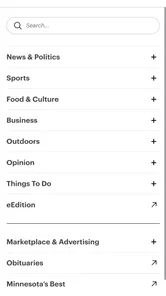


Analysis by Reviewed
I opened The Minnesota Star Tribune expecting a straightforward news app, and that is exactly where its value lies: it puts the reporting of Minnesota’s largest newsroom into a format that is easier to check during a busy day. Published by Star Tribune Media Company, it sits in the News & Magazines category and is free to install, although some content or services may involve in-app purchases. My overall impression is that it works best as a focused local-news companion rather than as a complete replacement for every national news source on a phone.
The app has been around since 2011, so it is not a brand-new experiment trying to find its identity. Its current version is 4.7, and it supports devices running Android 8.0 or later. That combination suggests a product with a long history behind it, but also one that needs to balance familiarity for established readers with the expectations of people who now consume news through notifications, quick scans, and mobile reading sessions.
How it feels to use the current app
My first useful test was not reading one major story from beginning to end. Instead, I used it the way most people actually use a news app: opening it briefly, scanning the leading items, choosing one story that mattered to me, and leaving before getting pulled into an endless stream. The Minnesota Star Tribune makes sense in that routine because its purpose is clear. It is built around Minnesota coverage, not around trying to be an everything app.
That focus changes how I judge it. A national aggregator may offer more headlines in less time, while a social feed may surface more opinions and breaking reactions. This app is more useful when I want a newsroom’s editorial selection rather than a pile of links shaped by popularity. For local politics, public issues, regional events, business developments, and community stories, that distinction matters. I would rather start with a publication that has a defined Minnesota focus than sort through a general feed hoping the relevant story appears.
The reading experience is most comfortable when I give it a few uninterrupted minutes. News articles are easier to understand when I read the headline, opening paragraphs, and context together instead of judging a story from a notification or a short social post. On a phone, that also means the app is better suited to deliberate reading than to rapid-fire headline collection.
The strongest reason to keep it installed is its local editorial focus. If Minnesota news is part of your daily decisions, conversations, work, or family life, a dedicated source can be more useful than a broad app that treats local coverage as a small corner of its feed.
A realistic morning routine
Imagine checking the app before commuting or starting work. I would use it first to identify the main local developments, then open only the stories that could affect my day. Someone following a city decision, regional business news, severe weather coverage, or a community issue can use that short session to build context without spending the morning jumping between unrelated sources.
More From Our News Desk

Weather by Xiaomi Review: Clear at a Glance, Less Clear Up Close

X Under Pressure: Can It Recover When Posting Goes Wrong?

Clash of Clans Is Won Between the Battles

Android Auto Makes the Case for Quieter Car Software

MobiOffice: Transforming Mobile Productivity with Seamless Integration

EA SPORTS FC™ Mobile Soccer: Redefining Mobile Sports Gaming
A practical habit is to avoid opening every headline immediately. I scan the selection, choose one or two pieces with direct relevance, and save the rest for a later visit if the app’s current reading flow makes that convenient. This keeps the experience from becoming another source of constant interruption. It also helps distinguish genuinely useful reporting from items that are merely interesting in the moment.
For an existing Star Tribune reader, the app can be a convenient second doorway into familiar journalism. Instead of waiting until sitting at a desktop, I can check coverage while away from home and return to longer reading when I have more time. That flexibility is the main mobile advantage here.
What the version and history tell me
The current version, 4.7, is important less as a promise of a particular feature than as evidence that the app has continued through multiple stages of mobile publishing. I would not treat the version number alone as proof that every part of the experience has been modernized. A long-running news app can be dependable while still carrying design decisions from earlier generations of mobile software.
That is the trade-off I noticed in evaluating it. Longevity can mean that the basic purpose is settled and recognizable. It can also mean that new users may compare it with newer news readers that feel more fluid, more personalized, or more aggressively optimized for quick discovery. The Minnesota Star Tribune’s value therefore depends more on the quality and relevance of its coverage than on novelty.
The app’s release history also matters for device owners. Since it requires Android 8.0 or later, people using older phones should check compatibility before planning around it. For most current Android users, that requirement is unlikely to be a major obstacle, but it is still worth knowing if you are keeping an older handset alive or installing apps for a family member.
On the audience side, the app has a 4.3 average from around 1.3 thousand ratings, with more than 600 written reviews. It has also passed 100 thousand installs. Those figures do not tell me whether every reader will enjoy the interface, but they do show that this is an established product with a real user base rather than a forgotten side project.
Where it fits beside other news choices
I would compare this app with three common alternatives: a general news aggregator, the mobile website of a newspaper, and social media feeds. The aggregator wins when I want a wide mix of national and international sources in one place. A website may be preferable when I am already working in a browser or when I want to move between several publications quickly. Social feeds are faster for reactions, eyewitness posts, and links shared by people I follow, but they require more judgment about reliability and context.
The Minnesota Star Tribune has a narrower job. It gives me a direct relationship with one Minnesota newsroom. That can reduce noise, but it also means I should not install it expecting a complete overview of world news or a neutral collection of every possible viewpoint. I would pair it with a broader source if my daily reading needs extend well beyond the state.
There is also a difference between a publication app and a headline widget. A widget is useful for a glance, while this app is more valuable when I want to read the reporting behind the headline. If you only want instant alerts and rarely open full articles, a lighter news tool may suit you better. If you care about the publication’s local perspective, the dedicated app has a clearer reason to exist.
What current users should know about access and cost
The app is free to download, which makes it easy to test without committing money at the installation stage. However, the presence of in-app purchases ranging from $0.99 to $259.99 per item means I would pay attention to any subscription or purchase screen rather than assuming every part of the experience is included at no cost. The wide range suggests that the app may connect different types of paid access or offers, so I would read the wording carefully before confirming anything.
This is especially important for households. If several people share a device or payment method, I would make sure everyone understands when a purchase is being proposed. Free installation is convenient, but it should not be confused with unlimited access to every possible part of a publisher’s service.
The age rating is Everyone 10+, which makes the app broadly suitable for older children and adults, though news itself can cover serious or upsetting subjects. I would still use personal judgment for younger readers, particularly when following difficult local events. The rating is a useful general guide, not a guarantee that every article will feel appropriate for every family member.
Small habits that improve the experience
One useful approach is to treat the app as a local briefing tool instead of leaving it open all day. I check it at a planned time, identify stories that affect my area or responsibilities, and then stop reading when I have the context I need. This makes the local focus work in my favor rather than turning it into another endless feed.
A second tip is to compare a fast headline impression with the full article before forming an opinion. Local stories often involve decisions, timelines, and competing perspectives that cannot fit into a short notification. Reading beyond the first line is particularly worthwhile when the story could influence how I respond to a community issue.
A third trade-off is to use the app for depth and another source for breadth. I would not ask it to replace every news service on my phone. Instead, I would let it handle Minnesota reporting and use a separate national or international source for subjects outside its natural territory. That division keeps each app doing the job it is best suited for.
For people who already follow the publication, the best workflow is to install it on the device used during the day, not merely on a tablet that stays at home. The benefit is less about reading one article in a particular place and more about having the newsroom available when a local question comes up. Someone wondering what happened with a regional development, public decision, or community story can check a focused source rather than relying only on scattered posts.
Where the app still leaves room for improvement
The narrow editorial focus is both the main strength and the main limitation. I appreciate not having to filter a flood of unrelated headlines, but I also notice the boundaries of the experience when I want broader coverage. Readers who expect one app to handle Minnesota, national, international, entertainment, technology, and specialist news may find themselves switching elsewhere often.
There is also a potential friction around paid access. A free download lowers the barrier to trying the app, but in-app purchase options mean the boundary between freely available reading and paid services deserves attention. I would prefer a clear explanation at the moment access changes, especially for readers who are comfortable with the app but not actively looking to start a subscription.
Another limitation is that a dedicated publication app depends on your interest in that publication’s approach. If you want to compare many outlets side by side, a general reader is more efficient. If you prefer algorithmic personalization, the focused editorial selection may feel less tailored. I see that as a deliberate editorial trade-off rather than a flaw, but it is still a reason some people should skip the app.
I would also avoid judging its usefulness solely by how quickly it produces a headline. The app’s strongest case is considered local reading, not necessarily the fastest possible stream of every developing detail. During a rapidly changing event, I might consult multiple sources and treat this app as one important perspective rather than the only live update I need.
Who should install it, and who should pass
I recommend trying it if you live in Minnesota, work with Minnesota communities, have family there, or regularly need dependable local context. It is also a sensible choice for readers who prefer a newsroom’s selection to an algorithmic feed. The free entry point makes testing that fit relatively easy, provided you review any purchase prompt before accepting it.
I would be less enthusiastic for someone whose news interests are mostly outside Minnesota. A global-news reader, a specialist business app, or a multi-source aggregator would probably be a better primary tool. I would also skip it if I rarely read full articles and only want instant headline alerts, because the app’s editorial value is easier to appreciate when I spend time with the reporting.
People on older Android phones should check the Android 8.0 minimum requirement first. That is a simple practical question, but it can prevent wasted time. For supported devices, the more important decision is not hardware; it is whether a dedicated Minnesota source matches your reading habits.
What I would watch as the app continues
Because the app has reached version 4.7 after years of availability, I would watch how future updates balance stability with modern reading expectations. The most meaningful improvements would be those that make local reporting easier to discover, read, and return to without weakening the publication’s focused identity.
I would also watch the clarity of access and purchase choices. A reader should be able to understand what the free app offers, when a paid option begins, and what action is being confirmed. That transparency matters as much as visual polish because it shapes trust in a news product.
Finally, I would look for signs that the mobile experience remains useful for both loyal subscribers and curious newcomers. Existing readers need dependable access to the newsroom they already follow, while new users need an immediate sense of why this publication is different from a generic news feed. If future updates continue serving both groups, the app can remain relevant without chasing every trend in mobile news.
My recommendation
After using it as a local-news reader, I see The Minnesota Star Tribune as a focused and practical app rather than a universal news solution. Its strongest feature is not a flashy extra; it is the direct connection to Minnesota reporting from Star Tribune Media Company. That makes it easy to recommend to people who want local relevance and are willing to read beyond a headline.
I would install it alongside, not necessarily instead of, a broader news source. Use it for Minnesota context, check purchase details carefully, and give the full articles enough attention to judge their value fairly. If that matches your routine, the app earns a place on your phone. If your priority is worldwide coverage, aggressive personalization, or only rapid alerts, another category of news tool will probably serve you better.
In short, this is a free-to-install news app with an established history, a broad Everyone 10+ audience, and a clear regional purpose. Its current version shows continued development, while its long presence suggests familiarity for returning readers. I would choose it for the strength of its local editorial focus, accept that it will not cover every news need, and treat any in-app purchase as a decision to review rather than an automatic next step.
The Minnesota Star Tribune Frequently Asked Questions
Who publishes The Minnesota Star Tribune app?
The app is published by Star Tribune Media Company and brings the newspaper’s newsroom to a mobile format. Its focus is on news and magazine-style reading, with the Star Tribune describing its offering as providing what matters most from Minnesota’s largest, most trusted newsroom. If you want a mobile way to follow the publication, the app is the dedicated option to consider.
What is The Minnesota Star Tribune app?
The Minnesota Star Tribune app is the mobile edition of Minnesota’s major news publication. It provides access to local and regional reporting, breaking news, politics, sports, business, entertainment, opinion, and other features from the Star Tribune newsroom. The layout is designed for reading on a phone or tablet, with sections and articles that can be browsed throughout the day.
Is the Minnesota Star Tribune app free to download and use?
The app is free to download, but downloading it does not necessarily provide unlimited access to every article. Some stories and features may be available to all users, while full access can depend on a Star Tribune subscription or digital membership. The app also offers in-app purchases, so check the current terms, pricing, and access limits shown in the App Store or Google Play before proceeding.
Do I need a subscription to read articles in the app?
A subscription may be required for unlimited reading, especially when accessing premium journalism, extensive archives, or subscriber-only features. Non-subscribers may still be able to read selected articles or receive limited access, depending on the publication’s current policy. Existing subscribers should sign in with their Star Tribune account to connect their digital benefits with the mobile application.
What kind of news and features are available?
The app focuses strongly on Minnesota news, including coverage of Minneapolis, St. Paul, surrounding communities, state government, local issues, and regional events. It also includes national and international news, sports coverage, business reporting, arts and culture, opinion columns, and lifestyle content. Depending on the version, users may also receive breaking-news alerts, saved stories, and personalized notifications.
Pros
- Clear coverage of Minnesota politics
- communities
- sports
- and local events.
- Strong reporting from journalists familiar with regional issues and neighborhoods.
- Useful breaking-news alerts help readers follow important developments quickly.
- Digital access makes the newspaper available beyond its print delivery area.
- Opinion
- culture
- and lifestyle sections provide more than daily hard news.
Cons
- Much of the most detailed content may require a paid subscription.
- Some local stories may be less relevant to readers outside Minnesota.
- Frequent notifications can feel excessive unless alert settings are adjusted.
- The app may use considerable storage for downloaded articles and media.
- Certain features may depend on a stable internet connection.











