The Information: Tech News
- 35.00
- 4.0
- Installs
- 50.00K
- Price
- Free

Screenshots


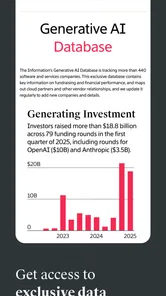

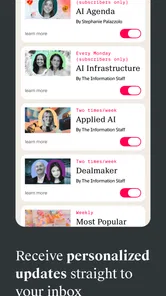
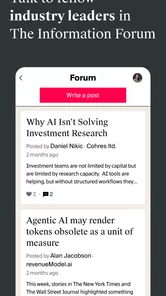

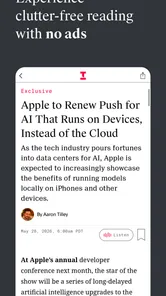
Analysis by Reviewed
I opened The Information: Tech News expecting a focused way to keep up with the parts of technology that usually get buried under general headlines. That is exactly the space it targets: reporting around artificial intelligence, venture capital, startups, semiconductors, and crypto, with an audience that seems more interested in business consequences than in casual gadget coverage. The app is developed by The Information, and its free download makes it easy to test before deciding whether it belongs in my daily reading routine.
My first impression was that this is not trying to be a broad newsstand. It feels more useful when I already have a question in mind, such as what a new AI company is building, where investment attention is moving, or why a chip-related announcement matters to the wider market. The strongest part of the experience is the move from a vague technology topic to a more focused professional reading session. If you want a general mix of world news, sports, entertainment, and consumer technology, this is probably not the right starting point. If your work or curiosity is tied to technology companies and the money behind them, the narrow focus is its main advantage.
From a busy morning to a focused technology briefing
I use this section to look at how The Information: Tech News fits into an ordinary, time-pressed morning: when a quick check is enough and when a story deserves a longer read. That distinction matters because specialist coverage is most useful when I can connect it to a question I actually need answered. From there, I turn to what changes when reading becomes a heavier part of the day.
Starting with a specific information need
The app makes the most sense in a realistic situation: I have a few minutes before work, I have heard a company name or industry term, and I want more than a short social-media summary. Instead of opening several general news apps and filtering out unrelated stories, I can use this one as a specialist checkpoint. The subject areas give the reading session a clear center, particularly when my interest is connected to AI news, startup strategy, venture capital, semiconductors, or crypto.
That focus changes how I judge the app. I do not expect it to replace a complete daily newspaper. I expect it to help me understand technology businesses at a level that is more useful for an executive, founder, investor, analyst, or anyone following the industry closely. The store summary describes it as exclusive news for executives, and my experience of the concept supports that positioning: the app is most valuable when I want context around companies and markets rather than a stream of lightweight updates.
The free entry point matters here. I can install it without paying at the door, look around, and decide whether the coverage matches my needs. At the same time, the presence of in-app purchases ranging from $2.99 to $499.99 per item means I would not treat “free” as the same thing as “everything is free.” Before building a reading habit around it, I would check which articles or areas are available in my account and understand what a purchase unlocks.
Moving from the headline to the useful question
My preferred workflow is not to scroll endlessly. I start with one topic, open the most relevant story, and ask three practical questions: what happened, who is affected, and what should I watch next? That approach suits a publication centered on specialist technology coverage. It also prevents the app from becoming another notification-driven feed that I glance at without retaining anything.
More From Our News Desk

Weather by Xiaomi Review: Clear at a Glance, Less Clear Up Close

X Under Pressure: Can It Recover When Posting Goes Wrong?

Clash of Clans Is Won Between the Battles

Android Auto Makes the Case for Quieter Car Software

MobiOffice: Transforming Mobile Productivity with Seamless Integration

EA SPORTS FC™ Mobile Soccer: Redefining Mobile Sports Gaming
For example, if I am tracking a startup sector, I would first read the main report for the immediate event. Then I would note the companies, investors, technical terms, and business risks mentioned in it. The next step is to compare that information with what I already know from broader sources. The Information: Tech News is better at giving me a focused starting point than at being my only source for every claim, especially when I need public market data, official filings, product documentation, or a general explanation for a beginner.
One useful habit is to separate “news I need now” from “news I want to understand later.” A short reading window is ideal for the first group. For the second, I would save the key topic in my own notes and return when I have enough time to follow the implications. This is a small but important trade-off: a specialist app can improve relevance, but only if I actively manage my attention instead of assuming that every item deserves an immediate read.
Using the app as a handoff point
The most valuable workflow does not end inside the app. I see it as the first handoff in a chain. I take a report, identify the business question it raises, and then move to the source that can answer the next question. A startup story might lead me to a company’s own product material. A semiconductor report might send me to technical documentation or an industry filing. A crypto story might require checking current market information separately. This makes the app useful without asking it to do jobs outside its specialty.
That handoff is also where I would be careful. A polished article can make a complicated subject feel settled, but technology markets change quickly and often involve incomplete information. I would not make an investment decision, repeat a sensitive claim, or advise a team based on one article alone. The app can sharpen my questions and help me spot important developments; it should not replace verification from primary sources.
For a manager, the workflow can be even more practical. I might read a report before a meeting, pull out the two or three points that affect my team, and then send a short summary to colleagues. The app becomes a briefing tool rather than a passive news feed. That is one of its less obvious strengths: its value increases when I translate specialist coverage into a decision, discussion, or follow-up task.
What the reading experience is good at
The narrow editorial territory gives the app a clear identity. I do not have to wade through unrelated lifestyle stories to reach technology business news. That is particularly helpful when my day already involves too many feeds. The presence of dedicated attention to venture capital and semiconductors also makes it more interesting than a typical consumer-tech publication, because those areas often explain why a product trend matters commercially.
I also appreciate the potential for connecting separate parts of the technology economy. AI is not only about software models; it intersects with chips, funding, startups, infrastructure, and regulation. A focused publication can help me see those links more easily than a collection of isolated general headlines. When I read with that broader map in mind, the app feels less like a list of stories and more like a way to track an industry.
It is also suitable for readers who dislike overly technical material but still want to understand technology companies. I would not describe it as a beginner course, yet the business framing can be more approachable than reading raw engineering papers or financial documents. The right reader is someone willing to look up unfamiliar terms and follow a story across several steps, not someone who wants every subject reduced to a quick paragraph.
Where the workflow becomes less convenient
The same specialization that helps me focus can make the app feel limited on an ordinary morning. If I want local news, international affairs, weather, culture, or a broad overview of the day, I still need another source. This is not a flaw in the concept, but it affects the total value. I would use it alongside a general news app, not instead of one.
The purchase structure is another point I would examine early. The app is listed as free, but in-app purchases are available, and the upper end of the listed range is substantial. That creates a clear need to understand the reading boundary before I become dependent on the service. A free installation is convenient for evaluation, while the possible cost of deeper access may make it a better fit for professionals who can justify specialist reporting than for occasional readers.
I would also avoid treating the rating as a complete verdict. The app has an average rating of 4.0 from around 259 ratings, with around 35 written reviews. That is a respectable signal, but it is not enough to tell me whether every reader will like the editorial focus or the access model. I would pay more attention to whether the available stories match my interests and whether the reading flow fits my schedule.
Device and audience considerations
The app runs on Android devices using version 7.0 or later, so it is accessible on a wide range of phones that are not brand new. Its content rating is Everyone, which makes the app broadly suitable from an age-classification perspective. Those details are useful, but they do not answer the more important question: is the content relevant to me?
For an executive or founder, the answer may be yes when the goal is to monitor competitors, funding activity, emerging technical infrastructure, or shifts in the startup landscape. For a student, it could be useful as a source of real-world examples for business or technology research, although I would pair it with educational material that explains fundamentals. For a casual reader who mainly wants product reviews and buying advice, the specialist emphasis may feel too narrow.
The app has been available since December 2, 2019, and the current version is 3.0.6. I read that as a sign that this is an established product rather than a brand-new experiment, but I would still judge it by present-day usefulness. A version number alone does not tell me whether the interface suits my habits, so I would test the actual reading flow on my phone before committing to regular use.
A realistic workday example
Imagine I am preparing for a meeting about an AI partnership. I open the app during my commute, scan the technology business coverage, and choose a report connected to the companies involved. I read for ten minutes, writing down the names of the organizations, the commercial issue, and any technical dependency that could affect the partnership. I then close the app and use those notes to form two questions for the meeting.
Afterward, I check the relevant company material and current market information through other sources. If the original report has helped me ask a sharper question, it has done its job. The outcome is not that I have memorized a headline; it is that I arrive better prepared and know what needs verification. This is where I find the app most convincing: as a compact professional input that improves the next step in my workflow.
There is a second scenario where it may be less successful. Suppose I have only five minutes and want a complete summary of everything important happening in the world. A specialist technology app cannot satisfy that need by itself. I would be better served by a general news briefing first, then use this app when one of the technology stories deserves deeper attention. Choosing the order correctly prevents disappointment.
How it compares with usual news alternatives
Compared with a general news app, The Information: Tech News offers less breadth but potentially more relevance for technology-business readers. A general service is better for discovering a wide range of events and maintaining basic awareness. This app is better when I already know that my attention should stay on startups, AI, venture funding, chips, or crypto.
Compared with social-media feeds, it offers a more deliberate reading path. Social platforms are faster for discovering breaking discussion, but they mix reporting with commentary, promotion, and repetition. I may still use them to notice what people are talking about, then turn to a focused publication for a more useful account. The trade-off is speed: social feeds can surface a rumor instantly, while a specialist reading habit rewards patience and context.
Compared with newsletters, the app has the advantage of being available when I choose to read rather than arriving at a fixed time. A newsletter can be excellent when I want someone else to filter the day for me, but it can also become clutter in my inbox. I prefer this app when I want to investigate a topic on demand. I prefer a newsletter when I want a predictable, edited digest without opening another reading environment.
Compared with official company blogs and filings, the app should be treated as an interpretive layer rather than the final authority. Company sources explain their own position, while filings provide formal disclosures. A specialist report can help me understand why an announcement matters and which wider industry connections deserve attention. The best workflow uses all three in sequence instead of asking one source to provide every perspective.
Small habits that make the app more useful
My first tip is to enter with a question, not just spare time. “What changed in AI funding?” is a better starting point than “I will see what is there.” A question gives me a reason to stop scrolling and makes it easier to decide whether an article produced a useful result.
My second tip is to record unfamiliar names immediately. Specialist coverage can introduce investors, startups, chipmakers, and technical terms faster than a casual reader expects. A short note with the name and why it matters saves me from reopening several stories later. This turns the app into a lightweight research index that I build for myself.
My third tip is to use a two-source rule for consequential information. If a story could influence a purchase, an investment conversation, a hiring decision, or a public statement, I verify the central point elsewhere. That is not a criticism of this app specifically; it is sensible practice for fast-moving technology news. The app is excellent at directing attention, but my final decision should rest on more than one input.
My fourth tip is to evaluate the purchase boundary before sharing the app with a team. A colleague may assume that a free download provides the same access for everyone. Because the app includes in-app purchases, I would first understand the account experience and then decide whether it works for individual reading or a wider workflow. That prevents an avoidable interruption when a team needs an article for a meeting.
Who should install it and who should skip it
I would recommend trying it if your work touches startups, venture capital, AI strategy, semiconductor supply, crypto businesses, or technology investment. It is also worth considering if you are tired of sorting through broad technology feeds and want a more concentrated source for industry developments. The free installation lowers the risk of testing it, provided you pay attention to what access is included.
I would skip it if your main need is general news, local reporting, entertainment, or hands-on consumer product guidance. I would also skip it if I wanted a completely free reading service with no need to think about purchase options. In that case, a general publication, public broadcaster, or company-source mix may be more suitable, even if it requires more filtering.
For me, the deciding factor is not the number of stories I can read in a session. It is whether one story changes what I understand about a company, market, or technology trend. When that happens, the app earns its place in my routine. When I only want a quick, broad scan, it becomes a specialist tool I can leave closed until the right question appears.
The result after following the full workflow
After using the app as an input rather than an endpoint, I come away with a clearer view of how technology news can support real work. I start with a focused question, read the relevant report, extract the business implications, hand the open questions to primary sources, and turn the result into a note or conversation. That process is more valuable than simply collecting headlines.
The Information: Tech News is best understood as a focused briefing companion, not a universal news replacement. Its subject range is specific, its audience is relatively professional, and its free download makes an initial test straightforward. The possible in-app costs mean I would inspect the access model before relying on it heavily, while the specialist coverage means I would keep a broader news source nearby.
My final recommendation is positive but selective. I would install it for a week if I regularly need to follow AI, startups, venture capital, semiconductors, or crypto from a business angle. I would build a habit around questions and follow-up verification rather than passive scrolling. For the right reader, that produces a sharper daily briefing and better preparation for decisions. For everyone else, the narrow focus may feel like an unnecessary extra app.
The Information: Tech News Frequently Asked Questions
What devices and operating systems can run The Information: Tech News?
The Information: Tech News is an app for mobile devices, with a minimum operating system requirement of version 7.0. Before downloading, check that your device meets this requirement and that you are installing the edition intended for your platform. Keeping your device’s software current can also help with compatibility and everyday use.
Who develops The Information: Tech News?
The app is developed by The Information, the same name associated with its technology-focused journalism. It is categorized as a News & Magazines app and is intended for readers interested in reporting on the business and technology world. Its focus is more specialized than a general-purpose news reader, so it may appeal especially to people who follow companies, startups, and industry developments.
What is The Information: Tech News?
The Information: Tech News is a mobile reading app focused on technology, startups, business, venture capital, and the people shaping the digital economy. It is designed for readers who want in-depth journalism rather than short headlines, with articles covering major companies, emerging trends, funding activity, and industry analysis. The app is especially useful for professionals, entrepreneurs, investors, and technology enthusiasts.
Is The Information: Tech News free to use?
The app is free to download, but in-app purchases range from $2.99 to $499.99 per item. Access to much of its journalism may depend on a subscription or other purchase, so review the available options and terms before committing. The app’s no-cost download does not necessarily mean that all reporting or features are available without payment.
What type of content can I read in the app?
The Information: Tech News focuses on original reporting and analysis across technology and business. Its coverage includes subjects such as artificial intelligence, venture capital, startups, semiconductors, and crypto, alongside reporting on companies and developments shaping the industry. The editorial approach is more detailed than a standard news aggregator, making it suitable for readers who value context and industry insight.
Pros
- Covers technology news from a trusted journalism source.
- Offers concise summaries for quick reading.
- Includes reporting on major tech companies and trends.
- Clean interface makes articles easy to browse.
- Useful for staying updated without visiting multiple sites.
Cons
- Some articles may require a subscription to read fully.
- News selection focuses mainly on technology and business topics.
- Frequent updates can produce a crowded reading feed.
- Video and media content may use significant mobile data.
- Some features may vary between Android and iOS versions.











