The Free Press
- 124.00
- 4.8
- Installs
- 10.00K
- Price
- Free

Screenshots
Analysis by Reviewed
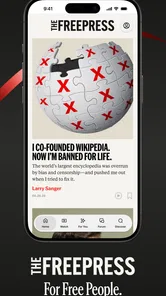
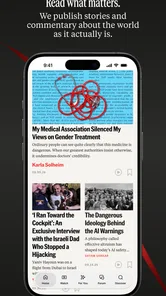
I approached The Free Press as a reader who wants news without handing over more control than necessary. It is a free News & Magazines app from Runaway Media Inc., built around the idea of making current events easier to follow and interpret rather than simply presenting an endless stream of headlines. That distinction matters: when I use a news app, I am not only judging how quickly stories appear, but also how clearly the app lets me understand what I am reading and decide how much attention it deserves.
My overall impression is positive, with one important qualification. The app feels most useful when I treat it as a focused reading and sensemaking tool, not as my only source for every urgent update. Its average rating is 4.8 from around 1.1 thousand ratings, and it has passed 10 thousand installs, which suggests that its early audience has responded well. Still, those figures are best read as signs of interest rather than proof that it will suit every news habit.
How The Free Press fits into a more careful news routine
The Free Press is aimed at people who want more than a headline list. In my experience, the strongest reason to try it is the possibility of slowing down the jump from “something happened” to “I understand what happened.” That makes it a natural companion for a morning reading routine, a quiet check during a lunch break, or a second look at a story that seems to be attracting competing interpretations.
The app’s store summary describes it as “News and Sensemaking,” while its short description presents it as “The Free Press.” I read those phrases as a useful indication of the intended experience: news is the raw material, but context and interpretation are part of the value. That gives it a different role from a general breaking-news feed, where speed and volume usually dominate.
I would not install it expecting a complete replacement for every familiar news source. A traditional newspaper app may be better for a broad section-by-section scan, while a wire-service app can be preferable when the priority is rapid, concise updates. A social network may expose me to more viewpoints, but it also makes it harder to separate reporting from reaction. The Free Press sits in a more deliberate space between those options, and that is where it makes the most sense.
Trust begins with what the app lets me see
News apps ask for a particular kind of trust because the content can influence how I understand real events. I therefore pay attention to whether the reading experience encourages me to examine an argument or simply pushes me toward the next item. The Free Press is more appealing when I use it actively: I read a piece, compare its framing with what I already know, and decide whether it deserves further checking.
That approach also keeps my expectations realistic. A clear presentation is not the same thing as automatic neutrality, and a confident explanation is not a substitute for checking important claims. I found the app easier to assess when I treated each article as a contribution to my understanding rather than as the final word. This is especially important with politics, public health, conflicts, and other subjects where a short summary can leave out meaningful context.
More From Our News Desk

Weather by Xiaomi Review: Clear at a Glance, Less Clear Up Close

X Under Pressure: Can It Recover When Posting Goes Wrong?

Clash of Clans Is Won Between the Battles

Android Auto Makes the Case for Quieter Car Software

MobiOffice: Transforming Mobile Productivity with Seamless Integration

EA SPORTS FC™ Mobile Soccer: Redefining Mobile Sports Gaming
The developer is Runaway Media Inc., and the app is marked for Everyone 10+. That age guidance feels compatible with a general news audience, but parents should still remember that news content can cover disturbing or emotionally difficult events even when an app is not a mature-rated entertainment product. The age label describes suitability at a broad level; it does not make every story comfortable for every reader.
What I look for before giving a news app regular access
Trust is also practical. Before settling into a news app, I want to know what access it requests, whether an account is necessary for basic reading, and whether I can adjust notifications instead of accepting a constant stream of interruptions. I do not assume that a clean interface automatically means restrained data collection. Permissions and privacy explanations are the places where those questions should be answered.
For that reason, I recommend checking the permission prompt carefully during installation and reviewing the app’s privacy information before creating an account or enabling alerts. I would allow only the access that matches a feature I actually intend to use. If the app asks for something that seems unrelated to reading news, I would pause rather than approve it automatically. This is not a criticism of The Free Press specifically; it is a sensible habit for any app that becomes part of a daily information routine.
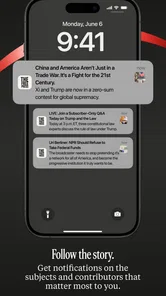
The same caution applies to notifications. News alerts can be useful for a major developing story, but they can also turn a calm reading habit into a series of small interruptions. I would begin with alerts disabled or limited, read normally for a few days, and then enable only the notifications that genuinely improve my routine. That small decision gives me more control over attention, which is one of the most overlooked parts of using a news app.
Data-sensitive moments deserve deliberate choices
The most sensitive moment is often not reading an article; it is deciding whether to sign in, subscribe to updates, or interact with content. If I am only browsing, I prefer to understand what remains available without an account. If an account becomes useful for saving preferences or continuing across devices, I want to know what information is involved and whether I can remove the account later.
I also avoid treating personal reactions as harmless data. Searching repeatedly for a medical condition, political issue, legal problem, or financial concern can reveal more about me than a casual article view. When I use a news service for those subjects, I keep my reading purposeful, avoid unnecessary interaction, and review the choices presented on screen instead of tapping through them quickly.
Another practical habit is separating news reading from sensitive conversations. If I am looking into a personal issue, I do not share articles publicly just to save them for later, and I avoid leaving notification previews visible on a shared device. These are small, everyday safeguards, but they matter because news habits can expose interests, worries, and beliefs even when I never write a public comment.
I would also be careful with links that lead outside the app. A news reader can be a starting point rather than a guarantee about every destination. Before entering an email address, downloading a file, or responding to a request for personal information, I check where the action leads and whether it is really necessary. The Free Press can help me find and understand information, but normal web caution still applies beyond the reading screen.
User agency is more important than a busy feed
The best way to use The Free Press is to make it serve a defined purpose. I might open it to understand one subject in the morning, choose a small reading window, and close it when I have enough context. That is more useful than opening the app whenever I feel bored and allowing an algorithmic stream to decide what occupies my attention.
A helpful workflow is to separate three questions: What happened? What does the article claim it means? What would I need to verify elsewhere? Keeping those questions distinct prevents an engaging explanation from blending into unquestioned fact. It also makes the app more valuable because I am using its sensemaking angle as a prompt for thought rather than as a replacement for judgment.
When I encounter a strong opinion, I look for the underlying evidence and note which parts are reporting, analysis, or interpretation. If an article changes my view on an important issue, I take an extra moment to compare it with another reputable source. This is one of the app’s more useful trade-offs: a focused explanation can make a complicated subject easier to approach, but it can also feel persuasive enough that I need to consciously preserve my skepticism.
I would not rely on a single news app during a fast-moving emergency. In that situation, official local alerts, public agencies, and direct statements may be more appropriate for immediate instructions. The Free Press is better suited to understanding developments and competing claims after I have confirmed the practical information that affects my safety.
Everyday scenarios where it earns a place
Imagine I see several contradictory posts about a proposed policy during breakfast. A conventional headline feed might give me more links, while social media might give me stronger reactions. I would use The Free Press to find a calmer explanation of the issue, identify the central disagreement, and write down the terms I need to check. I would then look at a primary source or an independent report before repeating the conclusion to someone else.
Another useful scenario is preparing for a conversation at work or with family. I can read enough to understand why a story matters without spending the entire evening scrolling. The app becomes a starting point for a better conversation because I arrive with questions and context instead of a collection of isolated headlines.
It can also help readers who feel overwhelmed by the volume of news. Rather than chasing every update, I can choose one topic, read with concentration, and stop. That approach will not satisfy someone who wants constant live coverage, but it is valuable for anyone trying to stay informed without turning news consumption into background noise.
Where the experience may not be the right fit
The Free Press is not my first choice when I need a highly specialized source. Readers following local transport disruptions, niche industries, regional politics, markets, or technical research may need dedicated publications with deeper reporting in those areas. A general sensemaking app can help establish the big picture, but it should not be expected to replace expertise that is specific to a profession or community.
It may also disappoint readers who measure value by speed and quantity. If I want a constant stream of short alerts, a wire-focused service is likely more efficient. If I want a full newspaper replica with sections, supplements, and a familiar print-style layout, a newspaper subscription app may feel more complete. The Free Press is more attractive to me when I want to think about the news, not merely collect it.
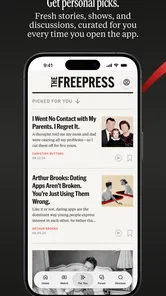
There is a further trade-off for readers who prefer complete control over personalization. Any curated news experience can shape what appears first and what receives attention. Even when the articles are worthwhile, I should occasionally step outside the app and search deliberately for subjects it has not placed in front of me. That habit reduces the risk of confusing a convenient reading selection with the whole information landscape.
Version, access, and practical expectations
The app is free to download, which makes trying it relatively easy for readers who are curious about a different news format. It currently appears as version 1.1.1 and requires Android 8.0 or later. Those details are useful before installation, particularly if I am using an older phone or keeping a secondary device for reading.
Because it is free, I would still inspect the choices shown during setup and while using the app. “Free” describes the price of access, not automatically the full privacy or notification experience. I want to know whether I can read comfortably without accepting every optional prompt, and I prefer to make those decisions at my own pace rather than during a hurried first launch.
For iPhone users, the sensible step is to check the current iOS store page for device compatibility and the exact controls available on that platform. I would not assume that Android and iOS present identical settings. On either device, the same principle applies: review permissions, limit alerts, and avoid creating an account until the benefit is clear.
My cautious verdict after using it as a reader
I recommend The Free Press to readers who want a more reflective way to follow current events and who are willing to remain active participants in the process. Its appeal is not simply that it delivers news; it is that it encourages me to ask how a story is being explained and what I should verify before accepting a conclusion. Runaway Media Inc. has positioned it for people who want news with interpretation, and that focus gives the app a clear identity.
My recommendation comes with boundaries. I would pair it with primary sources for consequential claims, official channels for urgent instructions, and specialist publications for narrow subjects. I would also keep notifications restrained and review account and permission choices instead of assuming that convenience should come first.
The Free Press is worth trying if you want context without surrendering your own judgment. It is less suitable for readers who want nonstop alerts, exhaustive local coverage, or a single app that can answer every news question. Used deliberately, though, it can become a useful part of a balanced routine: read with attention, question the framing, protect your personal choices, and let the app inform your thinking rather than do the thinking for you.
The Free Press Frequently Asked Questions
Who publishes The Free Press app, and what is it designed to do?
The Free Press is published by Runaway Media Inc and is a News & Magazines app built around the idea of “News and Sensemaking.” It is intended for readers who want journalism and commentary in a mobile format, rather than a general-purpose news utility. Its free price makes it easy to try, while the app’s focus will appeal most to people interested in independent reporting and analysis.
What devices can install The Free Press app?
The Free Press requires Android 8.0 or later, so it should suit devices running that version or a newer one. Before downloading, check your phone’s operating-system version and make sure the app is offered in your region. The Free Press is a mobile app, and the available platform and download options may vary depending on your device and location.
What is The Free Press app?
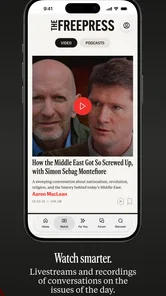
The Free Press is a news and opinion platform focused on independent journalism, commentary, interviews, and cultural reporting. After exploring the app, I found that it is designed for readers who want perspectives outside traditional media coverage. Its content may include articles, newsletters, podcasts, videos, and subscriber-focused features, depending on the version and membership plan available.
Is The Free Press free to use?
The Free Press is free to download, and some content can be accessed without payment, but full access may require a subscription or membership. Free readers may encounter selected articles, previews, newsletters, or limited media, while premium users generally receive broader access to the publication’s library and exclusive material. Before downloading, check the current pricing, trial terms, and renewal conditions.
What kind of content can I find on The Free Press?
The app covers a wide range of subjects, including politics, society, culture, technology, international affairs, and current events. Its articles often emphasize analysis, interviews, and viewpoints that challenge mainstream narratives. The content is not limited to breaking news, so users looking for thoughtful commentary, long-form reporting, and opinion pieces may find it particularly appealing.
Pros
- Independent reporting with a strong focus on accountability.
- Covers stories often overlooked by larger mainstream outlets.
- Clean reading experience with well-organized news sections.
- Opinion pieces offer diverse perspectives on current events.
- Supports readers seeking journalism outside corporate media.
Cons
- Editorial viewpoints may feel strongly partisan to some readers.
- Coverage can be narrower than that of major news platforms.
- Some articles may require a subscription or membership.
- The app may offer fewer multimedia features than larger outlets.
- Publishing frequency can vary across sections and topics.











