The Atlantic
- 605.00
- 4.8
- Installs
- 100.00K
- Price
- Free

Screenshots




Analysis by Reviewed
I approached The Atlantic as a reader first and as a privacy-conscious app user second. It is a free News & Magazines app from The Atlantic Monthly Group LLC, built around the publication’s coverage of politics, culture, and related subjects. The important question for me was not simply whether it can replace a mobile browser, but whether its reading experience gives me enough clarity and control to justify adding another news app to my phone.
My overall impression is favorable, with an important qualification: this is most useful for people who already value The Atlantic’s particular editorial voice and want a focused way to read it. It is less convincing as a general-purpose breaking-news dashboard. Its strong reputation among users is reflected in a 4.8 average from around 5,500 ratings, while its audience has taken the app past 100,000 installs. Those figures suggest a healthy level of reader interest, but they do not remove the need to decide whether the publication’s style and access model suit you.
What the app feels like in everyday reading
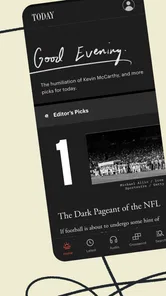
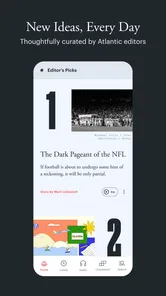
When I use a publication-specific app, I want fewer distractions than I get from a crowded news aggregator. The Atlantic’s appeal is precisely that narrower focus. Instead of mixing headlines from countless publishers, it gives the publication’s politics, culture, and other reporting a dedicated space. That makes it easier to settle into longer reading rather than constantly jumping between unrelated sources.
A realistic use case is a weekday commute or a quiet evening when I want to read one substantial article instead of scanning dozens of short updates. I might open the app after seeing a headline elsewhere, read the full piece, and then continue with another story from the same publication. That flow is more deliberate than an algorithmic feed, and I find that helpful when I am trying to understand an issue rather than merely keep up with notifications.
The trade-off is obvious. A dedicated publication app cannot offer the breadth of a broad news reader. If you want local reporting, sports, weather, financial markets, and headlines from many outlets in one place, a general aggregator or your mobile browser will usually be more practical. This app makes more sense when depth, editorial consistency, and familiarity with The Atlantic matter more than having every news category on one screen.
Who will get the most from it
I would recommend it to readers who return to The Atlantic regularly, especially those who prefer essays, analysis, cultural criticism, and political reporting over a rapid stream of short headlines. It is also a sensible choice for someone who wants to separate intentional reading from the noisier parts of social media. Opening a publication’s own app can create a clearer boundary between reading an article and getting pulled into unrelated links.
I would be more cautious about recommending it to someone who only wants free, headline-level updates or who expects every article in a news app to be immediately available without any account or purchase decisions. The app is free to download, but in-app purchases are listed from $8.99 to $89.99 per item. That means the download cost is not the whole access question, and I would check the available choices before building the app into my daily routine.
More From Our News Desk

Weather by Xiaomi Review: Clear at a Glance, Less Clear Up Close

X Under Pressure: Can It Recover When Posting Goes Wrong?

Clash of Clans Is Won Between the Battles

Android Auto Makes the Case for Quieter Car Software

MobiOffice: Transforming Mobile Productivity with Seamless Integration

EA SPORTS FC™ Mobile Soccer: Redefining Mobile Sports Gaming
The Everyone content rating makes it broadly suitable from an age-classification standpoint. That does not mean every political or cultural subject will feel comfortable for every reader; it simply indicates that the app is presented for a general audience rather than being restricted to adults. For families, I would still make reading decisions based on the article itself and the child’s maturity, not on the label alone.
Trust starts with what the app lets me see
For me, trust in a news app has two sides. I need to trust the publisher’s editorial work, but I also need to understand what happens around my account, purchases, and personal choices. A recognizable publisher helps establish context, yet a familiar name should not replace checking the app’s visible controls and the platform’s permission prompts.
I do not treat a high rating as proof of strong data practices. Ratings mainly tell me that many readers are satisfied with some part of the experience. They do not explain how an account is managed, how subscriptions are handled, or which permissions the app requests on a particular device. I therefore look at the choices presented during installation and sign-in, read the wording around purchases carefully, and avoid granting access that does not appear necessary for the way I plan to read.
That approach is especially important with a publication app because reading habits can be personal. Topics, saved articles, account activity, and purchase history may reveal more about a person than a casual user expects. I prefer to make those decisions consciously instead of accepting every prompt quickly just to reach the home screen.
Account and purchase decisions deserve attention
The free installation makes it easy to try the app without committing money immediately. That is useful, but I would not confuse “free to install” with “all reading is free.” The presence of in-app purchases means I would first explore what can be read without payment, what requires an account, and how any paid option is presented. I would also confirm the billing terms shown by the platform before approving a purchase.
My practical advice is to pause at every account or payment screen. Check whether the choice is optional, note whether the app offers a clear way to manage the account later, and keep purchase confirmation under your control. If several people share a device, platform-level purchase authentication becomes particularly important. That is not a criticism unique to this app; it is a sensible safeguard whenever a free news download includes paid items.
I also prefer to use the same email address and sign-in method consistently. That reduces the chance of accidentally creating separate accounts and then wondering why access or preferences appear inconsistent. If I later stop using the app, I would review the account and subscription settings rather than merely deleting the icon. Removing an app from a phone is not automatically the same as closing an account or ending a billing arrangement.
Privacy-conscious use without guesswork
The safest way to evaluate the app’s data practices is to stay with what is visible: the permissions requested by the installed version, the privacy information shown by the platform or publisher, and the controls offered during account creation and use. I would not assume that a news app needs broad access to my phone simply because it delivers articles. I would inspect each prompt and allow only what fits my intended use.
This matters most during first launch. A user who wants occasional reading may not need to enable every optional alert or personalization choice. I would begin with the smallest set of permissions and notifications that supports my routine, then add something later only if I find a clear benefit. This gives me a better sense of which choices genuinely improve reading and which merely increase interruptions.
Notifications are a particularly sensitive moment. Political and cultural headlines can arrive at inconvenient times, and repeated alerts can make the app feel more intrusive than useful. I would start with notifications disabled or limited, then enable only the types of updates I actually want. Managing alerts through the phone’s settings also gives me a reliable fallback if the app’s own controls are difficult to find.
Another useful habit is separating reading preference from personal disclosure. If the app offers optional profile fields, I would leave unnecessary fields blank. If it presents personalization choices, I would select only those that improve discovery for me. A publication app should earn additional information by providing a clear benefit, not receive it automatically because the form happens to ask.
What I would check before settling in
Before making this a regular reading tool, I would inspect four areas: permission prompts, notification settings, account controls, and purchase management. I would also look at the privacy details available through the app store and any in-app policy links. These checks are more dependable than assumptions based on the developer’s name or the app’s rating.
- Permissions: I would review each request when it appears and decline anything unrelated to how I intend to read.
- Notifications: I would choose a quiet setup first, then enable only alerts that prove useful.
- Account: I would confirm which sign-in method I used and locate the settings for managing access.
- Purchases: I would read the price and renewal language shown at the moment of purchase and keep platform authentication enabled.
These are not dramatic steps, but they improve my control. They also help distinguish a genuine problem from a simple configuration issue. For example, if I feel overwhelmed by alerts, changing notification permissions may solve the problem without abandoning the app. If I am uncomfortable with an account request, I can decide whether the additional convenience is worth it before sharing more information.
Where the experience may create friction
The first limitation is the gap between a free download and a publication that can include paid access. Readers who expect an unrestricted news feed may feel disappointed if they encounter an account or purchase decision at the point they want to continue reading. I see that as a reason to test the app with a few articles before paying, not as a reason to assume the whole experience is unsuitable.
The second limitation is scope. The Atlantic’s focused identity is a strength for loyal readers, but it is also a boundary. I would not install it expecting a complete replacement for a broad news service. I would pair it with another source if I needed local coverage, fast updates across many publishers, or a single place to follow several specialist interests.
The third is that trust can be weakened by unclear user choices, even when the content itself is excellent. A reader should be able to tell when an action affects notifications, account access, or spending. If a screen makes me rush, hides an important choice, or makes cancellation difficult to locate, I would treat that as a meaningful usability concern and look for the relevant platform or account settings rather than continuing blindly.
Device compatibility is another practical consideration. The listed minimum operating system is Android 7.0, and the current version is 2.8.6. I would check my phone’s software and the store’s current compatibility result before planning around the app. Keeping the app updated is also sensible for security and stability, but I would still reread permission changes after major updates instead of assuming the privacy experience has remained identical.
How it compares with the usual alternatives
Compared with reading The Atlantic in a mobile browser, the app offers a more dedicated environment. I like the idea of having the publication separated from open tabs and unrelated browsing. The browser, however, can be better for occasional readers who do not want another installed app, another notification source, or another account session to manage.
Compared with a general news aggregator, this app offers less variety but a more coherent editorial destination. Aggregators are better when I want to compare multiple outlets or scan a wide range of subjects quickly. The Atlantic is better when I already know whose reporting and analysis I want to spend time with.
Compared with social media, the app gives me more control over what I am reading because I am not relying on a constantly changing social feed. Social platforms may surface more immediate reactions and links, but they also bring comments, recommendations, and distractions that can pull attention away from the article. For focused reading, I prefer the publication-specific route; for rapid public reaction, another tool may be faster.
Three habits that make the app work better
My first recommendation is to treat the initial setup as a privacy check rather than a race. I would deny optional permissions, reduce alerts, and use the app for a few sessions before deciding whether personalization or an account adds enough value. This creates a baseline and makes later changes easier to judge.
Second, I would use the app as a deliberate reading queue instead of opening it whenever I feel bored. Choosing one article during a break and finishing it before checking another source makes the focused design more valuable. It also reduces the temptation to measure the app by the number of headlines it displays, which is the wrong standard for a publication centered on deeper coverage.
Third, I would review payment and account settings periodically, especially if I move between devices or share a family payment method. The useful distinction is between reading access, account identity, and billing. Keeping those three areas clear prevents a common mistake: assuming that uninstalling the app automatically resolves every account or purchase matter.
A fourth habit is to use the phone’s notification controls as an independent layer of agency. If the app’s alerts become too frequent, I can silence them without giving up the content entirely. That small separation is valuable because it lets me preserve access while protecting quiet periods, work hours, or sleep.
My cautious verdict
I see The Atlantic as a good fit for readers who want a focused home for the publication’s politics, culture, and analysis, and who are willing to make deliberate decisions around accounts, alerts, and paid access. The free download lowers the barrier to testing it, while the strong user rating and substantial install base suggest that the app has found an audience.
Still, I would not recommend it automatically to every news reader. Someone seeking a broad, fast, mostly headline-based service will probably be happier with an aggregator or browser. Someone who dislikes account prompts or paid-access choices should explore the app carefully before committing. The right decision depends less on the headline count than on whether The Atlantic’s editorial approach earns a regular place in your reading life.
For my own use, the deciding factor is control. I would keep the app when its focused reading experience helps me spend time with worthwhile reporting, while leaving notifications restrained and purchases intentional. My recommendation is to try it as a publication reader, not as your entire news system, and to keep every account, permission, and payment choice visible to yourself.
The Atlantic Frequently Asked Questions
Who publishes The Atlantic app, and which devices can run it?
The Atlantic app is published by The Atlantic Monthly Group LLC and is designed for mobile devices. It is available for Android and iOS, with a minimum operating-system requirement of version 7.0. Before downloading, check that your device meets this requirement and that the app is offered for your device through its app store.
Is The Atlantic app suitable for all ages?
The app is rated Everyone, so its content rating does not set an age restriction for downloading. The Atlantic covers news, politics, culture, and other subjects, and individual articles can address serious or complex topics. Parents and readers choosing content for younger users may want to consider the publication’s subject matter as well as the app’s general audience rating.
What is The Atlantic app?
The Atlantic app is the mobile version of the well-known digital magazine, offering access to journalism, analysis, essays, culture coverage, politics, technology, science, and opinion. After installing it, readers can browse the latest stories, follow selected topics, save articles for later, and receive notifications about important or newly published content, depending on their device settings and account status.
Is The Atlantic app free to download and use?
The app is free to download, but access to all of The Atlantic’s journalism may require a subscription. Some articles or features may be available to non-subscribers, while unlimited reading, subscriber-only stories, archives, and other benefits are typically reserved for paying members. In-app purchases range from $8.99 to $89.99 per item, so review the subscription terms and pricing shown in your region before purchasing.
What kind of content can I read in The Atlantic app?
The Atlantic focuses on long-form journalism and thoughtful commentary rather than short, rapidly changing headlines alone. The app includes reporting and analysis about politics, global affairs, business, science, technology, health, culture, books, and society. Its articles often provide background and interpretation, making it better suited to readers who enjoy detailed perspectives and carefully edited magazine-style writing.
Pros
- In-depth journalism covering politics
- culture
- science
- and technology.
- Strong editorial voice with thoughtful analysis beyond daily headlines.
- Clean
- readable interface with useful topic and author navigation.
- Audio stories and podcasts add value for users who prefer listening.
- Saved articles make it easy to return to interesting pieces later.
Cons
- Many premium articles require a paid subscription to access fully.
- The app may feel focused on U.S. perspectives for international readers.
- Some features depend on a stable internet connection.
- Frequent notifications may feel excessive unless carefully customized.
- Long-form articles can require considerable time to read.











