TeamSnap ONE
- 27.00
- 4.7
- Installs
- 100.00K
- Price
- Free

Screenshots
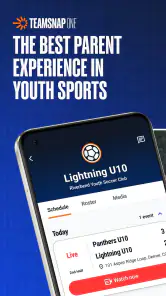

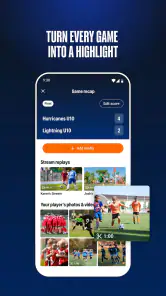
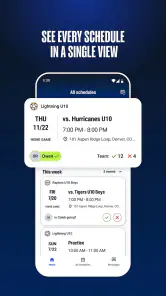
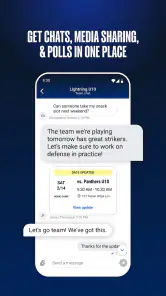

Analysis by Reviewed
I approached TeamSnap ONE as a sports app for people who want a more focused team experience than a general-purpose chat group can provide. It is developed by TeamSnap, Inc., and its invite-only nature immediately shapes how I think about it: this is not an app I would download expecting to browse public leagues or create an open community from scratch. It makes more sense when a coach, organizer, club, or team administrator has already decided to bring you in.
That distinction matters. Many sports apps try to serve everyone at once, combining public discovery, scores, news, training tools, and social features. This one feels more like a controlled digital room for a particular group. The store summary describes it as an invite-only experience from TeamSnap’s innovation lab, so I would judge it less by how much content it exposes to a stranger and more by how smoothly it supports the people who already belong to a team.
How TeamSnap ONE feels in its current state
My first practical conclusion is that access is part of the product, not a minor setup detail. If you receive an invitation, the app can be relevant immediately because the reason for installing it is clear: your team or organization expects you to use it. If you do not have that connection, there is little reason to treat it like a normal sports discovery app. I would not recommend downloading it casually just to see whether a local team happens to be available.
That makes the experience potentially cleaner for invited users. A parent checking a child’s team information, a player keeping up with a club, or a coach coordinating a group does not necessarily need a public feed filled with unrelated sports content. A closed environment can reduce distraction and make the important information easier to find. The trade-off is equally clear: the app’s usefulness depends on the invitation and on the organization using it well.
In an everyday scenario, imagine a parent who has just joined a weekend sports team. Instead of relying on scattered messages from several people, that parent opens the app after receiving an invitation and uses the team’s chosen space as the main point of reference. The real benefit is not a flashy feature; it is having one expected place to return to. That can make a difference when schedules change, several adults share responsibility, and a player needs information quickly before leaving home.
I also see a useful role for players themselves. A teenager may not want to search through a long family or team chat to find what matters for the next practice. An invite-only sports app can create a clearer boundary between ordinary conversation and team-related information. Whether that works in practice depends on how actively the team adopts it, but the intended setting is easy to understand.
The current product is free to install, and its content rating is Everyone, which makes it approachable for mixed-age team communities. That does not automatically make every interaction suitable for every child, of course; adults and organizers still need to set sensible expectations around communication. Still, the age classification removes one common barrier for families deciding whether a team tool can be used across a group.
You May Like

Clash of Clans Is Won Between the Battles

Android Auto Makes the Case for Quieter Car Software

MobiOffice: Transforming Mobile Productivity with Seamless Integration

EA SPORTS FC™ Mobile Soccer: Redefining Mobile Sports Gaming

How Microsoft OneDrive Became a Mobile Productivity Giant

How Google Translate Breaks Language Barriers Effortlessly
The app has an average rating of 4.7 from around 640 ratings, while its install count has passed 100 thousand. I read those figures as encouraging but not conclusive. They suggest that the experience has found a receptive audience, yet an invite-only product can feel very different depending on the quality of the team’s organization. A well-run group may make the app feel essential, while a disorganized group may leave it looking empty or confusing.
What the version information tells me
The current version is 1.39.0+production-release.6783, and the app was released on June 10, 2025. Those details place TeamSnap ONE in an early stage of its public life rather than making it look like a long-established, fully settled platform. I would therefore approach it with interest, but also with the patience I normally reserve for a product that is still finding its shape.
The phrase “innovation lab” is important context for expectations. It suggests a product being explored and refined, not necessarily a replacement for every familiar TeamSnap workflow or every tool used by sports organizations. I would avoid assuming that the app already covers the full range of administration tasks a mature team-management platform might offer. Its strength may be the focused experience, while its boundaries may still be developing.
For an existing user, the version number is less important than the practical question of whether the team’s daily routine is becoming easier. A release can improve the underlying experience without changing what a parent notices on the surface. I would pay attention to whether invitations, returning to the correct team space, and finding current information feel dependable. Those are the moments that determine whether people keep opening an app after the initial excitement.
There is also a useful distinction between a product update and a promise about the future. The version and release information confirm where the app stands now; they do not guarantee which tools will arrive later. I would treat TeamSnap ONE as a current, usable experiment rather than buying into an imagined roadmap. That mindset helps avoid disappointment and makes it easier to judge the app on what it actually provides today.
How it compares with familiar alternatives
The most obvious alternative is a group chat. Chat apps are flexible, familiar, and quick to start, which is why teams often use them even when they are not designed for sports. They are usually better for spontaneous conversation, but they can become difficult to manage when key information is mixed with jokes, photos, unrelated replies, and messages from several families. TeamSnap ONE has a clearer reason to exist if it gives the team a dedicated place rather than another noisy thread.
Email is another common substitute. It is useful for formal announcements and for people who do not want another social-style app, but it is less convenient when a team needs a shared, ongoing space. An email chain can also become awkward when a new family joins and needs access to earlier context. An invite-only app can make membership feel more deliberate, although the team still needs to communicate clearly when something changes.
Traditional sports-management software may be a better fit for organizations that need comprehensive administration. If your club depends on detailed registration, payment handling, rosters, formal scheduling, or extensive reporting, I would not assume this focused app can replace a mature system. TeamSnap ONE seems more appealing when the priority is the experience of belonging to a specific team rather than running every operational detail of a league.
That comparison leads to a practical decision rule. Choose it when your group has an invitation, wants one dedicated team environment, and values a more contained experience. Prefer a general chat when your group needs fast, informal conversation and does not mind searching through messages. Prefer a broader management platform when administrators need deep tools beyond the team-facing experience.
Small workflow choices that can make a difference
The first tip I would give a new user is to treat the invitation as the beginning of a routine, not a one-time login task. Once access is established, make the app part of the moments when team information is normally checked: before leaving for practice, after a coach announces a change, and when preparing for the weekend. This reduces the chance that the app becomes a forgotten download while everyone continues using older channels.
The second is to agree within the team on what belongs there. An invite-only space works best when people know whether it is the authoritative place for team updates or merely an extra conversation. If a schedule change appears in one channel but not the other, the app cannot solve the resulting confusion by itself. The organizer should make the communication rule explicit, especially during the first weeks.
The third is to separate convenience from completeness. I would use the app for the information and interactions the team has intentionally moved into it, but I would not assume that every sports-related need belongs there. Keep any required registration, payment, medical, or club administration process in the system the organization has chosen for that purpose. This avoids forcing a promising new experience to carry responsibilities it may not be designed to handle.
A fourth useful habit is to evaluate the app from different viewpoints. A coach may care about reaching the whole group, a parent may care about clarity and timing, and a player may care about quick access without unnecessary noise. If one group loves the app but another keeps missing updates, the problem may be adoption rather than the interface itself. A short team agreement about who checks what can be more valuable than asking everyone simply to “use the app.”
Finally, I would give the experience a fair trial during a real stretch of team activity rather than judging it after one quiet week. An invite-only sports product shows its value when plans shift, new members arrive, and several people need the same information. If the team is inactive or communicates elsewhere, even a good app will appear unnecessary. The right test is whether it reduces friction during actual team life.
Where the experience may fall short
The biggest limitation is built into the invitation model. Someone outside the selected group cannot freely explore the service in the same way they might explore a public sports app. That can make the product feel inaccessible to curious users and creates a dependency on the organizer. If the invitation is delayed, sent to the wrong person, or not explained properly, the individual user may blame the app even though the real obstacle is the team’s setup.
There is also a risk of duplication. A team may invite everyone to TeamSnap ONE while continuing to post the same information through text messages, email, and another TeamSnap workflow. In that situation, users have to monitor several places, which defeats much of the value of a dedicated environment. I would want the organizer to decide which channel is primary before expecting families to change their habits.
The app may also be a poor match for people who want a broad sports hub. It is not the choice I would make for public league discovery, following unrelated teams, or consuming a large stream of general sports content. Its narrow focus is an advantage for invited communities, but it is a limitation for anyone looking for a single app that covers every sports interest.
Cost deserves a closer look as well. The app is free, but in-app purchases range from $9.99 to $69.99 per item. That does not tell me that every user will pay, nor does it explain which parts of the experience may involve purchases, so I would not promise a completely cost-free journey for every team. Before committing a whole organization, I would have the administrator explain whether any paid option is relevant and who would be responsible for it.
Families should also consider attention and notification habits. A team app can be helpful when it replaces scattered messages, but it can become another source of alerts if the group posts too frequently. I would encourage users to review how they want to be notified and to avoid treating every message as equally urgent. The goal should be fewer missed essentials, not more screen time.
Another limitation is that a new product may not yet match the accumulated habits of older tools. People often have established ways to share schedules, coordinate rides, or contact coaches. Even if TeamSnap ONE offers a cleaner home, changing those habits takes effort. I would be cautious about judging the app solely by whether it eliminates every existing tool; a gradual transition may be more realistic than an instant replacement.
Who should use it and who should skip it
I would recommend TeamSnap ONE to an invited player, parent, coach, or team volunteer who wants a dedicated place for a particular sports community. It is especially promising for groups that have outgrown an informal chat but do not want the clutter of a large public platform. The strongest case is a team willing to make a shared commitment rather than leaving the app as an optional extra.
I would be more cautious for a large club that needs complex administration across many teams. The club may still find value in a focused team experience, but it should first map the tasks it cannot afford to lose. If the organization needs detailed operational controls, a specialized management system may remain the better foundation, with this app used only where it adds a clearer member-facing layer.
I would skip it if you have no invitation, if your group refuses to leave its existing chat, or if your main goal is discovering public sports content. I would also hesitate if you are uncomfortable with a product that is still relatively new and associated with an innovation-lab approach. In those cases, a familiar alternative may be less exciting but more predictable.
What I would watch as the product evolves
Because the app is still early in its public timeline, I would watch how it handles growth without losing the simplicity that makes an invite-only experience attractive. More users are not automatically better if the product becomes crowded or unclear. The important question is whether new capabilities help teams communicate and participate without turning the app into another overloaded sports platform.
I would also watch the relationship between TeamSnap ONE and established TeamSnap experiences. The developer already has a recognizable name in team organization, but this product’s identity appears more experimental and focused. Future changes will matter most if they clarify where the app fits: whether it is a lightweight companion, a distinct team community, or an increasingly complete destination for invited groups.
For existing users, the most meaningful evolution would be practical reliability. I would look for smoother onboarding, clearer membership handling, and better support for teams that need to bring new people into an ongoing season. Those improvements are less visible than dramatic new features, but they directly affect whether a parent or player can depend on the app when time is short.
I would also pay attention to transparency around paid options. Since the app is free to install while offering in-app purchases, users deserve a straightforward understanding of when those purchases matter to their particular team. Clear expectations help protect trust, especially in youth sports where one organizer may be making decisions for many families.
My recommendation after using it
My overall view is positive, with a clear condition: TeamSnap ONE works best when the whole invited group treats it as a shared destination. Its appeal is not that it tries to be every kind of sports app. Its appeal is the possibility of giving one team a more intentional, contained experience than a general chat can provide.
I like the fact that the product has a defined audience and a recognizable use case. I also appreciate that its current stage invites realistic expectations. The version is identifiable, the app is free to begin with, and the Everyone rating makes it approachable for families. At the same time, the invite-only structure, possible duplication with existing tools, and paid items mean I would ask a few practical questions before moving an entire team onto it.
If your coach or club has invited you, I think it is worth trying during active team weeks and judging it by whether you miss fewer updates and spend less time searching for information. If you are an organizer, establish one clear communication policy before launch. If you are simply browsing for a sports app, I would look elsewhere because this is not designed as an open catalogue of teams and events.
In short, I see TeamSnap ONE as a focused sports community app with room to mature. I would recommend it to invited groups that value a dedicated team space, while keeping a broader management platform or familiar communication tool for responsibilities this app may not cover. That balance is the fairest way to use it today: appreciate the focused experience, test it in real team situations, and let the product’s future development prove how far it can go.
TeamSnap ONE Frequently Asked Questions
Who can access TeamSnap ONE, and do I need an invitation?
TeamSnap ONE is described as an invite-only experience from TeamSnap’s innovation lab, so it is intended for people whose sports organization has invited them to participate. If you are a parent, player, coach, or administrator, check with your team or club about whether it uses the app and how to receive access. Having the app installed alone may not provide access to an organization’s team information.
Which devices can run TeamSnap ONE?
TeamSnap ONE is a sports app for Android and iOS, and its listed minimum operating system requirement is version 10. Before downloading, check your device’s operating system version and make sure the app is available for your device through its app store. Keeping the operating system current can also help with compatibility and app performance. The app is free to download, though some in-app purchases are offered.
What is TeamSnap ONE used for?
TeamSnap ONE is a team and club management platform designed to bring schedules, rosters, communication, registration, payments, and other organizational tools into one place. It is mainly intended for sports organizations, coaches, administrators, players, and families. Depending on the organization’s subscription and setup, the features available to each user may differ, so the app experience can vary between teams and clubs.
Is TeamSnap ONE free to download and use?
The app is free to download, but access to TeamSnap ONE features is usually connected to the sports organization, club, or team using the platform. Some services may require an organization to purchase a subscription, while certain activities, registrations, or payments can involve additional costs. In-app purchases range from $9.99 to $69.99 per item. Before downloading, check with your club or team administrator to understand which features and fees apply.
Can parents and players use TeamSnap ONE to view schedules and updates?
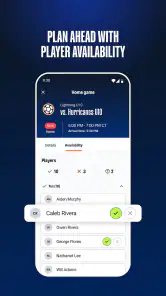
Yes, TeamSnap ONE is designed to help families and participants stay informed about team activities. Depending on the organization’s configuration, users may be able to view schedules, event details, roster information, announcements, messages, registration details, and payment-related information. Notifications can also help highlight changes, although users should keep their contact details and notification settings updated.
Pros
- Centralizes team schedules
- rosters
- messaging
- and updates in one app.
- Push notifications help families stay informed about schedule changes.
- Coaches can share announcements and information with the whole team quickly.
- Supports multiple teams
- making it useful for players in different programs.
- Available on both Android and iOS for convenient access across devices.
Cons
- Some features may require a paid team subscription or premium access.
- The app can feel overwhelming when managing several teams at once.
- Parents and players may need invitations before accessing team information.
- Notification settings can require manual adjustment to avoid excessive alerts.
- Performance and available features may vary depending on the organization’s setup.

- Category
- Sports
- Version
- 1.39.0+production-release.6783