

Superhero Flying speedster
- 15.00
- 4.0
- Installs
- 500.00K
- Price
- Free
Screenshots
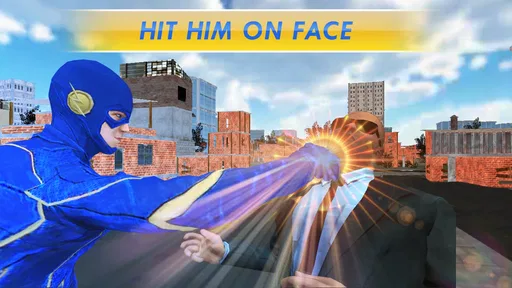
Analysis by Reviewed
I usually judge a flying superhero game by how quickly it lets me settle into a satisfying rhythm: get airborne, steer with confidence, and have a reason to change direction. Superhero Flying Speedster is built around that simple appeal, pairing fast movement with rescue-themed superhero action. I’d treat it as a casual pick-up-and-play game rather than a deep comic-book simulator, which makes it a better fit for short bursts than for players looking for a long, intricate campaign.
A straightforward way to get started
My best approach is to spend the first session learning how the movement responds before worrying about finishing tasks quickly. The store summary points to flying, speed and powers used for rescues, so the natural loop is to move through the city and focus on the job in front of you. I’d make small steering adjustments at first, then build up speed once I was comfortable with the route. That habit makes it easier to stay in control instead of turning every flight into a scramble.
It’s also worth separating two kinds of play. If I only have a few minutes, I can enjoy the sensation of moving through the city without expecting a major story payoff. When I have more time, I can give missions my attention and try to finish them with fewer careless detours. That distinction is useful in a game centered on speed: rushing is part of the fantasy, but a rescue objective gives me a reason to pay attention to where I’m going.
The Thrill of Speed
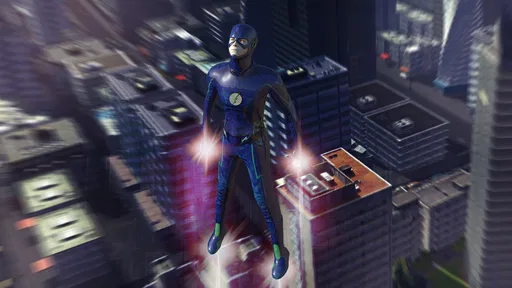
Right off the bat, this game throws you into the thrill of high-speed chases and daring flights. The controls are intuitive, making it easy to maneuver your way through the bustling cityscape. I found myself completely immersed in the role of a speedster, darting between skyscrapers with just a tilt of my phone. It's really something else when the city blurs past you, and you find yourself grinning like a kid on their first rollercoaster ride.
Settings and habits that make flights easier
I’d check the control options before settling into a routine, especially if steering by tilting the phone feels awkward. A control style that seems natural at first can become tiring during repeated flights, so it’s sensible to try the available options in a quiet early session rather than midway through a mission. I wouldn’t assume that every control method suits every player; comfort depends on how you hold your device and whether you prefer subtle movements or more deliberate inputs.
A practical habit is to keep the phone steady and make short, measured movements instead of swinging it broadly. That gives me a better chance of correcting course without oversteering. I’d also avoid playing while walking or in a cramped spot: attention is useful for steering, and a clear place to sit makes it easier to focus on the screen. These are small choices, but they can make a fast-moving game feel less fiddly.
Graphics and Sound
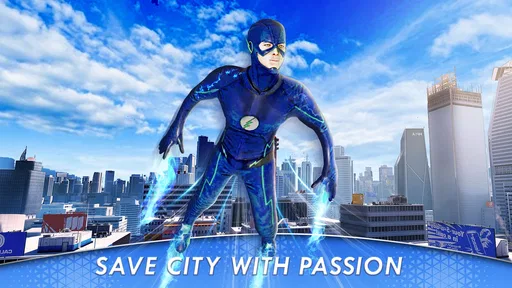
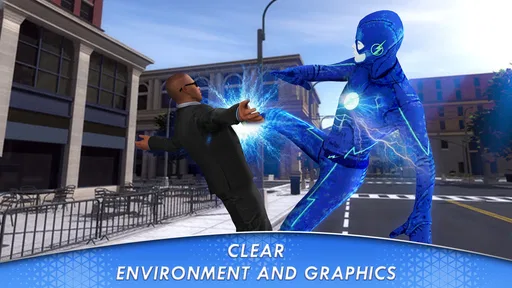
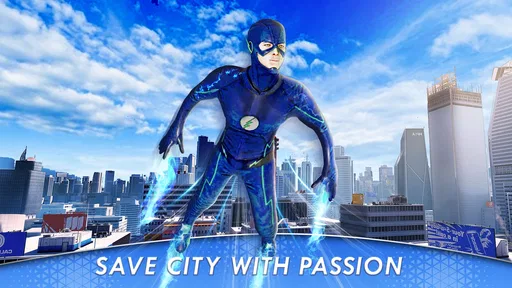
Now, let's talk about the visuals. The graphics are vibrant and detailed, which adds a whole new layer of excitement to the gameplay. The city is alive with activity, and the attention to detail is commendable. Whether it's the reflection of sunlight on glass windows or the bustling traffic below, every element enhances the experience. And the sound effects? They're spot on. The whoosh of wind and the distant hum of city life make the whole experience truly immersive.
More From Our News Desk

 Gmail
GmailGmail in a Busy Inbox: Who Benefits Most?
From first account to crowded workday, Gmail earns its place through dependable search and flexible sorting—but its best fit depends on how much inbox maintenance you can tolerate.

 Prime Video
Switching to Prime Video: What Changes in Your Viewing Routine
Prime Video can make a compelling second home for streaming, but switching means learning a different catalog, rental layer, and route from browsing to playback.

 Universal TV Remote Control
Universal TV Remote Control Works Best as a Reliable Backup
A phone remote earns its place through quick setup and reliable habits. Here is how to get more from Universal TV Remote Control—and where its limits show.

 Weather - By Xiaomi
Weather by Xiaomi Review: Clear at a Glance, Less Clear Up Close
Xiaomi’s weather app makes everyday forecasts quick to scan, but its calm surface can leave useful details and recovery paths harder to find than they should be.

 X
XX Under Pressure: Can It Recover When Posting Goes Wrong?
A resilience-focused review of X, examining setup, mistaken posts, interruptions, weak connections, and the gaps that matter when recovery needs to be dependable.

 Clash of Clans
Clash of Clans Is Won Between the Battles
Its raids are quick; its community is a long-term project of coordination, teaching, rivalry, and shared responsibility—with all the friction that entails.
Latest News



The city setting also helps the flying feel purposeful: buildings and street-level activity give the movement a sense of scale, rather than making it feel like crossing an empty backdrop. For a quick session, I’d keep the sound at a comfortable level so the effects add atmosphere without becoming distracting. If I’m playing somewhere quiet or need to keep my attention on other people, the visual movement still carries the basic appeal on its own.
Challenges and Missions
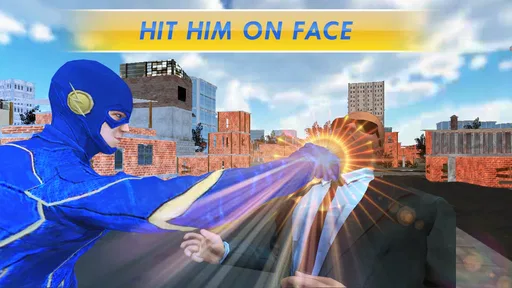
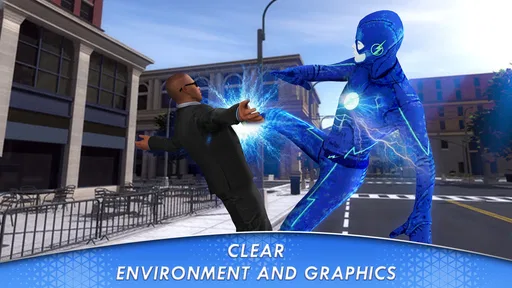
One of the things I appreciated about Superhero Flying Speedster is the variety of challenges and missions. It's not just about flying around aimlessly. There are tasks that require strategic thinking and quick reflexes. From rescuing citizens to thwarting villainous plots, the missions keep you engaged and on your toes. It's a rush of excitement and responsibility—just what you'd expect from a superhero's life.
For a repeatable routine, I’d treat each objective as a chance to practise one thing: controlled turns, judging a route, or keeping my focus while moving quickly. Trying to do everything at top speed from the outset is likely to make the experience feel messier than it needs to. The useful trade-off is that restraint can make a flight feel more deliberate, while pushing the pace better delivers the speedster fantasy. Which matters more depends on whether I’m chasing a clean run or simply playing for a burst of excitement.
Who will enjoy it, and what to expect
This is most appealing if you like comic-book action and want a simple flying premise with rescue-focused tasks. It may also suit a younger player, though the content rating is Teen, so I’d check that rating against the age guidance I follow at home. Someone wanting deep character development, a complex open-world activity list, or a carefully simulated flight model should look elsewhere. In the wider comics-game category, this leans toward direct arcade-style movement rather than the slower reading and story emphasis of digital comics or the elaborate progression found in larger superhero adventures.
A realistic use case is a short break at home: I can pick it up, complete a little flying and mission play, then put it down without needing to remember a complicated storyline. It’s less suited to a commute where I’m standing or moving around, since steering and quick reactions reward a stable, focused session. The game is free, which makes trying it straightforward, but I’d still decide based on the core activity: if flying quickly through a city sounds fun, it’s worth a look; if rescue missions and repeated movement are not your thing, the superhero theme alone may not carry it.
User Experience
In terms of user experience, the app runs smoothly without any noticeable lags. This means your heroic escapades won't be interrupted by annoying glitches. The interface is user-friendly, and even if you're new to this genre, you'll find yourself getting the hang of it pretty quickly. Plus, the app doesn't bombard you with ads, which is always a win in my book.
It comes from Pygmies Games Studios and sits in the comics corner of mobile apps, though its play is more about action than reading panels. It has an average rating of around four stars from over six hundred ratings, and more than five hundred thousand installs. It launched in January 2020; version 1.13 requires Android 4.4 or later. Those details make it an accessible older release for compatible Android devices, while the Teen rating is worth bearing in mind when choosing it for someone else.
Where it fits in a mobile game collection
Compared with a conventional superhero story game, this one puts the immediate sensation of flight ahead of extended narrative. Compared with a comic-reading app, it asks for active steering and quick attention rather than a quiet reading session. That makes it a particular kind of casual option: I’d choose it when I want to move around a city as a hero, not when I’m looking for a substantial plot or a collection of comics. The main limitation is also the premise’s narrowness: if the flying and rescue loop doesn’t click, there may not be enough variety in that central idea to keep me coming back.
Before installing, I’d check that my Android device meets the minimum system requirement and that I’m comfortable with a Teen-rated game. I’d also go in expecting a lightweight action experience, not a detailed simulator. Starting with a short session, settling on comfortable controls, and resisting the urge to steer too sharply are the most useful ways I’d give it a fair try. The game’s appeal is clearest when I want simple, energetic superhero play and can focus on the screen.
Making a short session count
When I have only a small window to play, I’d avoid treating every session like a test of speed. I’d start by getting a feel for the immediate surroundings, then pick one rescue task to focus on rather than trying to make every movement perfect. This creates a simple, repeatable rhythm: orient myself, move with intention, and give the objective my attention. It also makes it easier to stop after a brief session without feeling that I need to grind through a larger progression system.
There’s a useful distinction between learning the controls and chasing a result. If a turn goes badly, I’d use the next flight to practise the same kind of adjustment instead of changing several habits at once. That makes it easier to tell whether my steering is improving or whether I’m simply reacting differently each time. I wouldn’t call this a hidden technique; it’s just a calmer way to approach a game where speed can tempt me into making broad, hurried inputs.
Choosing the right moment to play
The most comfortable setting is somewhere I can hold the phone securely and give the screen my attention. A quiet break at home fits naturally: I can play without needing to coordinate with other people, and the rescue-focused action gives a short session a clear purpose. On the other hand, I wouldn’t choose it while walking, standing in a crowded place, or trying to divide my attention between the game and a conversation. The steering style and fast movement are a poor match for those situations.
For younger players, I’d make the age guidance part of the decision rather than relying only on the superhero theme. The Teen content rating is a practical cue to check whether the game is suitable for the person who will use it. I’d also consider whether that player enjoys action that asks for repeated movement and quick reactions. Someone who mainly wants illustrated stories may be happier with a comic reader, while a child who wants a quiet, story-led game may prefer a different kind of superhero title.
What to expect from the flight loop
One question I’d ask before installing is whether the central action sounds enjoyable on its own. The clearest appeal here is moving quickly through a city and connecting that motion to rescue tasks. If that combination is what I’m after, the straightforward setup is a plus: I don’t need to approach it as a complicated simulation. If I need a layered plot, a wide range of activities, or long-term character development to stay interested, I’d choose a larger adventure instead.
I’d also keep expectations realistic about variety. The missions give the flying a reason, but the basic pleasure still comes back to movement, steering, and responding to what is happening on screen. That focus can be a strength when I want a direct arcade-style outing, and a limitation if I’m hoping every session will introduce a radically different way to play. I’d try it with that trade-off in mind rather than expecting the superhero setting alone to make the experience endlessly varied.
In conclusion, if you're looking for a game that combines the thrill of speed with the allure of superhero adventures, then this app is definitely worth checking out. It's a fun escape from reality, and honestly, who wouldn't want to be a superhero for a day? So, strap on your virtual boots and get ready to soar through the skies. Superhero Flying Speedster is your ticket to a world where speed meets heroism, and that's a ride you don't want to miss.
Superhero Flying speedster Frequently Asked Questions
Does Superhero Flying Speedster work on older Android devices?
The app’s minimum Android requirement is version 4.4, so it can suit some older devices that still run that operating system. Before downloading, check your phone’s Android version and make sure you have enough available storage for the installation. Superhero Flying Speedster is free to download, and its superhero flying theme is built around speed and powers used to rescue.
What is Superhero Flying Speedster?
Superhero Flying Speedster is an action-packed mobile game available for both Android and iOS devices. Players get to experience the thrill of being a superhero with incredible flying abilities. You can navigate through various cityscapes, complete missions, and fight crime using your superhero powers. The game offers stunning graphics and a captivating storyline, making it a favorite among action game enthusiasts.
How do I control my superhero in the game?
Controlling your superhero in Superhero Flying Speedster is intuitive and user-friendly. The game uses on-screen touch controls for navigation, allowing you to fly your superhero effortlessly through the city. Players can perform various maneuvers, such as sharp turns and rapid accelerations, using simple swipes and taps. Detailed tutorials are also available to help new players get accustomed to the controls quickly.
Are there any in-app purchases in Superhero Flying Speedster?
Yes, Superhero Flying Speedster offers in-app purchases that enhance the gaming experience. Players can purchase power-ups, new costumes, and other special abilities to upgrade their superhero. However, the game is designed to be enjoyable without making any purchases, allowing players to progress through skill and strategy alone. It’s important to manage these purchases responsibly, especially if children are playing.
Is Superhero Flying Speedster suitable for children?
Superhero Flying Speedster is suitable for children but with parental guidance. The game features animated violence as players combat various villains, which might not be appropriate for very young children. It’s recommended for ages 10 and above. Parents can utilize the game’s settings to limit in-app purchases and monitor the content to ensure a safe gaming experience for their children.
Pros
- Immersive graphics and sound effects.
- Smooth and intuitive controls.
- Challenging missions for all levels.
- Frequent updates with new features.
- Offline mode available.
Cons
- In-app purchases can get expensive.
- Occasional lag on older devices.
- Ads can be intrusive at times.
- Limited customization options.
- Requires significant storage space.












