Spreaker Podcasts
- 2.62K
- 4.2
- Installs
- 1.00M
- Price
- Free

Screenshots
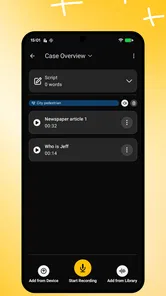
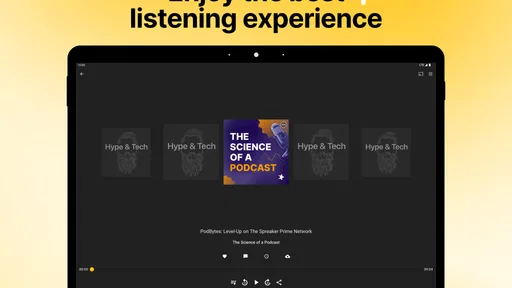
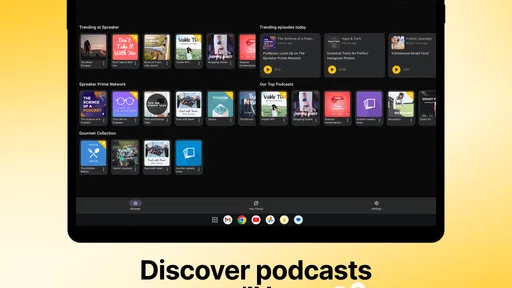
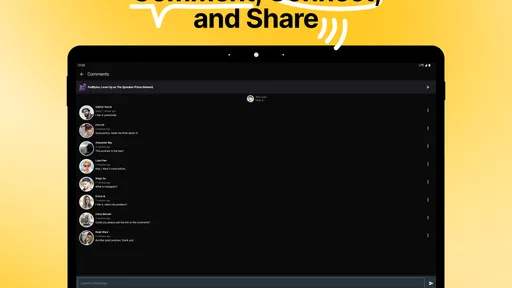
Analysis by Reviewed
I usually reach for a podcast app when I know what I want to hear but don’t want to spend ten minutes choosing. Spreaker Podcasts is aimed at both sides of that moment: finding shows to listen to and giving creators a place to make and share audio. That mix makes it more than a simple player, though your experience will depend on whether you mainly want a straightforward listening queue or enjoy exploring a broader catalog.
Starting with a listening plan
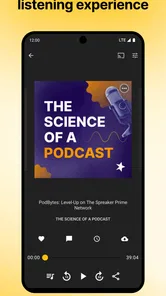
In an everyday routine, I might search for a topic while making breakfast, save a few promising episodes, then listen during a walk when I have less time to browse. Spreaker’s discovery tools and listening options support that kind of handoff from browsing to playback. A useful habit is to decide what you want to hear before you leave home and download episodes for offline listening; it can make a commute less dependent on having a reliable connection.
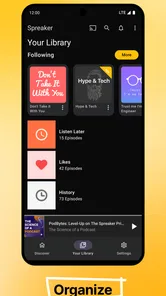
Playlists also help when a single show is not the right fit for the whole trip. I’d group episodes by mood or available time rather than build one enormous queue: a short discussion for a quick errand, for example, and a longer episode for a walk. A sleep timer suits a different situation, letting me listen in bed without needing to remember to stop playback. These are small controls, but together they make the app easier to fit around a day instead of planning the day around listening.
A useful way to begin is to choose one listening situation rather than try to organize every interest at once. I’d pick a subject I already follow, search for a show, and test one episode during a routine I repeat, such as a walk or a tidy-up. That gives me a fair sense of whether the episode length and style work for me, without turning setup into a project. If it does, I can add a second show or build a small playlist; if not, I can keep exploring without having invested much time.
This approach also helps answer a common practical question: does the app work for someone who is not already a podcast expert? I think it can, because I can start from a familiar topic and learn the listening controls as I go. The more useful distinction is not beginner versus experienced listener, but planned listening versus browsing. Someone who wants a single familiar feed and no extra decisions may prefer a simpler player, while a curious listener has more reason to explore Spreaker’s wider mix.
Discover a World of Podcasts
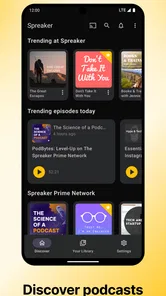
First things first, let’s talk about what you can find in Spreaker Podcasts. The app offers a vast collection of podcasts on just about every topic you can think of. Whether you’re into true crime, comedy, politics, or technology, there’s something for everyone. I’ve spent countless hours browsing through various shows, and there’s always something new to explore.
Finding a show that fits the moment
The app’s interface is incredibly user-friendly, which is a big plus in my book. Navigating through the app is a breeze, and the search functionality is top-notch. You can easily find your favorite podcasts or discover new ones by genre or trending topics. It’s like having a personal assistant who knows exactly what you’re interested in.
More From Our News Desk

Weather by Xiaomi Review: Clear at a Glance, Less Clear Up Close

X Under Pressure: Can It Recover When Posting Goes Wrong?

Clash of Clans Is Won Between the Battles

Android Auto Makes the Case for Quieter Car Software

MobiOffice: Transforming Mobile Productivity with Seamless Integration

EA SPORTS FC™ Mobile Soccer: Redefining Mobile Sports Gaming
That said, searching and browsing solve different problems. If you already know a show or subject, search is the faster route; if you’re open to surprises, browsing by genre or trending topics is more useful. I’d treat recommendations as a starting point, not a guarantee that every result will match my taste. This is particularly helpful if you’re trying to find a new series without committing to a long run: sample an episode first, then decide whether it belongs in your regular rotation.
When I’m choosing between several candidates, I try not to judge a show from its topic alone. A subject can be familiar while the tone, pacing, or episode length is not what I want at that moment. Sampling one episode gives me a better signal than adding several shows to a queue and hoping they work. It also keeps discovery from becoming a backlog of things I feel obliged to hear later.
For a household sharing listening suggestions, this distinction can be useful too. I can search for a particular subject when someone makes a recommendation, then decide for myself whether it belongs in my routine. Trending topics are better for browsing without a specific lead, but they can surface material outside my usual interests. I’d use them as a way to widen the shortlist, not as a substitute for choosing based on what I actually have time and appetite to hear.
Shaping playback around the day
One of the standout features of Spreaker Podcasts is the ability to customize your listening experience. You can create playlists, download episodes for offline listening, and even set sleep timers. This level of customization ensures that you can enjoy podcasts on your own terms, whether you’re at home, commuting, or working out.
Compared with a basic podcast player, these choices make Spreaker more adaptable when listening happens in several settings. Compared with a music-streaming app, its focus is spoken shows rather than mixing podcasts into a general music routine. I’d choose it if discovery and practical playback controls matter to me; someone who already has a carefully organized library in another podcast app may prefer to stay there rather than rebuild their habits. Downloads are especially worth planning ahead for travel or workouts, while a playlist can keep a themed listening session moving without repeated searches.
There is a small planning trade-off with offline listening: downloading is most useful when I decide in advance what I want available, rather than assuming every episode will be ready when I lose a connection. I’d check my intended playlist before leaving, especially for a long journey, and keep it focused on what I’m likely to finish. That is more manageable than downloading a large pile of episodes simply because they looked interesting during a browsing session.
Playlists can also act as a handoff between parts of a day. I might put shorter episodes together for a sequence of errands and keep a longer one separate for uninterrupted time. The advantage is less searching when I’m ready to listen; the downside is that a playlist I never review can become another crowded queue. A quick edit before a trip is a practical middle ground: keep the episodes that fit the time available and remove the ones I only saved on impulse.
If I’m comparing this with a general audio service, I’d ask whether podcasts are the main event or just one part of my listening. A service centered on music may be more convenient if I switch constantly between albums, playlists, and shows. Spreaker makes more sense when I want to browse spoken audio, arrange episodes, and use listening controls around that material. Neither approach is automatically better; the right choice depends on whether I want one broad audio library or a more podcast-centered habit.
When listening leads to creator interaction
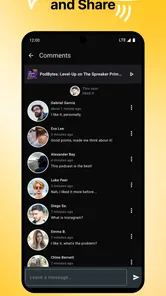
Another cool aspect of the app is the community feel it has. You can engage with podcast creators by leaving comments and feedback. It’s a great way to feel connected to the shows you love and even discover other listeners who share your interests. Plus, it gives creators valuable insights into what their audience enjoys.
That interaction is best treated as an optional layer, not a reason to expect every show to become a conversation. If I have a specific response to an episode, leaving feedback can feel more direct than simply moving on; if I only want a quiet listening experience, I can ignore that side and use the app as a player. The creator connection also makes sense for people who publish audio, since the app’s broader purpose includes creating and monetizing podcasts. I’d still separate listening from production in my expectations: it is appealing if I want to explore both, but not necessarily the only tool a creator needs for every stage of making a show.
For a listener, the practical question is whether interaction adds anything to the way I enjoy a particular show. I’d leave a comment when I have a thoughtful reaction or a useful response, rather than treating every episode as something that needs engagement. That keeps the social side from getting in the way of listening. For creators, audience feedback can be a helpful signal about what resonates, but I would not assume comments alone tell the whole story of what listeners want.
The creator side is also a different kind of commitment from simply subscribing to shows. If I’m curious about publishing, having listening and creator activity in the same broader app experience is appealing as a place to explore the idea. If I’m already producing regularly, I’d judge it against the specific work I need to do, rather than assume one app covers every production step. The distinction matters: Spreaker’s appeal is its connection between discovering, making, and sharing audio, not a promise that every creator workflow will be identical.
Who benefits most from the mix
Spreaker is a good fit for curious listeners who like trying unfamiliar shows, switching between discovery and planned listening, and occasionally responding to creators. It also has a clear appeal if you’re interested in podcast creation as well as listening. The trade-off is that a broad catalog can make choosing harder, and a listener who wants nothing beyond a familiar, fixed subscription list may find discovery less valuable than a simpler player. Likewise, if my main goal were music rather than spoken audio, I’d use a music-focused service instead.
I’d also recommend it to someone whose listening changes with the day. A commuter can prepare episodes before leaving, a person who listens at bedtime can use the sleep timer, and someone who likes exploring can browse around a topic rather than rely only on familiar shows. Those are different needs, but the app’s mix of discovery and playback options makes it possible to move between them without treating each listening session as a separate setup.
On the other hand, I would not push it on someone who already has a large, carefully maintained collection elsewhere and rarely searches for anything new. Moving a settled routine can mean rebuilding queues and relearning where things are, with little payoff if the existing player already does the job. It is also a less natural fit for people who primarily want music, or who want to press play on a fixed list without browsing or interacting with creators. In those cases, a more focused alternative is likely to feel simpler.
A realistic weekday test is easy to picture: I look up a subject over breakfast, choose an episode that fits my walk, and prepare it before heading out. Later, I can switch to a shorter item for a quick errand instead of searching from scratch. If I hear something I want to respond to, creator feedback is there as an option; otherwise I just carry on listening. That sequence shows the app’s strongest idea: discovery, preparation, playback, and response can sit within one podcast-focused routine.
For a practical test, I’d search for one subject I already enjoy, pick an episode that fits the time I have, and make a small playlist for the next few days. Then I’d download what I plan to hear offline and try the sleep timer once at bedtime. That reveals quickly whether the app’s mix of discovery and controls suits my routine, without requiring a major change to how I listen.
In conclusion, if you’re a podcast enthusiast, the Spreaker Podcasts app is definitely worth checking out. It offers a seamless listening experience, a wide variety of content, and plenty of customization options. Whether you’re a casual listener or a podcast aficionado, this app has something to offer. So, why not give it a try and see what you discover? Happy listening!
Practical details before you install
Spreaker Podcasts is a free News & Magazines app from Spreaker, Inc. It has a 4.2 average from around 22,000 ratings, with more than a million installs, so it has an established audience without that being a promise that every show will suit you. The Teen age rating is worth noting if you’re choosing an app for a younger listener; I’d still make show choices together, since topics and tone vary across podcasts.
It first appeared in December 2011, and version 4.41.1 supports devices running iOS 9 or later. If you’re deciding whether it can replace your current player, I’d focus less on the age of the app and more on your daily workflow: can you find a show quickly, prepare a queue, and return to listening when you have time? For me, those are the points that determine whether a podcast app earns a place on the home screen.
My final check would be to consider what I expect from the word “podcast app.” If I want a place to discover shows, prepare episodes for different parts of my schedule, and potentially engage with people making the audio, Spreaker’s combination is appealing. If I only need a minimalist player for an established list, or a tool dedicated to every detail of production, I’d compare it with a narrower alternative before changing my routine.
Spreaker Podcasts Frequently Asked Questions
What devices and operating systems can I use Spreaker Podcasts on?
Spreaker Podcasts is available for iOS devices running version 9 or later. Before downloading, check your phone or tablet’s operating system so you know it meets that requirement. The app brings podcast listening and creator tools together, so a compatible device lets you explore those features from the same place.
What kind of app is Spreaker Podcasts?
Spreaker Podcasts is a News & Magazines app for discovering, listening to, and creating podcasts. Its focus is audio shows, so it may suit you whether you want to follow programs or explore tools for making your own. The app’s central idea is captured in its “Discover, Create and Monetize” approach.
What is Spreaker Podcasts and how does it work?
Spreaker Podcasts is a versatile platform that allows users to discover, listen to, and create podcasts. It offers a user-friendly interface for both podcast enthusiasts and creators. Users can browse through a vast library of podcast content, subscribe to their favorite shows, and download episodes for offline listening. For creators, Spreaker provides tools to record, publish, and monetize podcasts, making it an all-in-one solution for podcasting needs.
Who develops Spreaker Podcasts, and is it suitable for younger listeners?
Spreaker Podcasts is developed by Spreaker, Inc. Its Teen content rating is worth checking before downloading, especially if the app will be used by a younger listener. The app is focused on podcasts, so the material can vary from show to show; browsing available content together can help families decide what is appropriate for them.
Can I use Spreaker Podcasts offline?
Yes, Spreaker Podcasts allows users to download episodes for offline listening. This feature is particularly useful for those who have limited internet access or want to save on mobile data usage. By downloading episodes, users can listen to their favorite podcasts anytime and anywhere without needing an internet connection.
Pros
- User-friendly interface
- Extensive podcast library
- Offline listening available
- Easy episode sharing
- Customizable playlists
Cons
- Contains ads
- Limited free version features
- Occasional playback issues
- Requires account for full access
- No video podcast support











