Should I Answer?
- 8.87K
- 4.0
- Installs
- 1.00M
- Price
- Free

Screenshots


Analysis by Reviewed
When an unknown number interrupts my day, I usually want an answer before I pick up: is it likely to be a useful call, a nuisance, or something I should avoid? Should I Answer? is built around that small but important decision. It is a free communication app from Mister Group s.r.o. that focuses on protection against unwanted calls, rather than trying to become a complete messaging or phone replacement.
I find that focus refreshing. The app is most useful when my phone is receiving calls from numbers I do not recognize and I want some context before deciding what to do. It is not a magic shield against every unpleasant conversation, and it cannot remove the need for judgment, but it gives the incoming-call problem a clearer workflow: identify the caller, decide how much risk or inconvenience I am willing to accept, and then either answer, ignore, or block.
How the call-screening workflow feels in everyday use
Starting with an unknown caller
The realistic starting point is simple: my phone rings while I am busy, the number is unfamiliar, and I do not want to reward a spam caller by answering immediately. This is where the app makes the most sense. Instead of treating every unknown number as equally important, I can use its caller-information approach to make a quicker decision.
That matters particularly when calls arrive during work, while travelling, or when I am waiting for a delivery or service appointment. Ignoring every unfamiliar number can mean missing something legitimate. Answering every number creates a different problem, especially when repeated sales calls or suspicious callers are involved. A tool that helps separate those situations is more practical than a simple universal blocklist.
The app belongs in the communication category, but I would describe it more precisely as a call-decision assistant. Its value is not in helping me talk to people; it helps me decide whether a conversation deserves my attention in the first place. That distinction also explains its limits. Anyone looking for a full dialer, a private messenger, or a broader security suite should not expect this app to replace those tools.
Setting expectations before relying on it
Should I Answer? is available at no charge, with optional in-app purchases priced from $1.99 to $9.99 per item. That makes it easy to try without committing money at the start. I appreciate that approach for an app whose usefulness depends heavily on my own call patterns. Someone who receives very few unknown calls may only need occasional help, while another person may find the protection valuable every day.
The app is rated for Everyone, which fits its straightforward purpose. It is also available for devices running Android 10 or later, so compatibility is an important first check before installing. On a supported phone, I would still spend a moment reviewing how the app fits alongside the phone’s own call controls. Built-in blocking and caller tools can behave differently from third-party protection, and understanding that handoff prevents confusion later.
You May Like

Clash of Clans Is Won Between the Battles

Android Auto Makes the Case for Quieter Car Software

MobiOffice: Transforming Mobile Productivity with Seamless Integration

EA SPORTS FC™ Mobile Soccer: Redefining Mobile Sports Gaming

How Microsoft OneDrive Became a Mobile Productivity Giant

How Google Translate Breaks Language Barriers Effortlessly
I also would not treat the app’s presence as permission to answer recklessly. A warning or negative caller reputation is useful evidence, not absolute proof. Numbers can be reused, misidentified, or connected to a legitimate organization that I simply do not recognize. My best results come from using the app as one part of a decision, then checking the situation through a trusted channel when the call could have financial, medical, or account-related consequences.
Moving from the alert to a decision
The core flow is deliberately short. An unfamiliar call appears, the app provides whatever caller context is available, and I decide whether to engage. If the caller looks suspicious or unwanted, ignoring the call is usually the lowest-friction action. If the same source keeps returning, blocking becomes more sensible than repeatedly making the same decision.
One useful habit is to separate urgency from curiosity. A caller who leaves no useful context does not automatically deserve an immediate response. I can let the call pass, look at the information available, and then decide whether a callback is worthwhile. This is especially helpful when I am in a meeting or handling something that cannot be interrupted. The app supports a calmer sequence instead of forcing a rushed answer.
Another practical habit is to keep a personal record of the decisions I make. If I repeatedly dismiss calls from a certain type of source, I can become more consistent about blocking similar interruptions. If I answer a call that turns out to be legitimate, I can avoid overreacting to every unfamiliar number afterward. The app does not remove this judgment; it makes the judgment easier to apply at the right moment.
Where the handoffs happen
The first handoff is between the incoming call and the app’s caller information. That is the moment when the service has to be useful without making me wait or forcing me through a complicated process. The second handoff is back to the phone’s normal call controls: answer, ignore, or block. A good experience depends on those stages feeling connected rather than like separate utilities.
The third handoff is between the app’s assessment and my own verification. If a call claims to come from a bank, courier, employer, or government office, I would never rely only on the incoming number. I would open the organization’s official app or use a trusted number instead of calling back through the suspicious call record. This is one of the most important ways to use a caller-protection tool responsibly.
There is also a handoff from one device user to another. Families often share advice about persistent nuisance numbers, and a caller-identification service can make those conversations more concrete. However, I would be careful not to treat every label as a definitive accusation. The practical goal is to reduce unwanted interruptions, not to turn uncertain information into a personal verdict about the caller.
A realistic day with the app
Imagine I am expecting a delivery but do not know which number the driver will use. An unfamiliar call arrives while I am preparing lunch. Instead of answering instantly, I check the caller information. If it appears connected to a pattern of unwanted calls, I let it go and look for another delivery notification. If the context seems plausible, I answer briefly and ask the caller to identify the delivery details before sharing anything.
Later, the same afternoon, another unknown number calls repeatedly. The first call is easy to ignore, but repetition changes the situation. I review the available information again, then use the phone’s blocking option if the calls are clearly unwanted. The important outcome is not that the app made the decision for me; it helped me move from uncertainty to a consistent action without interrupting every task.
This workflow is also useful for people who are tired of sales calls but still need to hear from new clients, schools, repair services, or healthcare offices. A total block on unknown callers can be too aggressive. Screening first gives me a middle ground: I remain reachable while reducing the chance that every ring becomes a disruption.
What the app does well in practice
The strongest quality is its narrow purpose. Many phone-security products try to combine call screening with identity tools, messages, contacts, device protection, and other services. Should I Answer? keeps the central question visible: should I answer this call? That makes it easier to understand and easier to recommend to someone who does not want a large collection of unrelated features.
Its established user base also gives me some confidence that the concept has practical appeal. The app has more than a million installs, an average rating of 4.0 from around ninety-six thousand ratings, and about eight thousand nine hundred written reviews. Those figures do not guarantee that it will behave perfectly on every phone, but they show that it is not an obscure experiment with no real-world use.
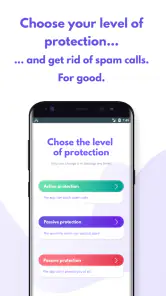
I also like the fact that the app can support different levels of involvement. I can use it cautiously as a source of context, or make it part of a more active routine for handling recurring nuisance calls. That flexibility is more useful than a system that assumes I want every unknown number blocked automatically.
Specific ways to get more value from it
My first tip is to use it before a busy period rather than only after a problem has become serious. If I am expecting several legitimate calls, I can decide in advance which kinds of calls I am willing to interrupt my day for. That makes the incoming decision faster and reduces the temptation to answer simply because the phone keeps ringing.
My second tip is to treat repeated calls as a pattern, not as separate events. One unfamiliar call may be harmless. Several calls with no useful explanation deserve a different response. Reviewing the caller information across those events helps me decide whether blocking is appropriate, instead of making an emotional decision after one interruption.
My third tip is to keep the app’s role separate from sensitive verification. If an incoming caller asks for a password, payment, security code, or urgent transfer, I end the call and contact the organization independently. Caller identification can help me avoid obvious nuisance calls, but it should never become a substitute for account-security habits.
A fourth useful trade-off is to avoid overblocking. If I block every number I do not recognize, I may miss a new doctor’s office, a prospective employer, a school, or a local service provider. I prefer using the app to filter my attention first, then blocking only when the pattern and context justify it. This approach takes slightly more thought but protects reachability.
Where the flow breaks down
The main weakness is that caller information cannot make uncertainty disappear. A number may lack enough context, may be associated with mixed experiences, or may not tell me why the person is calling. In those cases, I still have to choose between answering and waiting. The app improves the decision, but it cannot guarantee a correct answer every time.
There can also be friction when the app and the phone’s own call-management features do not feel perfectly aligned. Different device makers handle caller identification, blocking, and background behavior in their own ways. I would not judge the app only by its first few minutes; I would test it with the way I normally receive calls and confirm that the actions I expect are actually available on my device.
Another limitation is that people who want an entirely automatic experience may find the app too dependent on personal judgment. Its best use is not necessarily “block everything suspicious.” The better result comes from combining its information with timing, caller behavior, and the reason I might be expecting a call. Users who dislike making these small decisions may prefer a more aggressive built-in spam filter, even if that means accepting more false positives.
Privacy-conscious users should also think carefully about what they expect from any caller-identification service. The useful part of the experience depends on handling phone-number information, so I would read the app’s current permissions and privacy explanations before making it part of my everyday phone setup. That is not a criticism unique to this product; it is a basic consideration whenever an app helps interpret incoming communications.
How it compares with the usual alternatives
The simplest alternative is the phone’s built-in call blocking. That option is often enough for someone who only needs to stop a known nuisance number. It is quick and familiar, but it may offer less guidance when the number is new. Should I Answer? is more useful when my problem is uncertainty rather than a single caller I already recognize.
Another alternative is a broad caller-ID or security suite. Those services may offer a larger collection of communication and protection features, which can be attractive if I want one app to cover several needs. The trade-off is complexity. I may spend more time managing features I do not use. This app’s narrower design is preferable when my priority is simply deciding whether to pick up.
I can also rely on voicemail and return calls later. That is a sensible no-cost habit, especially when I am busy, but it does not always prevent repeated interruptions. The app adds value before I commit attention to the call. On the other hand, if I already have a reliable voicemail routine and rarely receive spam, its extra layer may not change much.
For me, the best comparison is not “which tool blocks the most numbers?” It is “which tool helps me make the right call decision with the least disruption?” Built-in controls win for simplicity, broad security suites win for range, and Should I Answer? wins when focused caller screening is the main requirement.
Who should install it, and who should skip it
I would recommend it to people who receive frequent unknown calls, want to remain reachable, and prefer making a quick informed choice instead of blocking every unfamiliar number. It is also a reasonable fit for anyone who wants a focused communication tool rather than a large security package. The free entry point makes experimentation straightforward, while the optional purchases leave room for users who want more from the service.
I would be more cautious about recommending it to someone using an older operating system, since the app requires Android 10 or later. I would also point heavy business users toward a solution designed around their organization’s call handling if they need formal call routing, shared records, or a complete customer-contact workflow. This app is about personal call decisions, not a replacement for business telephony.
People who never answer unknown numbers may not gain much from it either. Their existing habit already solves the immediate problem, although the app could still help when they are waiting for an important call. Likewise, users who expect perfect automatic classification may become frustrated if they are unwilling to apply their own judgment when the caller information is incomplete.
My final take after following the whole process
Should I Answer? succeeds because it addresses a small problem that can become surprisingly exhausting. The journey from an unknown ring to a sensible action is short, and the app gives that journey some structure. I can pause, inspect the context, make a decision, and use the phone’s normal controls without turning every call into a research project.
It is not a complete answer to phone scams, and I would never use it as the sole basis for sharing sensitive information. Its strongest role is more modest and more realistic: reducing avoidable interruptions while helping me stay open to legitimate callers. That balance is difficult to achieve with a blanket blocklist.
Developed by Mister Group s.r.o., the app was released on December 6, 2018, and its current version is 1.9.276. Those details matter less to my daily workflow than whether the caller information appears at the right moment and whether blocking remains easy afterward, but they place the app in the category of an established, actively maintained communication tool rather than a brand-new experiment.
My recommendation is positive for the right user. If unknown calls regularly interrupt your day, install it, test the screening flow on your own phone, and keep your expectations sensible. Use the information to guide decisions, verify important callers independently, and block persistent nuisance sources only when the pattern supports it. It is best understood as a practical filter for your attention, not an automatic judge of every person who calls.
Should I Answer? Frequently Asked Questions
Will Should I Answer? show a warning before I pick up a suspicious call?
Should I Answer? is designed to help identify unwanted calls and can display information about recognized numbers, such as a warning or an unwanted-call category. The result depends on whether the number is known to the app’s reports or other available number information. It can make an unfamiliar call easier to assess, but it should not be treated as a guarantee that every suspicious caller will be identified.
Can I report a number that Should I Answer? does not recognize?
The app’s caller-identification approach draws on reports and ratings collected from users, so community input is part of how unwanted numbers can become recognizable. If you encounter an unlisted or incorrectly categorized number, check the app’s available reporting options and follow its prompts. Reports and number information can take time to become useful to others, and you should avoid treating any single report as definitive proof about a caller.
Is Should I Answer? available for both Android and iPhone?
Should I Answer? is a communication app for screening unwanted calls. The options available can differ between Android and iPhone because each system handles caller identification and call blocking differently. Before downloading, check that the version offered for your device supports the call-screening features you want, and review the app’s permissions and settings after installation.
Who develops Should I Answer?, and is it suitable for everyone?
Should I Answer? is developed by Mister Group s.r.o. and has an Everyone content rating, so it is presented as suitable for a broad audience. Its purpose is practical: helping users identify and manage unwanted calls. As with any caller-identification app, take a moment to understand its permissions and privacy options before enabling features that interact with your calls or contacts.
What is Should I Answer?
Should I Answer? is a caller-identification and spam-blocking app designed to help you recognize unknown phone numbers before answering. It uses information from its community and available number databases to show whether a call may be telemarketing, fraud, debt collection, or another unwanted category. The app is especially useful for people who receive frequent suspicious or unsolicited calls.
Pros
- Identifies many unwanted callers using a large community database.
- Offers quick caller ratings before you decide to answer.
- Can help reduce telemarketing and scam-related interruptions.
- Simple interface makes number checks easy for most users.
- Useful for spotting suspicious numbers from unfamiliar regions.
Cons
- Database accuracy depends on user reports and may vary by country.
- Some legitimate businesses may be incorrectly marked as unwanted.
- Caller identification can require access to phone-related permissions.
- The app’s usefulness may be limited in areas with few community reports.
- Background protection may affect battery life on some devices.

- Category
- Communication
- Version
- 1.9.276











