

Run Run Deals: Coupons & Codes
- 184.00
- 4.4
- Installs
- 10.00K
- Price
- Free

Screenshots
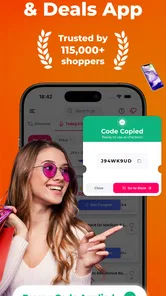
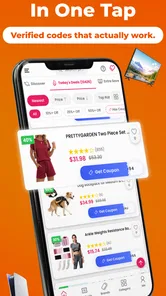
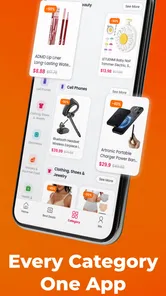
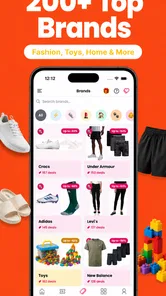
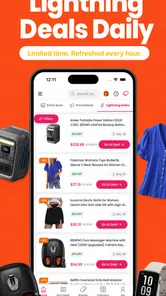
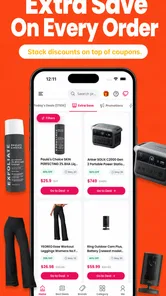
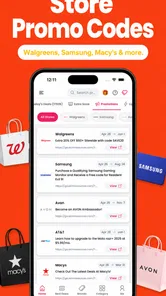

Analysis by Reviewed
I like the idea behind Run Run Deals: Coupons & Codes because it addresses a very ordinary shopping problem: finding a discount that actually works before placing an order. This free shopping app from RunRunDeals brings verified coupon codes, promo codes, and daily deals into one place instead of making me search through unrelated pages and hope an offer is still active. In practice, its value depends less on how many offers appear and more on how quickly I can find one that matches the store, product, and checkout conditions I am dealing with.
My experience with it is best described as useful but not completely automatic. It can shorten the hunt for savings, especially when I already know which retailer I want to use. However, a coupon app cannot control a merchant’s checkout system, and that distinction matters when a code is rejected. The app may be only one part of the process, while the real restriction comes from the order total, selected products, account status, delivery area, or the retailer itself.
Getting past the points where coupon shopping usually stalls
The first place I would expect a new user to get stuck is not installation. It is deciding what to do after opening the app. A list of deals can look promising, but a broad offer is not automatically useful for a specific purchase. I get better results when I begin with a clear target: the store I plan to use, the type of item I want, and whether I am looking for a percentage discount, a fixed reduction, or a general promotion.
That small change in approach prevents one of the most common mistakes: copying the first visible code without checking whether it fits the order. A coupon may apply only to selected products or require a minimum spend. Another may be intended for a particular kind of customer or may not combine with an existing sale. I treat the offer as a lead to investigate rather than as a guaranteed reduction.
The app’s central promise is convenience, not a replacement for the retailer’s own terms. When I find a suitable deal, I still read the visible conditions before building my basket around it. This is especially important for expensive purchases, where a failed code can change the final decision. For a small everyday order, a few seconds of checking may be enough. For a large order, I would compare the final checkout total rather than trusting the headline discount.
Another point of friction is the handoff between the coupon app and the shopping site or app. The code may need to be copied and entered manually, and the retailer’s checkout page may place the coupon field in a less obvious part of the process. If I do not see a discount immediately, I avoid submitting the order. I first check whether the code was copied correctly, whether extra spaces appeared, and whether the checkout is showing a separate confirmation step.
This is also where expectations matter. A deal can be genuine and still fail for a particular basket. The most practical habit is to test the code before spending time comparing products solely because of the advertised saving. I would rather confirm the reduction early than reach the final payment screen with an order that no longer makes sense.
More From Our News Desk

 Gmail
GmailGmail in a Busy Inbox: Who Benefits Most?
From first account to crowded workday, Gmail earns its place through dependable search and flexible sorting—but its best fit depends on how much inbox maintenance you can tolerate.

 Prime Video
Switching to Prime Video: What Changes in Your Viewing Routine
Prime Video can make a compelling second home for streaming, but switching means learning a different catalog, rental layer, and route from browsing to playback.

 Universal TV Remote Control
Universal TV Remote Control Works Best as a Reliable Backup
A phone remote earns its place through quick setup and reliable habits. Here is how to get more from Universal TV Remote Control—and where its limits show.

 Weather - By Xiaomi
Weather by Xiaomi Review: Clear at a Glance, Less Clear Up Close
Xiaomi’s weather app makes everyday forecasts quick to scan, but its calm surface can leave useful details and recovery paths harder to find than they should be.

 X
XX Under Pressure: Can It Recover When Posting Goes Wrong?
A resilience-focused review of X, examining setup, mistaken posts, interruptions, weak connections, and the gaps that matter when recovery needs to be dependable.

 Clash of Clans
Clash of Clans Is Won Between the Battles
Its raids are quick; its community is a long-term project of coordination, teaching, rivalry, and shared responsibility—with all the friction that entails.
Latest News



Simple setup checks before searching for a code
Run Run Deals is free to install, has an Everyone content rating, and works on devices using Android 7.0 or later. Those details make it accessible to many older Android phones, although compatibility alone does not guarantee that every part of the shopping journey will feel equally smooth on every device. Before blaming the app for a problem, I check that the phone has a stable connection and that the app has finished loading its current content.
I also make sure I am searching with the correct retailer name and not a shortened version that could lead to a similar-looking store. This sounds basic, but it is a useful safeguard when several brands have related names or when a marketplace contains offers from many sellers. The closer the search matches the store where I will actually pay, the less likely I am to waste time with an irrelevant code.
For a clean test, I choose one offer and try it with a simple basket rather than several promotions at once. A complicated basket makes it difficult to know what caused a failure. If the code works on a qualifying item but not on a discounted item, that tells me more than repeatedly trying random codes. I record the original total mentally or in a note so I can see whether the retailer has applied the saving rather than merely displaying a success message.
The current version is 4.9.7, so I would use the latest available version on my device before judging reliability. Keeping the app current is a sensible first check when deal information appears stale or an interaction behaves unexpectedly. I would also close and reopen it if a page appears incomplete, then repeat the search instead of repeatedly tapping the same control.
There is one financial detail worth understanding before using the app regularly. Although the app itself is free, it includes in-app purchases ranging from $2.99 to $99.99 per item. I would not assume that installing it requires a purchase, but I would still pay attention to any purchase screen and distinguish ordinary coupon browsing from optional paid items. That separation is important for anyone who wants a strictly free saving tool.
The app has an average rating of 4.4 from around 480 ratings, with roughly 184 written reviews. I see that as encouraging evidence that many people find the basic idea useful, but not as a promise that every code will suit every order. Coupon services are naturally variable: an offer can become less useful as merchant conditions change, even when the app itself remains easy to use.
A recovery routine when a code does not apply
When a coupon fails, I use a fixed recovery routine instead of immediately deciding that the app is broken. First, I copy the code again and check for accidental spaces or missing characters. Second, I return to the offer details and look for restrictions involving product categories, minimum order values, delivery charges, or other conditions. Third, I remove competing promotions from the basket and test the code on an eligible item.
If the retailer has both a website and a separate mobile checkout, I try the same code in the place where I intend to complete the purchase. A code can behave differently depending on the merchant’s checkout design, and switching between pages without noting the basket contents can create confusion. I keep the test controlled: one retailer, one basket, and one promotion at a time.
A useful but less obvious tactic is to compare the final amount with the saving shown before checkout. Some offers reduce the product subtotal but leave delivery or other charges unchanged. That does not necessarily mean the coupon failed; it may simply apply to a narrower part of the order than I expected. Looking at the order breakdown gives a more accurate answer than judging by the total alone.
If the offer page loads but the retailer page does not, I separate those two issues. I restart the shopping session, check the connection, and try the retailer directly. If the retailer itself is unavailable, changing coupon codes will not solve the problem. Likewise, if the app opens normally but a particular merchant rejects every offer, the merchant’s rules are a more likely explanation than a general app failure.
I also avoid stacking several codes just because they are all visible. Many checkout systems accept only one promotional code, and testing multiple offers together makes it harder to identify the best one. I compare them individually and keep the option that produces the lowest legitimate final total. Sometimes a smaller-looking code wins because it applies to more of the basket or works with a sale price.
For recurring purchases, I would not save a code as if it were permanent. I would test it again each time, especially if the basket, retailer, or account has changed. Daily deals are useful for timing a purchase, but they are not a reliable substitute for checking the price over time. The strongest workflow is to use the app to discover an opportunity, then confirm the actual checkout result before committing.
When the problem is outside Run Run Deals
Coupon apps are easy to blame because they sit at the beginning of the search, but several failures happen elsewhere. A retailer can withdraw an offer, change its terms, limit it to selected products, or stop accepting a code while the promotion still appears familiar to shoppers. In that situation, the app may have helped me find the offer without being able to enforce it.
Product eligibility is another frequent cause. A code may exclude clearance items, subscriptions, gift cards, marketplace listings, or products sold by a particular third party. If the discount works after I replace one item, the issue is probably the basket’s contents rather than the search tool. This is why I prefer a small test order or a clearly eligible product before planning a larger purchase around the promotion.
Account and location conditions can matter too. A retailer may show different prices or promotions depending on the customer’s country, delivery address, membership status, or previous purchase history. I do not treat a code found in a general deal list as proof that my own account qualifies. The checkout page is the final authority on whether the saving applies to me.
There is also a difference between a coupon code and a deal that requires no code. A sale price may already be applied automatically, while a separate code may not combine with it. In that case, the better choice is whichever produces the lower final amount. I would never add a code merely because it feels like an extra saving; I compare totals after all applicable charges.
For privacy-conscious shoppers, the sensible approach is to use the app only for the shopping task they need. I do not create unnecessary expectations about what a coupon tool can do, and I avoid entering sensitive information into any place that is not clearly the retailer’s own checkout. The app’s role is to help locate promotions, while payment and order details belong with the merchant I have chosen.
These distinctions answer an important practical question: should I uninstall the app after one failed code? Usually not. I would first test a different offer for the same retailer, simplify the basket, and verify the merchant’s checkout. If every offer fails across several eligible orders, then the app may not be worth my time for that store. If only one promotion fails, I consider that normal coupon friction rather than a decisive verdict.
Who benefits most, and who should choose another method
I think Run Run Deals suits shoppers who regularly compare prices and do not mind spending a short moment validating an offer. It is particularly handy when I already know the retailer but have not yet searched for a promotion. Instead of opening several unrelated search results, I can begin with a shopping-focused source and then confirm the code where I will pay.
It is also a good fit for people who buy from different stores and want one repeatable routine. I can search before adding items, compare a few relevant offers, and abandon the search if the final saving is too small to justify the effort. That last step matters: a coupon is not automatically valuable if it encourages an unnecessary purchase or takes longer to use than the saving is worth.
I would be more cautious about recommending it to someone who wants fully automatic discounts with no manual checking. The app can make discovery easier, but I still need to read conditions, copy a code when necessary, and verify the result at checkout. A retailer’s own sale page may be better when I am loyal to one store and want the most direct information about current products, delivery, and account-specific offers.
Price-comparison services can also be a better alternative when the main question is whether another retailer sells the item more cheaply. Run Run Deals focuses my attention on promotions, but a coupon does not always beat a lower base price elsewhere. For a high-value purchase, I compare the total cost across retailers first, then use the app to see whether the preferred seller has an additional legitimate saving.
Browser-based coupon tools may be more convenient for shoppers who complete every purchase on a computer, while a retailer’s own app may handle account rewards more smoothly. I see Run Run Deals as a middle option: more focused than a general web search, but not a complete replacement for merchant loyalty programs, price comparisons, or careful checkout review.
One everyday example shows where it fits. Suppose I need household items from a store I already trust. Before filling the basket, I search that retailer in the app and inspect the conditions of the most relevant offer. I then add only the products that qualify, copy the code, and check the subtotal and delivery charge. If the saving applies, the app has done its job. If it does not, I remove the code, compare the store’s ordinary sale price, and decide without letting the promotion dictate the purchase.
My practical verdict after using it as a shopping aid
Run Run Deals is most useful when treated as a verification step, not a magic discount button. Its free entry point, shopping-specific purpose, and collection of coupon codes, promo codes, and daily deals make it a reasonable tool to keep available before an online order. The developer, RunRunDeals, has built something that can reduce the time spent searching, provided I remain willing to check the details myself.
The strongest benefit is workflow rather than spectacle. I can start with the store, narrow the search to a realistic purchase, test one offer, and confirm the final total. The most important limitation is equally clear: the app cannot guarantee that a merchant will accept a code for my particular basket. That is not a minor technical footnote; it determines how I should use the product and how much trust I place in any displayed promotion.
With over 10 thousand installs, it has found an audience beyond a tiny experiment, and its 4.4 average suggests a generally positive reception. I would still judge it by my own shopping habits. If I frequently buy online and enjoy checking for a better price, I would recommend giving it a try. If I rarely use coupons, buy only from one retailer, or dislike manual validation, the retailer’s own offers may be simpler.
My recommendation is to install it for targeted searches rather than browse endlessly. Start with a purchase you already planned, check the offer’s conditions, and confirm the saving before payment. When a code fails, follow the short recovery process instead of assuming the app caused the problem. Used that way, Run Run Deals: Coupons & Codes is a practical companion for deal hunting, with enough usefulness to earn a place in my shopping routine but not enough certainty to replace common sense at checkout.
Run Run Deals: Coupons & Codes Frequently Asked Questions
What devices and operating systems can run Run Run Deals: Coupons & Codes?
Run Run Deals: Coupons & Codes is an Android shopping app, and the listed minimum operating-system requirement is Android 7.0. Check your device’s software version before downloading, as an older system may not be compatible. Keeping your operating system and the app updated can also help with compatibility and security when browsing offers and following links to retailers.
Who develops Run Run Deals, and what should I know about its standing?
The app is developed by RunRunDeals and is intended for shopping and deal discovery. It has an average rating of 4.4 from around 480 ratings, alongside 184 written reviews, and has been installed over 10,000 times. These figures offer a snapshot of user feedback and adoption, but individual experiences can differ, so it is sensible to read recent reviews and decide whether its deal-browsing approach suits you.
What is Run Run Deals: Coupons & Codes?
Run Run Deals: Coupons & Codes is a shopping companion designed to help users discover discounts, promotional offers, coupon codes, and other ways to save money online. The app gathers deals from different retailers and presents them in a convenient format, allowing you to browse categories, search for specific products, and access an offer before completing your purchase on the merchant’s website or app.
How do I use a coupon or promotional code in Run Run Deals?
After finding an offer, open its details to review the discount, expiration information, and any conditions that may apply. When available, the app provides a code that you can copy and enter during checkout on the retailer’s website. Some deals may activate automatically through a link instead. Always confirm that the discount has been applied before paying, since retailer requirements can vary.
Are all deals and coupon codes guaranteed to work?
No coupon service can guarantee that every listed offer will remain valid at all times. Retailers may change promotions, end campaigns early, limit quantities, or apply location and product restrictions. Run Run Deals can help you find current-looking offers, but you should check the expiration date, terms, minimum purchase requirements, exclusions, and final price at checkout before relying on a deal.
Pros
- Quickly find coupons and promo codes for popular online stores.
- Regularly updated deals can help reduce shopping costs.
- Simple interface makes browsing offers straightforward.
- Useful categories help narrow down deals by shopping interest.
- Savings can be combined with store sales on some purchases.
Cons
- Some coupon codes may be expired or fail at checkout.
- Many offers redirect to external retailer websites or apps.
- Deal availability can vary by country and participating store.
- Some discounts require minimum spending or specific conditions.
- Frequent notifications may feel excessive for occasional shoppers.











