

PrePass
- 35.00
- 3.4
- Installs
- 10.00K
- Price
- Free

Screenshots
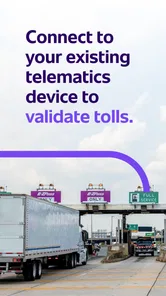
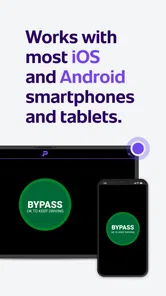

Analysis by Reviewed
For a professional driver, a weigh station alert is not an exciting feature in the usual app-store sense, but it can become a useful part of a daily routine. I tested PrePass with that practical question in mind: does it remain helpful after the first few trips, or does it become another app that gets installed and forgotten? Its purpose is straightforward, sitting in the Auto & Vehicles category and focusing on weigh station bypass information and alerts. That narrow focus is also its main strength, because it avoids trying to become a general driving companion.
The app is free, carries an Everyone age rating, and is developed by PrePass Safety Alliance. It was released on April 12, 2023, and the current version is 3.42.0 for devices running Android 9 or later. Its average rating is 3.4 from around 68 ratings, with roughly 35 written reviews, and it has passed 10 thousand installs. Those figures suggest a useful but not universally loved tool: enough drivers are trying it, while the middling rating is a good reminder to keep expectations realistic.
What the first week feels like on the road
The first-week appeal comes from how easy the idea is to understand. Instead of treating every weigh station as an unexpected interruption, I can use the app as part of my route awareness. The value is most obvious when I am driving a familiar commercial route and want another layer of notice before approaching a station. It is not entertainment, and it does not need to be. Its usefulness depends on reducing uncertainty at a specific point in a trip.
I would not install it expecting a complete navigation replacement. A traditional navigation app is still better for building a route, checking turns, and handling general traffic information. PrePass has a narrower job. I see it as a companion that should be prepared before leaving, then allowed to support the drive while my attention stays on the road.
A realistic example is a morning delivery run across several states. Before departure, I would check that the app is installed on the phone I actually carry in the cab, confirm that the device meets the Android requirement, and make sure I understand how its alerts appear. During the trip, the benefit is not that I keep staring at the screen. The benefit is that an alert can draw attention to a weigh station ahead, giving me time to respond appropriately instead of making a last-second decision.
That workflow reveals an important trade-off. The app can be valuable when it is treated as an advance-warning tool, but it cannot replace driver judgment, road signs, or the operating rules that apply to a particular vehicle and route. I would never interpret an alert as permission to ignore a posted instruction. The safest habit is to use the app as an additional signal and follow the physical signs and legal requirements first.
Why the narrow focus works
Many driving apps try to combine maps, fuel prices, traffic, parking, maintenance reminders, and roadside services. That can be convenient, but it also creates clutter. PrePass is easier to understand because its identity is tied to weigh station bypass and alerts. For a driver who already has a preferred navigation system, that specialization may be more useful than downloading another all-purpose driving app.
More From Our News Desk

 Gmail
GmailGmail in a Busy Inbox: Who Benefits Most?
From first account to crowded workday, Gmail earns its place through dependable search and flexible sorting—but its best fit depends on how much inbox maintenance you can tolerate.

 Prime Video
Switching to Prime Video: What Changes in Your Viewing Routine
Prime Video can make a compelling second home for streaming, but switching means learning a different catalog, rental layer, and route from browsing to playback.

 Universal TV Remote Control
Universal TV Remote Control Works Best as a Reliable Backup
A phone remote earns its place through quick setup and reliable habits. Here is how to get more from Universal TV Remote Control—and where its limits show.

 Weather - By Xiaomi
Weather by Xiaomi Review: Clear at a Glance, Less Clear Up Close
Xiaomi’s weather app makes everyday forecasts quick to scan, but its calm surface can leave useful details and recovery paths harder to find than they should be.

 X
XX Under Pressure: Can It Recover When Posting Goes Wrong?
A resilience-focused review of X, examining setup, mistaken posts, interruptions, weak connections, and the gaps that matter when recovery needs to be dependable.

 Clash of Clans
Clash of Clans Is Won Between the Battles
Its raids are quick; its community is a long-term project of coordination, teaching, rivalry, and shared responsibility—with all the friction that entails.
Latest News



The app also makes sense for someone who drives changing routes. A person who only travels one local road may quickly memorize where the relevant stations are and gain less from an additional tool. By contrast, regional and long-distance drivers encounter more variation, so advance awareness has greater practical value. I would especially consider it for drivers who alternate between familiar lanes and occasional longer assignments.
One tip that is easy to overlook is to evaluate the app after several different trips rather than after one drive. A single route may not show whether the alerts fit your working rhythm. I would test it on a familiar run first, then on a less familiar route, while comparing what appears in the app with the signs encountered on the road. That gives a more useful impression than judging it from the installation screen alone.
What it does not replace
PrePass should not be confused with a full electronic logging, dispatch, inspection, or vehicle-maintenance system. It is not the app I would choose to manage a fleet’s paperwork or plan every aspect of a delivery schedule. It also should not become an excuse to interact with the phone while moving. If a driver needs continuous map guidance, a dedicated navigation app remains the better primary tool.
There is another practical limitation: an alert is only helpful if the driver notices it in the right way and at the right time. Phone placement, sound settings, cabin noise, and personal driving habits all matter. I would set up the phone before moving and avoid making changes while driving. If the notification style does not fit the cab environment, the app’s theoretical usefulness can be reduced even if the underlying information is relevant.
Whether it earns a place after the novelty fades
I find that PrePass is worth judging by whether it fits a repeatable pre-trip habit, not by how impressive it feels on day one. The useful test is whether it adds awareness without competing with signs, navigation, or the driver’s attention. That practical standard also helps explain why the app may suit one driver and feel unnecessary to another.
Month-to-month value comes from repetition
After the first week, the question changes from “Does this seem useful?” to “Will I keep using it?” For PrePass, recurring value depends heavily on how often a driver encounters weigh stations and how varied the routes are. A driver who regularly crosses multiple jurisdictions has more opportunities to benefit than someone whose work stays within a small, predictable area.
The app is not the kind of product that rewards constant exploration. Once it is configured and understood, it should become quiet background support. That is a positive quality for a work app. I do not want a driving utility demanding attention or encouraging me to browse it during a shift. Its lasting role is closer to a checklist item: open it before a route, confirm that it is ready, and let it contribute information when needed.
For a small operator, the free price makes that trial easier. There is less commitment involved in seeing whether the app fits a real schedule. Still, “free” does not automatically mean “worth keeping.” The phone must have enough battery, the driver must remember to use the app, and the alerts must be clear enough to justify another item in the routine. If those conditions are not met, the app can become dead weight despite costing nothing.
I would judge its month-to-month value by three questions. Does it help me anticipate weigh station situations on routes I actually drive? Does it do so without distracting me? And does the setup remain simple enough that I remember to use it before departure? If the answer to all three is yes, it has a reasonable chance of staying installed. If not, a driver may be better served by relying on road signage and an existing navigation setup.
A useful routine for regular drivers
My preferred routine would be short and consistent. Before starting the engine, I would check the phone’s battery, place it where notifications can be heard or safely seen, and open PrePass as part of the departure process. I would then keep the application in the background or in the role intended for alerts rather than repeatedly checking it. At the end of the day, I would note whether an alert was timely and understandable, especially on routes with several stops or changing conditions.
This kind of routine matters more than novelty. Apps that depend on occasional curiosity tend to disappear from a phone. Apps that fit naturally into an existing work habit have a better chance of surviving. PrePass has a clear opportunity here because its purpose connects to a recurring part of commercial driving rather than a one-time task.
A second tip is to review the setup after changing phones, vehicles, or driving patterns. A notification that worked in a quiet personal car may be less noticeable in a noisy cab. Similarly, a driver who moves from local routes to interstate work should reassess how central the app becomes. The tool’s value is situational, so the routine should be adjusted when the situation changes.
The maintenance burden is modest, but not zero
Maintenance is where many practical apps lose their place. PrePass does not need to be opened for entertainment, but it still deserves occasional attention. I would keep the app updated, make sure the operating system remains compatible, and verify that notifications are still behaving as expected. The current version is 3.42.0, and the minimum operating system is Android 9, so users with older phones should consider device compatibility before building the app into a work routine.
I would also include a quick pre-trip check whenever the route is important. That does not mean studying the phone continuously. It means confirming that the application is present on the correct device and that the driver understands how it will communicate an alert. This is especially important for people who share vehicles or switch between a personal phone and a company phone.
The maintenance burden is therefore less about complicated daily management and more about avoiding silent failure. A driver may assume an app is ready because it was installed weeks ago, only to discover that the phone changed, settings were altered, or the device is no longer the one used on the road. A short check before a long trip is a sensible compromise.
There is also a human maintenance cost: remembering what the app is for. Because it does not replace navigation or general trip planning, it can be easy to forget its role. I would keep it in the same mental category as a route-specific professional tool, not as a universal driving assistant. That distinction prevents disappointment and makes it easier to decide when opening it is worthwhile.
Where fatigue begins
The biggest source of fatigue is repetition without visible payoff. A driver may complete several trips without needing to act on an alert, then wonder why the app remains on the phone. That does not necessarily mean it is failing; some safety-oriented tools are valuable precisely because they support preparation. However, the benefit can feel abstract when nothing unusual happens.
Another source of friction is having too many competing signals. A cab may already contain a navigation display, dispatch messages, radio communication, and vehicle warnings. Adding another alert channel can increase mental load if the driver has not decided how to prioritize it. I would place PrePass in a supporting role and avoid treating every notification as equally urgent.
The middling average rating also fits this kind of product. A specialized app can be genuinely useful for the right driver while feeling unnecessary or inconsistent to someone with different routes and expectations. Ratings alone cannot tell me whether it will fit an individual workflow, but they do encourage a careful trial rather than blind reliance.
Drivers should also skip it if they want a single app to handle every transportation need. PrePass is not the right choice for someone mainly looking for turn-by-turn directions, trip budgeting, fuel tracking, or vehicle service records. In those cases, a dedicated alternative is more appropriate. Its advantage comes from focus, and that same focus limits its usefulness outside weigh station awareness.
How it compares with usual alternatives
The most basic alternative is the road itself: posted signs, established route knowledge, and careful attention. Those remain essential and cannot be replaced by a phone. For a driver on a stable local route, that combination may be enough. It has no setup burden and does not add another notification source.
The second alternative is a general navigation app. That is better for route construction and broad travel decisions, but it may not serve the same specialized purpose as a tool centered on weigh station information and alerts. I would use general navigation to understand where I am going and PrePass to add a more focused layer of awareness where relevant.
A third alternative is a company’s existing fleet or dispatch system. If an employer already provides a dependable workflow for route-specific station information, adding another app may create duplication. In that situation, the decision should be based on whether PrePass fills a real gap, not on the assumption that more tools are always better.
The trade-off is clear: specialized focus versus consolidation. I prefer PrePass when the driver frequently faces changing commercial routes and wants a dedicated companion. I would prefer a simpler setup when the route is predictable, the company system already covers the need, or the driver is struggling with too many alerts.
Who is most likely to keep using it?
I see the strongest fit for professional drivers who travel beyond one familiar area, want advance awareness around weigh stations, and are comfortable maintaining a phone-based driving routine. It may also suit newer drivers who are still learning how to organize route preparation, provided they understand that the app supports—not replaces—legal compliance and attention to signs.
The weaker fit is a driver who rarely encounters weigh stations, uses an employer-controlled system that already handles the same information, or dislikes managing alerts on a phone. Someone expecting a complete navigation platform will probably be disappointed. The app’s value is not broad; it is practical and conditional.
My long-term verdict
After the novelty fades, PrePass earns lasting space only when its alerts match the driver’s real routes. I would keep it installed if I regularly drive commercial corridors where weigh station awareness matters and if the app fits cleanly into my pre-trip routine. In that situation, its narrow purpose becomes an advantage: I know why I am opening it, and I do not need it to perform unrelated jobs.
I would not recommend keeping it purely out of habit. Try it on familiar and unfamiliar routes, compare its role with the tools already used in the cab, and decide whether it reduces uncertainty without adding distraction. The free price makes that evaluation straightforward, but the final test is practical value, not installation alone.
My overall opinion is cautiously positive. PrePass is not a must-have for every phone or every driver, and its moderate rating reflects the fact that a specialized utility will not fit everyone equally. For the right professional user, though, it can become a quiet, repeatable part of route preparation. That is a more meaningful success than novelty: an app that stays useful because it supports a specific habit, provided the driver keeps expectations realistic and continues to follow the road’s official instructions first.
PrePass Frequently Asked Questions
Is PrePass free to download, and who publishes the app?
PrePass is free to download and is published by PrePass Safety Alliance. It is an Auto & Vehicles app for commercial transportation, so its intended use is different from a general navigation or travel app. Before installing, drivers may want to check with their carrier about enrollment and any service arrangements, since downloading the app alone does not establish eligibility for weigh-station bypass services.
What is PrePass and how does it work?
PrePass is a service and mobile app designed to help eligible commercial vehicle operators use electronic bypass at participating weigh stations and inspection facilities. After registering an account and adding the required carrier and vehicle information, the app can provide notifications about upcoming facilities and, where available, communicate a bypass decision. Drivers must still follow all posted signs, instructions, and enforcement directions.
Is PrePass available to every driver or vehicle?
No. PrePass is primarily intended for qualified commercial motor carriers and their drivers, rather than ordinary passenger vehicles. Availability depends on factors such as the carrier’s enrollment, vehicle details, operating credentials, safety requirements, and the facilities participating in the program. Before downloading, users should confirm that their company and equipment meet the current eligibility requirements in their region.
Does PrePass guarantee that a truck can bypass every weigh station?
No. The app does not guarantee a bypass at every location or on every trip. A bypass decision can depend on the participating facility, the vehicle and carrier’s status, inspection history, credentials, current operating conditions, and other factors. Drivers should approach each facility prepared to enter unless the app or onboard equipment clearly provides an authorized bypass instruction.
What information and permissions does the PrePass app require?
PrePass may require account, carrier, vehicle, and driver information to provide its services accurately. Depending on the features being used, it may also request location access, Bluetooth or device connectivity, notifications, and other permissions needed for alerts or communication with compatible equipment. Users should review the privacy policy and permission settings, especially if they prefer limiting background location access.
Pros
- Works with many toll roads across the United States.
- Can help eligible drivers save time at participating toll plazas.
- Provides access to toll payment and account details in one app.
- Useful for frequent travelers who want fewer toll-related stops.
- Supports account management without needing a separate desktop portal.
Cons
- Coverage and benefits vary by state and participating toll agency.
- Requires an active PrePass account and compatible vehicle setup.
- Not all toll lanes or bridges accept PrePass.
- Service fees may reduce the value for occasional drivers.
- Some features depend on cellular connectivity and accurate vehicle data.











