Phoner 2nd Phone Number + Text
- 5.42K
- 4.2
- Installs
- 1.00M
- Price
- Free

Screenshots
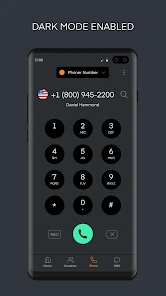
Analysis by Reviewed
I find a second number most useful when it changes what I feel comfortable sharing. That is the central idea behind Phoner 2nd Phone Number + Text: it gives texting and calling a separate number on the phone I already carry. For anyone who would rather not hand out a personal number to every contact, that separation can make everyday communication feel more manageable.
A separate line for the conversations you choose
The appeal is not simply having another number on screen. It is being able to use one number for a particular purpose—such as a side business, a classified listing, or a new client—while keeping the number tied to friends and family for those relationships. I would treat it as a practical boundary, not as a guarantee of anonymity: people still need to use the number thoughtfully, and a second line does not make every interaction private by itself.
Phoner is a communication app from Appsverse, Inc. It is free to install, rated for Everyone, and its current version is 8.46; in-app purchases range from $0.99 to $99.99 per item. The app has a 4.2 average from around 22,000 ratings and more than 1 million installs. Those figures suggest that second-number use is a familiar need, but they do not tell me whether a particular plan or number will suit someone’s calling and texting habits.
Multiple Numbers, One Device
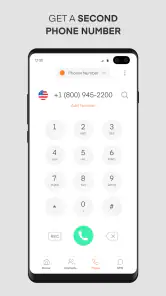
The first thing that caught my attention was how Phoner allows you to manage multiple phone numbers on a single device. This is super handy if you’re managing work and personal life, or if you’re in sales and need different numbers for different clients. Setting up a new number is a breeze. You just tap a few options, and voila, you have a new line ready to go!
Seamless Texting and Calling
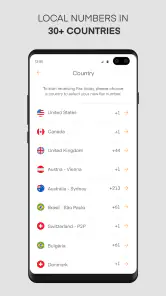
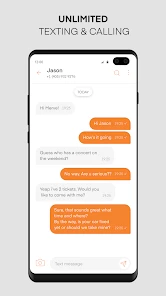
With Phoner 2nd Phone Number + Text, texting and calling are as smooth as butter. The interface is intuitive, and I found it very similar to the native phone and messaging apps on my device, which made the transition seamless. You can also send texts and make calls internationally, which is a huge plus if you have friends or business abroad.
A useful way to test the fit is to start with one clearly defined purpose rather than giving the number out everywhere. For example, I might use it for inquiries about a short-term project, then keep replies and follow-ups in that same conversation space. That makes it easier to recognize why someone is contacting me and to decide whether I still want that channel open. If the number is for recurring work, I would also tell important contacts which line to use, so a missed message does not become a scheduling problem.
Compared with carrying a second handset, an app-based number is easier to keep alongside the phone I already use. Compared with giving every contact my regular number, it offers a useful degree of separation. The trade-off is that it is still an app-based service, not a separate device or a replacement for the carrier line I rely on for everything. I would keep the main number for essential personal contacts and use Phoner selectively, especially when continuity matters.
You May Like

Clash of Clans Is Won Between the Battles

Android Auto Makes the Case for Quieter Car Software

MobiOffice: Transforming Mobile Productivity with Seamless Integration

EA SPORTS FC™ Mobile Soccer: Redefining Mobile Sports Gaming

How Microsoft OneDrive Became a Mobile Productivity Giant

How Google Translate Breaks Language Barriers Effortlessly
Privacy and Security
One of the main reasons I wanted a second number was to protect my privacy, and Phoner does not disappoint. You can give out this number without worrying about your personal information leaking out. It’s also great for online shopping or any situation where you need to enter a phone number but want to keep your main one private.
For online forms and purchases, I would use the second number only where a phone contact is genuinely useful, rather than treating it as a shield against every unwanted message. A separate number can help me keep the main one out of a transaction, but it still needs its own attention. If a service sends a time-sensitive confirmation or a seller needs to coordinate a pickup, I should check the app and not assume that messages will surface in exactly the same way as texts to my usual number.
Cost-Effective Solution
If you’re like me and always looking for ways to cut down on expenses, you’ll appreciate the cost-effectiveness of Phoner. You get a lot of features for a minimal cost compared to buying a second phone or getting another line from your carrier. Plus, they offer different plans, so you can choose one that fits your usage habits best.
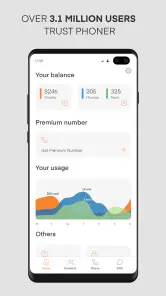
There is a practical question I would answer before relying on it heavily: how much calling and texting do I expect to do, and am I comfortable with the available in-app purchase options? The free starting point makes it straightforward to explore, but the listed purchase range is broad, so I would review the options in the app before building a regular business workflow around a number. Someone who only needs occasional separation may find that arrangement worthwhile; someone who expects constant calls should compare the ongoing cost and convenience with a carrier line.
Where the extra number earns its place
A realistic example is selling a piece of furniture locally. I could use the Phoner number in the listing, coordinate a meeting by text, and avoid sharing my everyday number with someone I may contact only once. After the sale, I can stop using that channel for new inquiries. The benefit is not that every stranger becomes trustworthy; it is that the contact route is more contained and easier to keep distinct from my personal conversations.
The app is a better fit for people who want a flexible contact number for side work, buying and selling, or sign-ups that may lead to follow-up calls. It is less suitable if I need a guaranteed business identity, a number shared across a team, or a dependable replacement for my main carrier service. In those cases, a dedicated business phone arrangement or a second carrier line may be a better choice, even if it costs more or involves extra hardware.
Phoner has been available since July 27, 2017, and its minimum operating-system requirement is Android 6.0. I would still check that the device and service meet my needs before moving important contacts over. The best approach is to keep the second number’s purpose narrow, tell trusted contacts where to reach me, and reassess it if the line starts creating more monitoring than convenience.
Make the separation useful, not confusing
The main practical challenge is remembering which number I used with which person. I would keep the second line’s role simple and consistent: for example, use it for every inquiry about a particular side project rather than alternating between it and my personal number. That makes a returned call easier to recognize and reduces the chance of replying from the wrong channel. If I use it for several unrelated purposes, I would make a quick note of where I shared it so I can understand later why an unfamiliar message arrived.
I would also decide in advance how quickly I can reasonably respond on that line. A second number does not automatically create office hours, but treating it as a work or listing channel can help me avoid checking it constantly. For a time-sensitive exchange, I would tell the other person when I am likely to see messages and keep an eye on the app until the task is finished. For a one-off signup, I would not make it the only route for something I cannot afford to miss.
Where it differs from familiar alternatives
The usual options are to give out a personal number, carry a second phone, or add a carrier line. Phoner sits between those choices: it keeps the extra contact channel on the device I already have, without making the app-based number identical to my main line. That is appealing for temporary or narrowly defined use, but it also means I should not assume it behaves exactly like the number attached to my regular mobile service. A second handset or carrier line makes more sense when I need a clearly independent setup or when uninterrupted access is essential.
For a small side business, the choice depends on how formal the communication needs to be. If I am handling occasional inquiries myself, a separate app number can be a convenient boundary. If several people need to answer the same customers, or customers must always reach the business through a stable, shared channel, I would look at a dedicated business service instead. The extra structure can be worth the cost when missed calls have consequences or the number needs to represent an organization rather than one person.
International calling and texting can be useful when the people I need to reach are abroad, but I would check the applicable in-app options before assuming that a particular destination or pattern of use fits my budget. I would begin with a short, non-urgent conversation and make sure the app works for the way I plan to communicate before using it for deadlines or important arrangements. This is a sensible habit with any calling service, and especially so when I am deciding whether an app-based number can take over a role I usually give to my main line.
Who benefits most from a second number
I see the strongest fit for someone who has a recurring reason to share contact details but does not want that reason mixed into their personal number: a freelancer testing a new service, a person arranging local sales, or someone handling inquiries for a small project. The benefit is less about hiding completely and more about being able to keep the resulting conversations in a different lane. It can also be useful for people who want to try a separate contact channel before deciding whether they need a more permanent business setup.
I would skip it if the number must serve as my only dependable way to receive urgent calls, if a team needs to manage it together, or if I want a complete substitute for the phone service already built into my device. I would also hesitate to use a second number indiscriminately for every form and contact. More channels can mean more messages to monitor, and the boundary is only helpful if I can remember to check it and keep its purpose clear.
One small but valuable habit is to review the number’s role after a project or sale ends. If I no longer need that channel, I can stop presenting it as an active contact point; if I keep using it, I should update the people who rely on it and make sure the separation still saves effort. This keeps a second line from becoming a neglected inbox that catches messages I meant to see.
In conclusion, whether you’re a business professional needing a second line, or just someone who likes to keep their personal number private, the Phoner 2nd Phone Number + Text app has got you covered. It provides flexibility, privacy, and convenience all in one package. Give it a try, and you might find it’s exactly what you’ve been looking for!
Phoner 2nd Phone Number + Text Frequently Asked Questions
Can I use Phoner alongside my regular phone number?
Yes. Phoner is designed to provide a private second phone number for texting and calling, so it can be used alongside the number you already have. That can help keep work conversations, online contacts, or other communications separate from your personal line. Your regular number remains your own; Phoner gives you another way to communicate through the app.
What can I do with a Phoner number?
Phoner is intended for calls and text messages using a second phone number. It can be useful when you want to contact someone without sharing your usual number, or when you prefer to keep different conversations separate. The app is focused on communication, so consider whether an additional number for calling and texting matches what you need before installing it.
Is Phoner suitable for keeping work and personal communications separate?
A second number can make it easier to distinguish work conversations from personal ones while using one device. Phoner may also be useful when you want to give a separate contact number to businesses or new acquaintances. It is still an app-based service, so check the available number and feature options in the app to make sure they suit the way you plan to use it.
Is Phoner available for iPhone and Android?
Phoner is a communication app, and its Android requirements include Android 6.0 or later. It is rated for Everyone, so its age rating is suitable for a broad audience. If you are considering it for a specific phone or tablet, check that the device meets the minimum system requirement before downloading.
What should I consider before using a second number for important calls?
A second number can be convenient for everyday calls and texts, but it is worth deciding which conversations you want to handle through Phoner and which should stay on your regular line. Since Phoner routes communication through the app, keep the app accessible when you expect to use that number. Also review any available purchases before relying on particular features.
Pros
- Easy to set up multiple numbers
- Affordable pricing plans available
- Good call quality and stability
- User-friendly interface
- Works well for businesses or personal use
Cons
- Limited features in free version
- Occasional app crashes
- Customer support is not 24/7
- Some numbers may be recycled
- Text message delays

- Category
- Communication
- Version
- 8.46











