O’Reilly First Call VIN Scan
- 291.00
- 3.1
- Installs
- 100.00K
- Price
- Free

Screenshots
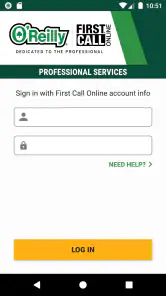
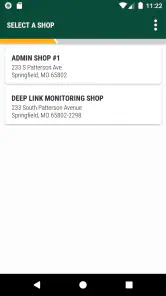
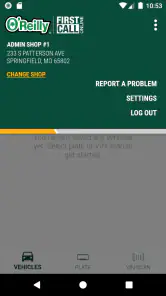
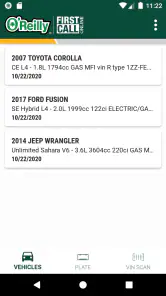
Analysis by Reviewed
Ever had that moment when you're staring at a vehicle, wondering about its history? Well, let me introduce you to an app that feels like having a car detective in your pocket. Meet the O’Reilly First Call VIN Scan. If you’ve ever been in the auto parts industry or just a car enthusiast, this app will feel like an absolute game changer.
What’s the Buzz?
So, what's all the hype about the O’Reilly First Call VIN Scan? This app is designed to make your life easier by quickly scanning Vehicle Identification Numbers (VIN). Imagine going from having to manually type out a 17-digit VIN to just a quick scan. Yes, it’s as simple and as efficient as that! The app is particularly handy for those who need to identify vehicles accurately and swiftly, whether you're at an auction, a dealership, or even just browsing.
Features That Stand Out
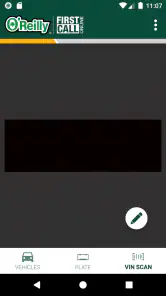
First off, let's talk about the scanning feature. It’s quick, reliable, and saves a ton of time. Just point your phone’s camera at the VIN, and boom! All the vehicle details are at your fingertips. The user interface is clean and intuitive, making it easy for both tech-savvy individuals and those who might not be as comfortable with technology.
Another cool feature is the app's ability to integrate with O'Reilly's First Call Online. This means you can not only get vehicle details but also check out parts specific to that vehicle. It’s like having a personal assistant that knows every little detail about cars and where to get the right parts.
Why You’ll Love It
One of the things I personally love about this app is its accuracy. In the world of auto parts, getting the correct information is crucial, and this app delivers just that. It's like having a trusty mechanic whispering the secrets of the car world into your ear.
Moreover, the app is regularly updated, keeping up with the latest models and industry standards. This ensures that you’re always getting the most relevant information. Plus, who doesn’t love an app that evolves with the times?
Wrapping It Up
In conclusion, if you’re in the market for an app that simplifies the process of identifying vehicles and finding the right parts, the O’Reilly First Call VIN Scan is your go-to. It’s efficient, easy to use, and incredibly helpful for anyone dealing with cars regularly. Whether you’re a professional in the auto industry or just someone who loves cars, this app is a must-have.
So, next time you’re in a fix trying to figure out a vehicle’s history or looking for the right part, remember there’s an app for that. And not just any app, but one that’s designed to make your life a whole lot easier. Give it a try and see for yourself. Happy scanning!
O’Reilly First Call VIN Scan Frequently Asked Questions
What is O’Reilly First Call VIN Scan?
O’Reilly First Call VIN Scan is a mobile application designed to streamline the process of automotive parts identification. By scanning the Vehicle Identification Number (VIN), users can quickly access detailed information about their vehicle and find compatible parts available at O’Reilly Auto Parts stores. This app is particularly useful for mechanics and car enthusiasts looking to save time and improve accuracy.
How does the VIN scanning feature work in the O’Reilly First Call VIN Scan app?
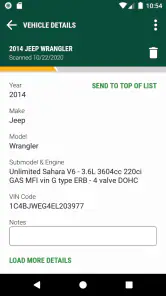
The VIN scanning feature allows users to utilize their smartphone camera to capture the Vehicle Identification Number (VIN) on their vehicle. The app then processes this information to provide a detailed breakdown of the vehicle's specifications, including make, model, and year. This data is used to search the O’Reilly Auto Parts catalog for compatible parts, making the process of finding the right parts efficient and straightforward.
Is O’Reilly First Call VIN Scan free to use?
Yes, the O’Reilly First Call VIN Scan app is free to download and use. There are no hidden fees or subscription charges. However, users will need an O’Reilly First Call account to access some features, such as detailed parts catalog access and order tracking. This account can be created for free within the app or through the O’Reilly Auto Parts website.
What devices are compatible with the O’Reilly First Call VIN Scan app?
The O’Reilly First Call VIN Scan app is compatible with both Android and iOS devices. It requires Android version 6.0 and up or iOS version 11.0 or later. To ensure optimal performance, it is recommended to keep the app updated to the latest version available on the Google Play Store or Apple App Store. The app is designed to work seamlessly across smartphones and tablets.
Can I use the O’Reilly First Call VIN Scan app to order parts directly?
Yes, users can order parts directly through the O’Reilly First Call VIN Scan app. After scanning the VIN and identifying the necessary parts, users have the option to order them from O’Reilly Auto Parts. The app provides a seamless ordering experience, allowing users to choose between in-store pickup or home delivery. This feature is especially beneficial for those who need parts quickly and conveniently.
Pros
- Fast and accurate VIN scanning.
- User-friendly interface.
- Comprehensive vehicle data.
- Supports multiple VINs.
- Secure data handling.
Cons
- Requires stable internet connection.
- Limited free features.
- Occasional scanning errors.
- Only available in certain regions.
- High battery consumption.

- Category
- Auto & Vehicles
- Version
- 3.0.0












