NewsBreak Lite
- 408.00
- 4.7
- Installs
- 100.00K
- Price
- Free

Screenshots
Analysis by Reviewed
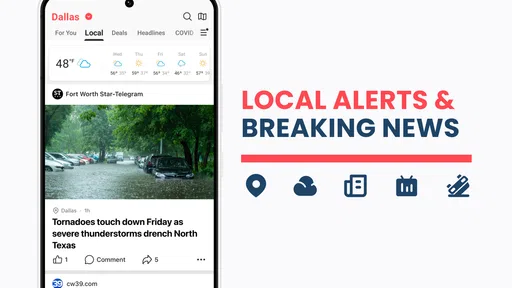
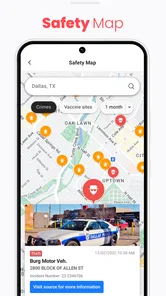
I find a local news app most useful when it answers a practical question: what is happening near me that could affect my day? That is the angle I would keep in mind with NewsBreak Lite. It is a free news and magazines app from Particle Media Inc., and its focus on neighborhood updates makes it a different starting point from an app built mainly around national headlines. If you are trying it for the first time, the best measure of success is not how long you scroll; it is whether you find one relevant story or alert and know what to do with it.
Start with the news you actually need
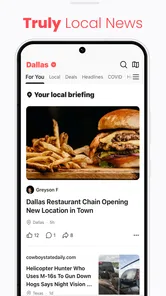
On first opening a local-news app, I would begin by looking for the parts of the feed that feel useful to my routine: nearby developments, community stories, and broader topics I already follow. Give the feed a little time before deciding it has your interests right. Recommendations can be more useful after you have shown what you tend to read, but a personalized stream is still a selection, not a complete picture of every issue in a community.
A practical first check is to compare a headline that catches your eye with the article itself. That helps me judge whether the feed gives enough context for a quick read or whether I should seek a fuller account elsewhere. For local events, this distinction matters: a headline can tell you that something is happening, while the article may be needed to understand its timing, impact, or relevance to your plans.
Everything You Need, Nothing You Don’t
NewsBreak Lite is like that one friend who tells you just what you need to know, without the extra fluff. The app is all about simplicity and efficiency. From the moment you open it, you're greeted with a clean, intuitive interface that makes navigation a breeze. Seriously, even if you're not the most tech-savvy person, you'll find this app super easy to use.
Curated Content at Your Fingertips
One of the standout features of this app is its ability to curate content that actually matters to you. Whether you're into world politics, tech updates, or the latest celebrity gossip, NewsBreak Lite has got you covered. It uses smart algorithms to learn your preferences and deliver personalized news straight to your feed.
And the best part? It's light on data usage. So, if you're someone who's always on the go and relying on mobile data, this app is a game changer. Say goodbye to those pesky "data limit exceeded" notifications.
A first useful routine: check, read, then decide
For a realistic test, I would open the feed over breakfast or before leaving home, scan for a local story that could change a route or an errand, then read beyond the headline before acting on it. That is a better use of a neighborhood news feed than treating every notification as urgent. If a story is important, checking another trusted source can help establish the details; speed is handy, but it is not a substitute for context.
More From Our News Desk

Weather by Xiaomi Review: Clear at a Glance, Less Clear Up Close

X Under Pressure: Can It Recover When Posting Goes Wrong?

Clash of Clans Is Won Between the Battles

Android Auto Makes the Case for Quieter Car Software

MobiOffice: Transforming Mobile Productivity with Seamless Integration

EA SPORTS FC™ Mobile Soccer: Redefining Mobile Sports Gaming
The app may suit someone who wants nearby headlines alongside general-interest reading, especially if they prefer a single place to browse instead of visiting several news sites. It is less compelling if you want a tightly controlled, topic-only publication or rely on one established newsroom for deep reporting. In that case, a publisher’s own app or a broad national news service may be a better fit. The trade-off is simple: local breadth can surface useful community items, while a specialist source may provide more depth on a particular subject.
Stay Updated, Stay Ahead
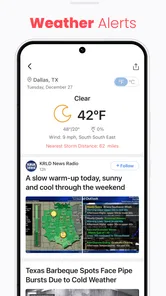
In today's fast-paced world, staying updated is crucial. With NewsBreak Lite, you get real-time news alerts that keep you in the loop without being intrusive. The app sends you notifications only when it's something truly important, so you won't be bombarded with unnecessary pings throughout the day.
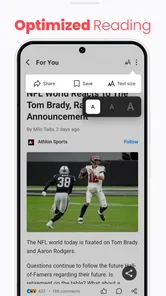
Another thing I appreciate is the offline reading feature. You can save articles to read later when you're in a no-internet zone. It's like having a pocket-sized newspaper that you can carry anywhere.
Make alerts work for your schedule
Notifications are most helpful when they serve a specific purpose, such as flagging a developing local story you would otherwise miss. If alerts start interrupting work or family time, I would review which ones deserve immediate attention and rely on a deliberate check of the feed for the rest. That small habit keeps a news app from setting the pace of your day. Saved reading, meanwhile, is useful for a commute or a wait when connectivity is unreliable, but I would save only stories I genuinely plan to finish rather than turning the list into another backlog.
NewsBreak has an average rating of 4.7 from around 2.8 thousand ratings, with over 100 thousand installs. Those figures suggest that plenty of people have tried it, though they do not tell me whether its local coverage will match your area or interests. It is free to install, rated Everyone 10+, and includes optional in-app purchases priced at one dollar per item. The current version is 25.42.0, and it runs on Android 8.0 or later.
Wrapping It Up
All in all, NewsBreak Lite is a fantastic app for anyone who wants to stay informed without the hassle. It’s efficient, user-friendly, and tailored to your needs. Whether you're a news junkie or just someone who likes to catch up on headlines during your coffee break, this app is worth checking out.
So, if you’re looking for a streamlined news experience, give NewsBreak Lite a try. Trust me, it’ll make your daily news consumption a whole lot easier!
Who should give it a try
I would start here if local headlines are part of how you plan your day, but I would not make it my only source for consequential stories. A community feed can be a useful discovery tool; for decisions involving safety, travel, or a fast-changing situation, verify details with an authoritative local source. The app is also not the right choice if you want every item to come from a single editorial outlet or prefer to avoid personalized recommendations altogether.
For a first-time user, the simplest next step is to install it, browse a few local stories, and notice whether the feed gives you something genuinely relevant. The app was released on May 8, 2024, and has 332 reviews. If the nearby coverage earns a regular place in your routine, keep the feed as a convenient first glance; if it mostly repeats headlines you already see elsewhere, there is no reason to force it into your daily habits.
NewsBreak Lite Frequently Asked Questions
What devices and operating systems can run NewsBreak Lite?
NewsBreak Lite is an Android app for people who want local and general news on a compatible device. Its minimum operating-system requirement is Android 8.0, so it is worth checking your device’s software version before downloading. The app is listed in the News & Magazines category and is developed by Particle Media Inc.
Is NewsBreak Lite suitable for younger users?
NewsBreak Lite has an Everyone 10+ content rating, which means its intended audience includes users aged ten and older. As with any news app, the feed may cover current events and topics that families may want to discuss with younger readers. Parents can consider whether the app’s news content is appropriate for their child before installing it.
What is NewsBreak Lite and how does it differ from the regular NewsBreak app?
NewsBreak Lite is a streamlined version of the popular NewsBreak app, designed for users who want quick access to news without the additional features that might slow down their device. While the regular app offers video content, comprehensive news coverage, and extensive customization options, NewsBreak Lite focuses on delivering fast and essential news updates, making it ideal for users with limited data plans or older devices.
Is NewsBreak Lite free to use, or does it have any in-app purchases?
Yes, NewsBreak Lite is free to download and use, providing users with access to a variety of news topics without any upfront cost. However, like many free apps, it may include advertisements to support its free usage. Currently, the app does not have in-app purchases, ensuring a straightforward experience without hidden costs.
How does NewsBreak Lite ensure the credibility of its news sources?
NewsBreak Lite aggregates news from a variety of reputable sources, prioritizing accuracy and credibility. The app collaborates with trusted publishers and employs algorithms to filter out unreliable content. Users can also report any suspicious or false information, allowing the community to help maintain the integrity of the news provided.
Pros
- Lightweight and fast performance
- User-friendly interface
- Personalized news feed
- Minimal data usage
- Regular updates
Cons
- Limited offline content access
- Ads can be intrusive
- Fewer features than full version
- Occasional loading delays
- Limited customization options












