My Mitsubishi Connect
- 1.39K
- 4.7
- Installs
- 100.00K
- Price
- Free

Screenshots
Analysis by Reviewed
Ever wanted to feel like you're driving the car of the future? Well, with My Mitsubishi Connect, you kinda can. I've been playing around with this app for a bit, and let me tell you, it’s like having a co-pilot who’s always got your back.
Features that Make Life Easy
First off, let’s dive into what makes My Mitsubishi Connect stand out. This app isn’t just about showing off flashy features; it’s about making day-to-day driving more convenient. You can remotely start your engine, which is a lifesaver on those freezing mornings when you’d rather stay in bed a little longer. Plus, it lets you lock and unlock your car from a distance. No more panic attacks wondering if you remembered to lock your car!
Safety First
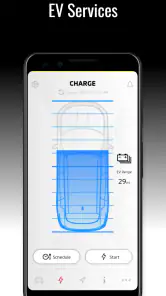
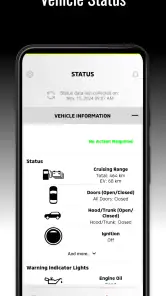
Now, let's talk safety. The app provides real-time vehicle status, including tire pressure and fuel level. You know how annoying it is to get in your car and realize your gas tank is almost empty? With this app, you’ll know before you go. It also sends you alerts about maintenance needs. So, if your car needs a little TLC, you won’t be caught off guard.
Navigation and Connectivity
On the road and lost? The navigation feature can help you out. It syncs with your car’s in-built system, offering directions and traffic updates. Plus, the integration with your smartphone makes hands-free calling and music streaming a breeze. It’s like your car just got a software upgrade.
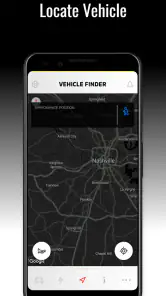
And for those of us who tend to misplace things, the app's ability to locate your vehicle is a game-changer. You can literally find your car with your phone. How cool is that?
The Experience
Using the app is pretty intuitive. The interface is sleek and user-friendly, so you don’t need to be a tech wizard to figure it out. Installation is straightforward, and it connects to your car without any major hiccups. I found navigating through the features to be smooth, and everything loads up quickly, which is a huge plus when you’re in a hurry.
One thing I really like is the personalization aspect. You can customize notifications and set up your preferences just how you like them. It’s nice to have an app that feels like it was designed just for you.
Overall, My Mitsubishi Connect makes for a more connected and convenient driving experience. Whether it’s keeping tabs on your vehicle’s health or just easing the stress of daily commutes, this app truly enhances how you interact with your car. If you’re a Mitsubishi owner, it’s definitely worth checking out.
Pros
- Real-time vehicle status updates.
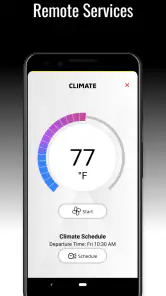
- Remote climate control feature.
- Find My Car function for easy location.
- Customizable notifications for alerts.
- Comprehensive trip history tracking.
Cons
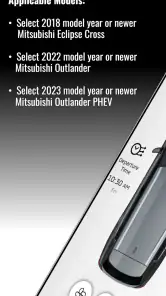
- Limited compatibility with older models.
- Subscription fees for premium features.
- App interface can be overwhelming.
- Occasional connectivity issues.
- Limited functionality outside the USA.

- Category
- Auto & Vehicles
- Version
- v2.82.10











