Mirror - Makeup and Shaving
- 2.83K
- 4.6
- Installs
- 5.00M
- Price
- Free

Screenshots
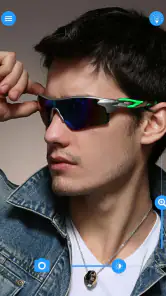
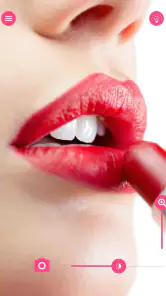
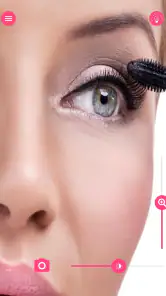
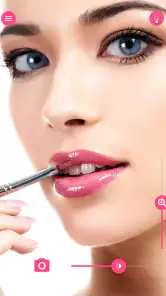

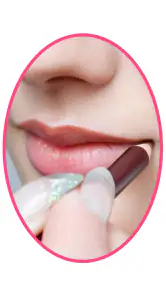
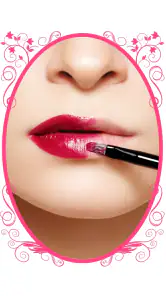

Analysis by Reviewed
I use a phone mirror most when I need a quick check and there isn’t a proper mirror nearby. Mirror - Makeup and Shaving is built for that small, practical job rather than for elaborate beauty routines. It turns a phone or tablet into a close-up viewing tool, and its appeal is the speed: open it, look, and get on with your day. That narrow purpose is also the right way to judge it; it can help with a quick check, but it cannot replace good lighting or a full-size mirror for careful work.
Who gets the most from a phone mirror
I think this app makes the most sense for people who already carry their phone everywhere and occasionally need to check a detail away from home. That could mean a quick look at a lipstick line before a video call, checking a collar or hair after taking off a coat, or seeing whether a small shaving patch needs attention. These are brief decisions, not full grooming sessions, and the app’s value is that it is available when a separate compact is not.
There is a useful distinction between checking and correcting. I might use the screen to notice that something needs attention, then move to a proper mirror before making a precise adjustment. That is especially sensible for eyeliner, brow shaping, or anything that depends on judging both sides of the face at once. The phone view can bring a detail closer, but it does not make the camera a substitute for a stable, well-lit setup.
It is less suitable if you need both hands free, if you are trying to assess makeup shades accurately, or if your routine involves careful work over several minutes. In those cases, a tabletop mirror or a bathroom mirror is more comfortable and less likely to encourage awkward phone positioning. I would also choose a conventional mirror when the phone is low on battery or when using the camera would be inconvenient in the setting.
Using it alongside familiar alternatives
The obvious alternative is the phone’s regular camera app. That may already be enough if you are happy with its preview and controls. A dedicated mirror app is worthwhile only if its focused experience feels quicker for this particular job; the reason to choose one is convenience, not a promise of a fundamentally different reflection. I would compare the two on my own phone rather than assume a separate app must be better.
A compact mirror has a different strength: it works without opening an app, and it can be easier to hold at a comfortable angle. But it may offer a smaller view and is one more item to carry. A wall mirror or a stand mirror is better for hands-free grooming and gives me more freedom to step back and judge the overall result. This app sits between those options: more readily available than a compact I forgot to pack, but less useful than a proper mirror for a longer routine.
One practical tip is to decide what question you want the screen to answer before opening it. “Did I miss a spot?” is a good quick-check question. “Is this foundation an exact match in daylight?” is not. Having that distinction in mind helps me use the close view without over-trusting it or spending time chasing tiny details that look different at normal distance.
More From Our News Desk

Weather by Xiaomi Review: Clear at a Glance, Less Clear Up Close

X Under Pressure: Can It Recover When Posting Goes Wrong?

Clash of Clans Is Won Between the Battles

Android Auto Makes the Case for Quieter Car Software

MobiOffice: Transforming Mobile Productivity with Seamless Integration

EA SPORTS FC™ Mobile Soccer: Redefining Mobile Sports Gaming
A simple tool, and a question of trust
As a free beauty app from simple_app, Mirror has attracted an average rating of 4.6 from around 54,000 ratings, with more than five million installs. Those figures suggest it has found an audience, but popularity alone does not tell me whether an app suits my habits. I would judge it by whether it does the task I want without asking me to treat a basic mirror like a complicated service. It is rated for Everyone, and the current version is 2025.07.21.
For a mirror app, trust matters most at the moment I point the phone toward my face. I prefer to keep the session short and purposeful, especially if I am using a shared device or checking my appearance in a public place. I also avoid showing more of my surroundings than needed. That is a sensible habit for any camera-based tool, not a claim about this app’s data practices.
Transform Your Phone into a Handy Mirror
The main appeal of the Mirror - Makeup and Shaving app is its ability to transform your smartphone into a convenient mirror. We all know that front cameras can be a bit hit-and-miss when it comes to checking if your makeup is on point or if you’ve missed a spot shaving. This app uses your front-facing camera to give you a crystal-clear view, and let me tell you, it’s a game-changer when you're on the go.
Easy to Use Interface
One of the first things I noticed was how easy the app is to use. As soon as you open it, you’re greeted with a straightforward interface that doesn’t bombard you with unnecessary options. Just tap to start and voilà, your phone’s screen becomes your personal mirror. It’s super intuitive, even for those who aren’t tech-savvy. Plus, there are no annoying ads interrupting your grooming session, which is a huge relief!
Zoom and Brightness Features
What sets this app apart from just using your camera is its zoom and brightness features. Imagine being able to zoom in on that stubborn eyebrow hair or adjusting the brightness when you’re in a dimly lit room. The app allows you to customize these settings with just a swipe of your finger, making it incredibly user-friendly. It’s like having a pocket mirror that adapts to your needs.
Choosing the right tool for a quick check
For a fast glance before walking into a meeting, a camera mirror is more convenient than searching a bag for a compact. In a typical day, I might check a lipstick edge after lunch, then use the screen to see whether I have a shaving spot to fix before leaving a restroom. I keep the phone steady and use zoom only for a detail; at high magnification, small hand movements can make a minor imperfection look more dramatic than it is.
That is the useful trade-off: a phone screen gives me a closer view than a small reflective compact, while a real mirror gives a more natural sense of distance and appearance. The front camera can also behave differently from what I see in person, so I would not rely on it to judge makeup color or symmetry with precision. For shaping brows, applying eyeliner, or any task where depth and lighting matter, a well-lit bathroom mirror is the safer choice.
Small adjustments, better results
Brightness is handy when the room is dim, but turning it up can make the screen easier to see without improving the light falling on my face. I try to face a window or a steady room light first, then adjust the display only if the image still feels dark. This avoids mistaking a brighter screen for more accurate detail. A quick wipe of the front camera area is also worth doing before opening the app; fingerprints can soften the image and make a supposedly close inspection less useful.
For shaving, I find the app most useful as a second look after the main pass, rather than as the only view throughout. I can check a small area, move the phone back to see the overall result, and then decide whether another touch-up is actually needed. That rhythm helps prevent over-correcting because of a magnified view. People who need both hands free, or who want to work through a long grooming routine, may prefer a stand mirror instead.
What I would check before relying on it
The app is free to download, with optional in-app purchases ranging from about fifty cents to just under ten dollars per item. I would treat those purchases as optional rather than assume they are necessary for a basic mirror session. If you are considering one, check what is offered in the app before paying and decide whether it solves a problem you actually have. The app’s minimum operating system is Android 5.0, which makes compatibility worth checking on an older device.
When privacy is important, I look at the permission request shown by my device and make a choice based on the feature I am trying to use. A mirror needs access to the camera to show a live view, so I would expect that permission to be relevant; I would not grant unrelated access casually. I also check the phone’s system controls if I want to review or change app permissions later. These are practical steps, not a substitute for reading any privacy information available to me.
Keeping the camera session deliberate
A useful routine is to open the mirror only when I am ready to use it, make the check, then close it rather than leaving a camera view running in the background of my day. That keeps the interaction purposeful and makes it easier to notice when the device asks for camera access. If I am using someone else’s phone or a shared tablet, I would be especially careful to follow the owner’s permission choices and close the app when finished.
Another small but worthwhile habit is to check the framing before focusing on a detail. Holding the phone too close can make the view feel intense and can hide how the result looks from a normal distance. I start with the phone slightly farther away, then use zoom for a specific spot and return to the wider view before deciding what to do. This gives the screen a more useful role as a quick inspection aid rather than a magnifying glass that sets an unrealistic standard.
Perfect for On-the-Go Grooming
This app is perfect for those last-minute touch-ups. Whether you’re about to head into an important meeting or just want to check if there’s anything stuck in your teeth after lunch, the Mirror - Makeup and Shaving app has got your back. It’s like carrying around a compact mirror without the bulk.
It suits someone who wants a quick, uncomplicated face check and is comfortable using a phone camera for that purpose. I would skip it if I need precise color matching, a hands-free setup, or a dependable view in very poor light; another mirror is better for those jobs. People deciding between this and opening the regular camera app may value a dedicated mirror’s focused controls, while someone who already likes their camera workflow may not need a separate tool. The free starting point keeps trying it straightforward, though optional purchases are worth considering only if their specific extras appeal to you.
Questions I would settle in everyday use
Would I use it for a full makeup application? I would not make it my first choice. It is more comfortable for a short check than for a routine that needs both hands, consistent distance, and a view of the whole face. Would I use it to check a small shaving area? Yes, provided I have decent light and treat the magnified image as one part of the check, not the final verdict.
Would it replace a regular camera preview? That depends on which one feels quicker on my device. If I already have a comfortable camera setup, there may be little reason to switch; if I want a focused mirror interface with zoom and brightness adjustments, a dedicated app can make the task feel more direct. And if I want to avoid using a camera at all, a compact or fixed mirror is the more straightforward option.
Would I pay for an optional item? Only after checking what it does and deciding that it addresses a real need. A free basic mirror is enough for someone who just wants a brief view, while paid extras make sense only when their particular function is worth the cost to that person. I would not treat an in-app purchase as necessary simply because it is available.
A cautious final take
I would keep this kind of app for convenience, not make it part of a detailed beauty routine. Its simple purpose is easy to understand, and the zoom and brightness controls can help with small checks, provided I remember their limits. The version available now is 2025.07.21, and the app’s large audience gives a useful sense of adoption without guaranteeing that every phone or personal workflow will feel the same. My advice is to try it in ordinary lighting, decide whether its view is comfortable on your device, and keep system permission choices in your hands.
So, if you’re someone who’s constantly on the move and needs a reliable mirror at your fingertips, this app is a must-have. It’s simple, effective, and makes those little grooming moments a breeze. Download it now and see for yourself how much easier life can be without having to hunt for a mirror!
Mirror - Makeup and Shaving Frequently Asked Questions
Can I use Mirror - Makeup and Shaving when I’m away from home?
The app is intended to turn your phone or tablet into a mirror for a quick appearance check, so it can be handy when you are on the go and do not have a regular mirror nearby. Its simple purpose suits brief grooming checks, such as looking over your appearance before heading out. Keep in mind that the result depends on your device’s camera and screen.
What Android version do I need to install Mirror - Makeup and Shaving?
On Android, Mirror - Makeup and Shaving supports devices running version 5.0 or later. Checking your phone’s Android version before downloading can help you avoid compatibility surprises. The app is a Beauty app from simple_app, focused on using a phone or tablet as a mirror for a quick check rather than offering a complicated setup.
Is Mirror - Makeup and Shaving free to download?
Yes, Mirror - Makeup and Shaving is free to download. It also offers in-app purchases, so some optional items may cost extra. The app is in the Beauty category and is rated for Everyone, making it a straightforward option to consider if you want a mirror on your phone or tablet for a quick appearance check.
What should I know about the app’s age rating and developer before installing it?
The app is rated for Everyone and is developed by simple_app. Its focus is practical rather than complicated: it turns a phone or tablet into a mirror for quick grooming checks. If you are choosing an app for a family device, the Everyone rating may be useful context, while you should still review the app’s permissions and purchase settings on your device before installing.
What is the main purpose of the Mirror - Makeup and Shaving app?
The Mirror - Makeup and Shaving app is designed to transform your smartphone into a versatile mirror. It provides a high-definition reflection, allowing users to check their appearance, apply makeup, or shave with precision. The app includes features like zoom and freeze frame, making it a handy tool for daily grooming needs.
Pros
- Real-time reflection for makeup
- Easy to use interface
- Zoom feature for precision
- Brightens screen for better visibility
- Free to download
Cons
- Limited advanced features
- Ads can be intrusive
- No offline functionality
- Requires good lighting
- Limited to front camera
- Category
- Beauty
- Version
- 2025.07.21











