Messages: SMS Text Messenger
- 783.00
- 4.0
- Installs
- 1.00M
- Price
- Free

Screenshots
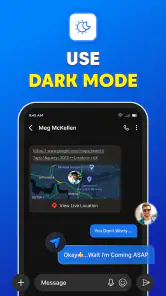
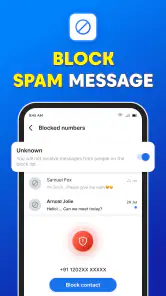
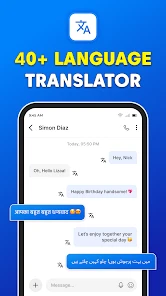
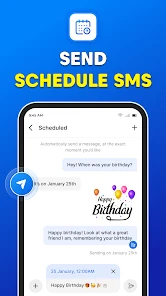
Analysis by Reviewed
I see Messages: SMS Text Messenger as a convenience-first texting app: its appeal is the familiar, direct rhythm of SMS, with extra personalization for people who like their inbox to feel their own. That focus is useful, but it also sets expectations. I would choose it for everyday text conversations, not assume it replaces every modern chat service or suits every privacy need.
What a simple texting routine looks like
For a practical test, picture coordinating a grocery pickup with a family member while you are both busy. A short SMS exchange and a group message can keep the plan in one place without asking everyone to learn a new chat platform. In that kind of routine, a clear interface matters more than a long feature list: you want to open a conversation, read the latest reply, and get back to what you were doing.
Group texting is especially handy when the conversation is about a shared task, such as arranging a ride or confirming when to meet. My tip is to keep those threads focused: if a group mixes ongoing plans with unrelated chatter, useful details become harder to spot. That is a trade-off of ordinary SMS group conversations, not a reason to expect this app to organize a busy group like a dedicated project tool.
Where it fits among messaging alternatives
Compared with the messaging app already on a phone, the reason to switch is usually a preference for this app’s interface or personal touches, rather than a new way to communicate. SMS is also a practical fallback when contacts are not all using the same internet-based messenger. On the other hand, people who rely on richer online chat features or want everyone in a conversation to use one shared service may prefer a platform built specifically around that kind of messaging.
Before making it your default, check that your important contacts can still reach you in the way you expect and that conversations behave comfortably on your device. Changing a default messaging app can affect a basic daily habit, so I would try it with a few low-stakes chats first rather than moving every conversation at once. If the experience suits you, then make the switch more widely.
A Seamless Messaging Experience
From the get-go, Messages: SMS Text Messenger offers a user-friendly interface that's both straightforward and visually appealing. I mean, who doesn't love an app that doesn't require a PhD to navigate, right? The app's design is clean, with everything laid out intuitively, so whether you're a tech newbie or a seasoned smartphone user, you'll feel right at home.
One of the standout features is its speed. Texts send and receive almost instantaneously, which is a massive plus for anyone who's constantly on the go. Plus, the app supports group messaging, making it a breeze to keep up with all the group chats without missing a beat.
You May Like

Clash of Clans Is Won Between the Battles

Android Auto Makes the Case for Quieter Car Software

MobiOffice: Transforming Mobile Productivity with Seamless Integration

EA SPORTS FC™ Mobile Soccer: Redefining Mobile Sports Gaming

How Microsoft OneDrive Became a Mobile Productivity Giant

How Google Translate Breaks Language Barriers Effortlessly
Customization Galore
Now, let's talk customization. If you're like me and enjoy personalizing your apps to reflect your style, you'll appreciate the plethora of options available. You can change themes, tweak the conversation bubble colors, and even set custom notifications for different contacts. This level of personalization ensures that the app not only functions well but also feels uniquely yours.
One less obvious use for those contact-specific notifications is prioritizing conversations without opening every thread. A distinct alert can help me notice a message from someone I am waiting on, while quieter settings for other chats reduce interruptions. I would keep the differences subtle and memorable; too many unique sounds quickly become difficult to identify in a busy day.
And let's not forget about the emojis and stickers. With a vast library to choose from, expressing yourself has never been more fun and engaging. It's these small touches that make the messaging experience much more vibrant and enjoyable.
Privacy and Security
In today's digital age, privacy is a top concern. Thankfully, Messages: SMS Text Messenger has got us covered. The app boasts end-to-end encryption, ensuring that all your conversations remain private and secure. It's comforting to know that your chats are protected from prying eyes.
For sensitive conversations, I would still think carefully about who can see your phone and how you manage its notifications. A message preview can be convenient when the phone is nearby, but it may reveal part of a conversation to someone looking at the screen. That everyday privacy trade-off is worth considering even when an app emphasizes protection for chats.
Additionally, the app allows for secure backup and restore of your messages. So, if you ever switch devices, you won't have to worry about losing all those cherished conversations. It's the peace of mind we all need in a messaging app.
Who should make the switch?
This is a sensible option for someone who mainly texts people directly, appreciates a tailored look, and wants group messaging for everyday coordination. It is also approachable for a relative who finds feature-heavy chat apps confusing. I would not recommend switching solely for a claim of privacy, or if your friends and family communicate mostly through a different service with features your conversations depend on.
The app is free, and the developer is listed as text messages. It is rated for Everyone and works on Android 5.0 or later; its current version is 6.0. It was released on May 26, 2023. Those details make it easier to judge basic compatibility, but the practical test is whether it feels comfortable on your own phone and with the people you message most.
What to check before relying on it
For a low-risk trial, I would start with a routine conversation rather than an important appointment or time-sensitive plan. Send a few ordinary messages, reply from a notification if that is part of your usual habit, and see whether the thread remains easy to follow. This gives you a feel for the basics without making a sudden change to every conversation you depend on.
If you are changing the default app, think through the transition from the other person’s point of view too. Your contacts do not necessarily need to install the same app for ordinary SMS, but they do need to be reachable through the kind of messaging you are using. That distinction is useful if you are trying to move away from an internet-based messenger: changing your app does not automatically move a whole group or recreate its shared history.
A practical detail I would not overlook is the phone itself. If someone shares your device, or you often leave it face-up on a desk, review how incoming message previews fit your routine. The app’s individual notification choices can help you distinguish conversations, but a recognizable alert is not the same as keeping message contents private. I would choose notification settings based on where and how I actually use the phone.
Everyday strengths and ordinary SMS limits
The strongest case for this app is not that it transforms texting; it is that it gives a familiar habit a more personal home. Themes and bubble colors are small changes, but they can make a long list of conversations easier to scan and more pleasant to return to. That matters most to people who open their messaging app many times a day and want a little more control over its appearance.
There is a trade-off, though: personalization is only valuable if it does not make the interface harder for you to read. I would favor clear contrast and a restrained theme over a look that feels exciting for a day but makes names or messages less comfortable to scan. If you help a less confident phone user set it up, make one or two useful adjustments together rather than changing every visual option at once.
SMS also has a different social shape from a dedicated online messenger. It is useful for quick exchanges with people who do not share one chat service, but a group thread can become noisy when every participant replies separately or the topic keeps changing. For a group coordinating a single pickup or meeting, that simplicity is often enough. For ongoing collaboration, searchable reference material, or a large community, a service designed around those needs is likely a better fit.
That is why I would not treat the app’s group messaging as a substitute for a shared task list. A short message can confirm who is bringing what, but the conversation itself can bury the answer once new replies arrive. My workaround is to send a concise recap near the end of the exchange, with the time and agreed plan in one place. It is a simple habit that makes a basic text thread more dependable without expecting the app to manage the task for you.
Who will appreciate it, and who should pass
I would put this on the shortlist for someone who wants a straightforward SMS option, likes changing the look of an app, and does not want to persuade every contact to join a new messaging network. It can also suit a person who values contact-specific alerts because they are waiting for a particular reply and want other conversations to be less distracting. These are modest strengths, but they line up with real daily habits.
I would steer someone toward a different choice if their main requirement is a shared online chat space with a whole family, club, or work group. The same applies if they depend on richer features that their current messenger already provides, or if they expect a new texting app to make an SMS group function like a collaboration tool. In those cases, the best app is usually the one the people involved already use and the one that supports the actual way they communicate.
People comparing apps may also wonder whether this is meant for Android or iPhone. The compatibility details given here are for Android, including support for Android 5.0 and later, so I would not assume the same experience on another platform. If your phone runs Android, the app is free to try; if you are choosing for someone else, check their device before planning a switch.
Its wider adoption offers some reassurance that it is not an obscure choice: it has more than a million installs, with an average rating of 4.0 from around 6,700 ratings and 783 written reviews. I would treat that as background rather than proof that it will suit your habits. A messaging app is personal in a very practical way: the right notification feel, readable appearance, and reliable routine matter more than popularity alone.
My verdict on this texting app
All in all, Messages: SMS Text Messenger is a fantastic choice for anyone looking to streamline their texting experience. With its user-friendly interface, extensive customization options, and robust security features, it ticks all the right boxes. Whether you're a casual texter or someone who lives for group chats, this app is bound to enhance your communication game.
So, if you're in the market for a new messaging app, give Messages: SMS Text Messenger a try. It may be the perfect fit for your needs, and with its free download, there's no reason not to check it out. In my view, the best reason to keep it is simple: it makes everyday SMS feel more personal without demanding that your contacts change how they communicate.
Messages: SMS Text Messenger Frequently Asked Questions
What should I know about Messages: SMS Text Messenger before downloading it?
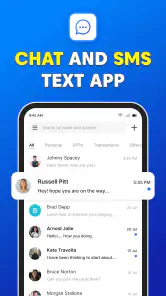
Messages: SMS Text Messenger is a communication app whose short description is simply “Messages.” It is presented as a private SMS messenger for text messaging and instant messaging, so it may suit someone looking for a messaging app rather than a broader social platform. The app is free and is rated for everyone.
Which devices can run Messages: SMS Text Messenger?
Messages: SMS Text Messenger supports Android devices running version 5.0 or later. Before downloading, check your device’s Android version so you know it meets that requirement. The app is listed as version 6.0, and it is available as an app for communication; this compatibility information can help you decide whether it is suitable for your phone.
Who developed Messages: SMS Text Messenger, and when was it released?
Messages: SMS Text Messenger was developed by text messages and was released on May 26, 2023. Knowing the developer and release date can help you identify the app when comparing messaging options. It is a communication app focused on SMS text messaging and instant messaging, with a current version of 6.0.
What features does Messages: SMS Text Messenger offer?
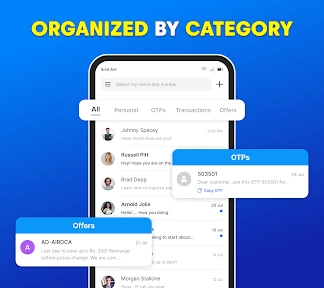
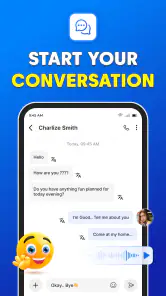
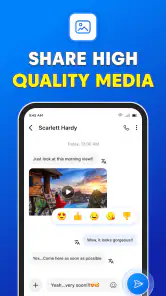
Messages: SMS Text Messenger offers a range of features including instant messaging, group chats, multimedia sharing (photos, videos, and voice messages), customizable themes, and emoji support. It also provides SMS scheduling, message search functionality, and contact blocking for enhanced privacy and convenience.
Is Messages: SMS Text Messenger secure and private?
Yes, Messages: SMS Text Messenger prioritizes user security and privacy. It employs end-to-end encryption for messages, ensuring that only you and the person you’re communicating with can read them. Additionally, it offers features like contact blocking and spam filtering to further protect user data and privacy.
Pros
- Customizable themes and fonts.
- Scheduled messages feature.
- Supports group messaging.
- Backup and restore capabilities.
- SMS blocker for spam protection.
Cons
- Limited multimedia support.
- Ads in free version.
- No end-to-end encryption.
- Limited integration with other apps.
- Occasional notification delays.

- Category
- Communication
- Version
- 6.0











