Messages For Android
- 1.26K
- 3.8
- Installs
- 1.00M
- Price
- Free

Screenshots
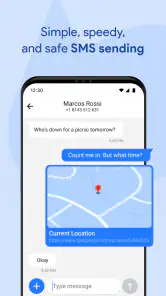
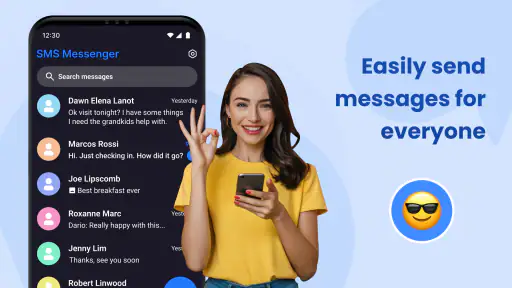
Analysis by Reviewed
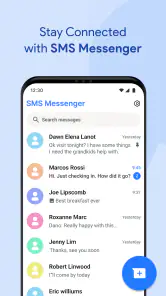
Messages For Android is the kind of communication app I would look at when the default texting experience on a phone feels too plain, awkward, or difficult to use. It is a free messaging app in the Communication category, developed by Akshay Mehta, and its focus is straightforward: handling SMS conversations from an Android phone in a more accessible way. I tested it with a practical mindset rather than expecting it to replace every modern chat service, and that distinction matters.
My overall impression is that it can be useful for people who mainly exchange traditional text messages and want a dedicated interface for doing so. It is less convincing if most of your conversations happen through internet-based platforms, group services, or apps with advanced media and privacy tools. The average rating sits at 3.8 from around 7,400 ratings, while the app has passed one million installs, so there is clearly a substantial audience trying it. At the same time, that rating suggests a mixed experience rather than a universally smooth one.
Where the everyday experience can get stuck
The first thing I noticed about a standalone SMS app is that it depends on more than its own screen. Text messaging involves the phone’s mobile connection, the SIM or carrier setup, Android’s default-app rules, and the app’s access to the relevant phone functions. When one part is misaligned, the application can look broken even when the problem is elsewhere.
A common point of confusion is opening the app and expecting every conversation to behave like a cloud chat service. SMS messages are tied closely to the phone and carrier. If you move between messaging applications, older conversations may take time to appear, or the new app may not immediately feel like the phone’s main texting tool. I would not judge Messages For Android after only opening it once. I would first send a simple test message, receive a reply, and check whether the thread updates correctly.
Another source of friction is the difference between reading messages and sending them. An app may display an existing conversation while the phone still routes outgoing texts through another application. That is why I recommend checking the default messaging choice before troubleshooting anything complicated. If the app is not selected as the phone’s primary SMS handler, some behavior may remain inconsistent.
Notifications can also create misleading impressions. If another messaging app remains active, you may receive alerts from both applications or see a notification that opens the wrong conversation screen. I find it helpful to decide which app should be responsible for SMS before changing notification settings. Otherwise, you can spend time adjusting alerts without solving the underlying handoff between apps.
The app is aimed at Everyone, which makes its basic purpose easy to understand, but accessibility is not only about an age label. A person with an older Android phone, limited technical confidence, or a preference for simple texting still needs a clear setup path. Messages For Android may be appealing in that situation, although the first-run choices and system settings deserve more attention than the short description suggests.
You May Like

Clash of Clans Is Won Between the Battles

Android Auto Makes the Case for Quieter Car Software

MobiOffice: Transforming Mobile Productivity with Seamless Integration

EA SPORTS FC™ Mobile Soccer: Redefining Mobile Sports Gaming

How Microsoft OneDrive Became a Mobile Productivity Giant

How Google Translate Breaks Language Barriers Effortlessly
What I check before blaming the application
My first check is the phone’s connection. A message can remain pending because the device has weak cellular service, airplane mode is enabled, or the carrier has a temporary issue. Wi-Fi alone does not always solve traditional SMS delivery, so I test from a place with reliable mobile reception. If a message fails only in one location, I treat that as a network clue rather than an app defect.
Next, I make sure the correct phone number is being used. This sounds obvious, but dual-SIM phones and recently changed SIM cards can complicate texting. I would confirm which line is active for SMS and then send a short message to a contact who can reply immediately. That small test is more useful than repeatedly sending a long message to an uncertain number.
I also check whether Android is offering to change the default SMS application. If it is, I complete that step and then reopen the app. Switching between messaging tools while a conversation is in progress can make the experience appear unreliable, particularly when notifications and message history are split between applications.
Storage is another sensible check. A phone that is nearly full may behave unpredictably when saving new messages, attachments, or temporary app files. I do not begin by deleting conversations. I first look at general device storage, remove unnecessary large files if needed, and restart the phone. That preserves useful message history while addressing a wider system problem.
Finally, I check whether the app is running on a compatible Android release. The minimum requirement is Android 8.0, so an older device below that level is not a good candidate. On a compatible phone, I would still install available system updates when practical, because messaging reliability can depend on the phone’s telephony software as much as on the messaging interface.
A setup routine that avoids unnecessary resets
I prefer a gradual setup instead of changing several settings at once. I install Messages For Android, open it, and allow the phone to present its normal messaging-app selection. I then confirm the default choice, wait for existing conversations to load, and test one incoming and one outgoing message. Only after that do I adjust notification preferences or other personal settings.
This order makes problems easier to identify. If the test message fails before any customization, the likely causes are the carrier, SIM, signal, or default-app configuration. If messaging works and notifications later become troublesome, I know to focus on Android’s alert controls rather than reinstalling the application.
I would also avoid clearing app data as an early fix. Depending on the phone and how messages are managed, wiping local data can remove preferences and force another setup cycle. A simple close-and-reopen or device restart is a safer first move. Reinstallation is something I reserve for a repeatable issue after checking the basics.
The current version is 5.5, and the app was released on February 1, 2024. Those details are useful when comparing behavior across phones, but they do not guarantee that every device will respond identically. Android manufacturers often modify battery controls, notification handling, and default-app menus. If the app works on one phone but not another, the difference may be the phone’s software layer rather than the app itself.
There is also a practical cost question. The app is free to install, but in-app purchases range from $9.99 to $44.99 per item. I would use the free experience first and avoid paying until I understood exactly which extra function I was receiving and whether it solved a real problem for me. For a basic SMS user, a purchase should be judged against the phone’s existing messaging option, which may already cover essential texting without additional spending.
Recovering a workflow when messages behave strangely
When a message does not send, I use a simple recovery sequence. I check mobile signal, verify the recipient, look for a pending or failed status, and try a short text. If that still fails, I restart the phone and repeat the test. This approach is deliberately boring, but it prevents random setting changes from creating new confusion.
If incoming messages arrive but outgoing messages do not, I pay particular attention to the active SIM and carrier configuration. That pattern points away from the visual messaging interface and toward the phone line or network service. If neither incoming nor outgoing messages work, I test the connection with another basic phone function and contact the carrier if the issue continues.
If the conversation list looks incomplete, I first give the app a moment after opening it and then compare it with the phone’s previous messaging application. I would not immediately assume that messages have been erased. Moving between SMS apps can change where the conversation history is displayed, and a restart can help the phone finish applying the default-app change.
Notifications require a separate workflow. I check Android’s notification settings for the app, make sure the phone is not in a mode that suppresses alerts, and confirm that another SMS app is not still producing duplicate notifications. If alerts appear late, battery-saving controls may be involved, especially on phones that aggressively restrict background activity. I would adjust those controls carefully rather than granting broad changes without understanding their effect.
For a person who receives many routine texts, I recommend treating the app as a focused inbox rather than trying to redesign the entire phone around it on the first day. Use it for normal one-to-one messages, observe how reliably it handles the phone’s actual SMS traffic, and then decide whether its interface is genuinely more comfortable than the default option.
A realistic day-to-day example
Imagine I am waiting for a delivery update from a local service that sends ordinary text messages rather than using an account-based chat app. In the morning, I open Messages For Android and confirm that the earlier thread is visible. I send a brief reply, wait for the response, and keep the app as the selected SMS handler. If the reply does not arrive, I check signal and the phone line before blaming the interface.
Later, a family member sends a photo or a longer message. This is where expectations matter. Traditional carrier messaging can behave differently from internet chat, and delivery may depend on the carrier and phone configuration. I would not assume that every attachment or group conversation will feel as seamless as it does in a dedicated internet messaging service. For simple text coordination, the app is easier to evaluate; for richer conversations, I compare it honestly with the service my contacts already use.
That scenario also shows one of the app’s practical strengths: it can provide a single place to handle the SMS conversations that still matter in everyday life. Appointment reminders, verification messages, school notices, delivery updates, and contact with people who do not share the same chat platform all fit naturally into that role.
When the problem is outside the app
Some failures are caused by the carrier’s message center, account status, regional service interruptions, or a SIM that is not properly registered. These issues can affect any SMS application. If the same message fails after switching back to the phone’s previous messaging tool, I would stop reinstalling Messages For Android and investigate the mobile service instead.
Recipient-side problems are easy to overlook too. A contact may have changed numbers, blocked messages, lost service, or provided a landline that cannot receive texts. Testing with a different trusted contact helps separate an app-wide problem from a single-recipient issue.
Phone settings can be equally influential. Battery optimization, notification suppression, dual-SIM preferences, and manufacturer-specific background limits can all change how a messaging app behaves. I do not recommend disabling every protection immediately. I would change one relevant setting, test again, and restore it if it makes no useful difference.
Privacy expectations deserve a realistic discussion as well. This is an SMS-focused tool, not a substitute for an end-to-end encrypted internet messenger. If my conversations contain sensitive information and everyone involved can use a secure chat service, I would choose that service instead. If the goal is simply to manage ordinary carrier texts in a dedicated interface, this app is more appropriate.
How it compares with the usual alternatives
The closest comparison is the messaging application already installed on the phone. The default option usually has the advantage of being integrated with the manufacturer’s software and may require less setup. Messages For Android becomes more interesting when its layout or handling feels more comfortable to a particular user. I would choose it based on actual daily ease, not on the assumption that a separate app is automatically better.
Internet-based messengers are a different category. They are generally better for active group chats, rich media, reactions, account-based history, and conversations that continue across devices. Messages For Android is better suited to the carrier-text layer: people who do not share the same service, automated notifications, and situations where a phone number is the main connection.
That trade-off means I would not recommend replacing every communication tool with this app. I see it as a practical SMS choice, not an all-purpose social platform. Someone who wants stickers, extensive group management, desktop continuity, or advanced privacy controls should look elsewhere. Someone who wants a straightforward way to handle ordinary texts may find its narrower focus useful.
Who should try it and who should skip it
I think Messages For Android is worth trying for users who send and receive a lot of regular SMS messages, prefer a dedicated communication app, or find their current texting interface cluttered. It may also suit a household where one person wants a simpler route to delivery notices, appointment texts, and family messages without joining several separate services.
I would be more cautious if your phone uses two SIMs, your carrier has unreliable SMS service, or you frequently switch between messaging applications. The app may still work, but those conditions make setup and diagnosis more complicated. I would also skip it if your main conversations are already inside an internet messenger and you are looking for synchronized chats across multiple devices.
Because the rating is neither extremely high nor extremely low, I read it as a reminder to test compatibility personally. A free installation makes that evaluation relatively easy, but I would not rush into the optional purchases. First confirm that the app reliably handles the messages you actually receive and that its interface is more convenient than what is already on the phone.
My practical verdict after using it
Messages For Android succeeds when I treat it as a focused SMS utility rather than a complete replacement for every modern communication service. Its strongest use case is ordinary phone-number messaging: short replies, service alerts, family coordination, and other conversations that do not need an internet account or elaborate features.
The main friction is not necessarily the writing and reading of messages. It is the setup around them: selecting the default app, confirming the right SIM, checking mobile service, managing duplicate notifications, and understanding that carrier texting has limits of its own. Once those pieces are aligned, the experience is easier to judge fairly.
My recommendation is therefore conditional but positive. Try it if you want a free, dedicated SMS interface and are willing to complete the basic Android setup carefully. Keep the phone’s default option if it already works well, choose an internet messenger for richer or more private conversations, and contact the carrier when basic SMS fails in multiple apps. For the right user, the best reason to install Messages For Android is focused simplicity, not a promise to replace every other way of communicating.
Developed by Akshay Mehta, the app offers a clear, accessible starting point for Android texting, with support for devices running Android 8.0 or later. I would approach it as a practical tool to test against my own phone, carrier, and messaging habits. If that combination works smoothly, it can earn a place in daily use; if not, the troubleshooting checks above should quickly show whether the real obstacle is the app, the device, or the mobile network.
Messages For Android Frequently Asked Questions
Is Messages for Android free to download, and are there any optional purchases?
Messages for Android is a free communication app, so you can download it without paying an upfront price. It also offers in-app purchases, which are optional rather than a requirement for basic texting. Before buying anything, check the purchase details shown in the app and make sure you are comfortable with the cost. The app is rated for Everyone.
What Android version do I need to install Messages for Android?
Messages for Android requires Android 8.0 or later. Check your phone’s Android version before downloading, since an older operating system may prevent installation or limit compatibility. If your device meets the requirement, the app is designed for Android phones and can be used as a messaging option, subject to the availability of features on your device and mobile service.
What is Messages for Android, and what can I use it for?
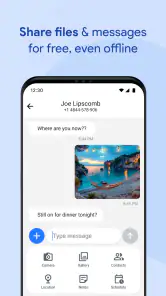
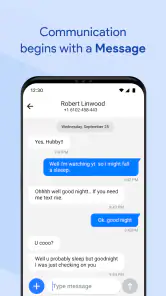
Messages for Android is Google’s messaging application for sending and receiving traditional SMS and MMS texts, as well as richer chats through RCS when supported by your carrier and contacts. During testing, it provided a clean inbox, conversation search, media sharing, group messaging, emoji and GIF support, and useful tools such as spam protection and message organization. Available features can vary by device, region, carrier, and Android version.
Does Messages for Android support RCS chat features?
Yes, Messages for Android can support RCS chats, often labeled as chat features, when the service is available through your mobile carrier and compatible contacts. RCS may provide typing indicators, read receipts, higher-quality photo and video sharing, group conversations, and delivery status information. However, these features are not guaranteed for every user, and conversations may fall back to SMS or MMS when RCS is unavailable.
Can I use Messages for Android without an internet connection?
You can use Messages for Android without mobile data or Wi-Fi for standard SMS texting, provided your phone has cellular service and your carrier plan supports SMS. MMS messages, such as picture or group messages, generally require mobile data. RCS chats depend on an internet connection through mobile data or Wi-Fi. Carrier charges may apply, especially when sending SMS or MMS messages.
Pros
- Clean
- familiar interface that is easy to navigate
- Supports group chats for keeping conversations organized
- Offers useful search tools for finding older messages
- Can send photos
- videos
- stickers
- and other media
- RCS features may enable richer chats with compatible contacts
Cons
- Some advanced features depend on carrier and device support
- RCS chats may be unavailable or inconsistent in certain regions
- Spam filtering can occasionally hide legitimate messages
- The app may use noticeable storage when many media files accumulate
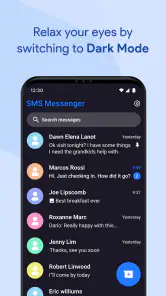
- Customization options for themes and chat layouts are limited

- Category
- Communication
- Version
- 5.5











