KSL.com News Utah
- 1.31K
- 3.8
- Installs
- 500.00K
- Price
- Free

Screenshots

Analysis by Reviewed
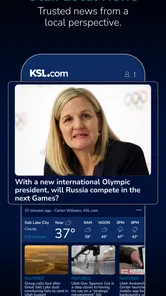
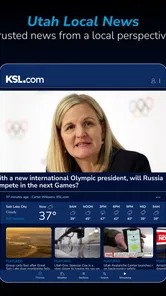
I judge a local news app by how quickly I can get a useful picture of the day without having to sift through a national feed. That’s where KSL.com News Utah makes sense: it is aimed squarely at people who want Utah stories close at hand. I’d consider it for a daily check-in, a commute-planning glance, or a way to keep up with conversations that are specific to the state.
Best suited to a Utah-centered news routine
I’d recommend this app first to people who live in Utah, have family or work there, or regularly travel around the state. Its value is not that it replaces every source of information; it is that it gives a local check-in a clear home on your phone. If your usual news habit is built around national headlines, adding a state-focused source can help you notice events that affect nearby communities but may not appear prominently in a broad feed.
It is a less natural fit if you mainly want international coverage, a reading list assembled from publishers around the world, or a single place to compare many national viewpoints. In that case, a general news aggregator is likely the better starting point, with this app as a local companion if Utah coverage matters to you. I’d also skip it as a driving tool: traffic context can be useful, but a dedicated map is the right choice for directions and active route changes.
What a realistic morning check looks like
On a weekday, I’d use it in two short passes rather than leave it open as a constant feed. First, I’d scan local headlines while having breakfast and pick out anything that could affect my plans. Just before heading out, I’d check weather and traffic again, since conditions can change between an early glance and departure. If a story is still developing, I’d open it for context rather than rely on a notification alone.
That routine answers a useful practical question: can one app replace a weather service, map, and national news reader? Not quite. It can reduce the number of places I visit for a quick Utah-focused overview, but those other tools remain better for specialized jobs. I see the app as a convenient first stop, not a complete information system.
Making alerts useful instead of noisy
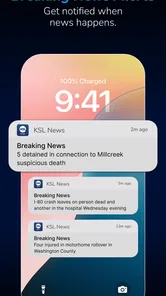
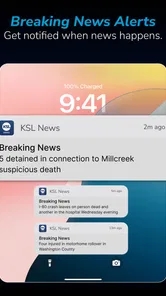
I’d begin with a restrained notification setup, choosing only the subjects I would actually want to hear about without opening the app. Then I’d pay attention to which alerts change a decision or point me toward a story I care about. If they mostly interrupt, I’d narrow them further and check other topics on my own schedule. This is a small but meaningful way to keep a local news habit from turning into constant phone checking.
There is also a judgment call around developing stories. A push alert is a prompt to look, not a substitute for the full report or later updates. When the details matter—especially for a travel plan or a community issue—I’d open the article and check whether the situation has changed. That extra step is more reliable than treating the first short update as the final word.
More From Our News Desk

Weather by Xiaomi Review: Clear at a Glance, Less Clear Up Close

X Under Pressure: Can It Recover When Posting Goes Wrong?

Clash of Clans Is Won Between the Battles

Android Auto Makes the Case for Quieter Car Software

MobiOffice: Transforming Mobile Productivity with Seamless Integration

EA SPORTS FC™ Mobile Soccer: Redefining Mobile Sports Gaming
Choosing between headlines and multimedia
A quick scan and an extended reading session place different demands on your time and connection. Headlines and text are practical when I’m between tasks, while videos and photo galleries make more sense when I can give a story proper attention. If I’m trying to limit mobile data, I’d leave image- and video-heavy browsing until I’m on Wi-Fi. The trade-off is straightforward: multimedia can add useful context, but it is not necessary for every check-in.
That distinction also helps set expectations around responsiveness. A simple headline view should be a lighter way to check in than opening several media-rich stories in a row. If a particular article takes longer to load, I’d check my connection and return to the headline list before deciding the app itself is at fault. I would not assume that every delay has the same cause, especially when the network or the content being opened can vary.
A quick check-in, not a replacement for every source
In a normal morning routine, I’d open the app while deciding what to bring and whether to leave extra time on the road. Local headlines, weather, and traffic in one place can make that check more convenient than switching between a general news app, a forecast app, and a map. I’d still use a dedicated navigation tool for turn-by-turn directions, though: a news app’s traffic information is better treated as context for a trip than as a substitute for route guidance.
That distinction also helps set expectations around speed. A focused glance at headlines should feel more direct than searching a broad national feed for Utah coverage. But live updates depend on the news itself, and opening a story with video or a photo gallery is a different kind of use from scanning text. I’d use headlines to decide what deserves attention, then spend longer with multimedia only when I have time and a steady connection.
Where local coverage earns its place
The strongest reason to choose this app over a general news aggregator is its Utah emphasis. A broad app may be better when I want to compare national and international reporting across many publishers; KSL.com News Utah is more relevant when the question is what is happening around the state or in the community. That local focus is useful even if I already follow national news elsewhere, because statewide events can otherwise get lost among bigger stories.
Community stories add another angle, but I’d approach them as a way to find local perspectives rather than assume every contribution represents the whole community. A practical habit is to read the reporting around a topic before sharing a short post or alert. That keeps a quick update from becoming the only context I have, especially when a developing story is changing.
Alerts, attention, and everyday trade-offs
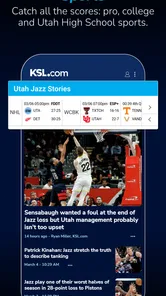
Notifications are most helpful when they serve a clear purpose. I’d start with only the subjects I genuinely want pushed to my phone, such as major local developments or sports, and adjust if the alerts interrupt more than they help. For less urgent interests, opening the app when I choose gives me more control over attention. This is a small setup decision, but it can make the difference between a useful news habit and a stream of distractions.
Heavy use has its own trade-off: video and image-rich stories can take more time and data than a short headline check, and browsing several stories in a row is less convenient than simply reading a digest. If I were trying to conserve mobile data, I’d save multimedia browsing for Wi-Fi and use text headlines for quick checks. I would also keep a second source in mind for stories where a wider national perspective or a direct official update matters.
How it feels in everyday use
As someone who's always on the lookout for the latest news, I must say, the KSL.com News Utah app really nails it. The real-time updates are a game-changer, ensuring that you never miss out on any significant events. Whether it’s local politics, sports, or entertainment, the app brings you the freshest stories directly to your smartphone. And the best part? It’s super easy to navigate, making the user experience as smooth as butter.
Weather and Traffic - All in One Place
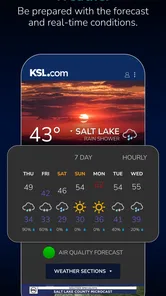
Utah's weather can be quite unpredictable, and if you're like me, you probably want to stay ahead of it. The app’s weather section is quite detailed, offering forecasts that help you plan your day better. And if you're commuting, the traffic updates are a lifesaver. No more getting stuck in unexpected jams!
Engage with Community Stories
One of the features I love is how the app allows you to connect with community stories. It’s not just about statewide news; it’s about what’s happening around you. The app’s interface encourages users to engage with stories that matter to them, making it more than just a news app. It’s a platform where Utahns can share their voices and stories.
Plus, with the option to customize notifications, you get to choose what type of news alerts you want to receive. Whether you're interested in sports scores or the latest local events, you can tailor the app to fit your preferences.
User-Friendly Design
Let’s talk about the design. The KSL.com News Utah app sports a clean and intuitive design that makes browsing through news a pleasant experience. The app doesn't bombard you with ads, and the content is well-organized, ensuring that you find what you're looking for without any hassle.
And for news junkies, the app’s multimedia content is a delight. With videos and photo galleries accompanying many articles, it’s easy to get a more comprehensive view of the news stories.
On the practical side, KSL.com News Utah is a free news and magazines app from Deseret Digital Media, rated for Everyone and available on devices running Android 8.0 or later. Its current version is 2.33.1. The app has an average rating of 4.2 from around 3,500 ratings, with about 1,300 written reviews, and has been installed more than 500,000 times. Those figures suggest a well-established audience, though popularity alone can’t tell you whether its local focus matches your needs.
Reliability and device fit
For reliability, I’d think in terms of the kind of information being checked. A weather forecast or traffic update is useful for planning, but conditions can change; for a time-sensitive decision, I’d check again before leaving rather than rely on an earlier glance. If a story is still developing, I’d also expect updates to arrive as reporting progresses instead of assuming the first alert is the complete account. That is a sensible approach with any live news source.
On an older or storage-constrained phone, the main question is less about the headline list and more about how much multimedia browsing you do. Text-first reading is the lighter habit; repeated video viewing and image galleries naturally ask more of a connection and device than skimming. If the app feels slow during a busy news moment, I’d first try returning to the headline view and reopening the story, then check my connection. I wouldn’t treat one delayed load as proof that the whole app is unreliable.
This is likely a better fit for Utah residents, people with family or work ties to the state, and anyone who values community-level reporting alongside weather and traffic. It is less compelling if you want a broad international briefing, a highly customizable multi-publisher reading list, or navigation that actively reroutes you. In those cases, pair it with a general news reader or a dedicated map rather than asking one local app to do every job.
Who should keep it—and how to use it
I’d start by using KSL.com News Utah for a short morning scan, then open only the stories that affect my plans or interests. Before a drive, I’d check traffic and weather together, but use a navigation app for the actual route. For alerts, I’d be selective at first and revise the choices after seeing which notifications genuinely help. These small habits make its local coverage useful without letting the phone dictate every news check.
So, if you're invested in staying informed about Utah, the KSL.com News Utah app is definitely worth checking out. It’s like having a personal news assistant in your pocket, keeping you updated and engaged with the world around you. I’d recommend it most as a convenient local companion, not as the sole source for every topic or every travel decision.
KSL.com News Utah Frequently Asked Questions
What kind of Utah coverage can I expect from KSL.com News Utah?
KSL.com News Utah is a news app focused on local reporting in Utah, making it a practical option for readers who want regional stories alongside broader updates. Its short description presents it as a go-to source for local news in Utah. If your main interest is following what is happening in the state, its local-news focus is the key point to consider before downloading.
Is KSL.com News Utah free, and what devices can run it?
The app is free to download and is listed for Android devices that use version 8.0 or later. KSL.com News Utah is in the News & Magazines category and is marked as suitable for Everyone. Those details can help you decide whether your device and household are a good fit; check the relevant app store for the current installation options for your device.
What is KSL.com News Utah and what features does it offer?
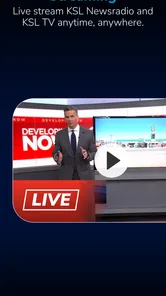
KSL.com News Utah is a comprehensive news application designed to keep users updated with the latest news, weather, and sports updates from Utah and around the world. The app offers features such as live streaming of KSL TV broadcasts, personalized news alerts, and in-depth coverage of local events. With its user-friendly interface, it allows users to easily navigate through various categories and find the news that matters most to them.
Is KSL.com News Utah available for both Android and iOS devices?
Yes, KSL.com News Utah is available for both Android and iOS platforms. Users can download the app from the Google Play Store for Android devices and the Apple App Store for iOS devices. The app is designed to provide a seamless experience across different devices, ensuring that users can stay informed on-the-go, regardless of their preferred operating system.
Does KSL.com News Utah require a subscription or is it free to use?
KSL.com News Utah is free to download and use. Users can access a wide range of news articles, videos, and live broadcasts without any subscription fees. However, the app might offer optional in-app purchases or subscriptions for premium features or ad-free experiences, providing users with more personalized and enhanced content options.
Pros
- Local news coverage is comprehensive.
- User-friendly interface design.
- Regular updates keep information fresh.
- Customizable notification settings.
- Live streaming of local events.
Cons
- Limited international news coverage.
- Occasional app crashes reported.
- Ads can be intrusive at times.
- Some features require account login.
- Video playback issues on older devices.











