

Klarna: Smarter everyday money
- 56.58K
- 4.8
- Installs
- 50.00M
- Price
- Free

Screenshots
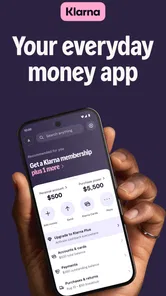
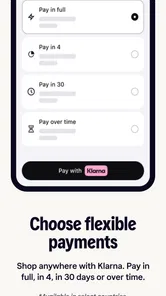
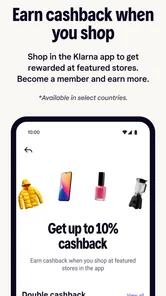
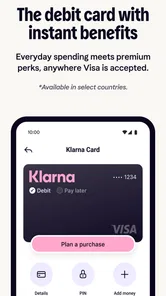
Analysis by Reviewed
In the first few days, Klarna can feel less like a single checkout tool and more like a new place to begin shopping. I found the appeal easy to understand: browsing and payment management sit together, so it takes less effort to move from spotting an item to keeping track of what happens next. That convenience is most useful when I already have something specific in mind; it is less compelling if I open a shopping app mainly to avoid buying things I had not planned to look for.
A first week of browsing and paying
As a shopping app from Klarna Bank AB (publ), Klarna gives you a central place to explore participating retailers and manage eligible purchases. It is free to download, rated for Everyone, and has an average rating of 4.8 from around 1.4 million ratings. Those figures suggest broad appeal, but they do not tell you whether its payment choices fit your budget. I would treat the app as a way to organize a purchase, not as extra spending room.
A practical first-week habit is to check the total and the due dates before confirming a payment choice, then make a note of the purchase in whatever budget system you already use. Payment schedules can make the immediate checkout feel lighter while leaving the full cost unchanged. If you are comparing a few options, decide what you can afford before browsing; that simple order helps keep the app’s convenience from turning into a reason to add more to your basket.
When Klarna fits a real shopping routine
I can see this app working particularly well for someone who shops with several retailers and wants a single place to revisit eligible purchase and payment details. A realistic example is ordering a replacement household item after work: I might compare a few retailers, choose the one with the right product and total cost, then use Klarna to keep the related payment information close at hand. The useful part is not simply splitting a bill; it is having a reason to return after checkout and check what needs attention.
That workflow also has a boundary. Klarna does not replace the retailer’s role in shipping or handling a return, so I would keep the order confirmation and any return communication until the account reflects the outcome. If a delivery is delayed or an item is sent back, checking the purchase status is sensible, but I would not assume that starting a return automatically settles a payment schedule. For a purchase with complicated return conditions, I would read those conditions before ordering and keep the retailer’s own records.
Choosing between checkout options
Compared with paying a retailer directly by card, Klarna adds a place to manage eligible purchases and payment choices, but it also adds a separate account and another routine to maintain. Direct checkout can be cleaner when I want one familiar payment method and no additional payment dates. Klarna is more appealing when I expect to use its purchase overview or need a payment schedule that genuinely fits my cash flow. Neither route changes the price of an item by itself, so I would compare the full checkout total rather than judging by the first amount shown.
It is also worth separating convenience from savings. Cashback and offers may be attractive when they apply to something I already intended to buy, but I would not treat a possible reward as a reason to spend. My practical tip is to decide on the item and budget first, then check whether using the app adds a real benefit. If the offer requires extra browsing or leads me toward a less suitable purchase, the simplest checkout is probably the better deal for me.
More From Our News Desk

 Gmail
GmailGmail in a Busy Inbox: Who Benefits Most?
From first account to crowded workday, Gmail earns its place through dependable search and flexible sorting—but its best fit depends on how much inbox maintenance you can tolerate.

 Prime Video
Switching to Prime Video: What Changes in Your Viewing Routine
Prime Video can make a compelling second home for streaming, but switching means learning a different catalog, rental layer, and route from browsing to playback.

 Universal TV Remote Control
Universal TV Remote Control Works Best as a Reliable Backup
A phone remote earns its place through quick setup and reliable habits. Here is how to get more from Universal TV Remote Control—and where its limits show.

 Weather - By Xiaomi
Weather by Xiaomi Review: Clear at a Glance, Less Clear Up Close
Xiaomi’s weather app makes everyday forecasts quick to scan, but its calm surface can leave useful details and recovery paths harder to find than they should be.

 X
XX Under Pressure: Can It Recover When Posting Goes Wrong?
A resilience-focused review of X, examining setup, mistaken posts, interruptions, weak connections, and the gaps that matter when recovery needs to be dependable.

 Clash of Clans
Clash of Clans Is Won Between the Battles
Its raids are quick; its community is a long-term project of coordination, teaching, rivalry, and shared responsibility—with all the friction that entails.
Latest News



Shopping Made Easy
When I first downloaded Klarna, I was a tad skeptical. Could an app really transform my shopping experience? Spoiler alert: it did. The app is a breeze to navigate. You can shop from a plethora of online stores, all in one place. From trendy fashion to the latest tech gadgets, everything is just a tap away. Imagine scrolling through your favorite brands and having the flexibility to decide when and how you want to pay. It’s like having a personal shopping assistant with you 24/7.
How It Works
What makes Klarna shine is its simple yet effective payment model. You get to buy now and pay in a way that suits you best. There are several options, like paying in 4 interest-free installments or delaying payment for up to 30 days. It’s perfect for those moments when you spot something you love, but payday feels too far away. Plus, there’s no interest or fees if you pay on time. That’s a win-win in my book!
For a routine purchase, I would still compare the final checkout total and terms with the retailer’s normal checkout before choosing. A split payment can help spread a planned expense across dates, but it also creates another deadline to remember. If an item is not urgent, saving first and paying once may be simpler; if timing matters, the app’s payment management can help you keep the commitment visible. The right choice depends on whether the schedule genuinely suits your cash flow, not just whether it makes today’s total look smaller.
User Experience
The user interface is sleek and intuitive. Everything is laid out clearly, so you’re never left guessing what to do next. I particularly love the notifications that keep me updated on payment schedules and offers from my favorite stores. It’s like having your own personal finance manager, but way cooler.
One useful way to make those reminders work for you is to treat them as prompts to check the account, rather than as a substitute for tracking due dates. For example, if I order a household item while commuting and later return it, I would check how the purchase and payment status appear in the app and keep the retailer’s return confirmation until the account reflects the change. That small follow-through matters: shopping, delivery, returns, and payment are related, but they are not always the same step.
Why It Stands Out
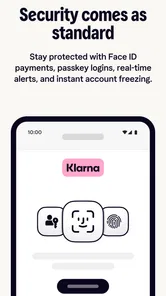
In the sea of payment apps, Klarna stands out not just for its convenience but also for its commitment to security. It uses bank-level encryption to protect your data, so you can shop with peace of mind. I also appreciate the app’s transparency in transactions. You know exactly what you’re spending and when payments are due. No hidden surprises!
The strongest comparison is with paying directly through each retailer or using a standard card. Direct checkout can mean fewer accounts and one familiar payment routine; Klarna is more useful when you want purchases and payment information gathered in one place. It will not automatically make shopping cheaper, and browsing across retailers can be a distraction if you are trying to cut down on impulse buys. I would use it for deliberate purchases, not as my default route for every small transaction.
And let’s not forget the customer service. On the rare occasion I had a query, the support team was prompt and helpful. It’s always reassuring to know there’s a real person ready to assist if things go awry.
Keeping It Useful Month to Month
After the novelty wears off, the app earns space on my phone only if I return for a clear reason: checking a payment, reviewing a purchase, or starting a planned shop. Its recurring value is practical rather than essential. I would keep notifications focused on payments I need to act on and avoid letting offers set my shopping agenda. If you prefer a strict cash-only routine, or dislike managing multiple payment dates, a regular card or retailer checkout may be the calmer option.
Klarna’s current version is 25.46.299, and it requires Android 9 or later on Android devices. It has been available since November 1, 2018, and has passed 50 million installs. Those details show that it is an established service, but the everyday test is whether its payment overview genuinely helps you stay organized. I would revisit that choice after a few purchases: if you are checking it regularly for useful account information, keep it; if you only open it when an offer catches your eye, it may be adding noise rather than value.
Keeping the routine manageable
One small maintenance habit can make the difference between an orderly payment overview and a pile of reminders: after placing an order, I would check that the purchase appears as expected and note its due dates alongside my normal bills. That does not require replacing a budget app or calendar. It simply gives me one dependable place to look before spending again, while my existing system remains the source of truth for the rest of my finances.
I would also review notification settings after the first few days. Payment prompts can be useful because they call attention to something time-sensitive, while frequent shopping offers may be less helpful if I am trying to limit browsing. Keeping the useful alerts and muting the distracting ones makes the app feel more like a tool and less like a shopping feed. The right balance depends on whether reminders help you act or merely interrupt you.
Where Convenience Can Become Fatigue
The main long-term friction is not learning the interface; it is keeping shopping and payment decisions deliberate. Offers and easy browsing can encourage extra comparison or unplanned purchases, while installment schedules require attention beyond the checkout moment. A simple personal rule helps: decide the maximum you intend to spend before opening the app, and do not treat a payment plan as proof that an item is affordable. That is especially important if your income varies or several bills already fall close together.
Another source of fatigue is having to remember which purchase belongs to which retailer and what action is still pending. I would avoid using a payment schedule to cover several unplanned wants at once; even when individual dates look manageable, several commitments can make the month harder to read. If I find myself checking the app mainly to reassure myself that everything is affordable, that is a signal to pause new purchases and review the total commitments in my budget.
For someone who shops online across different retailers and wants purchase details and payment management together, Klarna can be a useful recurring tool. For someone who prefers one payment method, rarely shops online, or finds delayed payment tempting, it may not deserve a permanent place in their routine. My recommendation is to try it for a purchase you already planned, compare the payment terms carefully, and keep using it only if the organization outweighs the extra reminders and browsing.
Who should keep it, and who should skip it
I would recommend trying Klarna if you already shop online regularly, can comfortably pay for what you buy, and value having eligible purchases and payment information together. It is also a reasonable fit for someone who likes to compare retailers before deciding, provided that comparison stays focused on a planned item. The app’s strongest recurring case is organization around shopping you would do anyway, not access to a larger budget.
I would skip it, or keep it only for occasional use, if delayed payment makes it easier for you to overspend, if you dislike tracking separate deadlines, or if most of your shopping is already handled through one retailer and one card. People who want a simple cash-only approach may find a standard debit card and personal budget easier to maintain. For anyone unsure, trying the app with one affordable, planned purchase is a more sensible test than changing every checkout habit at once.
Final Thoughts
To wrap it up, Klarna is a game-changer for anyone who loves shopping but hates the hassle of upfront payments. It’s a seamless blend of convenience, flexibility, and security. Whether you’re an impulsive buyer or a meticulous planner, this app caters to all. So why not give it a whirl? Your shopping experience might just become a whole lot smarter.
My longer-term verdict is more measured: Klarna earns a lasting spot when its payment overview helps me stay on top of purchases I had already planned, and when I can ignore the temptation to browse for its own sake. I would not keep it simply because it makes checkout feel easier. Use it deliberately, check the terms and dates, and choose a regular card or retailer checkout whenever fewer steps and fewer obligations are more valuable than flexibility.
Klarna: Smarter everyday money Frequently Asked Questions
What is Klarna’s age rating, and is the app suitable for younger users?
Klarna has an Everyone content rating, so the app is classified as suitable for a general audience. That rating does not mean every payment feature is appropriate for every person or available to every user. Anyone considering Klarna should review the terms shown in the app and make sure they understand the responsibilities involved before choosing a payment option.
Who develops Klarna, and is it suitable for everyone?
Klarna is developed by Klarna Bank AB (publ), and it is a shopping app for browsing and managing purchases. Its Everyone age rating indicates a general-audience classification, but individual services and payment choices may depend on a user’s location, eligibility, and the terms presented in the app. It may suit shoppers interested in combining shopping with payment management, provided they review those terms carefully.
Does Klarna have many users, and what do its ratings suggest?
Klarna has been installed over 50 million times, with around 1.4 million ratings and 49,000 reviews. Its average rating is 4.8, suggesting that many users have responded positively to the app. Ratings can reflect different experiences and preferences, though, so it is worth considering whether Klarna’s shopping and payment-management features match what you want before downloading.
Is Klarna free to download, and which devices can install it?
Klarna is free to download and is a shopping app developed by Klarna Bank AB (publ). The listed minimum operating-system requirement is version 9, so check your device’s software version before installing. The app is intended for everyone, though payment options and services can depend on your location, eligibility, and the terms shown when you use Klarna.
What can I do with the Klarna app besides paying for purchases?
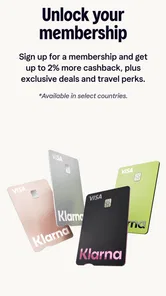
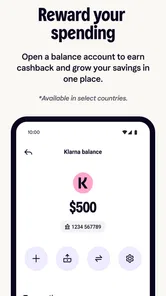
Klarna brings shopping and payment management together in one app. Its store summary highlights shopping anywhere, managing payments, getting cashback, and discovering Klarna Card. The app is useful for people who want to explore these features alongside checkout options, but the services available to you may depend on where you shop and the terms presented in the app.
Pros
- User-friendly interface
- Wide range of partnered stores
- Secure payment options
- Flexible payment plans
- Real-time push notifications
Cons
- High interest rates after due date
- Limited customer support
- Requires personal data for sign-up
- May encourage overspending
- Not available in all countries











