Kako Live -Live Stream & Party
- 40.00
- 3.9
- Installs
- 1.00M
- Price
- Free

Screenshots
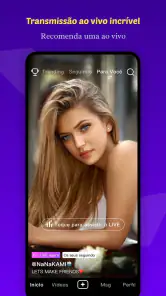
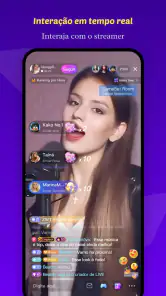
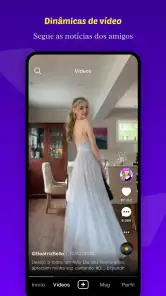
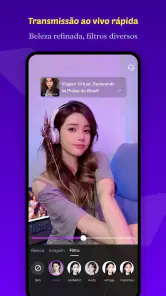
Analysis by Reviewed
Kako Live -Live Stream & Party is a social app from Rainbow Bridge Art that puts live broadcasts and creator interaction in the same space. I approached it less like a passive video app and more like a room I could drop into: people are streaming, viewers are reacting, and the appeal depends heavily on whether I enjoy participating rather than simply watching.
That distinction matters. If you want a quiet catalog of edited videos, this is not the natural fit. If you like discovering live personalities, joining conversations, and moving between broadcasts when one room does not hold your attention, the format makes more sense. The app is free to install, carries a Teen age rating, and is available on Android devices running at least Android 6.0. It has passed the one-million-install mark and holds an average rating of 3.9 from around ten thousand ratings, which suggests a sizable audience but also a mixed experience rather than universal approval.
What it feels like to use Kako Live
My first impression of Kako Live was that its value comes from immediacy. A live stream feels different from a prepared clip because the creator is present at that moment, and the audience helps shape the atmosphere. That can make an ordinary conversation surprisingly engaging, especially when I find a host whose personality matches what I want from the app.
The flip side is that live platforms are inconsistent by nature. One session may be welcoming and entertaining, while the next may feel slow, crowded, or difficult to follow. I would not judge the whole service by a single broadcast. I would give it time to reveal which creators suit me, then use that personal shortlist rather than expecting every stream to be worthwhile.
The social category is important here. Kako Live is not merely a player for broadcasts; it is designed around connection with creators and other viewers. That makes the experience more active than watching a conventional video feed. I found the best use case to be short visits throughout the day: open the app, check what is happening, stay when a room feels interesting, and leave without treating every session as a commitment.
Where the app fits into everyday routines
A realistic scenario would be an evening when I have twenty minutes before dinner. Instead of starting a long series, I can browse live rooms and settle into a creator’s conversation. Another useful moment is a commute or break, provided I have a suitable connection and can keep my attention on the screen. The live format gives those small gaps a social quality that edited content often lacks.
I would be more cautious about using it as background entertainment for hours. Live interaction rewards attention, and constantly switching between rooms can become tiring. The app works best when I decide what I want beforehand: casual conversation, creator discovery, or a quick social visit. Without that intention, the endless choice can feel less like freedom and more like browsing without a destination.
More From Our News Desk

Clash of Clans Is Won Between the Battles

Android Auto Makes the Case for Quieter Car Software

MobiOffice: Transforming Mobile Productivity with Seamless Integration

EA SPORTS FC™ Mobile Soccer: Redefining Mobile Sports Gaming

How Microsoft OneDrive Became a Mobile Productivity Giant

How Google Translate Breaks Language Barriers Effortlessly
People who already enjoy live communities will understand the appeal quickly. Newcomers should expect a learning period while they work out which rooms are comfortable, which conversations are worth joining, and how much interaction they actually want. The app does not need to become a daily habit to be useful; occasional visits can still make sense if the live format suits you.
Trust starts with deliberate use, not the download count
The developer behind the app is Rainbow Bridge Art, while the current release is version 2.8.2. Those details are useful for identifying the app and keeping an installation current, but they do not by themselves tell me whether a social platform deserves my trust. I look more closely at what I can control once I enter the service: what I choose to share, how much I interact, and whether I can leave a conversation without pressure.
A large audience can make a platform feel established, but popularity should not replace personal caution. Live social spaces bring together strangers, creators, and viewers with different expectations. I would treat a new room as public until I understood its boundaries. I would avoid sharing contact details, workplace information, precise location, or anything that would be uncomfortable to see repeated outside the app.
The Teen rating is another reason I would encourage younger users to involve a parent or guardian in their approach. A rating is not a guarantee that every interaction will feel suitable for every teenager. It is better viewed as a prompt to discuss privacy, spending, and contact with strangers before using the social features independently.
Controls I would check before becoming active
One of my practical habits with an app like this is to explore the account and interaction settings before joining rooms. I want to know how easily I can change my profile visibility, manage notifications, and stop unwanted contact. I also look for clear ways to report or block behavior that crosses a line. These are not glamorous features, but they determine whether I feel in charge after the novelty fades.
I would also review the app’s permission requests as they appear on my device and grant only what makes sense for the action I am taking. Live broadcasting may require access related to the camera or microphone when I choose to create a stream, but I would not approve access automatically just because I want to watch. Android’s permission controls make it possible to revisit those choices later, which is worth doing if my use changes.
The same principle applies to notifications. Live apps can become noisy when every update competes for attention. I would start with a restrained notification setup and add alerts only for creators or activity I genuinely want to follow. This small adjustment makes the service feel more intentional and reduces the chance that the app dictates my routine.
Before posting in a room, I would pause over the difference between a private thought and a public message. A comment made in a lively chat can feel temporary, but I should behave as though it may be noticed by more people than the current audience. The safest workflow is to read the room first, avoid personal details, and participate only when I understand the tone.
Data-sensitive moments deserve extra attention
Live video creates more sensitive moments than ordinary scrolling. If I watch, I am still revealing something about my interests through the rooms I visit and the creators I follow. If I broadcast, the stakes rise because my voice, surroundings, appearance, and habits may become part of the session. I would check the frame carefully before going live and remove visible documents, addresses, school materials, badges, or anything else that exposes more than intended.
Audio deserves the same care. A microphone can capture conversations from people nearby, including someone who never agreed to appear. I would use headphones when appropriate, mute the microphone whenever I am not speaking, and avoid broadcasting from places where private discussions are happening. That is a simple habit, but it prevents an entertaining session from becoming a privacy problem for someone else.
Creator interaction can also create emotional pressure. A host may be friendly, and the community may feel familiar after repeated visits, but familiarity is not the same as a real-world relationship. I would keep boundaries clear, especially if someone asks to move a conversation elsewhere, requests personal information, or frames spending as a test of loyalty.
In-app purchases range from $0.49 to $199.99 per item, so I would pay close attention to the purchase flow and the device’s spending protections. The free entry point makes it easy to try Kako Live, but free installation does not mean every part of the social experience is free. I would set a personal limit before browsing paid items, use purchase authentication, and never spend in response to urgency, guilt, or public pressure.
This is where Kako Live differs from a conventional social video feed. On an edited platform, I can usually stop at the end of a clip and move on. In a live room, the sense of being present can make a purchase or comment feel more immediate. I would take a short pause before paying, especially when the room is busy or the creator is encouraging rapid responses. A deliberate pause protects both my budget and my enjoyment.
How much control the viewer really has
User agency is strongest when I make active choices instead of letting the feed make them for me. I would decide whether I am only watching, commenting occasionally, or creating my own live content. There is no need to broadcast simply because the app makes it possible. For many people, the better experience will be observing a few creators and participating selectively.
If I did decide to stream, I would start with a short test in a controlled setting. I would check the camera angle, microphone behavior, background, and the amount of personal information visible around me. I would also prepare a simple exit plan: know how to end the session, mute myself, and leave if the chat becomes uncomfortable. This is more useful than trying to solve privacy concerns after a broadcast has already attracted attention.
For viewers, leaving a room is an important form of control. I would not stay because I had already spent time there or because the host noticed me. A healthy routine is to leave quickly when the conversation becomes hostile, manipulative, or simply uninteresting. The app is more enjoyable when I treat my attention as something I manage, not something I owe to a creator.
Account security should be handled with the same care as any social service. I would use a unique password where possible, avoid sharing login details, and be skeptical of messages asking me to sign in through unfamiliar pages. I would also review my account periodically, particularly after changing devices or experimenting with new social features. These habits are not specific to live streaming, but the fast pace of live communities makes them easy to neglect.
Where it beats the usual alternatives
Compared with short-form video apps, Kako Live offers a stronger sense of being in the same moment as a creator. That can make interaction feel more personal and less polished. Compared with traditional messaging, it is easier to discover public personalities and communities without already knowing someone’s phone number or username. Compared with long-form video services, it is better suited to brief, unpredictable visits.
Those strengths come with trade-offs. Short-form feeds are usually easier when I want quick entertainment with consistent pacing. Messaging apps are better for private conversations with people I already trust. Long-form platforms are preferable when I want careful production, reliable structure, or content I can pause and resume without missing a live exchange.
I would therefore choose Kako Live for discovery and presence, not for organization or permanence. It is a good companion to other media rather than a complete replacement for them. If my priority is finding a polished tutorial, saving a detailed guide, or maintaining a private group, a different type of app will serve me better.
Who should try it, and who should skip it
I can recommend Kako Live to someone who enjoys spontaneous creator interaction and is comfortable setting boundaries in public social spaces. It is especially suitable for users who like sampling different live personalities instead of committing to one scheduled program. The free price makes trying it straightforward, although I would still configure spending controls before exploring any paid options.
I would be less enthusiastic for someone who dislikes unpredictable conversations, wants a quiet viewing experience, or finds social feeds distracting. It is also not my first choice for a child who is not ready to handle contact with strangers, public comments, or purchase prompts. The Teen rating should be taken seriously as a cue for supervision and sensible limits, not as a substitute for them.
People with limited mobile data should also think about when they use live video. I would prefer a stable Wi-Fi connection for longer sessions and keep visits short when relying on mobile data. That is not a criticism of this particular app; it is a practical consequence of choosing live video over text or still images.
My cautious verdict after using the app
Kako Live -Live Stream & Party is most convincing when I use it as a selective social doorway: enter a room, see whether the creator and audience feel right, participate on my own terms, and leave when the experience no longer earns my attention. Its live format gives it more immediacy than edited feeds, but that same immediacy demands better judgment around privacy, spending, and personal boundaries.
The 3.9 average shows that the experience is not flawless, and I can understand why. Discovery may be uneven, social rooms can vary widely, and the free-to-start model needs careful handling once paid items enter the picture. Still, the app has a clear audience and a meaningful use case for people who want live connection rather than polished, one-way content.
My recommendation is to try it slowly, keep personal information out of public rooms, review permissions and account controls, and set a spending limit before interacting deeply. With those safeguards, Kako Live can be a pleasant way to find creators and fill short breaks with real-time conversation. Without them, the same features that make it lively can make the experience feel intrusive or expensive. I would install it for curiosity and social discovery, but I would keep my participation deliberate.
Kako Live -Live Stream & Party Frequently Asked Questions
What should I know about Kako Live before downloading it?
Kako Live is a social app from Rainbow Bridge Art for live streaming and connecting with creators around the world. It is free to download, has a Teen content rating, and requires Android 6.0 or later. The app is designed for real-time social interaction, so its broadcasts and conversations may feel less predictable than content you choose to watch on demand.
How much storage or data should I expect Kako Live to use?
Kako Live is centered on live video and interactive rooms, so how much mobile data it uses depends on how long you watch or participate and whether you stream yourself. Video can use more data and battery than text-based features. If you are mindful of your data plan, consider using Wi-Fi for longer sessions and check your device’s usage settings occasionally.
What is Kako Live - Live Stream & Party?
Kako Live is a social entertainment app focused on live streaming, real-time interaction, and virtual party rooms. After creating an account, users can watch live broadcasts, chat with streamers and viewers, join group conversations, and discover people with similar interests. The experience is designed around casual socializing rather than traditional video-on-demand content, so the available rooms and broadcasts can change frequently.
Do I need to create an account to use Kako Live?
An account is generally required for the main interactive features, such as sending messages, following creators, joining party rooms, or participating in live events. Registration may involve basic information and, depending on the sign-in method, a phone number, email address, or linked social account. Before signing up, review the permissions and privacy options carefully, particularly if you plan to use your camera, microphone, or location-related features.
Is Kako Live free to download and use?
Kako Live is free to download, and users may be able to watch streams or enter some public rooms without paying. Optional in-app purchases range from $0.49 to $199.99 per item and may include virtual gifts, coins, premium interactions, subscriptions, or other extras. These purchases are not necessary for basic browsing, but check the current pricing and payment settings to avoid accidental spending.
Pros
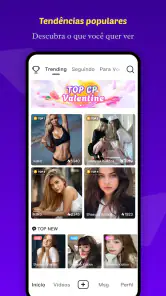
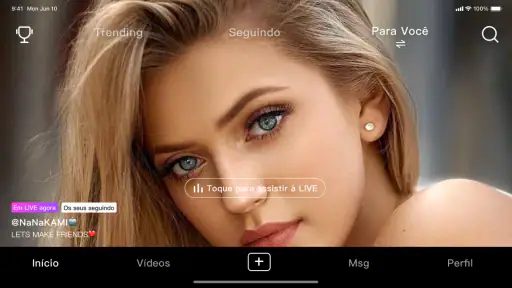
- Easy-to-use interface for browsing live rooms and joining parties.
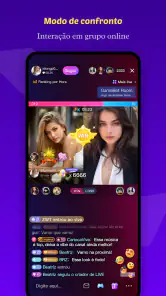
- Interactive features make streams feel more social and engaging.
- Supports discovering creators and communities with different interests.
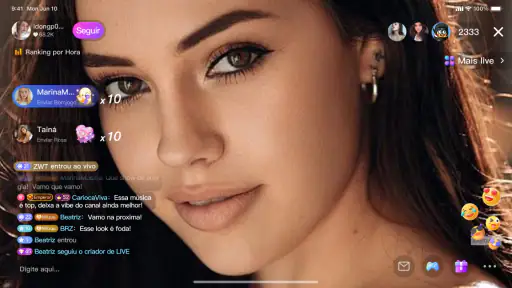
- Live chat helps viewers communicate directly with streamers.
- Frequent activity can provide fresh content throughout the day.
Cons
- Content quality can vary significantly between different live rooms.
- Some features may require virtual coins or additional in-app purchases.
- Live interactions may expose users to inappropriate or unwanted behavior.
- The app can consume considerable battery and mobile data during long streams.
- Privacy settings should be reviewed carefully before sharing personal information.

- Category
- Social
- Version
- 2.8.2