

Hurricane Express Wash
- 403.00
- 4.3
- Installs
- 50.00K
- Price
- Free

Screenshots
Analysis by Reviewed
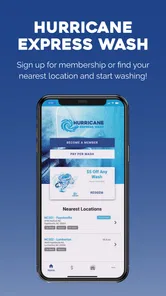
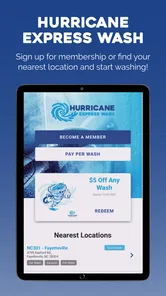
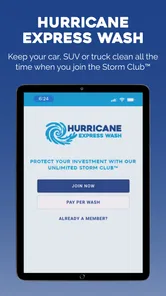
I approached Hurricane Express Wash as a practical car-wash companion rather than expecting it to replace the whole experience of visiting a wash location. Its main job is straightforward: it gives customers a digital way to sign up for membership and manage an account connected with Hurricane Express Wash. That narrow purpose is important when deciding whether it belongs on your phone. If you regularly use this particular wash service, the app has a clear reason to exist. If you are simply looking for a general car-care tool, route planner, vehicle log, or wash finder, it is not designed for that broader role.
In my experience, the first impression is shaped by that focused scope. There is no need to learn a complicated automotive dashboard or sort through unrelated tools. The app sits in the Auto & Vehicles category, is free to install, and is intended for Everyone. The developer is Hurricane Express Wash, so this is a direct service app rather than an independent comparison platform. That relationship can be reassuring because the account experience is tied to the company you already use, but it also means the app’s usefulness depends heavily on whether Hurricane Express Wash is part of your normal routine.
The app has built a visible audience since its release on Aug 9, 2022. It has passed 50 thousand installs, with an average rating of 4.3 from around 2 thousand ratings and 403 written reviews. Those figures suggest that many customers find the basic idea worthwhile, while the written feedback is still a useful reminder that a service app should be judged by everyday account handling, not only by its download count. I would treat the rating as encouraging rather than as a guarantee that every membership or account task will feel effortless on every phone.
How the membership workflow fits real visits
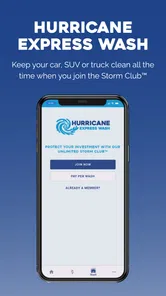
The strongest use case is someone who washes a vehicle often and wants membership administration in one place. Instead of treating each visit as an isolated purchase, you can use the app as the digital starting point for joining the membership program and as the place to keep track of the account relationship afterward. That is more useful than a generic notes app because the information is connected to the service provider itself, at least for the functions the app exposes.
A realistic example would be a driver who commutes every day, notices that road dust builds up quickly, and decides that a recurring wash plan makes more sense than repeatedly handling individual visits. The app can make the sign-up step more convenient than waiting until you are physically at the wash. Later, account management becomes the important part: when you need to review or adjust your relationship with the service, you have a dedicated place to start rather than relying on memory, paper receipts, or a conversation at the entrance.
That workflow also reveals a trade-off. A membership app is most valuable before a busy visit, not necessarily while you are already in line. I would set it up at home, when I have time to read each screen and check the account choices carefully. Trying to create an account or make a membership decision with cars waiting behind me is exactly the kind of situation where a small confirmation step can be overlooked. The practical tip is simple: use the app as preparation, then arrive with the account already organized.
For an occasional customer, the value is less obvious. If you visit Hurricane Express Wash only once in a while, installing a dedicated account app may feel like extra maintenance compared with paying through the normal customer process. That does not make the app poor; it means the benefit is tied to frequency. I would recommend it more confidently to regular customers than to someone who washes a car only a few times a year.
More From Our News Desk

 Gmail
GmailGmail in a Busy Inbox: Who Benefits Most?
From first account to crowded workday, Gmail earns its place through dependable search and flexible sorting—but its best fit depends on how much inbox maintenance you can tolerate.

 Prime Video
Switching to Prime Video: What Changes in Your Viewing Routine
Prime Video can make a compelling second home for streaming, but switching means learning a different catalog, rental layer, and route from browsing to playback.

 Universal TV Remote Control
Universal TV Remote Control Works Best as a Reliable Backup
A phone remote earns its place through quick setup and reliable habits. Here is how to get more from Universal TV Remote Control—and where its limits show.

 Weather - By Xiaomi
Weather by Xiaomi Review: Clear at a Glance, Less Clear Up Close
Xiaomi’s weather app makes everyday forecasts quick to scan, but its calm surface can leave useful details and recovery paths harder to find than they should be.

 X
XX Under Pressure: Can It Recover When Posting Goes Wrong?
A resilience-focused review of X, examining setup, mistaken posts, interruptions, weak connections, and the gaps that matter when recovery needs to be dependable.

 Clash of Clans
Clash of Clans Is Won Between the Battles
Its raids are quick; its community is a long-term project of coordination, teaching, rivalry, and shared responsibility—with all the friction that entails.
Latest News



What I would check before creating an account
Because the app is connected to membership and account administration, I would slow down at the registration stage. Read the wording around the plan, check which vehicle or customer details are requested, and make sure the contact information is current. This is not a criticism of a particular screen; it is good practice whenever an app handles a service account. A clean sign-up process is useful only if the customer understands what is being accepted.
I would also keep an eye on confirmation messages after making a change. If the app shows a completed action, save the confirmation in the way that feels appropriate to you, whether that means keeping an email, noting the date, or taking a personal screenshot for reference. This creates a simple record if you later need to discuss an account question with Hurricane Express Wash. The app can make account management easier, but it should not encourage users to make changes casually without checking the result.
Another practical habit is to open the account before changing phones or replacing a payment method. Account apps are often easiest to use when the customer’s contact details are up to date. I would not wait until the moment a membership issue becomes urgent. A quick review during a quiet moment can prevent the more frustrating situation of trying to recover access while preparing for a wash.
Trust comes from visible choices, not assumptions
My trust assessment here is deliberately cautious. I can judge the app by its stated purpose, the account actions it presents, and the choices visible during use. I would not assume that a service app is automatically private simply because it is made by the wash company, and I would not assume the opposite either. The sensible approach is to inspect the permission prompts and account screens as they appear, granting only what makes sense for the task in front of you.
For this kind of app, a user should pay special attention to whether a permission is clearly connected to a feature. If the app asks for access that appears unrelated to signing up or managing a wash membership, I would pause rather than approving it automatically. Android gives users tools for reviewing permissions, and checking them after installation is a useful part of taking control. The important distinction is between what the app visibly requests and what a reviewer merely guesses it might do.
I also recommend using a unique, strong password if the app requires one, especially if you do not want a car-wash account to share credentials with email, banking, or shopping services. That advice is not specific to one hidden behavior; it is a sensible boundary for any account-based app. If the app offers a sign-out option, I would use it on a shared device. On a personal phone, a screen lock and current operating-system security are equally important parts of the overall setup.
The current version is 11.1.2715, and the minimum operating-system requirement is Android 8.0. That makes the compatibility question fairly easy for many Android users, but I would still update the operating system and the app when updates are offered through the normal store channel. A current version can improve stability and account handling, while an older phone may still feel slower or less comfortable even when it technically meets the requirement.
Account control is more important than visual polish
For me, the best measure of this app is not whether it looks impressive. It is whether I can understand what my account is doing. Membership services involve commitments, recurring decisions, and personal details, so clear labels matter more than decorative design. I want to know which screen starts a membership, which screen manages it, and which action is merely informational. If those boundaries are clear, the app earns trust through usability.
This is also where the app should be compared with the usual alternatives. A physical counter offers human assistance and may be better when a customer has an unusual vehicle situation or needs an immediate explanation. A mobile browser can be preferable for people who dislike installing dedicated apps, provided the relevant account tools are available there. A paper receipt or bank statement can confirm that a transaction happened, but neither is a convenient replacement for managing a membership relationship. Hurricane Express Wash’s app makes the most sense when convenience and direct account access matter more than having a human guide every step.
I would choose the counter instead when the situation is complicated: a disputed charge, a membership that does not appear correctly, a vehicle change that needs special handling, or a question that the app’s wording does not answer. An app is useful for routine control, but it should not become a barrier between the customer and support. Keeping that distinction in mind prevents frustration. Use the app for predictable tasks; ask a staff member for interpretation when the account does not match your expectations.
Small habits that make the app safer and easier
One non-obvious advantage of setting up the account in advance is that it lets you separate decision-making from the pressure of the wash entrance. I can review the membership choice when I am not distracted, check the vehicle details, and confirm that my contact information is accurate. That turns the app into a planning tool rather than something I hurriedly operate at the last possible moment.
A second useful habit is to review the account after any meaningful change instead of assuming that tapping a button completed everything correctly. Look for the resulting status, confirmation, or updated detail that the app presents. This is especially useful when switching between a membership decision and ordinary account maintenance. The extra few seconds can reveal whether I changed the setting I intended to change.
A third trade-off involves convenience versus account exposure. Keeping an app signed in may make the next visit faster, but a shared phone or an unlocked device changes the risk. I would stay signed in only on a personal device protected by a reliable screen lock. If someone else regularly uses the phone, signing out after account work is the more sensible choice, even if it adds a little friction later.
Finally, I would avoid treating the app as the only record of important financial or membership decisions. The app is the convenient control point, but personal records and ordinary account statements can provide useful context if something needs checking later. That does not undermine the app; it gives the customer a backup way to understand what happened.
Who should install it, and who can skip it?
I think the app is a good fit for repeat Hurricane Express Wash customers who want to sign up for membership without making the wash visit their only opportunity to do so. It is also useful for people who prefer handling routine service administration themselves, on their own schedule. The free price removes the financial barrier to trying it, and the Everyone rating makes it approachable for a broad audience.
I would be less enthusiastic for someone who does not use Hurricane Express Wash regularly, dislikes account-based services, or prefers speaking with staff for every membership question. Drivers who want maintenance reminders, fuel-price comparisons, repair records, navigation, or wash options from several companies should look for a broader automotive app instead. This app’s narrow focus is its strength for the right customer and its limitation for everyone else.
Families sharing one vehicle should also think through account ownership before signing up. Decide which person will manage the membership and keep the contact details consistent. That avoids the everyday confusion of one driver expecting another driver to know about an account change. For a personal vehicle with one main user, the arrangement is simpler; for shared vehicles, a little planning matters.
My overall view is positive but measured. Hurricane Express Wash succeeds when I judge it as a focused membership and account tool, not as a complete car-care platform. Its audience, free access, established install base, and 4.3 average rating make it a reasonable app to try if this is your regular wash provider. The useful question is not whether every driver needs it, but whether managing this particular service from a phone will save you time.
My cautious recommendation is to install it, inspect the account and permission choices carefully, and complete setup before your next busy visit. If the visible controls match the tasks you need, it can replace some of the friction of handling membership matters at the counter. If you need broader vehicle tools or personal assistance for unusual account issues, stick with a browser, the physical location, or a more general automotive service. For regular Hurricane Express Wash customers, though, Hurricane Express Wash has a clear and practical role: keeping the service relationship easier to manage while leaving the final decisions in the customer’s hands.
Hurricane Express Wash Frequently Asked Questions
What information can I check before installing Hurricane Express Wash?
Hurricane Express Wash is a free Auto & Vehicles app for everyone, developed by Hurricane Express Wash. It was released on August 9, 2022, and its current version is 11.1.2715. The app requires Android 8.0 or later. Its average rating is 4.3 from around 2,000 ratings, with 403 reviews and over 50,000 installs. These details can help you decide whether the app fits your device and needs.
What is Hurricane Express Wash?
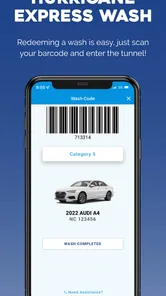
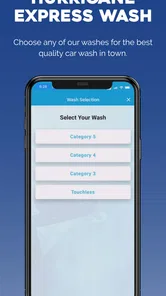
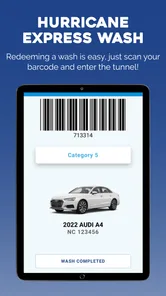
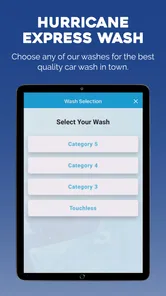
Hurricane Express Wash is a mobile companion for customers of participating Hurricane Express Wash locations. Depending on the location and available features, the app may help users find nearby wash sites, review wash options, manage memberships, access account information, and receive promotional offers. Because services can vary by branch, it is a good idea to confirm that your preferred location supports the app before downloading it.
Can I use the app to purchase a car wash or manage a membership?
In supported locations, the app may allow customers to review available wash plans, purchase a single wash, enroll in a membership, or manage an existing plan. The exact options depend on the local Hurricane Express Wash branch and the version of the app. Before subscribing, carefully check the displayed price, renewal terms, cancellation policy, and whether the membership is valid at one location or multiple locations.
Does Hurricane Express Wash require an account or payment information?
Some features may be available without signing in, such as viewing locations or general wash information, while account-based services usually require registration. If you purchase a wash or membership through the app, payment details may be requested and securely processed by the supported payment system. Review the permissions, privacy policy, and billing information before completing registration or enabling automatic renewals.
Where can I use a wash or membership purchased through the app?
Availability depends on the participating Hurricane Express Wash locations and the specific product you purchase. Some offers may be limited to a particular site, while certain memberships may work at several eligible locations. The app’s location finder and plan details should indicate where a purchase can be redeemed. Always verify restrictions, operating hours, vehicle limitations, and blackout conditions before visiting.
Pros
- Quickly locate nearby Hurricane Express Wash locations.
- Useful for checking wash services before visiting.
- Convenient access to business information on mobile.
- Helps compare available wash options at a glance.
- Simple way to plan a car wash stop while traveling.
Cons
- Features may vary depending on your local Hurricane Express Wash.
- Some locations or services may not be listed immediately.
- The app may offer limited value outside service areas.
- Location access may be needed for nearby wash results.
- Prices and opening hours should be confirmed before visiting.











