GB News
- 56.00
- 3.8
- Installs
- 1.00M
- Price
- Free

Screenshots

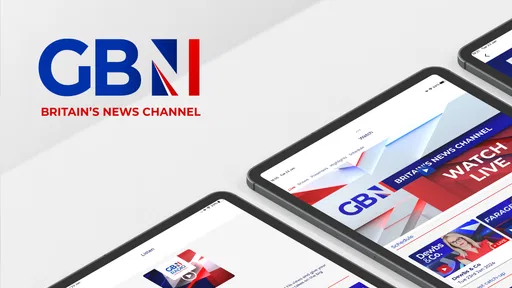
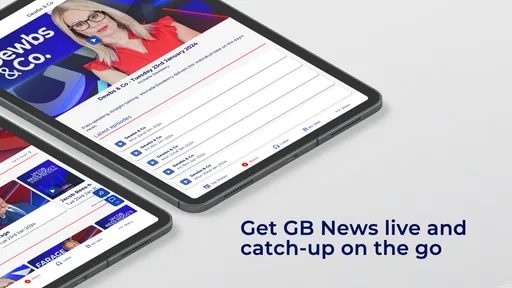
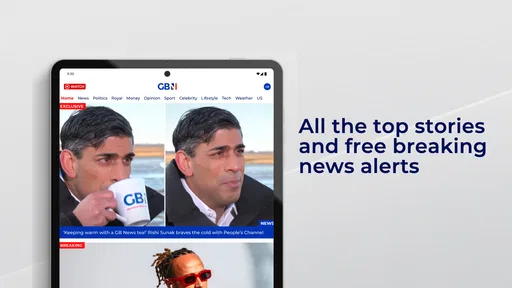
Analysis by Reviewed
I spent time with GB News as a daily news and magazines app, testing it less as a quick download and more as something that might earn a permanent place on my phone. The first impression is easy to understand: it offers a direct route to the GB News experience, with the developer listed as GB News and a clear focus on British current affairs. It is free to install, carries an Everyone 10+ age rating, and is aimed at readers and viewers who want news presented through this particular editorial lens.
That simplicity is part of its appeal. I did not approach it expecting a huge general-purpose news library or a neutral replacement for every newspaper and broadcaster. I treated it as a focused destination for people who already want GB News content in an app rather than through a browser. That distinction matters, because the question is not whether it can show news at all; it is whether its particular presentation remains useful after the novelty of installing it has worn off.
From the first week to a lasting news habit
I judge a news app’s staying power by whether it earns a place in my routine without turning every spare moment into another check. GB News makes the most sense when I choose a specific time and purpose for opening it, then compare important stories elsewhere when I need more context. That longer-term habit also raises a practical question: how comfortably can different people read and navigate the app?
Why the first few days feel worthwhile
During the first week, the main benefit is convenience. Instead of remembering a web address or searching for the channel each time, I could open one dedicated place when I wanted to catch up. For someone who follows British politics, public debate, or the stories GB News chooses to emphasize, that reduced friction can make a real difference. A news app does not need to reinvent reading to be useful; sometimes its job is simply to make a familiar source easier to reach.
The app’s identity is also immediately clear. GB News is not presented as a broad news aggregator that mixes every publication into one neutral stream. It is the mobile home of one channel and its editorial voice. I found that helpful when I wanted consistency, but it also meant I had to be conscious of what I was using it for. It works best as one source in a wider news routine, not as my only way of checking what is happening.
A realistic everyday use case is a short morning check before work. I might open the app with a few minutes available, scan the leading subjects, and decide whether a story deserves more attention later. It suits that kind of intentional visit better than endless background browsing. If I already know I want the GB News perspective, opening the app is quicker than moving between several browser tabs.
The store summary calls it Britain’s News Channel, and that description captures the product’s role without promising a complete replacement for newspapers, public broadcasters, or international news services. I would recommend trying it during a week when a major British story is developing. That gives a prospective user a fair sense of whether the app’s tone, story selection, and presentation match their habits rather than judging it only from a single casual visit.
More From Our News Desk

Weather by Xiaomi Review: Clear at a Glance, Less Clear Up Close

X Under Pressure: Can It Recover When Posting Goes Wrong?

Clash of Clans Is Won Between the Battles

Android Auto Makes the Case for Quieter Car Software

MobiOffice: Transforming Mobile Productivity with Seamless Integration

EA SPORTS FC™ Mobile Soccer: Redefining Mobile Sports Gaming
What the audience numbers suggest, and what they do not
The app has passed a million installs and holds an average rating of 3.8 from about 5,400 ratings. Those figures suggest a substantial audience, but they do not settle the more personal question of whether it deserves daily attention. A large install base can show that the app is easy to find and relevant to many people; it cannot tell me whether its editorial approach will remain satisfying for a reader who wants variety or extensive context.
There are also 56 written reviews attached to the listing, which is a much smaller body of detailed feedback than the overall rating count. I would therefore treat the score as a useful signal rather than a final verdict. My own decision would depend more on whether I regularly want this source than on trying to read too much into a single number.
Where it fits beside familiar alternatives
Compared with a newspaper app, GB News feels more channel-centered than publication-centered. A newspaper may give me a broad mixture of investigations, analysis, opinion, culture, business, and international reporting. GB News is a better fit when I specifically want its broadcast identity and editorial viewpoint. If I am looking for a wide range of competing interpretations in one place, I would still use an aggregator or several established outlets alongside it.
Compared with visiting a mobile website, a dedicated app can feel more deliberate. I am less likely to lose the page among open browser tabs, and the experience is built around returning to the same source. That advantage is modest, but it is meaningful for habitual users. On the other hand, a browser may be preferable for someone who wants to keep their news sources separate or who dislikes maintaining another app.
Compared with a social media feed, the app offers a more focused starting point. Social platforms can expose me to a wider range of reactions, but they also mix reporting with commentary, reposts, and distractions. GB News is more useful when I want to begin with the channel itself rather than with whatever a platform’s feed happens to place in front of me. I would still verify important claims through other reputable sources before treating any single presentation as the whole picture.
Practical ways to test it properly
My first tip is to use it at two different times of day instead of opening it once and making a quick judgment. A morning visit tests whether it helps with a fast overview, while an evening visit shows whether it still feels worthwhile after the day’s events have developed. This simple comparison reveals whether the app supports a routine or only attracts attention when a headline is especially prominent.
My second tip is to pair it with a deliberately different source. Read or watch the same major story elsewhere, then ask whether GB News adds a perspective, a useful explanation, or simply repeats what I already know. That is not a criticism of having a clear viewpoint; it is a practical way to understand the app’s role. The strongest use case may be perspective and familiarity rather than complete coverage.
My third tip is to decide in advance what “keeping up” means. If I only need a short update, a brief visit is enough. If I want detailed background, original documents, regional reporting, or international context, I should expect to leave the app and continue elsewhere. Knowing that boundary prevents disappointment and makes the app easier to use responsibly.
The month-to-month question
After the first few weeks, convenience alone is not enough. News apps survive on habit, and a habit survives when each visit offers a reason to return. For GB News, that recurring value comes from following its ongoing coverage and maintaining contact with its particular editorial style. If that style matches my interests, I can see myself returning regularly. If I installed it only because one story was receiving attention, the app may quickly become something I open occasionally rather than daily.
The difference between a useful monthly routine and a forgotten installation is editorial fit. I would keep it if I wanted a dependable GB News-specific destination and found myself checking it without being prompted. I would remove it if I repeatedly opened it and then immediately went elsewhere for broader reporting, more detailed context, or a less opinion-led presentation. That is not a flaw unique to this app; it is the normal test every focused news product faces once the initial curiosity fades.
Readers should also consider the commercial side before settling into a long-term routine. The app is free, but in-app purchases are listed from $12.99 to $134.99 per item. I would not assume that installing it means every part of the wider experience has the same access conditions. Anyone considering a paid option should check the exact offer shown in the app and decide whether it provides enough continuing value for their own usage, rather than paying simply because they have already built a habit.
Maintenance is more than storage space
When I talk about maintenance, I do not just mean keeping an app installed. I mean managing how much attention it receives, checking whether it still contributes something distinct, and avoiding a routine that turns news into constant noise. A focused channel app can be low effort when I use it intentionally, but it can also become another place to check whenever I feel bored or anxious. I get more value when I open it with a clear purpose.
My preferred routine would be to use GB News for a scheduled catch-up, then compare significant stories with another source before forming a firm view. I would not let it replace primary documents, specialist reporting, or multiple perspectives when the subject affects money, health, elections, or personal decisions. This is especially important for a news app with a recognizable editorial identity: the clearer the voice, the more useful it is to understand what that voice emphasizes and what I may need to seek elsewhere.
There is also a practical time cost. A channel-focused app can make returning easy, but easy access does not automatically mean efficient access. If I spend too long moving from one headline to another without learning anything new, the app is no longer helping me keep up. I would set a stopping point after the main update and only continue when a story genuinely deserves deeper attention.
Where fatigue can set in
The biggest possible source of fatigue is repetition. News cycles naturally revisit the same political arguments and developing stories, and a focused channel can make that concentration more noticeable. I may appreciate sustained coverage at first, but after several visits I could feel that I am seeing the same themes without enough new information. When that happens, a broader newspaper, a specialist publication, or a carefully chosen international source may refresh the routine.
A second source of fatigue is viewpoint saturation. I do not think a publication needs to pretend that every perspective is identical, but I personally need contrast to understand a contentious story properly. GB News can be valuable as one clearly identifiable perspective; it becomes less suitable when I want the app itself to supply a balanced cross-section of the entire debate. That is the point at which I would use it alongside, rather than instead of, other outlets.
A third issue is the risk of confusing accessibility with completeness. Because the app puts a familiar channel within easy reach, it can feel like I have covered the news after one visit. In practice, a quick visit may tell me what this source considers important, not everything that matters. I found the app more useful when I treated its selection as a starting map for further reading instead of a finished account.
People who want a quiet, low-frequency news routine may also find a dedicated channel app unnecessary. If I read one trusted weekly publication, use a browser only when needed, or prefer a single neutral briefing, adding GB News could create duplication. The app is most defensible for someone who actively wants this channel’s coverage and expects to return often enough for the dedicated format to save time.
Who should install it, and who should skip it?
I would suggest trying it to readers who follow British public affairs, already recognize GB News as a source they want to consult, or prefer opening a dedicated app instead of navigating a website. It is also a reasonable choice for someone building a multi-source news routine and wanting one clearly defined perspective within that mix. The free entry point makes testing the fit straightforward, though any in-app purchase should be evaluated separately.
I would skip it if I want one app to provide every major viewpoint, extensive international breadth, deep specialist reporting, and a complete archive of background material. I would also skip it if I know I am prone to checking several news feeds compulsively and do not have a clear reason to add another destination. In that situation, the app may increase noise rather than improve understanding.
For families, the Everyone 10+ rating is a useful reminder to consider whether the subject matter and presentation suit the younger people using a device. I would still make that decision based on the actual news topics being followed, not on the age label alone. News content can be difficult or emotionally charged even when an app is not categorized for adults only.
My long-term verdict
After the novelty fades, GB News earns lasting space only for a specific kind of user: someone who wants regular access to GB News coverage and values a dedicated mobile destination. For that person, the app can become a practical part of a morning or evening routine. Its strength is not that it replaces every other news product, but that it makes one recognizable channel easier to revisit.
My recommendation is therefore conditional but positive. I would keep it installed if its editorial perspective adds something I deliberately want and if I use it as one part of a broader information diet. I would not rely on it as my sole news source, and I would remove it if repeated visits stopped adding fresh value. The lasting benefit comes from intentional use, not from simply having another headline feed on the phone.
GB News was released on May 24, 2021, and its continued relevance depends less on being new than on remaining useful in a reader’s routine. With a free installation, a substantial install base, and a focused identity, it is easy to try. The harder test is whether I still have a clear reason to open it a month later. For readers who can answer yes, it is worth keeping; for everyone else, a broader alternative or a simpler browser-based habit may be the better choice.
GB News Frequently Asked Questions
Who publishes the GB News app, and what is it intended for?
GB News is published by GB News and is a News & Magazines app for following the broadcaster’s news and current-affairs coverage on a mobile device. Its store summary describes it as “Britain's News Channel,” while the app’s short description is simply “GB News.” It is aimed at readers who want to access the network’s coverage through an app.
What is GB News?
GB News is a UK-focused news and current affairs app associated with the GB News television and digital media network. It provides access to breaking stories, political coverage, opinion pieces, interviews, video clips, live programming, and other updates across national and international topics. The app is designed for users who want to follow the broadcaster’s distinctive editorial perspective on a mobile device.
Is the GB News app free to download and use?
The GB News app is free to download, and many articles, clips, and updates can be accessed without paying. It also offers in-app purchases, with listed items ranging from $12.99 to $134.99. Check the purchase details shown in the app before completing a transaction, so you understand its price and terms. Availability of content or features may vary.
What type of content can I find in GB News?
After installing GB News, users can typically browse breaking news, politics, business, culture, lifestyle, opinion, and video content. The app may also provide live streams, programme clips, presenter content, notifications, and reports from the UK and around the world. Because GB News has a recognizable editorial viewpoint, readers should compare important stories with other reputable sources for broader context.
Does GB News offer live streaming and notifications?
GB News may provide live video or access to current broadcasts, depending on the user’s location, app version, licensing arrangements, and internet connection. Notifications can also alert users to breaking stories, programme updates, or major developments. These features can be useful for staying informed, but they may consume mobile data and can be adjusted or disabled through the app and device settings.
Pros
- Free access to live GB News broadcasts and on-demand video content.
- Offers a distinctly British perspective on current affairs and politics.
- Includes shows covering news
- opinion
- culture
- and entertainment.
- Simple interface makes browsing programs and clips straightforward.
- Push notifications can help users keep up with breaking stories.
Cons
- Content may feel politically opinionated rather than fully neutral.
- Some videos or features may require a stable
- fast internet connection.
- Frequent notifications can become distracting for some users.
- Availability of certain content may vary by location or platform.
- Advertising and promotional material may interrupt the viewing experience.











