

Diesel Repair
- 10.00
- 3.9
- Installs
- 10.00K
- Price
- Free

Screenshots
Analysis by Reviewed
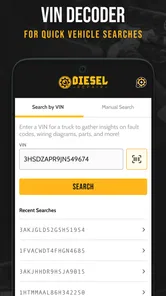
When a heavy-duty truck problem appears far from the shop, the useful question is rarely “What is the most popular app?” It is usually “Can I make a sensible decision before I start replacing parts?” Diesel Repair is built for that moment. It is a free Auto & Vehicles app from Diesel Laptops, aimed at people who work around diesel trucks and need repair information close at hand.
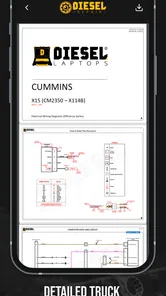
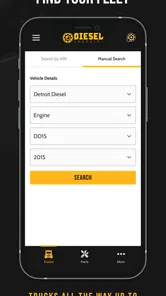
I found its appeal easy to understand: it tries to put a repair-focused reference in the same place where many drivers already keep their phone, rather than forcing them to search through scattered web pages, old notes, or printed manuals. That does not turn a phone into a diagnostic computer, and it should not replace proper training or manufacturer documentation. Still, for a technician, owner-operator, fleet manager, or mechanically confident driver, the idea is practical.
The app is currently at version 1.1.2, and that detail matters because this is still a relatively young product. Its release date was November 26, 2024, so I would judge it as an evolving tool rather than a mature workshop platform that has already settled every workflow. The current average is 3.9 from around forty-six ratings, with roughly ten thousand or more installs. Those numbers suggest some real interest, but they also tell me to keep expectations measured.
How Diesel Repair fits into real truck work
The strongest use case is the quick-reference job. Imagine an owner-operator notices an unfamiliar symptom during a stop. The truck is not necessarily disabled, but continuing without understanding the problem feels risky. A repair app can help organize the next step: identify the system involved, review relevant information, and decide whether the issue is appropriate for a basic inspection or needs a shop immediately.
That workflow is more valuable than simply searching the open web. General search results often mix passenger-car advice, forum guesses, outdated pages, and content written for a different engine family. A heavy-duty-focused app starts with a narrower purpose. Even when I still need a professional diagnosis, a focused reference can help me describe the problem more clearly and avoid wasting time on unrelated advice.
I also see a place for it during roadside conversations. A driver may call a fleet office and describe a warning light or drivability change. Instead of relying entirely on memory, the person on the phone can use the app as a shared reference while asking better questions. That does not guarantee a correct diagnosis, but it can make the conversation less vague and help separate “monitor it until the next stop” from “park the truck and call for assistance.”
For a small fleet, the value is slightly different. A manager may not personally perform every repair, yet still needs enough technical context to approve a repair order or challenge an unclear recommendation. Diesel Repair can serve as a common starting point between the driver, manager, and mechanic. The important word is starting point: I would not use a phone reference alone to authorize a major component replacement.
More From Our News Desk

 Gmail
GmailGmail in a Busy Inbox: Who Benefits Most?
From first account to crowded workday, Gmail earns its place through dependable search and flexible sorting—but its best fit depends on how much inbox maintenance you can tolerate.

 Prime Video
Switching to Prime Video: What Changes in Your Viewing Routine
Prime Video can make a compelling second home for streaming, but switching means learning a different catalog, rental layer, and route from browsing to playback.

 Universal TV Remote Control
Universal TV Remote Control Works Best as a Reliable Backup
A phone remote earns its place through quick setup and reliable habits. Here is how to get more from Universal TV Remote Control—and where its limits show.

 Weather - By Xiaomi
Weather by Xiaomi Review: Clear at a Glance, Less Clear Up Close
Xiaomi’s weather app makes everyday forecasts quick to scan, but its calm surface can leave useful details and recovery paths harder to find than they should be.

 X
XX Under Pressure: Can It Recover When Posting Goes Wrong?
A resilience-focused review of X, examining setup, mistaken posts, interruptions, weak connections, and the gaps that matter when recovery needs to be dependable.

 Clash of Clans
Clash of Clans Is Won Between the Battles
Its raids are quick; its community is a long-term project of coordination, teaching, rivalry, and shared responsibility—with all the friction that entails.
Latest News



The app is also potentially useful for learning. Someone moving from light vehicles into heavy-duty equipment can use a repair-oriented resource to become familiar with the language of truck systems and common troubleshooting paths. That is a better learning habit than memorizing isolated symptoms. The trade-off is that a beginner can easily mistake a reference entry for a complete diagnosis, so the app rewards users who already understand basic safety and mechanical limits.
What the current release tells me
Version 1.1.2 gives the product a clear snapshot in time. I would not read the version number as proof that every difficult truck scenario is covered, but it does indicate that the app is being presented as an active product rather than an abandoned experiment. The recent release history also makes the user experience important: early versions need to be judged by how well they support everyday tasks, not by how many ambitious features they might eventually gain.
The free price makes trying it straightforward. You can explore the basic experience without making an upfront payment, while in-app purchases range from $9.99 to $249.99 per item. That wide range deserves attention before anyone treats the app as a casual download. A free installation can be useful for evaluating the interface, but serious or expanded use may involve a purchase that should be considered against the cost of existing manuals, subscriptions, or shop software.
I would approach those purchases as a workflow decision, not an impulse buy. First, install the app on the phone you actually carry during work. Then check whether the information is easy to find with dirty hands, poor lighting, or limited time. If the navigation slows you down during a simple lookup, paying for more content will not solve the basic problem. If the reference structure fits your work and saves repeated searching, the cost may make more sense for a professional user than for someone who only owns one truck.
The age rating is Everyone, which makes the app broadly accessible from a content-classification standpoint. That should not be confused with “safe for unsupervised repair.” Heavy-duty equipment can involve hot surfaces, moving parts, stored pressure, electrical systems, and roadside traffic. I would use the app to support a safe plan, never as a reason to work under an unsafe vehicle or attempt a procedure beyond my skill level.
Where it improves the usual alternatives
The usual alternative is a web search. That option is flexible and often free, but it can be noisy. A search engine may find a useful service discussion one moment and a completely unrelated engine the next. Diesel Repair has a more specific identity, which should reduce the amount of sorting required when the problem is clearly connected to heavy-duty truck repair.
Another alternative is a printed manual kept in the cab. Paper has real strengths: it works without a signal, does not run out of battery, and can be marked with personal notes. However, a large manual is awkward when the truck is parked in an unfamiliar place. A phone-based reference is easier to carry and search, while the printed manual remains the better backup for detailed procedures, official specifications, and situations where a screen is impractical.
There is also the professional diagnostic platform. That is a different class of tool. Diagnostic hardware can communicate with a vehicle and expose live information that a reference app cannot provide by itself. If I need to verify sensor behavior, read a fault directly from a control module, or perform a guided test, a dedicated diagnostic solution is more appropriate. Diesel Repair makes more sense beside that equipment than instead of it.
Finally, many mechanics rely on personal experience and shop knowledge. That is often the fastest resource when the right person is available. The app becomes more useful when the experienced technician is not nearby, when a newer employee needs a structured starting point, or when a driver wants to prepare useful information before calling the shop. It does not eliminate judgment; it helps make judgment more organized.
Three practical habits that make it more useful
My first recommendation is to use it before an emergency, not for the first time beside a disabled truck. Open it during a quiet moment and learn how the information is arranged. Search for a familiar maintenance question and notice how many steps it takes to reach a useful answer. That small preparation can reveal whether the app suits your phone, your eyesight, and your working style before pressure enters the picture.
Second, use the app to build a symptom record rather than jumping straight to a part. Write down what changed, when it changed, whether the truck was loaded, and what warning appeared. Then use the relevant repair information to narrow the conversation. This approach reduces the common mistake of treating one symptom as proof that one expensive component has failed.
Third, pair the app with a simple decision boundary. If the information points toward a check that is safe and familiar, perform only that check. If it involves lifting equipment, opening a pressurized system, bypassing a safety device, or making a repair you cannot verify, stop and contact a qualified technician. The app is most valuable when it helps me recognize the next responsible action, including the action of not continuing.
A fourth habit is especially useful for fleet work: keep the app in the same process as your maintenance notes. After a call or inspection, record the observed symptom separately from the suspected cause. That distinction helps the next mechanic understand what was actually seen instead of inheriting an assumption. A reference tool can improve communication, but only if the user does not turn a preliminary idea into a confirmed diagnosis.
Friction and limits I would take seriously
The first limitation is the gap between reference information and vehicle-specific certainty. Heavy-duty trucks can vary by engine, calibration, chassis, operating environment, and maintenance history. A general explanation may point in the right direction without answering the exact question for one vehicle. Before following any procedure, I would verify that it applies to the truck in front of me.
The second is the phone itself. A screen is convenient, but convenience depends on battery life, visibility, gloves, weather, and connectivity. I would not make this app my only source of repair information on a long route. Keeping essential vehicle documentation and a sensible roadside plan remains important, especially when the phone is damaged, unavailable, or difficult to use safely.
The purchase structure can also create hesitation. Because the app is free to install but includes individual in-app purchases between $9.99 and $249.99, users should understand what they are buying before committing. For a professional who uses the information repeatedly, a higher-priced item could be reasonable if it replaces a more expensive or less convenient reference. For a casual owner, the same purchase may be difficult to justify.
The modest rating of 3.9 from about forty-six ratings is another reason I would test the app personally before depending on it. That figure is not a verdict on every workflow, and the review pool is still small. It does, however, suggest that the experience may not be equally smooth for everyone. I would pay attention to search speed, clarity of explanations, and how quickly the app gets from a symptom to an actionable next step.
There is also a human limitation that no update can completely solve: users may overtrust a clean-looking answer. A well-presented explanation can feel more certain than it really is. Diesel Repair should support diagnosis, not replace measurements, inspection, service procedures, or professional responsibility. If the truck is unsafe to drive, the correct response is not to keep searching until the app produces a reassuring answer.
Who should install it, and who should pass
I would recommend trying it if you drive or maintain heavy-duty trucks, manage a small fleet, work as a diesel apprentice, or regularly need to translate truck symptoms into clear shop language. Its free entry point lowers the risk of testing the workflow, and its focus on diesel repair is more relevant to that audience than a general automotive app.
I would be more cautious if you only maintain a passenger car, expect live vehicle diagnostics, or want a complete replacement for factory service information. The app’s heavy-duty focus would not automatically make it useful for ordinary home-car maintenance. Likewise, someone who wants a plug-in scan tool should choose hardware and software designed for that purpose rather than expecting a repair reference to communicate with the vehicle.
It may also be the wrong choice for a complete beginner who is looking for step-by-step permission to attempt every repair. Learning is a good reason to use it, but learning should happen alongside supervision, correct tools, and safety training. In that situation, a local class, a trusted mechanic, or manufacturer documentation may provide better guidance than a phone app alone.
What I would watch as the app evolves
Because the product is still at version 1.1.2 and began its current life on November 26, 2024, future changes matter. I would especially watch how Diesel Laptops handles the balance between quick lookup and deeper technical detail. More information is not automatically better if it makes common roadside questions harder to answer.
I would also look for improvements that make the app dependable in real working conditions: clearer vehicle or system context, efficient searching, easy return to recently used material, and explanations that distinguish a possible cause from a confirmed fault. Those are the kinds of changes that would affect my daily confidence more than a long feature list.
Existing users should keep an eye on each update and recheck how their preferred workflows behave after changes. A new version can improve navigation while also moving familiar controls. Since the app is relatively new, I would save important shop procedures elsewhere rather than assuming the current layout or purchased content will always be organized exactly the same way.
For someone deciding whether to download it today, my advice is simple: try the free experience on a realistic repair question, judge how quickly you can find useful information, and then decide whether any purchase matches your actual workload. Do not buy based only on the promise of having a repair library in your pocket. Buy only if the app’s current material fits the trucks you service and improves a process you repeat.
My overall view is positive but practical. Diesel Repair is best treated as a focused companion for heavy-duty repair decisions, not as a complete diagnostic workstation. The free installation makes it worth exploring for the right audience, while the young version, mixed rating, and broad in-app purchase range argue for a careful trial. I would keep it on a work phone if it helped me ask better questions, organize symptoms, and choose safer next steps. I would still keep official documentation, proper tools, and qualified help in the process. That balance is where this app makes the most sense.
Diesel Repair Frequently Asked Questions
Can I use Diesel Repair on my Android device, and what system version does it require?
Diesel Repair is an Android app in the Auto & Vehicles category, developed by Diesel Laptops. It requires Android 7.0 or later, so checking your device’s software version before downloading is a sensible first step. The app is free to install, though some optional in-app purchases are available. Its Everyone content rating makes it suitable for a general audience.
What is Diesel Repair, and who is it designed for?
Diesel Repair is an automotive reference and troubleshooting app focused on diesel-powered vehicles and equipment. It is intended for mechanics, workshop technicians, fleet operators, students, and experienced vehicle owners who want quick access to repair information. Before downloading, remember that the usefulness of the app depends on the specific vehicle, engine model, and information included in its database.
What kind of repair information can I find in Diesel Repair?
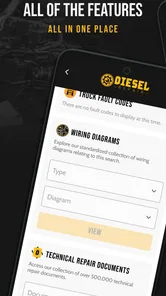
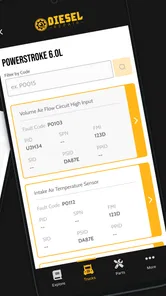
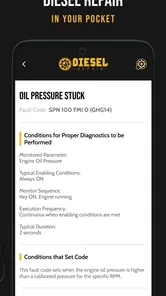
The app may provide practical information such as diesel engine components, maintenance procedures, diagnostic guidance, fault-related references, and repair tips. It can be helpful when checking a system or preparing for workshop work, but users should not assume that every instruction applies to every engine. Always compare the app’s information with the manufacturer’s service manual and vehicle specifications.
Can Diesel Repair replace a professional mechanic or official service manual?
No. Diesel Repair should be treated as a supplementary reference tool rather than a replacement for professional training, diagnostic equipment, or official repair documentation. Diesel systems can involve high pressure, hot components, electrical hazards, and complex electronic controls. If you are unsure about a procedure, lack the correct tools, or are working on a safety-critical system, consult a qualified technician before continuing.
Does Diesel Repair work offline, and does it require an internet connection?
Offline availability may depend on the version of Diesel Repair and the feature being used. Some reference content may be accessible after installation, while updates, external links, advertisements, account functions, or additional resources can require an internet connection. It is a good idea to open the app before entering a workshop or remote location and confirm that the information you need remains available without mobile data.
Pros
- Useful reference for diagnosing common diesel engine problems
- Covers maintenance procedures in a straightforward
- practical format
- Helpful for mechanics
- technicians
- and experienced DIY users
- Can support troubleshooting when workshop resources are unavailable
- Provides quick access to repair-related information on a mobile device
Cons
- Technical accuracy may vary depending on the engine model and application
- Some repairs require tools and expertise beyond the app’s guidance
- Information may not cover newer diesel systems or specialized equipment
- No substitute for official service manuals or manufacturer specifications
- Limited usefulness for complete beginners unfamiliar with diesel mechanics











