Dark Web Browser : OrNET
- 546.00
- 4.4
- Installs
- 1.00M
- Price
- Free

Screenshots
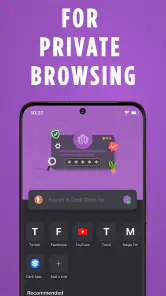
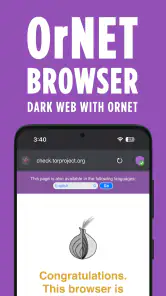
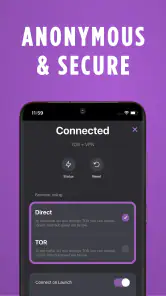
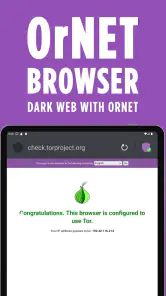
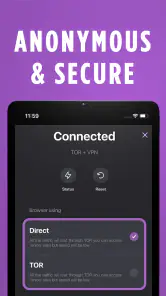
Analysis by Reviewed
I approached Dark Web Browser : OrNET as a communication and privacy tool rather than as a novelty browser. Its central appeal is straightforward: it combines access to dark-web addresses with a VPN-focused browsing experience, giving people who care about private web use a single place to start. After spending time with it, my view is that it is most useful for a specific kind of user—someone who wants a simpler privacy-oriented route on a mobile device—not for somebody looking for a complete replacement for every security tool they already use.
The app is free to install, carries an Everyone age rating, and comes from Stronger Apps. It has passed the point of being an obscure experiment, with over one million installs and a 4.4 average from around twenty-eight thousand ratings. Those figures suggest that the basic idea is easy for many people to understand. The more important question, though, is whether the workflow feels practical once you move beyond the promise of private surfing.
From an ordinary browsing need to a private session
A realistic starting condition might be this: I am away from home, connected to a network I do not fully trust, and I want to browse without treating that connection as my only layer of protection. I may also need to visit an onion address rather than a normal website. In that situation, opening OrNET makes more sense than juggling a regular browser, a separate VPN application, and another tool intended for dark-web access.
The first thing I appreciate is the focused purpose. This is not trying to be a social feed, a file manager, a messaging client, and a browser at the same time. The experience is centered on web access and privacy. That narrow focus makes it easier to understand why the app exists, especially for someone who has never used a dark-web browser before.
At the same time, I would not mistake a VPN-enabled browser for total anonymity. A private connection can reduce exposure on the path between a device and the internet, but it does not make careless browsing safe. A suspicious download, a reused account, a revealing login, or a page designed to steal information can still create problems. My strongest advice is to treat the VPN as one part of a careful workflow, not as permission to ignore basic security habits.
Preparing before opening an address
Before I use the app for anything important, I decide what I am actually trying to accomplish. That sounds obvious, but it changes how I judge the result. Reading public information is a different task from signing into an account, downloading a document, or entering personal details. OrNET may be a sensible starting point for the first task, while the others deserve much more caution.
I also avoid mixing a privacy-sensitive session with casual browsing. Keeping the purpose narrow helps me notice where I am going and makes it less likely that I will follow an unexpected link simply because it appears in front of me. This is one of the less obvious benefits of using a dedicated app: its limited role can encourage more deliberate behavior than a browser already filled with everyday tabs and saved routines.
You May Like

Clash of Clans Is Won Between the Battles

Android Auto Makes the Case for Quieter Car Software

MobiOffice: Transforming Mobile Productivity with Seamless Integration

EA SPORTS FC™ Mobile Soccer: Redefining Mobile Sports Gaming

How Microsoft OneDrive Became a Mobile Productivity Giant

How Google Translate Breaks Language Barriers Effortlessly
For a first-time user, the sensible approach is to install it from the official Android store, open it, and spend a few minutes understanding the interface before searching for anything sensitive. The minimum operating system is Android 8.0, so the app is aimed at a broad range of still-used devices. I would nevertheless keep the phone itself updated where possible, because an older operating system can remain the weakest part of a privacy setup even when the browser is current.
Moving through the browsing workflow
The normal flow is simple in concept. I open the browser, establish the privacy-oriented connection if the interface presents that step, and then enter the address or search request I need. The important handoff happens between the connection layer and the page itself: I need to know that I am browsing through the intended route before trusting the session.
That is where I recommend slowing down. A page loading successfully is not proof that it is authentic, safe, or worth visiting. Dark-web addresses can be difficult to recognize, and a convincing imitation can be more dangerous than a page that fails immediately. I check the address carefully, avoid copying credentials into unfamiliar forms, and treat unexpected requests for downloads or personal information as a reason to stop.
OrNET is attractive here because it reduces the number of separate apps involved. Instead of switching from a VPN client to a specialized browser and then back again, I can keep the browsing task in one place. That handoff reduction is a genuine practical strength. Every extra app introduces another screen, another setting, and another chance to assume that protection is active when it is not.
Still, the simpler flow also hides some responsibility. With a standalone VPN, I may already understand its connection status, server choices, and behavior from using it across several apps. A browser that combines these ideas can feel more automatic. I would therefore make a habit of checking the visible connection state at the beginning of a session rather than assuming that opening the app automatically means every privacy feature is working exactly as expected.
What happens when the task crosses app boundaries
Real browsing rarely ends with reading a page. I might need to copy a piece of information into a note, open a document, share a safe public link, or return to a normal website. These handoffs are where I become more cautious. Moving text out of a private session can place it in the clipboard, a note service, or another app that does not share the same privacy goal.
My preferred workflow is to keep copied material temporary and to avoid sending sensitive content through ordinary messaging or cloud tools unless I have a clear reason. If a page asks me to download a file, I would not open it immediately just because the browser displayed it. I would first consider whether the file is necessary, whether I can inspect it safely, and whether the task can be completed without transferring it to the rest of the phone.
This is also where OrNET should not be compared too generously with a full desktop privacy setup. A phone is convenient, but it is closely tied to personal accounts, contacts, notifications, and other identifying activity. The browser can help with the route to a page; it cannot separate the entire device from the identity attached to it.
For a practical example, imagine that I am researching a public report hosted at an onion address while travelling. I connect through the app, enter the address manually, read the material, and write down only the non-sensitive points I need. I avoid signing into personal services in the same session, do not download an unnecessary attachment, and close the task when finished. The outcome is useful because the app has reduced friction without encouraging me to treat every part of the phone as anonymous.
Where OrNET feels better than the usual alternatives
Compared with a standard mobile browser, OrNET has a clearer privacy purpose and is better suited to users who specifically need dark-web access. A normal browser may be more comfortable for everyday shopping, streaming, banking, and account management, but it is not the natural choice for onion addresses. Using a conventional browser for that job can lead to compatibility problems or force the user to install additional tools.
Compared with a separate VPN and browser combination, the main advantage is convenience. I do not need to remember which app should be opened first or whether the VPN remains active after switching applications. That makes OrNET appealing to beginners and to people who only occasionally need this kind of browsing.
The trade-off is control. A dedicated VPN service may offer a more familiar set of connection choices, while a specialized privacy browser may provide a deeper collection of browsing controls. OrNET’s combined approach is easier to start, but users who already understand advanced privacy configurations may find a separate toolkit more flexible. I would choose the separate route for demanding, repeat workflows and OrNET for focused mobile access with fewer moving parts.
Costs, updates, and everyday friction
The basic app is free, which makes trying the workflow relatively easy. Optional in-app purchases range from $4.99 to $39.99 per item, so I would pay attention to any premium prompt and decide whether the extra function is genuinely relevant to my use. A free entry point is helpful, but it does not mean every part of the experience has the same cost or that paying automatically improves privacy in every situation.
The current version is 1.9.68, and I would keep the app updated rather than treating installation as a one-time security decision. Browsing tools depend on compatibility and maintenance, especially when the user expects them to handle unusual addresses. Updating also gives me a reason to revisit the app’s visible settings and connection behavior instead of relying on assumptions formed during the first session.
The app was released on September 22, 2022, placing it in a relatively modern generation of mobile privacy tools. That is useful context, but it does not remove the need for judgment. A recent-looking interface can still make unclear choices feel safe, and a familiar browsing screen can still lead to risky destinations. I judge OrNET by the quality of the complete workflow, not by the presence of the word “VPN” alone.
Who will benefit most from this workflow
I think OrNET is a good fit for someone who wants a dedicated mobile browser for privacy-conscious research, especially when dark-web addresses are part of the task. It is also suitable for a beginner who would rather start with one focused app than assemble a multi-app setup. The free starting point lowers the barrier, and the Everyone rating makes the product broadly approachable from an age-label perspective.
It may also suit a traveller or occasional researcher who needs a repeatable routine: open the app, confirm the connection, visit a known address, avoid unnecessary logins and downloads, and finish without carrying sensitive material into unrelated apps. That routine is more valuable than simply having another browser icon on the home screen.
I would skip it if my main need is ordinary daily browsing. For news, shopping, banking, streaming, and services that depend on polished compatibility, my usual browser is likely to be faster and less distracting. I would also skip it as my only protection if I handle high-risk work, need extensive configuration, or require a carefully separated device environment. In those cases, a more controllable setup and stronger operational discipline matter more than convenience.
Where the experience breaks down
The flow can break when a page is slow, unavailable, or difficult to verify. That is not necessarily a defect unique to OrNET; privacy-focused and dark-web browsing often involves more uncertainty than opening a familiar public website. However, the uncertainty becomes the user’s problem. If I cannot establish that an address is correct or understand why a page is asking for information, I stop rather than repeatedly refreshing and experimenting.
Another weak point is the gap between technical connection privacy and personal privacy. The app can make the route feel protected, but it cannot prevent me from identifying myself through an account, revealing information in a form, or carrying data into another application. This is the central limitation I would explain to a friend: OrNET can simplify a private browsing workflow, but it cannot make unsafe decisions safe.
There is also a learning curve hidden beneath the simple interface. New users may expect the app to explain every risk, recognize every malicious page, and guarantee anonymity. I would prefer to see the tool as an assistant for a careful process. The more sensitive the task, the less I rely on automation and the more I verify addresses, minimize personal details, and separate browsing from downloads.
My final view after following the complete process
After tracing the experience from an ordinary privacy concern to a finished browsing task, I see OrNET as a useful specialist app with a clear but limited job. It brings a VPN-oriented connection and dark-web browsing into one mobile workflow, which is genuinely convenient when I want fewer handoffs. Its strongest quality is not that it removes all risk; it is that it gives occasional users a focused place to begin.
Stronger Apps has made an accessible communication-category app that can work well when the user already knows the destination and keeps the session disciplined. The broad adoption and 4.4 average are encouraging, but my recommendation rests more on the practical workflow than on popularity. I would install it for controlled research, private reading, or occasional onion-site access, then use it with a narrow purpose.
My honest recommendation is conditional: choose OrNET if convenience and focused mobile access matter more to you than deep configuration. Keep your operating system current, confirm the connection before browsing, verify addresses, avoid unnecessary logins and downloads, and be careful when moving information into other apps. If you need a full anonymity solution, advanced controls, or a browser for ordinary everyday services, a different combination of tools will serve you better.
Used with those boundaries, Dark Web Browser : OrNET is a reasonable free starting point rather than a magic shield. It can shorten the path from intention to outcome, but the safest result still depends on what I choose to open, what I reveal, and where I send the information afterward.
Dark Web Browser : OrNET Frequently Asked Questions
Can I install Dark Web Browser: OrNET on an iPhone or iPad?
OrNET’s listed system requirement is Android 8.0 or later, so it is intended for compatible Android devices. Before downloading, check that your device meets that requirement and that you are selecting the correct app from the store. If you are looking for an iOS browser, make sure the version you find is genuinely available for your device and comes from a trusted source.
What does OrNET’s VPN-supported browsing claim mean?
OrNET is promoted as a dark web browser with VPN support, with an emphasis on secure surfing and privacy. That description is a reason to consider its privacy-focused purpose, not a promise that every online activity is protected in every situation. A browser cannot replace careful habits: avoid sharing sensitive information on unfamiliar pages, and use good judgment when deciding what to open or download.
Is Dark Web Browser: OrNET suitable for beginners?
OrNET may appeal to people who want a browser associated with Tor and privacy-conscious browsing, but users should understand the basic risks before exploring unfamiliar services. A privacy-focused connection does not make every website safe, legal, or trustworthy. Beginners should avoid unknown downloads and links, protect personal details, and leave sites that seem deceptive or threatening.
What Android version does Dark Web Browser: OrNET require?
OrNET requires Android 8.0 or later, so checking your device’s software version before downloading can help avoid compatibility problems. It is a communication app from Stronger Apps, and its purpose is secure, privacy-conscious web browsing through a VPN-supported experience. The app is free to install, though optional in-app purchases are available.
Who develops OrNET, and is it widely used?
Dark Web Browser: OrNET is developed by Stronger Apps. It has more than one million installs and an average rating of 4.4 from around 28,000 ratings, giving prospective users a broad snapshot of its reception. Those figures can help set expectations, but they do not guarantee that the app will suit every device or browsing need.
Pros
- Provides access to onion websites through the Tor network.
- Simple interface makes private browsing easy for beginners.
- Helps hide your IP address from websites you visit.
- Useful for researching privacy-focused and censorship-resistant content.
- May offer extra privacy on public Wi-Fi networks.
Cons
- Browsing is often slower than regular web browsers.
- Some onion sites may be unsafe
- outdated
- or unavailable.
- Privacy depends on correct settings and responsible browsing habits.
- Can use more battery and data because of Tor routing.
- Not a substitute for complete anonymity or protection from malware.

- Category
- Communication
- Version
- 1.9.68











