Caller id Changer Sec
- 599.00
- 2.8
- Installs
- 500.00K
- Price
- Free

Screenshots
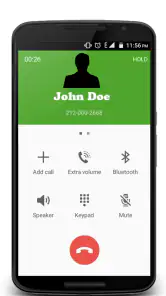
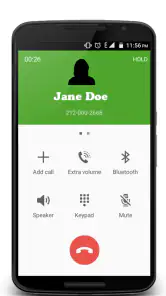
Analysis by Reviewed
Caller id Changer Sec is a free communication app from call game sec that aims to sit between your phone activity and the caller-identification experience. I approached it less like a polished everyday dialer and more like a utility that needs careful testing before it earns a permanent place on a phone. Its store summary, “Caller id Security Buffer,” points toward protection and caller-ID handling, while the short description, “Caller id Changer Sec,” suggests that changing caller-identification details is central to the concept.
That combination makes the app interesting, but it also creates the first practical warning: caller-ID behavior is not controlled by an app alone. The phone, operating system, carrier, call service, and the person receiving the call can all affect what appears. In my experience, this is the kind of tool where a failed result does not automatically mean the app is broken. It may mean that one layer of the calling process did not accept the requested behavior.
My overall view is that this is a specialist utility, not a replacement for a normal phone app. It can appeal to someone who wants to explore caller-ID-related controls and is willing to work through setup carefully. It is a much weaker choice for anyone expecting a one-tap, dependable calling solution with the smoothness of the built-in dialer.
Where the experience usually becomes difficult
The first call can be misleading
The most confusing moment is often the first real test. A user may select an option, place a call, and then see the ordinary caller information instead of the expected result. That can feel like a clear failure, but it is not enough evidence by itself. The receiving phone may use its own contact book, a caller-identification service, or a spam filter, and those systems can display information independently of what the originating device attempts to send.
I recommend starting with a controlled test rather than calling an important contact. Use a second phone that is available to you, make one change at a time, and write down what the receiving screen shows. Test again after returning to the original setting. This simple comparison is more useful than repeatedly changing several controls and trying to guess which one mattered.
Another point that can catch people out is the difference between a setting being accepted inside the app and that setting being visible to another person. The first confirms only that the app registered your action. The second depends on the complete call path. Treat those as separate checks, because confusing them leads to unnecessary reinstalling and repeated attempts.
Why expectations need to stay realistic
Caller-ID tools are often judged against dramatic promises, but real phone networks are not uniform. A receiving device may label a call using information already stored for the number. A carrier may normalize or replace information during routing. A security service may flag an unusual call. None of those outcomes can be solved simply by tapping the same control again.
You May Like

Clash of Clans Is Won Between the Battles

Android Auto Makes the Case for Quieter Car Software

MobiOffice: Transforming Mobile Productivity with Seamless Integration

EA SPORTS FC™ Mobile Soccer: Redefining Mobile Sports Gaming

How Microsoft OneDrive Became a Mobile Productivity Giant

How Google Translate Breaks Language Barriers Effortlessly
This is also why I would not use the app for anything that depends on guaranteed identity presentation. If a client, school, delivery service, or family member must recognize the call correctly, the standard phone dialer and your normal number are safer choices. Caller id Changer Sec is better treated as an experiment or narrow utility than as a dependable identity-management system.
What the rating tells me
The app holds an average rating of 2.8 from around 5K ratings, with 599 written reviews. I do not read that as proof that every installation is troublesome, but it does reinforce the need for realistic expectations and patient testing. The app has passed the threshold of 500K+ installs, so it has attracted a substantial audience, yet popularity does not remove the technical limits of caller-ID systems.
The age classification is Everyone, which makes the presentation broadly accessible. That should not be confused with suitability for every situation. The subject matter involves communication behavior and identity presentation, so responsible use matters even when the app itself is not presented as an adult-only product.
Setup checks that save time
Begin with the phone environment
Before changing anything inside the app, I would check the basics: confirm that the phone can place ordinary calls, verify that the intended SIM or calling account is active, and make sure the device is not already using another dialer or calling service to handle outgoing calls. If a regular call fails, a caller-ID utility is not the right place to begin troubleshooting.
The listed minimum operating system is Android 8.0. That gives the app a relatively broad Android range, but compatibility in practice can still vary between manufacturers and newer system versions. Android settings for default phone applications, background activity, and call handling have changed over time. A menu shown in an older guide may not appear in the same place on a current handset.
I would also restart the phone after installation or after a major configuration change. It is a basic step, but it clears temporary call-service states and makes the next test easier to interpret. If the app behaves differently before and after a restart, that is useful information; it suggests an integration issue rather than a simple mistake in the selected option.
Change one setting at a time
A practical setup routine is deliberately boring. Open the app, note the starting state, make one adjustment, close and reopen it, then perform a short test call. Avoid changing the caller-ID choice, phone defaults, network connection, and contact details all at once. When several variables move together, there is no reliable way to identify the cause of a different result.
Keep the first test short and use a number that belongs to you or someone who has agreed to help. Check both ends: what the calling phone shows before dialing and what the receiving phone displays during the call. If the receiving phone shows a saved contact name, temporarily compare the result with a device that does not have that number stored. That distinction can reveal whether the display is coming from the contact book rather than the call itself.
The most useful setup habit is to record the before-and-after result. A quick note with the selected option, time of test, network used, and receiving-device display can prevent circular troubleshooting. It also tells you whether the behavior is consistent or changes from call to call.
Understand the purchase boundary
The app is free to install, but it includes in-app purchases ranging from $9.99 to $49.99 per item. I would not spend money simply because an initial test did not produce the expected display. First determine whether ordinary calling works, whether the app saves the chosen state, and whether the receiving phone is actually showing network-provided information.
That approach is especially important here because paying for an item cannot guarantee that a carrier or receiving device will honor a caller-ID presentation. If you decide to try a purchase, do it only after the basic workflow makes sense on your device and you understand what you are paying for. A purchase should address a clearly understood need, not serve as a guess at fixing an unexplained failure.
Check the app version without assuming perfection
The current version is 7298. Keeping an app current is generally sensible, particularly for communication tools, but an update is not a universal cure. After updating, repeat the same controlled test rather than changing your entire setup. If the result changes, compare it with your earlier notes. If nothing changes, the limitation may be outside the app.
I also prefer installing from the official app distribution channel and avoiding modified packages that claim to unlock extra behavior. With a communication utility, unofficial versions add uncertainty and can make it impossible to tell whether a problem comes from the app, the phone, or the altered package.
Recovering a workflow that stops working
When the selected option does not remain active
If a choice appears to reset, first close the app normally and reopen it. Then check whether the phone has restricted background activity or automatically stopped the application. The exact menu names differ by manufacturer, so I would use the phone’s own application settings rather than follow a random device-specific guide.
If the state still does not persist, return to the simplest configuration and test a normal outgoing call. This gives you a clean baseline. Only after that baseline works would I try the caller-ID-related workflow again. Reinstalling immediately can erase useful clues and may leave you repeating the same setup mistake.
It is also worth checking whether another communication application has taken over calling duties. A phone may have a default dialer, a work profile, an internet calling service, or a manufacturer security layer that affects outgoing calls. If the app and the phone are not using the same route, the selected behavior may never reach the call service you are testing.
When the receiving phone shows the wrong name
A displayed name is not always a direct reflection of the originating app. The recipient’s contacts, a caller-identification database, and spam-screening software may all influence the result. Ask the recipient what exactly appeared: a saved name, an unknown number, a warning label, or no information. Those are different outcomes and point to different causes.
For a clean comparison, test with a receiver that has not saved the calling number and has caller-identification features configured in a neutral way. Do not ask a large group of people to test at once; different networks and phone models can create conflicting results. One controlled receiver is more informative than several uncontrolled reports.
When calls connect but the result is inconsistent
Inconsistent behavior is often more revealing than a total failure. If one call works and the next does not, note whether the calls used the same SIM, location, network type, and receiving device. A weak signal or a change between mobile data and Wi-Fi calling can alter the route, even when the app interface looks unchanged.
Try a brief pause between configuration and dialing, then repeat the test later without changing the setting. This is not a guarantee, but it separates a temporary network condition from a repeatable configuration problem. If the ordinary dialer remains reliable while the special workflow varies, I would stop escalating the app settings and treat the inconsistency as a system or network limitation.
When reinstalling is justified
Reinstallation makes sense only after simpler checks have failed and you have noted the current configuration. Before removing the app, record the option you selected and any relevant phone defaults. After reinstalling, test the basic call path first, then rebuild the setup one step at a time.
I would not repeatedly uninstall and reinstall after every unsuccessful call. That process rarely fixes carrier-side behavior and can make the review of results harder. A clean reinstall is a reset, not a diagnosis. Use it once when the app’s local state seems corrupted, then evaluate the result with the same controlled test as before.
When the app is not the cause
Carrier and network boundaries
Caller-ID presentation is ultimately connected to telephony infrastructure. The app can request or organize behavior on the device, but it cannot force every network to pass every piece of information unchanged. If calls connect normally yet the displayed identity never changes, the carrier or routing path may be overriding the result.
This is the point where the usual alternative is better: use the standard phone application with the caller-ID setting supplied by the carrier and operating system. That route is less flexible, but it is clearer and normally more predictable. For everyday calls, predictability is worth more than an option that works only under certain conditions.
Recipient-side tools can override what you expect
Modern phones often try to protect the receiver from unwanted calls. A recipient may have a spam filter, a business caller-ID service, or a contact database that assigns its own label. Even if the originating phone behaves exactly as intended, the receiver may present a different description.
This creates an important trade-off: testing only from your own phone is not enough. You need to observe the result on the other side, and ideally on a device that does not already know the number. If the result differs between two receivers, that difference is a strong sign that the receiving environments—not just Caller id Changer Sec—are shaping the outcome.
Privacy and responsible use
Any tool associated with changing caller identification should be used with care. I would never use it to impersonate a person or organization, mislead someone about who is calling, evade accountability, or pressure a recipient. Even where a technical path appears available, the social and legal consequences can be serious.
For legitimate testing, keep the process consent-based and limited to people who understand what you are checking. If your real need is privacy, consider whether a second legitimate number or a carrier-supported calling option would solve the problem more transparently. Those alternatives may be less adventurous, but they avoid confusing the recipient and are usually easier to explain.
Who should choose an alternative
I would steer away from this app if you need reliable business communication, a polished spam-blocking system, contact synchronization, or a full-featured replacement for the phone dialer. A conventional caller-ID service is better when the main goal is identifying incoming calls. A carrier-supported number-management option is better when you need a stable, accountable identity for outgoing calls.
I would also avoid it if you dislike troubleshooting. The app’s communication category may sound simple, but the result depends on several layers. Someone who wants to install an app, grant ordinary access, and have every call behave identically may become frustrated quickly.
Who may find it worthwhile
The best fit is a technically curious Android user who understands that the app is only one part of the calling chain. This person is comfortable testing with a second device, checking phone defaults, comparing receiver-side displays, and stopping when the network becomes the limiting factor. The broad Android support implied by the minimum requirement makes it approachable for older devices, while the current version gives users a defined build to evaluate.
It can also be useful as a narrow testing tool when you want to understand how caller-ID information is handled across different phones. That use is more realistic than expecting it to transform the entire calling experience. The value comes from controlled experimentation, not from assuming that one setting overrides every external system.
My practical verdict after weighing the trade-offs
Caller id Changer Sec is a free app with a very specific appeal. It explores caller-ID handling in a way that may interest users who want more control than the ordinary dialer offers. Its large install base shows that the idea has attracted attention, but the modest average rating also matches my central impression: the experience can be difficult to interpret, and success depends heavily on the phone, network, and receiving device.
I like the possibility of testing a focused communication workflow without replacing the whole phone system. I also appreciate that a careful user can learn something from comparing the calling and receiving sides. The strongest practical insight is that troubleshooting must follow the call path, not just the app screen. Check the phone, test one setting, observe the receiver, and only then decide whether the app is responsible.
My reservation is that the app’s name and descriptions can encourage expectations that the app alone controls caller identity. It does not make sense to judge it as a guaranteed solution for important calls. The in-app purchase range makes restraint even more important: establish a repeatable, legitimate use case before considering any paid item, and never assume payment can bypass carrier or recipient-side restrictions.
For a friend, I would recommend trying it only with a spare or secondary test setup, using consent and a controlled receiver. I would not recommend relying on it for work, emergencies, customer contact, or any situation where the other person must know exactly who is calling. If you are patient and curious, it may be worth exploring. If you want dependable communication with minimal friction, the standard dialer or a carrier-supported alternative is the better choice.
Caller id Changer Sec Frequently Asked Questions
Is Caller id Changer Sec compatible with my Android device?
Caller id Changer Sec is listed for Android devices running version 8.0 or later, so checking your phone’s software version before downloading is a sensible first step. It is a communication app, and its calling features can also depend on your carrier, location, and the method used to place calls. Compatibility with Android alone does not guarantee that every feature will work on your network.
How much does Caller id Changer Sec cost, and are there in-app purchases?
Caller id Changer Sec is free to download, with in-app purchases listed from $9.99 to $49.99 per item. Those purchases may affect access to particular features, so review the purchase details shown in the app before confirming anything. The app is rated for Everyone, but that content rating does not describe its pricing or the way its calling features work.
What is Caller id Changer Sec and what does it do?
Caller id Changer Sec is an app designed to modify the caller ID information displayed during outgoing calls, depending on your device, carrier, and supported calling method. It may be useful for privacy, testing, or entertainment purposes, but its actual capabilities can vary considerably by country and network. Before downloading, check the app description carefully because changing caller ID is not universally supported by mobile operators.
Can Caller id Changer Sec really change my phone number when I call someone?
The app may not be able to change your caller ID directly through a standard cellular call. In many cases, these services rely on internet calling, a third-party provider, or a virtual number rather than altering the number assigned to your SIM card. Results depend on carrier restrictions, regional regulations, account setup, and the recipient’s network. Test the available features responsibly and do not assume every call will display the selected identity.
Is Caller id Changer Sec safe and legal to use?
Safety and legality depend on how the app is used. Caller ID spoofing can be restricted or prohibited in some countries, especially when it is used for fraud, harassment, impersonation, or hiding the identity of a caller. Avoid using the app to mislead people, contact emergency services, or imitate businesses and individuals. Review the requested permissions, privacy policy, developer information, and local telecommunications laws before using it.
Pros
- Quickly changes the caller ID displayed during supported calls.
- Simple interface that is easy to navigate for first-time users.
- Useful for separating personal and business calling identities.
- May support multiple caller ID profiles for different situations.
- Lightweight design with minimal impact on device storage.
Cons
- Caller ID changes may depend on carrier and regional network support.
- Some features may require in-app purchases or a subscription.
- Results can vary when calling landlines or users on other networks.
- Incorrect use may confuse recipients or raise trust concerns.
- Privacy policies should be checked before granting calling permissions.

- Category
- Communication
- Version
- 7298











