Burner: Second Phone Number
- 16.91K
- 4.3
- Installs
- 5.00M
- Price
- Free
Screenshots
Analysis by Reviewed
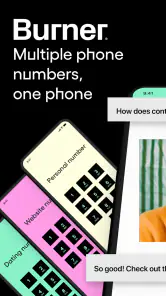
In a household, one phone number can end up serving a surprising number of roles: family calls, marketplace listings, side work, and appointments. I find that arrangement convenient until an unfamiliar contact starts reaching the same number as everyone I know. Burner: Second Phone Number gives you another line to use for calls and messages, which can help keep one kind of conversation apart from the rest. The important question for a shared home is not just whether a second line is useful, but who will manage it and what happens when its original purpose is over.
One household, separate conversations
Imagine you list a bicycle for sale on Craigslist. Interested buyers need to ask questions and perhaps exchange pictures, but you do not want every later call landing on the number relatives and close friends already use. A second line gives that transaction its own point of contact. Once the sale is over, you can decide whether that line still serves a purpose. That boundary can be handy for a side business or a volunteer commitment, too, where the aim is to keep incoming messages from taking over your everyday number.
In a shared-device household, though, a second number is not the same thing as a shared family inbox. I would treat it as a line assigned to a particular person or purpose, not as an automatic coordination tool for everyone at home. Agree in advance who will answer, which conversations belong on that line, and who is allowed to access the phone. That small conversation helps prevent a buyer, client, or date from receiving an unexpected reply from another household member.
Set boundaries before you hand out the number
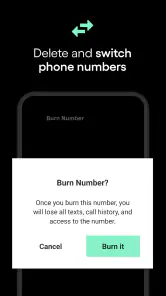
My practical tip is to choose one job for each number before sharing it. Keep a line for marketplace exchanges separate from a work or dating contact, rather than giving one number to every unfamiliar person you encounter. That makes it easier to recognize why someone is reaching out and decide whether the conversation still belongs there. If circumstances change or a number no longer feels appropriate, the ability to burn it offers a clear way to stop using that contact point.
That convenience is not a promise of complete anonymity or a substitute for careful judgment. A separate number can reduce how often you disclose your everyday one, but it cannot make a stranger trustworthy or prevent you from sharing identifying details in a conversation. I would still avoid sending sensitive information to someone I do not know, and I would not use a second line as a reason to ignore basic safety when meeting a buyer or date. It is a boundary tool, not a force field.
Why You Might Need It
For a household, the value of an extra line is often less about having more phone features and more about deciding where a conversation belongs. I would use it when a temporary contact needs a way to call or send a picture, but does not need my everyday number. It is a narrower purpose than replacing a regular mobile plan, and that distinction helps set sensible expectations from the start.
A realistic routine might look like this: I post a used table for sale, use the separate number for questions, and check those messages when I have time to arrange pickup. If a roommate helps with the sale, we agree that they can answer practical questions but should not use the number for unrelated conversations. After the handoff, I can decide whether the contact point is still useful or whether the transaction is finished. The benefit is a cleaner boundary; the trade-off is remembering to check another place for replies.
You May Like

Clash of Clans Is Won Between the Battles

Android Auto Makes the Case for Quieter Car Software

MobiOffice: Transforming Mobile Productivity with Seamless Integration

EA SPORTS FC™ Mobile Soccer: Redefining Mobile Sports Gaming

How Microsoft OneDrive Became a Mobile Productivity Giant

How Google Translate Breaks Language Barriers Effortlessly
Features That Stand Out
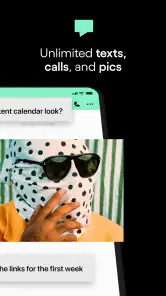
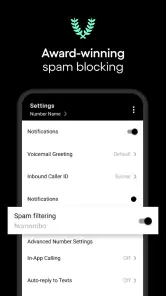
One of the coolest features is the ability to customize your voicemail. You can set up different greetings for different numbers, which is super handy if you’re juggling work and personal calls. Plus, the app supports MMS, so you can send and receive pictures without a hitch.
For coordination, I’d make the voicemail greeting do some quiet work: name the purpose of the line and set a realistic expectation for when you’ll respond. If you use auto-replies, keep the message neutral and avoid promising an exact callback time you may not meet. These small choices are especially useful when a household member helps monitor a line; a clear greeting gives callers context without requiring anyone to explain the arrangement each time.
The key trade-off is that separate numbers create organization only if you maintain it. If you hand out several lines and forget which one went to which conversation, the extra boundary can become extra housekeeping. I’d keep a private note of each number’s purpose and review it before replying, especially when a buyer sends a picture or a work contact calls outside usual hours. If all you need is one extra contact point, starting with a single line is likely less confusing than dividing every activity at once.
Another sweet feature is the auto-reply option. If you’re busy or just don’t feel like talking, you can set automatic responses to let people know you’ll get back to them. It’s like having your own personal assistant — minus the salary.
There is also a useful distinction between using a second number as a contact boundary and using it as an identity boundary. It can keep your main number out of a particular exchange, but people may still learn who you are from what you say, where you meet, or details in a photo. I would avoid treating the extra line as a guarantee that a conversation cannot be connected back to me. For a sale or a short project, it is best understood as a way to manage contact, not as a promise of invisibility.
Keeping Things Secure
Security is a big deal, and Burner takes it seriously. The app doesn’t share your data, and you can burn any number instantly if you feel it’s been compromised. This means you can use the app without worrying about your privacy being invaded. It’s a little peace of mind in an otherwise chaotic digital landscape.
I would still distinguish between ending a number and resolving every loose end attached to it. Before retiring a line, consider whether an ongoing buyer, client, or service provider still needs to reach you, and move any important conversation to a contact method you intend to keep. If you use the number for account sign-ups, check which accounts rely on it before letting it go; losing access to a contact route can make later account recovery awkward. That simple check is more useful than treating “burn” as a button to press in a rush.
That account check matters most when a household member has been helping with sign-ups or correspondence. Before closing a line, I would ask whether any continuing service, appointment, or pending exchange still depends on it, then make sure the person responsible for those arrangements knows the contact method is changing. This is not a reason to keep a number indefinitely; it is a reminder that a clean break works best when the conversations attached to it have actually reached a natural end.
Ease of Use
The user interface is intuitive and straightforward. You don’t need to be a tech guru to navigate through the app. Everything is laid out in a way that makes sense, right from the get-go. It’s as if the app designers knew exactly what we needed and delivered it with a bow on top.
Burner is a communication app from Ad Hoc Labs, Inc. It is free to install, though in-app purchases range from $1.99 to $269.99 per item, so I would check the purchase options carefully before relying on a line for an ongoing need. Its 4.3 average from around 77,000 ratings and more than 5 million installs suggest a substantial audience, but popularity does not tell you whether its paid options fit your own use. The app is rated for Everyone, and it was released on April 10, 2013; version 6.14.2.2942.12895340 requires Android 10 or later.
Before choosing it for a household arrangement, I would decide whether one person or several will be responsible for the line. On a shared phone, simply having the app available does not make the number a shared service with agreed roles. A practical arrangement is to name one person as the point of contact and tell other household members what kinds of messages they may handle. If several people need to respond independently, a line managed through one person’s app may be less convenient than a communication setup designed around the whole group.
Compared with using your regular mobile number, Burner’s main appeal is a separation between conversations, with voicemail choices, picture messaging, and auto-replies supporting that extra line. A free messaging account or a second SIM may suit someone who needs a different kind of separation, but those alternatives can involve different account or device arrangements. I would choose this app when I specifically want another number managed through an app; if I need a permanent line for family members to share or a dependable business contact that must remain unchanged, I would first weigh the ongoing purchase options and who will manage it.
The alternatives serve different needs. A second SIM can be a better fit if I want another line tied to a separate SIM arrangement, while a free messaging account may work for someone whose contacts already use that service and who does not need the same kind of phone-number separation. Keeping everything on a personal number is simpler and costs no extra effort, but it gives up the boundary that makes a secondary line appealing. I would compare these options by asking whether I need another number, whether I need other people in the household to manage it, and how long I expect to keep it.
For a one-off marketplace listing, ease of ending the contact point may matter more than having a number that stays unchanged for years. For a business or service that customers must reach over the long term, continuity matters more, so I would be cautious about choosing a line I might later retire. In that case, a stable business contact arrangement may be the better choice. The app makes most sense when the purpose is defined and the user is comfortable keeping track of the number and its ongoing cost.
For younger household members, I would not treat an Everyone content rating as a substitute for an adult’s judgment about whether the service is appropriate. The app does not turn a shared phone into a supervised family line, so I’d agree on who controls the number, what it will be used for, and what kinds of messages should be brought to an adult. For a child who simply needs to coordinate with family, the household’s usual calling or messaging arrangement may be clearer. Burner makes more sense when an older teen or adult has a specific reason to keep a contact boundary, and everyone involved understands that boundary.
That age distinction is especially important if a young person asks for a second number to manage messages from people the family does not know. I would first talk through the reason for wanting the boundary and agree on how the number will be used, rather than assuming a separate line by itself provides supervision. For a household goal like arranging rides, checking in, or coordinating chores, the established family communication method is usually easier to understand. A second number is more appropriate when the person using it can manage the conversations and the household has a clear, shared understanding of its purpose.
In conclusion, if you’re in the market for a secondary phone number, Burner is definitely worth considering. It’s packed with features that make managing multiple numbers a breeze, and its commitment to privacy is commendable. So why not give it a try? After all, who doesn’t need a little extra privacy these days?
My household verdict
I’d recommend it to adults who regularly share a contact number with unfamiliar people for sales, dating, or side work and want a practical way to keep those exchanges apart from personal calls. I’d skip it if the goal is a family-wide line with shared oversight, if nobody wants to keep track of which number serves which purpose, or if a free, permanent contact route is essential. Used deliberately, it can make household coordination tidier; used casually, it can add another inbox to manage. That difference is what would decide it for me.
My final check before installing would be simple: identify the person who will own the line, choose one clear use for it, and decide how you will handle unfinished conversations if you stop using it. That makes it easier to judge whether the extra separation is worth the added management and possible purchases. For a short-lived exchange or a personal side project, that balance can make sense. For a household that wants one shared number everyone can freely access, I would choose a different arrangement.
Burner: Second Phone Number Frequently Asked Questions
Can I use Burner for work and personal communications at the same time?
Burner is designed to provide a second phone number for calling, texting, and picture messages, so it can help keep work conversations separate from your personal line. You can also use a separate number for activities such as online sales or dating. Think about how you want to organize your communications before downloading, and check the app’s purchase options if you expect to maintain more than one number.
Does Burner support picture messages as well as calls and texts?
Yes. Burner’s purpose includes calling, texting, and picture messages through a second phone number. That makes it useful when a conversation involves more than standard text, such as sharing an image while arranging a sale. If picture messaging is important to your intended use, consider how often you expect to use the number and review the available in-app options before relying on it for ongoing communication.
Is Burner: Second Phone Number free to download and use?
Burner is free to download, and its core idea is to give you a second line for calling, texting, and picture messages. Some features or continued use may involve in-app purchases, so check the options shown in the app before choosing a plan. That helps you decide whether its costs fit how often you expect to use a separate number.
Who develops Burner, and what devices can install it?
Burner is a communication app developed by Ad Hoc Labs, Inc. It is available for Android and iOS, with the minimum operating system requirement listed as version 10. Before downloading, check that your device meets that requirement and has enough space for the installation. The app is rated for Everyone, making it suitable for a general audience.
What is Burner: Second Phone Number used for?
Burner is an app designed to provide users with a second phone number that can be used for calling, texting, and picture messaging. It is ideal for those who want to separate personal life from work or business communications without needing a second phone. Users can maintain their privacy by using a disposable number for various purposes like selling items online, dating, or any situation where they prefer not to share their private number.
Pros
- Easy to use interface.
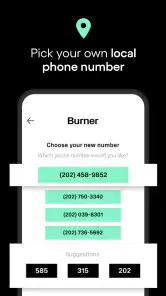
- Quick setup for new numbers.
- Affordable pricing plans.
- Reliable call and text quality.
- Supports multiple numbers.
Cons
- Limited free trial period.
- Occasional app crashes.
- Ads in free version.
- Requires internet connection.
- Limited customer support.
- Category
- Communication
- Version
- 6.14.2.2942.12895340











