Breitbart
- 2.94K
- 3.7
- Installs
- 500.00K
- Price
- Free

Screenshots
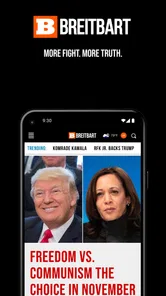
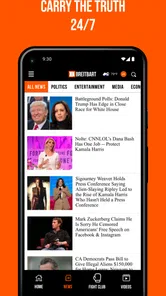


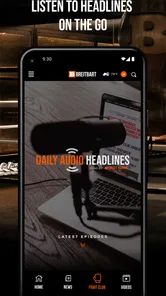

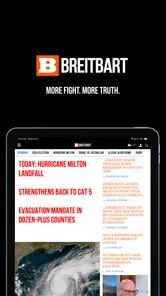
Analysis by Reviewed
I would treat a shared phone as a place to check headlines, not as a shared editorial space. One person might open Breitbart over breakfast to follow political coverage, while another later uses the same device for a quick look at culture or sports. That can work, but the app’s strong point of view means household members may come away with very different reactions to the same article. I’d make that expectation clear before treating its feed as a common source of news.
Keeping a shared device comfortable for everyone
Breitbart is free, and the Android app is published by Breitbart News Network. Its low-friction access makes it easy for someone in the household to try without a purchase decision, but I would still keep the device’s general boundaries in mind: a shared screen can expose headlines, comments, and video content to whoever picks it up. If one person wants a quieter experience, checking the app privately or agreeing on when notifications are welcome can prevent small annoyances.
For a practical routine, I’d use the app to open a story that caught my eye, then leave discussion threads for a time when I can read them deliberately. That distinction matters on a shared device: the headline feed is quick to scan, while comments can turn a short check-in into a longer and more heated session. The app is more useful when each reader knows whether they are browsing headlines, researching a topic, or joining a debate.
There is also a simple handoff issue that is easy to overlook. If one person leaves an article open, the next reader may inherit that exact story rather than arriving at a neutral starting point. On a phone passed around the kitchen, I’d close the article when finished and let the next person choose what to read. It is a small courtesy, but it keeps one person’s browsing from quietly steering everyone else’s session.
Who should read it, and how to build context
The app makes most sense for readers who specifically want Breitbart’s editorial perspective and are comfortable comparing it with reporting from other outlets. If I were trying to understand a developing story rather than follow one publication’s framing, I would check the same event elsewhere as well. That is not extra work for its own sake: it helps separate the underlying event from the interpretation and emphasis each source brings.
For that reason, I would not make it the only news app on a household phone. A broad news aggregator may be a better first stop for someone who wants to scan many publishers in one place; a public broadcaster or a newspaper app may suit readers looking for a different editorial approach. Breitbart is a more focused choice, not a neutral overview of the whole news cycle. Its Teen content rating is also worth considering when deciding whether the app belongs on a device used by younger readers.
When I compare it with those alternatives, I think about the job I need done rather than which app looks busiest. An aggregator is handy when I want several publishers’ headlines side by side, but that breadth can make it harder to follow one outlet’s continuing coverage. A single-publication app gives me a clearer sense of that publisher’s priorities and framing, but I have to make a separate effort to check other perspectives. Breitbart fits the second pattern, so I’d use it as a deliberate source rather than as my entire morning briefing.
More From Our News Desk

Weather by Xiaomi Review: Clear at a Glance, Less Clear Up Close

X Under Pressure: Can It Recover When Posting Goes Wrong?

Clash of Clans Is Won Between the Battles

Android Auto Makes the Case for Quieter Car Software

MobiOffice: Transforming Mobile Productivity with Seamless Integration

EA SPORTS FC™ Mobile Soccer: Redefining Mobile Sports Gaming
A useful way to read a contentious story is to note the basic claim before reacting to the headline, then compare the article’s evidence and wording with another account of the same event. I would especially do this when a story is moving quickly or when a headline is likely to provoke an immediate response. That habit doesn’t require turning every news check into a research project; even a brief second look can show which details are shared and where the accounts diverge.
What to expect from the app today
The app has been available since October 9, 2013, and its current Android version is 4.27.1, with Android 7.0 as the minimum operating system. It has a 3.2 average from around six thousand ratings, alongside roughly 2.9 thousand written reviews, and has passed half a million installs. I read those figures as signs of a well-established but mixed reception, not as a substitute for deciding whether its viewpoint suits me.
One useful habit is to treat notifications as prompts rather than as a complete briefing. An alert can tell me there is a new development to inspect, but it does not give enough context to judge a complicated story. If I’m busy, I save the question in my mind and return when I can read the article alongside other coverage. That keeps breaking-news urgency from setting the tone for the rest of my day.
On a shared device, I’d also separate personal attention from household coordination. If an alert matters to someone else, I can mention the topic in conversation rather than assume the other person has seen the same notification. Notifications are useful reminders, but they are not a reliable shared calendar of what everyone in the home has read. That distinction avoids duplicate checks and, more importantly, avoids treating an alert as proof that a story has been fully understood.
Breitbart is a popular news app that offers a unique blend of political commentary, breaking news, and cultural coverage. As a self-proclaimed alternative to mainstream media outlets, it has carved out a niche for itself by appealing to a specific audience that values its distinct perspective. In this review, I’ll take you through the app’s features, ease of use, and overall experience.
The User Interface: A Mixed Bag
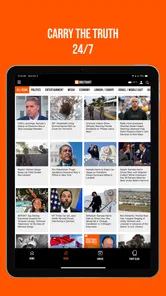
When I first opened the Breitbart app, I was greeted with a straightforward layout. The home screen prominently displays the latest headlines, making it easy to catch up on current events. However, the user interface is somewhat cluttered, which can be overwhelming for new users. The navigation tabs at the bottom offer quick access to various sections like politics, sports, and entertainment, but the design could benefit from a cleaner, more modern aesthetic.
Despite these initial impressions, I found the app to be functional. Articles load quickly, and the app’s performance is generally smooth, even when switching between sections. If you’re someone who appreciates substance over style, the Breitbart app gets the job done efficiently.
That clutter has a practical consequence when I’m only trying to check one item quickly: it can take a moment to distinguish the story I came for from the surrounding headlines and material. I’d open the app with a specific purpose—such as checking a developing report or browsing a section—rather than tapping around without a plan. This makes the layout easier to manage and reduces the chance of losing track of why I picked up the phone.
For a newcomer, I’d spend the first session learning where the main sections sit before relying on quick navigation later. That small orientation step matters because a reader who wants politics may have a different routine from someone checking entertainment or sports. The app’s direct, publication-centered approach is convenient once I know where to go, though it is less suited to people who expect a highly configurable front page that assembles every source around their interests.
Content and Features: Diving Deep into the News
The app’s real strength lies in its content. Breitbart is known for its hard-hitting political coverage, and the app delivers this in spades. The articles are well-researched and provide a perspective that is often missing from traditional news outlets. Whether you agree with their views or not, there’s no denying the depth of information available within the app.
In addition to written articles, the app includes multimedia content such as videos and podcasts. This variety allows users to engage with the news in different ways, making it a versatile tool for staying informed. The comment section under each article is also a notable feature, offering a platform for lively discussions among readers.
I find the mix of formats useful when I want to choose how much attention a topic gets. Reading suits a quiet moment when I can follow a longer argument; video or audio can work when I’m not in a position to read closely. I would not treat the formats as interchangeable, though. If I need to check a precise claim or revisit the reasoning behind a report, written coverage is easier for me to scan and compare than a spoken segment.
The comments are best approached as reader reaction, not as a shortcut to verifying an article. I’d read them after the report itself, and only if I have time to separate useful questions from heated responses. On a family or shared tablet, that order also helps: the article can be discussed on its own terms before a thread pulls the conversation toward the loudest opinions. Anyone who dislikes open-ended debate can simply focus on the reporting and skip that part of the experience.
For a weekday routine, I might check a headline while waiting for coffee, mark the question it raises, and return later for a fuller read. If the topic affects a decision or a conversation at home, I’d then compare coverage elsewhere instead of forwarding a headline as if it were a complete account. This is where a focused outlet can be valuable: it gives me one editorial lens to examine. The trade-off is that the reader must supply the broader comparison themselves.
Personal Experience: A Niche Perspective
As I delved deeper into the app, I found that its content resonated most with those who share its ideological leanings. This isn’t necessarily a drawback; in fact, it’s part of what makes the app appealing to its core audience. However, it’s worth noting that the app may not be for everyone, especially if you’re looking for a more balanced news source.
One aspect I appreciated was the app’s push notification system. You can customize alerts to stay updated on specific topics of interest, ensuring you never miss out on important updates.
I would be selective about alerts on a phone several people use. A topic-specific notification can be useful if I follow a story closely, but frequent interruptions are a poor fit for someone who only wants occasional headlines. I’d start with the few subjects I genuinely need to track, then adjust the routine if the alerts become noise. On a shared device, agreeing who is responsible for changing those choices prevents one person’s preferences from becoming everyone’s default.
That is also a sensible boundary for account expectations: I would not assume that a shared installation represents a shared reading profile or a shared set of preferences. Each household member can bring a different reason for opening the app, and the practical approach is to communicate about device use rather than presume the app will coordinate those habits. For private reading, using a personal device is the clearer option; for a common phone, keeping the session brief and closing it afterward is considerate.
The audience fit is fairly specific. I’d recommend trying it to a reader who wants this publication’s particular take, follows its coverage already, or wants to compare its framing with other reporting. I’d steer away someone who wants one app to provide a neutral, comprehensive digest, or who finds strongly argued political coverage tiring. Neither choice is a flaw in the reader; it is simply a question of whether this outlet matches the task and temperament.
The Teen rating is a useful household cue, but I would treat it as one part of a parent’s own decision rather than a complete guide to every story or discussion. Younger readers may need context about how commentary differs from straightforward reporting and why a second source can matter. If the phone is regularly passed among adults and teenagers, I’d talk about those expectations openly instead of assuming that a rating alone settles what is appropriate for everyone.
Overall, the Breitbart app offers a comprehensive package for news enthusiasts who prefer an alternative viewpoint. While the design could use a facelift, the content is compelling enough to keep users engaged. If you’re curious about exploring news from a different angle, give this app a try. It might just broaden your horizons and introduce you to perspectives you hadn’t considered before.
My household verdict
For a household, I’d use Breitbart as an optional, individual reading choice rather than a common authority or a shared briefing system. It can fit a routine where one adult wants its political and cultural coverage, another checks it occasionally, and everyone understands that other sources are needed for a wider view. Its free access lowers the barrier to trying it, while its distinct editorial voice makes a little reader judgment essential.
If you want to decide whether it belongs on your own phone, start with the reason you want it: following this outlet’s perspective, checking its coverage against another source, or browsing its mix of articles and multimedia. If your main need is broad aggregation or a publication with a different editorial approach, another news app is likely a better everyday starting point. I’d keep it when that focused perspective adds something useful to my reading, and leave it off a shared device if its content or notifications would create more friction than value.
Breitbart Frequently Asked Questions
Is the Breitbart app free to download, and what does it offer?
Breitbart is a free news app from Breitbart News Network. Its Android app is described as offering easy access to breaking news, while the app’s broader purpose is to bring news and opinion content to mobile users. It may suit readers who want to follow Breitbart’s coverage on their devices without paying a download price.
What is Breitbart and what type of content does it offer?
Breitbart is a news and opinion website that provides a variety of content ranging from political news, economic updates, cultural articles, to opinion pieces. Known for its conservative stance, the platform offers an alternative perspective to mainstream media. It covers global headlines and often focuses on topics that resonate with conservative audiences. The app version of Breitbart allows users to access these articles on the go, offering features like notifications for breaking news and the ability to share articles directly from the app.
Is the Breitbart app available for both Android and iOS devices?
Yes, the Breitbart app is available for download on both Android and iOS platforms. Users can easily find it on the Google Play Store for Android devices and the Apple App Store for iOS devices. The app is designed to be user-friendly, making it easy for users to navigate through articles, videos, and other media content. Regular updates ensure that the app remains compatible with the latest operating systems and provides a seamless user experience.
Does the Breitbart app require a subscription or any in-app purchases?
The Breitbart app is free to download and use, providing users with access to a wide range of articles and media content without the need for a subscription. However, users should be aware that the app may contain ads, as these help support the platform. There are no hidden in-app purchases required to access additional content, ensuring that all users have equal access to the information and news provided.
How can I customize my news feed on the Breitbart app?
Users can customize their news feed on the Breitbart app by selecting their preferred categories and topics. The app offers a personalized experience by allowing users to follow specific sections such as politics, economy, or culture. Additionally, users can enable or disable notifications for breaking news and updates on topics they are most interested in. This ensures that users receive the most relevant news updates according to their preferences.
Pros
- Easy access to conservative news
- User-friendly interface
- Regularly updated content
- Variety of news categories
- Available on both Android and iOS
Cons
- Biased political perspective
- Ads can be intrusive
- Limited international news
- Requires internet connection
- Occasional app crashes











