Blazing: Ignite Your Love Life
- 5.65K
- 4.2
- Installs
- 1.00M
- Price
- Free

Screenshots






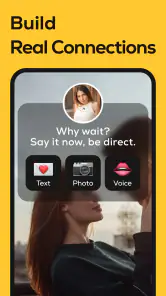

Analysis by Reviewed
I’d approach Blazing: Ignite Your Love Life as a social communication app for adults, not as a substitute for a direct conversation with a partner. That distinction matters: anything you share in a social setting can feel personal, so I’d take a moment to decide what I’m comfortable putting out there before joining in. The app is free to start, but purchases are available, and it carries a Mature 17+ rating. Those details make it worth thinking about both spending and privacy from the outset.
Trust Starts with What You Choose to Share
For me, trust in a social app is not a vague feeling created by colorful screens. It comes down to practical questions: what choices appear while I set up an account, what the app asks to access on my phone, and whether I can control how I take part. I’d look at those details before treating a conversation or profile as private. A mature audience rating is a reminder that the subject matter is intended for adults, not proof that every interaction will be suitable for every person.
I’d also separate the app’s relationship-oriented purpose from the level of intimacy I’m willing to bring to it. A prompt about dating preferences can be useful without turning into a confession. My rule would be to share only what I would be comfortable having attached to my account or seen in the context of a social space. If a question feels too personal, skipping it is a perfectly reasonable way to use the app.
First Impressions
When I first downloaded Blazing: Ignite Your Love Life, I was greeted with a sleek and vibrant interface. It’s got this intuitive vibe that makes navigation a breeze. You know those apps where you’re just lost within seconds? Thankfully, this isn’t one of them. The onboarding process is smooth, almost like a gentle nudge into a world of possibilities.
Features That Caught My Eye
Now, let’s dive into some of the features that really stood out. First off, the app offers personalized suggestions based on your preferences. It’s like having a personal love guru in your pocket. Whether you’re into adventurous dates or cozy nights in, it’s got you covered with suggestions that feel just right.
Another cool thing is the interactive quizzes. These aren’t your typical “What’s your spirit animal?” kind of quizzes. They’re designed to really get you thinking about what you want in your love life and how you can achieve it. Plus, they’re fun and engaging, which is always a win in my book.
Using It Without Oversharing
Those preference-based suggestions and quizzes are most useful when I treat them as prompts, not instructions. For example, I might try a quiz during a quiet moment, then use one answer to start a more specific conversation with my partner later. That keeps the app’s reflective side practical without expecting it to resolve a real relationship question on its own.
You May Like

Clash of Clans Is Won Between the Battles

Android Auto Makes the Case for Quieter Car Software

MobiOffice: Transforming Mobile Productivity with Seamless Integration

EA SPORTS FC™ Mobile Soccer: Redefining Mobile Sports Gaming

How Microsoft OneDrive Became a Mobile Productivity Giant

How Google Translate Breaks Language Barriers Effortlessly
I’d also avoid putting identifying or deeply personal details into any social conversation unless I’m comfortable with the audience seeing them. The app is aimed at adults, but that doesn’t make every interaction private by default. Before sharing, I’d check the choices the app presents around account visibility and communication, and review the permissions requested on my device rather than assuming they are necessary.
Choices That Keep the Experience in Your Hands
A useful way to explore a relationship app is to treat each activity as optional, rather than as a test with a right answer. I’d answer a quiz at my own pace, pause if it starts to feel too revealing, and consider whether a suggestion fits my actual situation before acting on it. That approach matters especially when a prompt touches on boundaries or expectations: an app can help me put a thought into words, but I’m still the person who decides whether and how to discuss it.
When I’m checking an app’s account controls, I prefer to do it before posting rather than after I have shared something I regret. I’d look through the account and communication options that are visible, and make a separate pass through the phone’s permission settings. If an access request does not make sense for the way I plan to use the app, I’d stop and consider whether I need that function at all. These are simple habits, but they make it easier to use a social product without treating every default as a commitment.
What’s the Catch?
Okay, so not everything is rainbows and butterflies. While the app is generally free, there are some premium features that require a subscription. If you’re not willing to shell out a few bucks, you might feel a bit limited. But honestly, the free version offers plenty to play around with, so you’re not missing out too much.
It’s worth keeping the purchase model in mind before tapping through an upgrade screen: in-app purchases range from under a dollar to close to a hundred dollars per item. I’d use the free experience first and only pay if a specific option clearly adds value for me. That’s a sensible approach for any social app, especially when the appeal depends on whether its suggestions and community suit your own tastes.
When a Purchase Is Actually Worth Considering
I wouldn’t pay simply because an upgrade prompt appears while I’m enjoying a quiz or browsing suggestions. I’d first ask myself whether I have used the free parts enough to know what I want more of, and whether the purchase solves a real frustration rather than promising a general improvement. If I can’t name the specific benefit, waiting is the better choice. That is particularly true for an app whose value depends on personal fit: a feature that seems appealing in theory may not change how often I open it.
There’s also a practical difference between trying an app briefly and building it into a routine. A short trial period lets me learn whether the prompts lead to conversations I actually want to have, while keeping spending decisions separate from the novelty of a new download. I’d be careful to read each in-app purchase screen before confirming anything and to use the device’s purchase controls if I share a phone or payment method with someone else.
Where It Fits in a Daily Routine
A realistic use case is a couple trying to break out of the same dinner-and-screen routine. One person can explore a suggestion, bring a couple of ideas to the other, and decide together what sounds comfortable and affordable. The useful part is having a starting point; the trade-off is that a recommendation still needs to fit both people’s schedules, boundaries, and budget.
Compared with ordinary messaging apps, this is more focused on relationship-oriented prompts and social discovery than on keeping up with friends and family. Compared with simply searching the web for date ideas, its quizzes and personalized suggestions offer a more guided route. But if I wanted private one-to-one communication, dependable contact with people I already know, or no social discovery at all, a standard messenger would be the better fit.
A Small, Practical Way to Try It
If I were fitting it into a busy day, I’d open it when I had a few unhurried minutes rather than while rushing between tasks. I could complete one quiz or look at a suggestion, then save the useful thought for a later conversation instead of trying to turn every prompt into an immediate plan. That gives me time to decide whether the idea suits me, and it avoids making a partner feel as if an app is setting an agenda for the relationship.
For a couple, I’d make the activity collaborative: each person can say what they like or would change about an idea before committing time or money. For someone single, the same reflective exercise can help clarify personal preferences without treating a suggested answer as a rule for dating. In both cases, the meaningful outcome is a clearer conversation, not simply completing more activities inside the app.
Who Will Get the Most from It?
I can see it suiting adults who are curious about their relationship habits, enjoy short interactive activities, and are comfortable exploring a social app. Singles may find the prompts useful for clarifying what they want, while couples can use them as conversation starters. I’d skip it if I were looking for professional relationship counseling, a plain messaging tool, or an app with no paid extras. A quiz can help someone reflect, but it shouldn’t be treated as expert advice or a verdict on a relationship.
If you’re deciding whether to keep using it, I’d give the free parts a fair try, notice whether the suggestions actually lead to conversations you value, and check your account and device settings before sharing more. The developer is Yala Yala Technology Company Limitetd. The app has a 4.2 average from around 40,000 ratings and has been installed over a million times; it’s free to download, with optional purchases. It first appeared in May 2023, and version 1.4.3 requires Android 8.0 or later.
Situations Where I’d Choose Something Else
I would not choose this as my main way to keep in touch with a partner. A familiar messenger is more direct for everyday plans, personal messages, and conversations where both people already know who is involved. I’d also look elsewhere if I needed structured professional support, because quizzes and social prompts are not a replacement for qualified help. And if I prefer not to participate in social discovery, the central appeal may simply be a poor match, even if I like the idea of relationship reflection.
It is also worth remembering that a suggestion can be charming in the abstract and impractical in real life. A plan might not fit a shift schedule, mobility needs, childcare, budget, or one person’s comfort level. I’d use the app to widen the conversation, then adapt or ignore the idea without guilt. That flexibility is more useful than following a recommendation just because it was personalized.
Why You Should Give It a Go
If you’re someone who’s looking to add a spark to your relationship or even if you’re single and ready to mingle, it could be a game-changer. It’s got this unique blend of fun and practicality that makes exploring your love life feel like an adventure rather than a chore.
Plus, the community aspect – connecting with others who are also looking to ignite their love life – adds another layer of excitement. It’s like being part of a club where everyone’s on the same journey, sharing tips and experiences.
A Cautious Verdict
My recommendation is to try it with clear expectations: use the interactive side for ideas and reflection, and make your own decisions about what to share, what to act on, and whether anything merits a purchase. Its strongest fit is for adults who enjoy relationship-focused prompts and are open to a social setting. Its weaker fit is for anyone who wants private messaging only, formal advice, or a tool with no paid options.
I’d also let my experience guide whether it earns a place in my routine. If a quiz gives me a useful way to raise a topic or a suggestion helps me and someone else plan something we both want, that is meaningful value. If I find myself browsing without learning anything or feeling pressured to reveal more than I want, I’d step back. Being able to stop, adjust how I participate, or choose a different kind of app is part of using it thoughtfully.
In a nutshell, if you’re ready to embrace a little change and adventure in your love life, give it a whirl. Who knows? It might just be the spark you’ve been looking for!
Blazing: Ignite Your Love Life Frequently Asked Questions
Do I need to create a profile to use Blazing: Ignite Your Love Life?
Blazing is built around social and dating connections, so a profile is likely to be an important part of how you introduce yourself and interact with other users. Think about what you are comfortable sharing before joining, and keep personal details limited to what you want others to see. A thoughtful profile can help set expectations for conversations.
Can I control who contacts me on Blazing: Ignite Your Love Life?
Blazing is a communication app focused on connecting people, so interactions with other users are central to the experience. Before downloading, consider whether you are comfortable starting conversations and receiving messages in a dating-oriented setting. Review the app’s available controls and settings as you use it, and use care when deciding which conversations to continue.
Is Blazing: Ignite Your Love Life suitable for everyone?
Blazing is a communication app with a Mature 17+ content rating, so it is intended for adults rather than younger users. Its focus is on social and dating connections, making it a better fit for people comfortable with that kind of experience. Before downloading, consider whether you want an app centered on meeting and communicating with others.
What devices and software does Blazing: Ignite Your Love Life support?
Blazing is available for Android devices running Android 8.0 or later. If your device uses an older operating system, check its version before trying to install the app. The current version is 1.4.3, and the app is listed for both Android and iOS, so choose the appropriate platform when looking for a download.
What is Blazing: Ignite Your Love Life and how does it work?
Blazing: Ignite Your Love Life is a dynamic dating app designed to help users find meaningful connections. The app uses advanced algorithms to match users based on their preferences and interests. It provides features like real-time chat, personalized profiles, and event recommendations to enhance the dating experience. Available on both Android and iOS, it aims to reignite your love life by making dating more engaging and successful.
Pros
- Intuitive user interface for easy navigation.
- Diverse community with various interests.
- Advanced matching algorithms enhance connections.
- Regular updates for improved functionality.
- Multiple communication options available.
Cons
- Limited free features
- requires subscription.
- Occasional bugs disrupt user experience.
- Profile verification process can be slow.
- Overwhelming notifications without customization.
- Some profiles lack detailed information.

- Category
- Communication
- Version
- 1.4.3











