BBC World Service
- 1.20K
- 4.2
- Installs
- 1.00M
- Price
- Free

Screenshots
Analysis by Reviewed
For a calmer start to the day, I often prefer listening to a short news programme while I make breakfast rather than opening several headlines and scrolling. The BBC World Service app is built around that kind of routine: it gives me a way to hear international coverage without turning every spare minute into another screen session. It is a focused choice for people who want news in audio form, though it will not suit everyone who follows current affairs.
A listening habit, not another endless feed
I find this app most useful when I have a clear listening window: getting ready, walking to an appointment, or settling in for a programme after work. Instead of bouncing between breaking-news alerts and articles, I can give one broadcast my attention and come away with a broader sense of what is happening. That distinction matters if, like me, you sometimes feel that constantly checking headlines leaves you informed about fragments but not the story.
It is also a practical pick for people who would rather listen than read, including anyone who wants to keep their eyes off a phone while doing a routine task. I would not treat it as a replacement for every source, though. If I need a quick local update, a specialist report, or a story I can scan in seconds, a local news app or a text-first publication may be the faster tool.
Getting Started with the BBC World Service
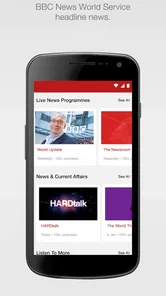
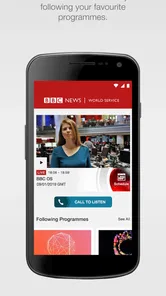
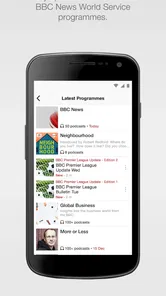
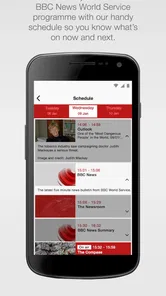
Setting up the app is a breeze. Available for both Android and iOS, downloading and installing it is as easy as pie. Once you’ve got it up and running, the interface is clean and intuitive, which is crucial for an app that’s all about delivering content efficiently. I found the navigation to be straightforward, with everything neatly organized into categories like News, Sports, and Features.
Content and Features Galore
The BBC World Service app shines with its content. I mean, we’re talking about the BBC here, so the expectations are sky-high, and honestly, it doesn’t disappoint. The app provides a comprehensive range of programs, from hard-hitting news reports to insightful documentaries and engaging podcasts. Whether you're into politics, science, or even the arts, there's something here for everyone.
One feature I found particularly useful is the ability to download content for offline listening. This is a godsend for those long commutes or when you're off the grid. Plus, the audio quality is top-notch, which makes listening a pleasure rather than a chore.
Making the listening session count
For a more deliberate routine, I pick a programme before I leave home, download it while I have a connection, and save streaming for times when I know reception is steady. That small habit helps avoid buffering in a tunnel or on a patchy train route. It also makes the app easier to use as a handoff: I can begin listening at home, then continue during a walk without needing to search for a new item at the moment I step outside.
More From Our News Desk

Weather by Xiaomi Review: Clear at a Glance, Less Clear Up Close

X Under Pressure: Can It Recover When Posting Goes Wrong?

Clash of Clans Is Won Between the Battles

Android Auto Makes the Case for Quieter Car Software

MobiOffice: Transforming Mobile Productivity with Seamless Integration

EA SPORTS FC™ Mobile Soccer: Redefining Mobile Sports Gaming
Downloads are especially valuable when mobile data is limited or a journey passes through unreliable coverage. The trade-off is that offline listening depends on choosing and saving material in advance; it is less spontaneous than opening a live stream or a constantly refreshed text feed. If my plans change, I may have downloaded a programme that no longer matches what I want to hear, so I treat saved audio as a dependable option rather than a substitute for checking current headlines.
Personal Experience and Usability
From my experience, the app’s performance is smooth and reliable. I didn’t encounter any annoying bugs or crashes, which can often be a dealbreaker for me. The streaming is seamless, even on a not-so-stellar Wi-Fi connection, which is a huge plus.
Another aspect worth mentioning is the personalization options. You can tailor the app to suit your interests, ensuring that the news and programs you care about are front and center. It’s like having a personal news assistant that knows exactly what you want.
Who will get the most from it
The strongest fit is someone who wants international reporting as part of a repeatable routine: a student catching up between classes, a commuter with time for a programme, or a listener who prefers thoughtful audio to rapid-fire notifications. I would use it alongside, not instead of, a local source when I need practical information about my area. World coverage can broaden the picture, while local reporting is better positioned for nearby closures, weather, and community changes.
Compared with a typical text-led news app, this is a better choice when I want a presenter or programme to carry the story while I do something else. A podcast app can be more flexible for managing shows from many publishers, and a general news aggregator can make it quicker to compare headlines across outlets. The World Service’s appeal is narrower and more intentional: I open it for its own news and programmes, not to build a mixed-source feed.
Where the routine can break
Audio asks for more time than a headline, and it is not always convenient to listen in a shared room, a noisy street, or a place where headphones are unsuitable. I also would not rely on a downloaded programme for a developing story when the latest update matters; saved listening is useful for a commute, but it can become stale. My workaround is to use the app for context and longer listening, then check a current text source when I need a fast, specific update.
Before making it a daily habit, I would ask myself whether I genuinely enjoy listening to news and whether I have a regular slot for it. The app is free, carries an Everyone age rating, and is developed by Zeno News. Its average rating is 4.2 from around 20,000 ratings, with about 1,200 written reviews and over a million installs. Version 4.9.5 supports devices running Android 5.0 or later. Those details make it easy to consider, but the better test is simple: try one listening session during an ordinary commute and see whether audio fits your day better than another round of scrolling.
Choosing a useful listening routine
A helpful way to judge the app is to decide what you want from a session before pressing play. If I have ten minutes, I want a concise update; if I have a longer walk, I can settle into a fuller programme. That small choice prevents a common mismatch: starting an extended listen when I need to leave in a few minutes, then abandoning it halfway through. I treat the app as a place to make room for a story, rather than as a tool for checking every headline on demand.
For a realistic weekday, I might check what is available while making coffee, save a programme before leaving home, and listen on the walk to the station. If the train becomes crowded or the environment gets too noisy, I pause and resume later instead of trying to follow every sentence over the surrounding sound. At lunch, I can decide whether I want another audio session or a quick text update elsewhere. The useful outcome is not that I have consumed everything; it is that I have heard enough context to know which story deserves closer attention.
Small choices that make audio work better
I would also keep the listening session separate from tasks that need concentration. News audio can accompany a familiar walk or simple chores, but it competes with careful work, unfamiliar directions, and conversations. If I notice that I have missed a key point, I stop multitasking and give the programme my attention. This is a practical trade-off: the app can make routine time more informative, but it does not turn every activity into suitable listening time.
When using downloads, I would make a quick check before a trip rather than assume that yesterday’s saved programme is still the one I want. That is particularly useful if the news agenda has shifted overnight. Streaming is the more natural choice when I want something current and have a stable connection; downloaded audio is better when I value reliable playback more than immediacy. Neither approach is universally better, so matching it to the journey is the most useful habit I have found.
People often wonder whether this is a good first news app or whether it works best as a companion. I see it as a strong starting point for someone who enjoys audio and wants an international perspective, but not as a complete replacement for text, local reporting, or specialist sources. It can help me understand a wider issue while I am away from a screen, then I can follow up through another outlet if I need a local consequence, a detailed timeline, or a particular subject’s technical background.
It is also worth considering the listening environment before making it part of a commute. On a quiet walk, a programme can be easy to follow; beside traffic or in a crowded carriage, speech may be harder to catch. I would not turn the volume up carelessly just to overcome noise. In that situation, waiting until I am somewhere quieter or switching to a text source is the more sensible choice. The app’s audio-first approach is its defining strength, but it naturally makes surroundings part of the experience.
Final Thoughts
In conclusion, the BBC World Service app is a powerhouse for anyone who values staying informed with high-quality content. It’s user-friendly, content-rich, and offers a variety of features that cater to news enthusiasts globally. If you haven’t tried it yet, I’d say give it a shot. It’s not just another news app; it’s a gateway to the world’s most significant events, right at your fingertips.
BBC World Service Frequently Asked Questions
Is the BBC World Service app free to download?
Yes. BBC World Service is free to download, so you can try its programmes and news headlines without paying for the app itself. Its focus is listening to international news and broadcasts, making it a practical option for keeping up with events. As with other streaming audio, listening over a mobile connection may use data, so Wi-Fi can be helpful if you want to limit mobile data use.
Who publishes the BBC World Service app?
The BBC World Service app is developed by Zeno News. It is an app in the News & Magazines category, centered on listening to the latest programmes and news headlines from BBC World Service. If you are comparing news apps before installing one, this publisher information can help you identify the app you are looking for and distinguish it from other apps with similar names.
Can I choose the language or region for the news I hear?
BBC World Service is an international broadcaster, and its programming includes news and reports in multiple languages. This makes it a useful option if you want coverage that reaches beyond a single country or language. The app is focused on listening to programmes and news headlines, so you can explore its available content and choose what suits your interests.
What is BBC World Service and what content does it provide?
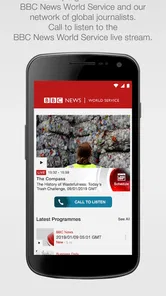
BBC World Service is a renowned international broadcaster that offers news, reports, and documentaries in multiple languages. It covers a wide range of topics including global news, politics, culture, science, and more. The app provides users with access to live radio broadcasts, podcasts, and on-demand news reports, ensuring that you can stay informed about world events no matter where you are.
Is the BBC World Service app available for both Android and iOS devices?
Yes, the BBC World Service app is available for download on both Android and iOS platforms. Users can easily find it on the Google Play Store for Android devices and the Apple App Store for iOS devices. This ensures that users can access the diverse content offered by BBC World Service on their preferred devices, be it a smartphone or tablet.
Pros
- High-quality global news coverage
- Diverse program offerings
- Free access to content
- User-friendly interface
- Available on multiple platforms
Cons
- Limited offline content
- Requires internet connection
- Ads in free version
- Occasional regional restrictions
- No personalized content feeds











