

Astonishing Comic Reader
- 2.26K
- 4.5
- Installs
- 1.00M
- Price
- Free

Screenshots
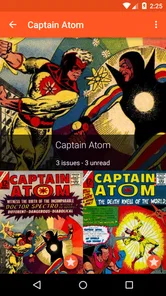
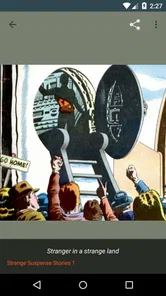
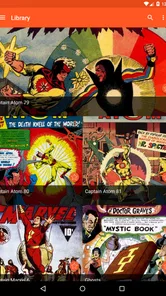
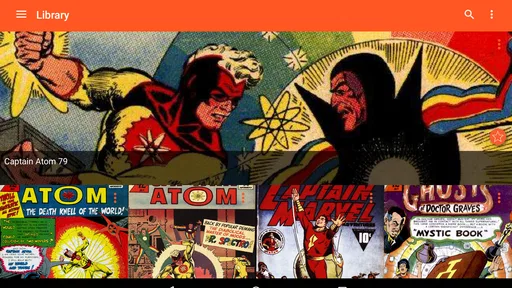
Analysis by Reviewed
I usually decide whether a comics app fits my routine by starting with a simple question: where are my comic files, and how do I want to read them? Astonishing Comic Reader is aimed at people who already keep digital comics on a phone or tablet and want a dedicated place to browse and read them. It is a free comics app from Studio Zero Games, rated for Everyone, with optional in-app purchases ranging from $0.99 to $2.99 per item. Its 4.4 average from around 28,000 ratings and more than a million installs suggest it has found a sizeable audience, though those numbers matter less than whether its file handling and reading controls suit your own library.
Start with the library you already have
The key practical question is what you’re bringing into the app. The published article describes support for CBZ and CBR, two formats commonly used for digital comic archives. If your collection is already organized in those formats, a dedicated reader can feel more direct than opening files one by one in a general file viewer. If your comics are scattered across folders or stored in another format, sorting them before you start can save frustration later. I’d begin with a small batch, check that the covers and page order look right, and only then build out a larger library.
This is also where I’d compare it with the usual alternatives. A basic document or image viewer may be enough for an occasional comic, but it often treats each page like a separate file rather than part of a reading session. A broader digital bookstore is a better fit if you want to discover and purchase comics within one service. This app makes more sense when your priority is reading a collection you already have, rather than replacing a store or managing every part of a comic-book hobby.
A Delightful Reading Experience
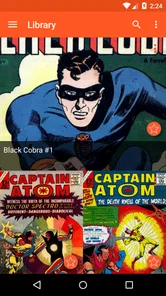
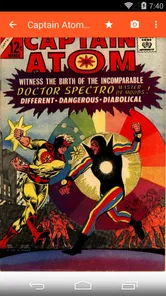
From the moment you open the Astonishing Comic Reader, you're greeted with a sleek and user-friendly interface. It's like your comic library has been given a digital makeover. The app supports a wide range of formats including CBZ and CBR, making it super versatile for all comic fans. Navigating through the app is a breeze, thanks to its clean layout. You can easily zoom in on those intricate panels without losing any quality, which is a huge plus for those of us who love to admire the artwork in detail.
Make the reading session work for you
For a realistic commute routine, I’d choose one issue before leaving home, open it once while connected, and check that the first pages display as expected. That small check helps avoid discovering a file problem halfway through a trip. On a phone, zooming can make densely drawn pages easier to follow, but it also means more gestures and less of the page visible at once. On a larger screen, I’d try reading a page at its natural scale first; zoom is most useful when lettering or small background details are hard to make out, not as a default for every panel.
Brightness and reading mode are worth adjusting for the place you actually read, rather than setting them once and forgetting them. A bright setting that works outdoors can be uncomfortable in bed, while a darker mode may not be ideal in a sunny room. If you switch between environments, a quick check before settling in is more useful than chasing a perfect universal setup. The trade-off is that customization helps only if you’re willing to spend a moment tuning it; anyone who wants a completely hands-off reader may prefer simpler controls.
Seamless Syncing Across Devices
One of the standout features of this app is its ability to sync across multiple devices. You can start reading a comic on your phone during your morning commute and pick up right where you left off on your tablet at home. This seamless transition is powered by cloud syncing, which ensures that your progress is always saved, no matter where you are. It’s like having your entire comic collection in your pocket, ready to go at a moment’s notice.
More From Our News Desk

 Gmail
GmailGmail in a Busy Inbox: Who Benefits Most?
From first account to crowded workday, Gmail earns its place through dependable search and flexible sorting—but its best fit depends on how much inbox maintenance you can tolerate.

 Prime Video
Switching to Prime Video: What Changes in Your Viewing Routine
Prime Video can make a compelling second home for streaming, but switching means learning a different catalog, rental layer, and route from browsing to playback.

 Universal TV Remote Control
Universal TV Remote Control Works Best as a Reliable Backup
A phone remote earns its place through quick setup and reliable habits. Here is how to get more from Universal TV Remote Control—and where its limits show.

 Weather - By Xiaomi
Weather by Xiaomi Review: Clear at a Glance, Less Clear Up Close
Xiaomi’s weather app makes everyday forecasts quick to scan, but its calm surface can leave useful details and recovery paths harder to find than they should be.

 X
XX Under Pressure: Can It Recover When Posting Goes Wrong?
A resilience-focused review of X, examining setup, mistaken posts, interruptions, weak connections, and the gaps that matter when recovery needs to be dependable.

 Clash of Clans
Clash of Clans Is Won Between the Battles
Its raids are quick; its community is a long-term project of coordination, teaching, rivalry, and shared responsibility—with all the friction that entails.
Latest News



That handoff is most valuable when the same reading session genuinely moves between screens: a few pages on the bus, then a longer stretch on a tablet later. I’d still check that both devices are signed in and connected before relying on a particular issue’s position carrying over. Syncing progress and having every comic file available on every device are different needs; keep the files accessible on the device you plan to use, especially if you expect to read away from a reliable connection. This distinction can prevent a common disappointment: seeing your place remembered but finding the next issue itself isn’t ready to open.
Customization Galore
If you're someone who likes to tweak your reading settings, you'll love the customization options available. Whether it’s adjusting the brightness for late-night reading or switching to a different reading mode, the app offers plenty of options to tailor your experience. The night mode feature is particularly delightful, as it makes reading in the dark a comfortable experience for your eyes.
For readers who keep a long series going, I’d make a simple habit of finishing a session on the last page read and checking the library before switching devices. That gives you a clear point to resume and makes it easier to notice if you opened the wrong volume. A dedicated comic reader is particularly useful here: sequential pages and a reading-focused layout are less distracting than a general-purpose viewer. It is not a substitute for a carefully maintained catalog, though, so people with a very large collection may still want to keep their own folder naming consistent.
Discover New Comics
For those looking to expand their comic library, the app also offers a discovery feature. This allows you to browse through a plethora of new comics and find something fresh to dive into. It’s like having a knowledgeable friend who’s always ready with a recommendation.
I’d treat discovery as a way to find a possible next read, not as a guarantee that it will replace a dedicated comic shop or a service built around a particular publisher. The app’s core appeal remains the reading experience, so the best fit is someone who wants convenient browsing alongside personal files. If you mainly want a curated buying experience, a wider selection of store tools, or a publisher-specific subscription, a dedicated storefront is likely the more natural starting point.
Who will get the most from it
I’d recommend this app to readers who already have CBZ or CBR comics, move between a phone and tablet, and appreciate being able to adjust how pages look. It can also suit someone new to digital comics who has a few files and wants a straightforward reader rather than a complex collection-management setup. Since the app has been available since February 9, 2014, it has had a long life in this category, but I’d still judge it by how comfortably it handles your own files and devices.
I’d skip it if you want a bookstore-first experience, rely on a format it doesn’t support, or don’t want to organize and bring your own collection. A person who reads only the occasional comic may be perfectly happy with an existing viewer; installing a dedicated app is worthwhile when its reading controls and library approach solve a recurring annoyance. The free price makes it easy to try, while the optional purchases are something to weigh only if the app’s paid offerings match what you actually need.
A practical first session
When I’m deciding whether to keep a reader, I don’t import an entire collection right away. I’d pick one familiar issue and one that has especially small lettering or busy artwork, then compare how each feels on the screen I use most. That quickly reveals whether page scaling is comfortable and whether the reading controls suit my habits. It also makes it easier to spot an archive with unexpected page order before that problem gets mixed into a large library.
For a family tablet or a device shared with someone else, I’d also think about how the files are arranged before importing anything. Clear series and volume names help avoid opening the wrong issue, and they remain useful even if the app remembers reading progress. This is a small bit of preparation rather than a special feature, but it can make a bigger difference to a long-running series than endlessly adjusting display settings.
Choosing the right place in your reading setup
Compared with a comic storefront, this reader is most compelling when the comics are already yours and you want a focused way to read them. Compared with a general image viewer, its comic-first presentation and reading modes are more suited to moving through pages as a story. Those strengths don’t automatically make it the best home for every collection: people who value purchasing, publisher catalogs, or tightly organized library-management tools above reading comfort may be happier with a service built around those needs.
One useful way to judge the fit is to ask what usually interrupts your reading. If it is awkward page viewing, hard-to-read details, or jumping between a phone and tablet, the app’s dedicated controls and progress handoff may address a real pain point. If the main problem is finding new titles, keeping a meticulous catalog, or getting files onto a device in the first place, a reader alone won’t solve the whole workflow. I’d think of it as the reading stage in a larger setup, not a complete comic shop and collection system.
Where the routine can snag
The most avoidable friction is expecting every part of the experience to travel together automatically. Reading progress can help you return to the right page, but that does not make a comic file available on another device by itself. Before a trip, I’d check both the issue and the device I plan to use; before switching screens at home, I’d make sure the file is accessible there too. That modest habit is especially helpful when your connection is unreliable.
There is also a real balance between convenience and control. Zoom can rescue tiny lettering but can turn a page into a sequence of extra gestures, while a dark reading mode may feel pleasant at night and less clear under bright light. I’d avoid changing several settings at once: adjust one thing, read a few pages, then decide whether it helped. That gives you a usable setup without turning a quiet reading session into a settings project.
In conclusion, the Astonishing Comic Reader is more than just a reader; it’s a companion for all comic enthusiasts. With its intuitive interface, seamless syncing, and robust customization options, it stands out as a must-have app for comic lovers. Whether you're a seasoned reader or new to the world of comics, this app promises to enhance your reading experience with style and ease. So, go ahead and give it a try – your next favorite comic might just be a tap away!
Astonishing Comic Reader Frequently Asked Questions
Is Astonishing Comic Reader a good choice for someone new to digital comics?
Astonishing Comic Reader is a comics app from Studio Zero Games, built around reading and organizing digital comics. Its straightforward focus may appeal if you are moving from printed books to a digital collection and want a dedicated reader rather than a general-purpose file viewer. It is rated for Everyone, although the age rating does not determine whether every comic you choose to read is suitable for you.
Can I try Astonishing Comic Reader without paying upfront?
Yes. Astonishing Comic Reader is free to install, so you can try its core reading experience before deciding whether you want any optional extras. In-app purchases are available, but they are not a requirement simply to get started. If you are considering a paid feature, review the purchase options in the app first and decide whether they suit the way you read and manage comics.
Who develops Astonishing Comic Reader, and is it intended for comic fans?
Astonishing Comic Reader is a comics app developed by Studio Zero Games. Its focus is reading and organizing digital comics, so it may suit readers who want a dedicated place for their collection rather than a general-purpose document viewer. The app is rated for Everyone, making it appropriate for a broad audience; individual comic content, of course, can still vary.
Is Astonishing Comic Reader available for my device, and what should I consider before downloading?
Astonishing Comic Reader is an app for reading digital comics, and it has been available since February 9, 2014. Before downloading, consider whether your comics are stored in file formats the app can open and whether its reading and library features fit how you manage a collection. It is free to install, with optional in-app purchases for users who want additional features.
What is Astonishing Comic Reader and how does it work?
Astonishing Comic Reader is a digital comic book reader app designed for comic enthusiasts. It allows users to view and organize digital comic files, such as CBR and CBZ formats, on their Android or iOS devices. The app provides a seamless reading experience with features such as zoom, bookmarking, and cloud synchronization to access your collection from anywhere.
Pros
- User-friendly interface for seamless navigation.
- Supports various comic book formats.
- Cloud sync for cross-device access.
- Customizable reading options.
- Offline reading available.
Cons
- Limited free content availability.
- In-app purchases can be pricey.
- Occasional sync issues.
- Ads in the free version.
- Requires account for cloud features.












