AI Dress up-Try Clothes Design
- 226.00
- 4.3
- Installs
- 1.00M
- Price
- Free
Screenshots
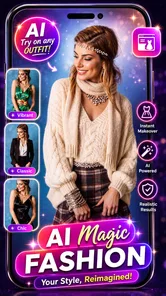
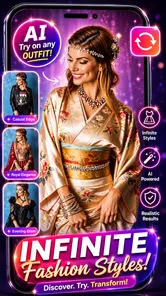
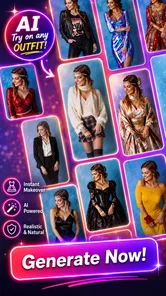
Analysis by Reviewed
I judge virtual styling apps by one practical question: do they help me make a better clothing decision, or do they only produce an appealing picture? AI Dress up-Try Clothes Design is most useful when I want fresh ideas, a quick visual comparison, or a nudge out of a style rut. I would not use a generated look as proof that a garment will fit, feel comfortable, or appear exactly the same in real life. Treating it as inspiration rather than a fitting-room guarantee makes the app easier to enjoy and more useful day to day.
Start with the decision you need to make
Before opening a virtual styling tool, I find it helps to name the question I’m trying to answer. Am I choosing between a relaxed and a dressier look? Do I want to see whether a new color suits my usual style? Or am I simply looking for a different direction before getting ready? Those are questions a visual preview can help explore. “Will this exact item fit me?” is a different question, and a photo-based preview cannot replace checking the garment itself.
That distinction is useful when comparing this app with the usual alternatives. A mirror and the clothes already in your wardrobe offer the most direct sense of how an outfit feels, while a retailer’s own size guidance is more relevant to fit. A collage gives you control over arranging particular pieces, but takes more manual effort. This app’s appeal is the quick visual experiment: it can help you consider an outfit idea without pulling several combinations out of your closet.
A quick way to test an outfit idea
Imagine you have a dinner after work and are unsure whether to wear a familiar casual combination or try something more polished. Instead of pulling several outfits from your closet, you can use the app to explore a different look on a photo and decide whether the general direction feels right. I find this kind of preview most useful for answering “Would I wear something like this?” rather than “Will this exact outfit fit me perfectly?” It can narrow your choices before you spend time changing clothes.
There is a practical trade-off in that workflow. A photo-based try-on is only as useful as the image and the visual result, so I’d use a clear, straightforward photo and judge the overall style rather than small details. If the result makes you want to try a similar color or silhouette in real life, it has done its job; if you need dependable information about fit, a physical fitting or a retailer’s sizing guidance is the better route.
Where a virtual stylist is most useful
I’d recommend this kind of AI fashion app to someone who enjoys experimenting but doesn’t want to assemble every possible combination in front of a mirror. It can also help when you’re planning a trip: use it to think through the kinds of outfits you want to pack, then check the actual clothes for comfort, weather, and whether they work together. For a special occasion, it can be a low-effort way to explore a more formal direction before choosing what to wear.
It is less suited to someone who wants a complete wardrobe-management system or precise shopping guidance. If your main concern is whether a specific garment will fit, an in-person try-on or a service focused on measurements is a more sensible choice. And if you already enjoy building outfits by laying clothes out or using a conventional photo collage, those methods may give you more control over exactly which pieces appear together.
More From Our News Desk
 Instagram
’s Power Comes From Its Place in Your Phone
A close look at how Instagram turns Meta’s reach, recommendation systems and everyday camera habits into durable platform power—and what that costs users.

 Gmail
Gmail in a Busy Inbox: Who Benefits Most?
From first account to crowded workday, Gmail earns its place through dependable search and flexible sorting—but its best fit depends on how much inbox maintenance you can tolerate.

 Prime Video
Switching to Prime Video: What Changes in Your Viewing Routine
Prime Video can make a compelling second home for streaming, but switching means learning a different catalog, rental layer, and route from browsing to playback.

 Universal TV Remote Control
 Works Best as a Reliable Backup
A phone remote earns its place through quick setup and reliable habits. Here is how to get more from Universal TV Remote Control—and where its limits show.

 Weather - By Xiaomi
Weather by Xiaomi Review: Clear at a Glance, Less Clear Up Close
Xiaomi’s weather app makes everyday forecasts quick to scan, but its calm surface can leave useful details and recovery paths harder to find than they should be.

 X
X Under Pressure: Can It Recover When Posting Goes Wrong?
A resilience-focused review of X, examining setup, mistaken posts, interruptions, weak connections, and the gaps that matter when recovery needs to be dependable.
Latest News



The main advantage over those usual alternatives is convenience: you can experiment without changing outfits or rearranging your closet. The main compromise is that a generated preview is an interpretation, not a physical fitting. I’d use it to discover preferences and compare broad looks, then make the final decision with the real clothes in mind.
Make each experiment easier to judge
A useful habit is to start with one question per session: for example, whether you prefer a relaxed or formal look, or whether a certain style feels like you. That keeps the results easier to compare than trying to decide everything at once. I’d also save only the looks that answer a real wardrobe question; a smaller set of useful ideas is easier to revisit than a long collection of images with no clear purpose.
For a more grounded comparison, keep the context consistent. If you are exploring a change in formality, compare looks aimed at the same occasion rather than mixing a workday idea with a weekend one. That way, you are judging the style choice instead of being distracted by unrelated differences. I’d also make a note of what appealed to me in a saved look—perhaps its overall shape, color direction, or level of polish—so I can look for that quality in clothes I already own.
Think of saved looks as references, not a finished packing list or shopping plan. Before acting on one, compare it with what you own and consider the setting, comfort, and weather. This small check helps prevent a polished-looking preview from nudging you toward an outfit that is impractical for your day.
Who benefits most, and who may prefer another route
This is a better fit for someone who likes trying visual ideas but does not need the app to organize an entire closet. It may be especially handy if you are indecisive about the general mood of an outfit, or if you want to explore a style you would not normally pick without committing to wearing it. If you already know the exact pieces you want to combine and need precise control over their arrangement, a photo collage or simply laying them out may be less ambiguous.
For shopping decisions, I would use the app early in the process, not as the final checkpoint. A preview might help me decide that I like a certain kind of look, but I would still check product photos, fabric details, and sizing information before buying. If the question is whether a particular item is worth ordering, a retailer’s measurements and return terms are more actionable than a virtual image. If the question is whether I feel drawn to a style at all, the app has a more appropriate role.
Cost, expectations, and the switch from browsing to deciding
If you are deciding whether to install it, the basics are straightforward: this is a free beauty app from Bizo Mobile, rated for Everyone, with a 4.0 average from around 41,000 ratings and over 1 million installs. It was released in late 2023, and version 1.0.55 requires Android 6.0 or later. The free starting point makes it easy to explore, but in-app purchases range from $0.99 to $189.99 per item, so I’d check the cost shown in the app before committing to anything paid.
The practical cost of trying a new styling app is not only money; it is also the time spent learning a different way to make decisions. I’d keep the first session small: try to answer one genuine wardrobe question, then decide whether the preview helped enough to return to it. If an in-app purchase is presented, I would pause and consider whether it solves a need I actually have rather than paying simply because I have already spent time experimenting.
One question worth asking before you rely on it is whether you want inspiration or certainty. For inspiration, a virtual try-on can be a convenient way to get unstuck; for certainty about fit, fabric, or how a garment moves, it cannot do the job of trying the real item on. That is the key limitation I’d keep in mind rather than expecting every preview to settle a clothing decision.
Use it as a prompt, not a verdict
There is also a small but useful way to avoid overvaluing a polished result: translate the image into a simple real-world test. If a preview makes a certain silhouette look appealing, see whether you own anything with a similar shape. If you like the color direction, try it with a piece already in your wardrobe before shopping. This turns a digital idea into a low-risk experiment and helps separate a genuine preference from the novelty of seeing a new image.
For a trip, I would use that same approach as a planning prompt rather than treating the app as a packing calculator. First identify the kinds of looks you want for the activities, then check your actual clothes for comfort and compatibility. A virtual preview can help you notice that you want a more relaxed or more polished option; it cannot decide whether a garment suits the weather or whether you will want to wear it for a full day.
Ever found yourself standing in front of your closet, feeling like you have absolutely nothing to wear? Well, say hello to your new fashion buddy, AI Dress up-Try Clothes Design. This app promises to revolutionize the way you style yourself, and let me tell you, it’s quite the game-changer.
Play Dress-Up Like Never Before
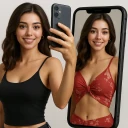
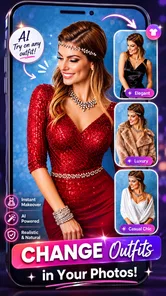
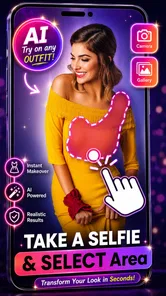
Imagine having a personal stylist right in your pocket. That's exactly what AI Dress up-Try Clothes Design offers. You can mix and match outfits without making a mess of your wardrobe. The app uses cutting-edge AI technology to let you try on different clothes virtually. And yes, it’s as cool as it sounds! I was genuinely surprised by how accurately the app managed to map clothes onto my photos. It’s almost like having a digital fitting room, which, let’s be honest, is every shopaholic’s dream.
Features That Make It Stand Out
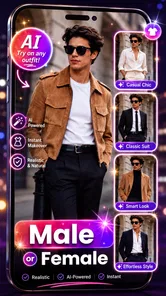
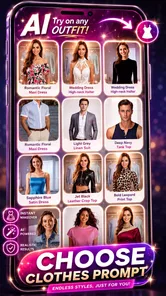
The app isn’t just about trying on clothes; it's packed with features that make it a delight. You can browse through a wide range of clothing styles, from casual wear to formal attire, and even experiment with quirky outfits you’d normally shy away from in stores. The app also gives personalized style suggestions based on your preferences and past choices, which feels like having a fashion-savvy friend guiding you.
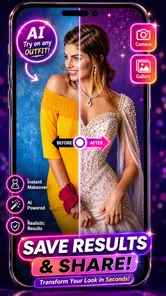
One of my favorite features is the app’s ability to save your favorite looks. You can create a digital lookbook of sorts, which means you’ll always have outfit inspiration at your fingertips. Plus, sharing your outfits with friends for their opinions is super easy, thanks to its seamless social media integration.
Easy to Use, Fun to Explore
Using the app is as simple as pie. The user interface is intuitive and straightforward, which means you won’t find yourself lost in a sea of buttons and options. Even if you’re not the most tech-savvy person around, you’ll get the hang of it in no time. The app guides you step-by-step, making the whole experience smooth and enjoyable.
And it’s not just about fun; it's practical too. Planning outfits for events or trips becomes so much easier when you can see how everything looks together without trying it on physically. Trust me, it saves a lot of time and effort!
Making the final choice
There are a few different questions tucked into the idea of a virtual fitting room: whether an outfit looks appealing, whether it suits the occasion, and whether the clothes will actually fit. I find this app most helpful with the first question, sometimes useful for the second, and not a substitute for real-world checks on the third. Keeping those apart makes the experience more honest and prevents a striking preview from being mistaken for a promise.
If you are choosing between this and a more conventional styling method, think about where you want the control to sit. A mirror gives you direct feedback on your own clothes; a collage lets you position specific images yourself; a virtual try-on is appealing when you want to explore a look with less physical effort. None is automatically best for every decision. I would pick the method that answers the question I have, rather than expecting one tool to cover inspiration, wardrobe organization, and sizing all at once.
In a world where fashion and technology are constantly evolving, AI Dress up-Try Clothes Design sits at the intersection of both, offering a unique blend of style and convenience. Whether you’re a fashion enthusiast or someone who just wants to simplify their wardrobe decisions, this app is worth a try. It might just become your go-to tool for all things fashion. So, go ahead, download it, and let your style journey begin!
AI Dress up-Try Clothes Design Frequently Asked Questions
Can I use AI Dress up-Try Clothes Design to explore outfits for different occasions?
The app is presented as a virtual dressing room and personal fashion stylist, making it suitable for exploring different clothing styles and outfit ideas. You can use its AI dress-up concept to experiment with looks before deciding what you like. It is best approached as a styling tool for visual exploration rather than as a substitute for trying on physical clothing.
Do I need fashion experience to use AI Dress up-Try Clothes Design?
No fashion background is needed to explore the app’s dress-up concept. It is designed for people who want to try different styles and see outfit ideas on a digital image, whether they already follow fashion or are simply curious. You can approach it as a way to experiment, compare looks, and discover styles that appeal to you.
Can AI Dress up-Try Clothes Design help me decide what to wear?
The app can offer a visual way to explore outfit ideas and compare different looks, which may help when you are deciding what style you prefer. Its AI-based virtual dressing-room experience is centered on trying clothes digitally. Treat the result as inspiration, though, since a digital preview is not the same as checking the fit and feel of real clothing.
Who develops AI Dress up-Try Clothes Design, and what kind of app is it?
AI Dress up-Try Clothes Design is a beauty app developed by Bizo Mobile. It is aimed at people who want to explore clothing styles through an AI-based virtual dressing-room experience. The app’s short description is “AI Dress up,” while its store summary presents it as a way to try on styles and use a virtual fashion stylist. Its content rating is Everyone.
What is AI Dress up-Try Clothes Design app?
AI Dress up-Try Clothes Design is an innovative mobile application that leverages artificial intelligence to allow users to try on virtual clothes. It provides a virtual wardrobe experience where users can mix and match different outfits, experiment with styles, and see how they look in various designs without physically wearing them. This app is perfect for fashion enthusiasts looking to explore new trends effortlessly.
Pros
- Wide variety of clothing options.
- Easy interface for all users.
- Realistic 3D dressing experience.
- Frequent updates with new styles.
- No in-app purchases needed.
Cons
- Limited free features.
- Requires internet connection.
- Occasional app crashes.
- High battery consumption.
- Slow loading times.