

1A Auto: Parts & Repair Videos
- 107.00
- 4.3
- Installs
- 100.00K
- Price
- Free

Screenshots
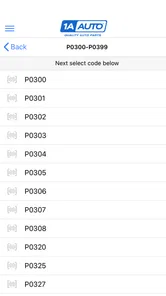
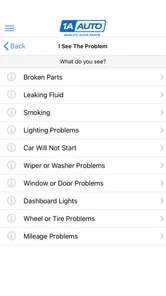
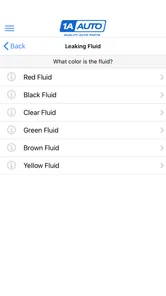
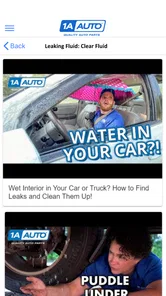
Analysis by Reviewed
I spent time with 1A Auto: Parts & Repair Videos as a practical companion for routine car work rather than as a replacement for a trained mechanic. It sits in the Auto & Vehicles category and comes from TRQ Auto Parts, with a clear focus on helping people understand repairs before they start buying parts or reaching for tools. The app is free, which immediately makes it easier to try without committing money up front.
My first impression was that its strongest idea is not simply showing car-related information, but connecting repair learning with the parts-shopping process. That matters because a repair usually has two separate problems: working out what needs to be done and finding the correct replacement component. Keeping both stages close together can make the process less scattered than searching the web for a video, opening a separate parts site, and trying to decide whether the two sources actually match.
The app has reached over one hundred thousand installs and holds a 4.3 average from more than two hundred ratings, with over one hundred written reviews. Those figures suggest that it has found a useful audience, although they should not be treated as proof that every repair guide will suit every vehicle. Cars vary by year, engine, trim, and production changes, so I still treat each video as a starting point for verification rather than an automatic instruction manual.
How the free repair experience works in real life
The most useful way to approach this app is with a specific problem already in mind. If a vehicle has a noisy component, a warning light, a failed exterior part, or a maintenance job coming up, I would use the app to learn the general workflow before ordering anything. That preparation can reveal whether the job looks realistic for my tools, workspace, patience, and experience.
A realistic example is a weekend repair where the car is still needed for commuting. I would first watch the relevant repair material without taking the vehicle apart. I would pay attention to the access points, the order of removal, the connectors or fasteners involved, and whether the job appears to require extra equipment. Only after that would I compare the vehicle details and decide whether to purchase a part. This approach reduces the chance of discovering halfway through the job that the repair is more involved than expected.
That preview stage is where the app can save more than time. A short video can expose practical obstacles that a written parts description often leaves out, such as awkward access or the need to move another component temporarily. Even when I decide not to do the repair myself, knowing what the job involves gives me better questions to ask a shop and a clearer sense of what the quoted work actually covers.
The app is also useful for someone who learns better by watching than by reading. Repair terminology can be intimidating when it is presented as a list of components, especially for a first-time DIY owner. Seeing the sequence gives the names a physical context. Instead of memorizing what a part is in isolation, I can see where it sits, what surrounds it, and why removing it matters.
More From Our News Desk

 Gmail
GmailGmail in a Busy Inbox: Who Benefits Most?
From first account to crowded workday, Gmail earns its place through dependable search and flexible sorting—but its best fit depends on how much inbox maintenance you can tolerate.

 Prime Video
Switching to Prime Video: What Changes in Your Viewing Routine
Prime Video can make a compelling second home for streaming, but switching means learning a different catalog, rental layer, and route from browsing to playback.

 Universal TV Remote Control
Universal TV Remote Control Works Best as a Reliable Backup
A phone remote earns its place through quick setup and reliable habits. Here is how to get more from Universal TV Remote Control—and where its limits show.

 Weather - By Xiaomi
Weather by Xiaomi Review: Clear at a Glance, Less Clear Up Close
Xiaomi’s weather app makes everyday forecasts quick to scan, but its calm surface can leave useful details and recovery paths harder to find than they should be.

 X
XX Under Pressure: Can It Recover When Posting Goes Wrong?
A resilience-focused review of X, examining setup, mistaken posts, interruptions, weak connections, and the gaps that matter when recovery needs to be dependable.

 Clash of Clans
Clash of Clans Is Won Between the Battles
Its raids are quick; its community is a long-term project of coordination, teaching, rivalry, and shared responsibility—with all the friction that entails.
Latest News



At the same time, I would not use a repair video as permission to skip safety checks. A video can demonstrate a process, but it cannot inspect the condition of my vehicle, confirm that my tools are suitable, or judge whether a damaged fastener is safe to reuse. I would still support the vehicle correctly, disconnect power where appropriate, follow the vehicle’s service information, and stop if the actual car differs from what I am watching.
Why the parts-and-video combination is more useful than it sounds
Many repair resources are strong in one area but weak in the other. A general video platform offers enormous variety, yet its search results can mix professional demonstrations, casual recordings, and advice for a different model. A conventional parts catalog may be better for browsing components, but it often assumes that the buyer already understands the repair. This app’s value comes from bringing those two decisions closer together.
That does not mean it replaces every alternative. For a rare fault, an electrical diagnosis, or a vehicle with several possible causes, a specialist forum or factory service manual may be more precise. For a simple visual demonstration, a broad video platform may offer more viewpoints. I see this app as especially useful in the middle: common repair planning where I want a focused explanation connected to replacement parts.
A less obvious benefit is using the videos before making a diagnosis, not after. People often search for a part based on the symptom they notice, but one symptom can come from several components. Watching a repair process can help me understand what the suspected part does and what surrounding signs would make the diagnosis more or less convincing. It cannot confirm the fault by itself, but it can discourage an impulsive order.
Another practical tactic is to watch the beginning and the difficult middle before committing. The opening may look straightforward, while the actual challenge appears once covers, brackets, or neighboring components have been removed. If the central portion reveals a level of disassembly I cannot handle, I have learned that before immobilizing the car.
I also find value in treating the app as a planning checklist. Before starting, I would note the parts mentioned, the tools shown, the order of the major steps, and any moment where the presenter pauses to reposition something. I would then compare that plan with the vehicle in front of me. This turns passive watching into preparation and makes it easier to notice when my vehicle is not the same configuration.
What the free price really means
The cost question is refreshingly simple: the app is free to download and use. That makes the initial decision low-risk. I do not need to justify a subscription or buy a guide before finding out whether its repair material fits my car. For someone who only needs occasional help, free access is a meaningful advantage over paid instructional products.
Free access should not be confused with guaranteed savings on the repair itself. The app may help me choose a part and understand the work, but I may still need to purchase parts, tools, fluids, protective equipment, or professional assistance. Those are separate costs, and the app does not turn a complex repair into a cost-free one.
I would also avoid assuming that installing the app guarantees the cheapest possible repair. The financial value is strongest when it prevents a wrong part order, reduces unnecessary exploratory work, or helps me decide that a job should go to a professional before I begin. If I already own the necessary tools and the repair is within my ability, the free guidance can improve the value of a DIY job. If the repair requires specialist equipment, the better financial decision may still be paying a mechanic.
For that reason, I judge the price in two layers. The access price is free, which is excellent for trying the service. The total repair cost remains personal and depends on the vehicle, the selected component, the tools already available, and whether the work succeeds on the first attempt. Keeping those two ideas separate prevents the app from sounding like a promise of automatic savings.
Where the experience can create friction
The biggest limitation is the gap between a general repair demonstration and a particular vehicle. Even when two cars share a nameplate, small changes can affect fasteners, connectors, access, or the order of work. I would always check the exact vehicle application before treating a part as compatible. A confident-looking video is not enough evidence on its own.
There is also a learning curve that the app cannot remove completely. Watching someone experienced remove a stubborn component can make the job look controlled, while a beginner may encounter seized hardware, brittle plastic, corrosion, or limited space. The difference between seeing a task and performing it can be substantial. I appreciate the app most when it helps me estimate that difficulty honestly rather than when I expect it to eliminate it.
Another trade-off is that video guidance is not always convenient during the repair. Hands can be dirty, the phone may be positioned poorly, and pausing at the right moment can be awkward. I would watch the material beforehand, keep notes about the critical sequence, and use the phone only for targeted checks once the work begins. That workflow is safer and less frustrating than trying to follow every second beside an open engine bay.
Diagnosis is another boundary. A parts-and-repair resource can explain how to replace a component, but replacement is not the same as proving that component failed. If a symptom could involve wiring, a sensor, a fuse, a control module, or a mechanical issue, I would use proper testing information before ordering. This is especially important when an inexpensive-looking part requires extensive labor to reach.
I would also be cautious with jobs involving braking, steering, fuel, airbags, high-voltage systems, or structural damage. The app may help me understand the terminology and broad process, but the consequences of an error are too serious for casual experimentation. In those cases, I would use the videos to become an informed customer and leave the work to someone properly equipped and experienced.
Who is most likely to get real value
This app is a strong fit for a beginner who wants to become less dependent on guesswork. It can make a repair feel more approachable by showing the physical sequence instead of leaving the owner with a part name and a vague search result. It is also useful for an intermediate DIY owner who knows basic tools but wants a focused reference before tackling an unfamiliar component.
It suits people who prefer to research before spending. The free entry point allows me to investigate a repair, assess the difficulty, and decide whether the likely part and labor justify a DIY attempt. That is more useful than discovering after purchase that the job requires a tool I do not have or access I cannot manage.
Vehicle owners who maintain older cars may also appreciate the preparation value, although they should be especially alert to differences caused by wear and previous repairs. An older vehicle may not match the clean example shown in a demonstration. The app can show the intended arrangement, but it cannot predict every rusted fastener or improvised modification.
I would recommend skipping it as a primary solution if I want deep diagnostic theory, manufacturer-level specifications, or comprehensive coverage for an unusual model. A professional repair database, model-specific manual, or experienced technician may be better in those situations. Likewise, someone who never plans to inspect or maintain a vehicle may find a parts-focused repair resource less useful than simply booking a service appointment.
It is also not the right choice for a person who wants certainty without doing any verification. The app can support a decision, but responsibility still rests with the owner to match the vehicle, confirm the fault, use safe procedures, and inspect the finished work. That is not a flaw unique to this app; it is the reality of DIY automotive repair.
Practical ways to use it without wasting time or money
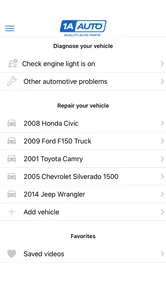
I would begin with the vehicle’s exact identity written down: model, year, engine, and any relevant trim information. Then I would search for the repair rather than browsing randomly. Once I find a promising guide, I would compare the visible parts and layout with my vehicle before ordering. This small habit can prevent the common mistake of trusting a title while overlooking a configuration difference.
Before buying, I would create a short decision list. Can I safely lift or support the vehicle if needed? Do I have the basic tools shown? Is there enough time to leave the car unfinished if a fastener breaks? Do I have a backup transport plan? These questions are more important than whether the video looks easy. A free app is valuable partly because it gives me a chance to ask them early.
For a part that is difficult to reach, I would watch the removal route and the installation route separately. The two directions are not always equally simple. Installation may require aligning a component under tension or reconnecting something in a particular order. Understanding that before disassembly helps avoid the classic DIY problem of removing a working part and then becoming stuck during reassembly.
After the repair, I would not rely solely on the fact that the car starts or the noise disappears. I would check fasteners, connectors, fluid leaks, warning lights, and the behavior described by the vehicle’s own service guidance. The app is most effective as one part of a careful workflow, not as the entire quality-control process.
Version, availability, and everyday usability
The current version is 2.2.10, and the app supports devices running Android 7.0 or later. That gives it a reasonably broad reach for Android users who do not have a recent phone. I would still keep the device charged and make sure the screen is readable before taking it into the garage, because practical usability matters more than having the app installed but inaccessible during a repair.
It is rated for Everyone, which fits its role as an automotive information and shopping tool rather than an age-restricted service. The developer is TRQ Auto Parts, so the app naturally makes the most sense for people who are comfortable exploring a parts-oriented ecosystem while learning about repairs. That connection is useful for convenience, but I would still compare fit and suitability carefully instead of treating any suggested component as an automatic match.
Since its release on September 13, 2022, the app has built a visible user base without becoming something I would confuse with a complete automotive reference library. I see it as a focused tool: useful when a repair and a replacement part are connected, less useful when I need broad independent diagnosis or exhaustive technical documentation.
My final recommendation is positive, with sensible limits. Because access is free, I think it is worth trying for anyone who maintains a car, researches repairs, or wants to understand a mechanic’s work before approving it. The strongest value comes from using the videos early, checking vehicle compatibility, and letting the repair preview influence the buy-or-skip decision.
I would not install it expecting a guaranteed diagnosis, universal instructions, or a promise that every job will be easy. For safety-critical work, rare vehicles, and complicated electrical faults, I would pair it with more authoritative information or professional help. But for common DIY planning, the combination of repair demonstrations and parts context is genuinely practical. If you want a free way to turn an intimidating car repair into a better-informed decision, this is a useful app to keep within reach.
1A Auto: Parts & Repair Videos Frequently Asked Questions
Can I use 1A Auto: Parts & Repair Videos on my phone or tablet?
The app is designed for mobile devices and is available for Android devices running version 7.0 or later. It is listed as an Auto & Vehicles app, and its focused design makes it useful to have nearby while researching a repair or following a tutorial. Check that your device meets the minimum operating-system requirement before downloading.
What is 1A Auto: Parts & Repair Videos?
1A Auto: Parts & Repair Videos is a helpful automotive app and video resource for people who want to maintain or repair their vehicles themselves. It provides access to repair tutorials, installation guidance, parts-related information, and practical advice for common car and truck jobs. The content is aimed at different experience levels, although basic mechanical knowledge and the correct tools may still be necessary.
Can I use the app to learn how to repair my specific vehicle?
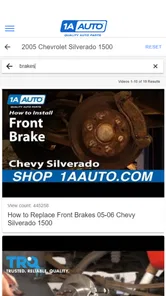
In many cases, yes. The repair videos are organized around particular vehicle makes, models, systems, and maintenance tasks, making it easier to find instructions that match your car or truck. However, coverage can vary depending on the year and configuration of your vehicle. Before starting a repair, compare the video details with your vehicle and verify the procedure using a reliable service manual.
Does 1A Auto: Parts & Repair Videos let me purchase replacement parts?
The app is connected to 1A Auto’s automotive parts resources, so users may be able to browse replacement parts and related products while researching a repair. Availability depends on the vehicle, part category, inventory, and region. It is important to confirm compatibility using the exact year, make, model, engine, and trim before ordering, since similar vehicles can use different components.
Are the repair videos suitable for beginners?
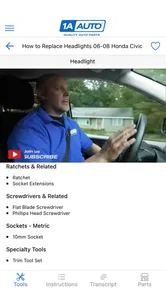
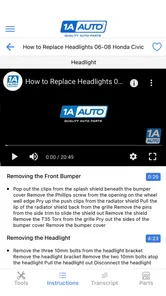
Many tutorials are presented in a clear, step-by-step format and can be useful for beginners who are comfortable working with basic hand tools. The videos commonly explain the required parts, tools, and general procedure, which makes them easier to follow than a brief written guide. Still, some repairs involve heavy components, electrical systems, or safety risks, so inexperienced users should proceed carefully or seek professional help.
Pros
- Clear repair videos help beginners follow maintenance steps.
- Parts are organized by vehicle make
- model
- and year.
- Useful troubleshooting guidance before visiting a mechanic.
- Videos demonstrate tools and replacement parts in real use.
- Helpful for estimating repair difficulty and required time.
Cons
- Coverage may be limited for older or less common vehicles.
- Some repairs still require specialized tools or equipment.
- Parts availability and prices can vary by location.
- Video instructions may not match every vehicle configuration.
- Advanced users may find some explanations too basic.











