Toddler Drawing Games For Kids
- 61.00
- 3.5
- Installs
- 5.00M
- Price
- Free
Screenshots


Analysis by Reviewed
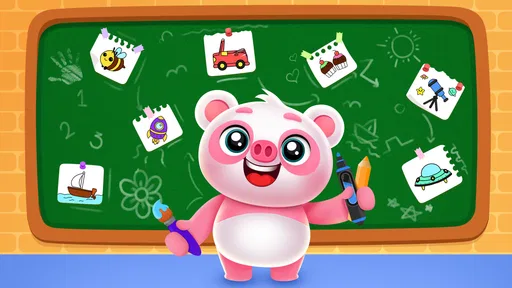
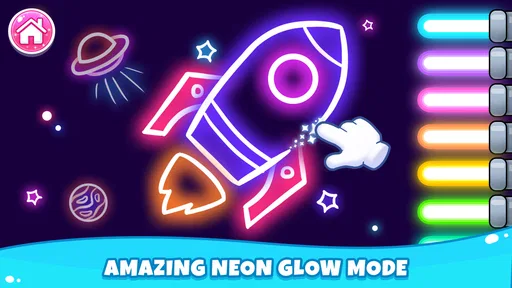
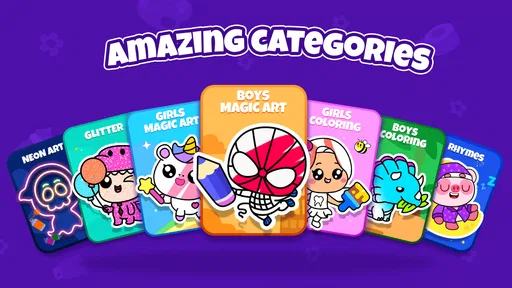
I found Toddler Drawing Games For Kids to be a cheerful, low-pressure drawing game aimed at very young children who are still learning how to use a touchscreen. My overall view is simple: it works best as a short, supervised creative activity, not as a complete preschool learning program. The focus is immediate and easy to understand—open a picture, add color, and enjoy the result—so a child can begin without needing to read instructions or understand complicated menus.
That simplicity is the game’s biggest strength. It is published by Piggy Panda Inc and sits in the educational games category, with an Everyone age rating. It is free to start, which makes it easy for a parent to test during a quiet afternoon, a restaurant wait, or a short trip. I would recommend trying it when the goal is relaxed drawing rather than structured lessons, competitive play, or advanced digital art.
How the drawing experience feels for young children
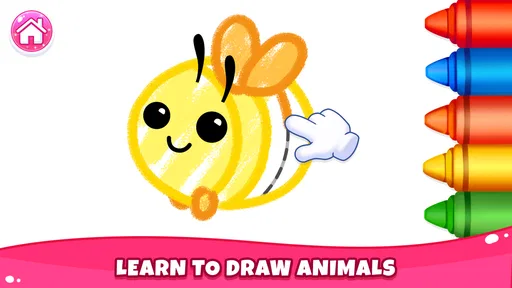
When I look at this game through a toddler’s eyes, the appeal is clear. A child does not need to build a character, solve a long puzzle, or remember a sequence of rules. The activity centers on coloring and painting, which gives an immediate response to a simple touch. That quick connection between movement and visible color is important for children who are just becoming comfortable with tablets or phones.
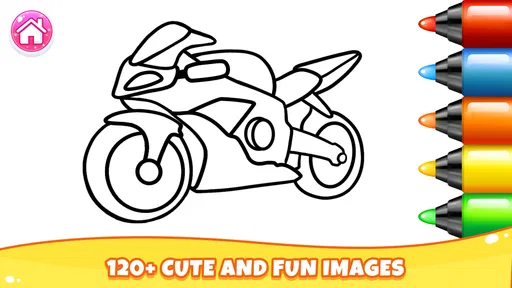
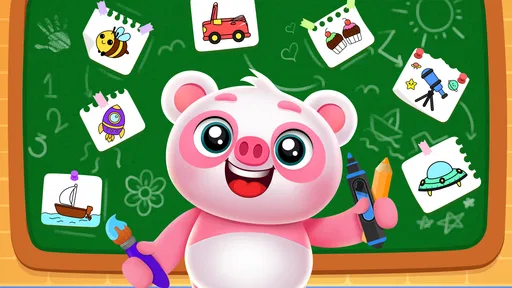
The game’s preschool coloring-book approach also makes it more approachable than a blank digital canvas. A completely empty page can be intimidating or confusing for a small child, while a prepared picture gives them a starting point. They can experiment with color without worrying about making a “wrong” drawing. For a parent, this means the app can fill a short stretch of time while still encouraging basic creative choice.
I especially like the fact that the activity does not demand a high level of precision. Toddlers do not always control a fingertip accurately, and a drawing game for this age group needs to tolerate broad, uneven movements. That makes it more suitable for early touchscreen practice than an art app designed around tiny details. The experience is less about producing a polished image and more about letting a child see that their gestures can change what appears on the screen.
There is also a useful emotional advantage to this format. Coloring can be calming when a child is tired but not ready to sleep, or restless during a waiting period. I would not present it as a replacement for physical crayons, paper, or hands-on play, but it can be a convenient digital alternative when those materials are unavailable. A parent can use it as one small part of a wider routine rather than treating it as the whole creative experience.
Why the simple controls matter
For a preschool child, the first few minutes often decide whether an app feels inviting or frustrating. Toddler Drawing Games For Kids benefits from keeping the central action familiar: touch the screen, choose a color, and paint. That is easier to explain than a game with several modes, layered menus, or objectives that require adult translation.
More From Our News Desk

Weather by Xiaomi Review: Clear at a Glance, Less Clear Up Close

X Under Pressure: Can It Recover When Posting Goes Wrong?

Clash of Clans Is Won Between the Battles

Android Auto Makes the Case for Quieter Car Software

MobiOffice: Transforming Mobile Productivity with Seamless Integration

EA SPORTS FC™ Mobile Soccer: Redefining Mobile Sports Gaming
My practical advice is to open the game with the child the first time instead of handing over the device and walking away. Even a simple coloring activity can raise questions about where to tap, how to move to another picture, or what a button means. A brief introduction lets the child understand the basic rhythm, after which they may be able to continue more independently for a while.
Another useful approach is to turn the activity into a conversation. Rather than asking only whether the picture is finished, I would ask the child why they chose a particular color, what they think the picture shows, or what they want to draw next. The game supplies the visual prompt, but the parent supplies much of the language and imagination. Used this way, it becomes more engaging than silent screen time.
It is worth remembering that coloring games can encourage choice without automatically teaching color names, shapes, counting, or handwriting. If those are the learning goals, I would use this title alongside activities specifically built around those skills. Its educational value comes mainly from creative exploration, visual attention, and touchscreen interaction rather than from a clearly sequenced preschool curriculum.
Where it fits among other children’s art apps
Compared with a physical coloring book, the game is cleaner and more portable. There is no need to carry crayons, find a flat surface, or worry about a marker reaching the table. That convenience is valuable in a car, waiting room, or family visit. The trade-off is that digital coloring does not provide the same tactile feedback as paper, and it does not develop the hand pressure and pencil control that physical drawing can encourage.
Compared with a blank drawing app, this game is more accessible to a toddler because the child can begin with an existing picture. A blank canvas offers more freedom to older children, but it can leave a very young user unsure what to do. I would choose this title when the child needs a gentle starting point, and a more open art tool when the child is already comfortable drawing independently.
Compared with educational games built around phonics, numbers, or puzzles, it is less structured. That is not automatically a weakness. Some children need a calm creative break instead of another task that tests recall. However, parents looking for measurable progress in early reading or mathematics should not mistake a coloring session for a lesson in those areas.
The game has reached over five million installs and holds an average rating of three and a half from around two thousand ratings, so it has attracted a substantial audience while also receiving a mixed overall response. I read that combination as a reason to keep expectations realistic. It is popular enough to be familiar to many families, but the rating suggests that the experience will not satisfy every parent or child equally.
What I liked, and where the experience needs supervision
The strongest part of my experience is the low barrier to entry. I can imagine using it with a child who has little patience for instructions, because the purpose is visible almost immediately. The coloring format also gives a child room to make choices without the pressure of winning or losing. That makes it a better fit for quiet creative play than for families searching for a highly challenging game.
I also appreciate that the free starting point lowers the risk of trying it. A parent can see whether the child enjoys the style before deciding whether it deserves a regular place on the device. The current version is 4.7, and it runs on Android 8.0 or later, which means compatibility still depends on the device’s operating system. Checking that requirement before planning to use it on an older tablet is sensible.
The meaningful weakness is that simplicity can become repetition. A child who wants animation, storytelling, construction, or more demanding drawing tools may lose interest sooner than a child who enjoys coloring for its own sake. This is not the kind of game I would choose as the only digital activity for a curious preschooler who quickly asks for new challenges.
There is also a financial point parents should keep in mind. The game is free, but optional in-app purchases range from $1.99 to $35.99 per item. I would review the purchase settings on the device before giving it to a child, especially if the child is likely to tap buttons while exploring. The free entry is helpful, but families should treat the paid elements as part of the decision rather than assuming every part of the experience is included without cost.
That purchase structure can also affect how independently a child should use the game. A toddler may understand how to choose a color but not understand the difference between a normal game control and a purchase prompt. For that reason, I would keep the first sessions supervised and make sure the device has an appropriate purchase safeguard. This is less about the drawing itself and more about matching the app’s digital environment to a very young user.
A realistic way to use it at home
Imagine a child waiting while a parent prepares dinner. I would set a short expectation before opening the game: choose one picture, try several colors, and then show the finished result. That gives the activity a beginning and an ending instead of allowing it to become an undefined stretch of screen time. When the child finishes, the parent can ask them to describe the picture and then move on to a physical activity, a story, or helping with a simple kitchen task.
For travel, I would use it as a backup rather than the main plan. Downloading and checking the game before leaving is practical, as is testing the controls with the child while there is still time to help. A toddler may enjoy it for a few minutes and then want something else, so packing a small physical toy or book remains a better strategy than relying on any single app to carry an entire journey.
For a child who is reluctant to draw on paper, the touchscreen may provide an easier first step. I would let the child experiment digitally and then offer paper afterward, perhaps asking them to recreate one color choice or add something that was not in the digital picture. This turns the app into a bridge toward offline drawing instead of a substitute for it.
Who should choose it, and who should skip it
I think it is a good match for parents of toddlers and preschoolers who want a straightforward coloring game for kids with a gentle creative focus. It is particularly suitable when the child enjoys selecting colors, filling pictures, and seeing quick visual feedback. It can also work well for siblings at different early ages if the younger child needs a simple activity while the older one does something nearby, although the older child may soon want a more advanced art experience.
I would skip it if the main objective is formal learning. Families seeking phonics practice, number recognition, memory training, or a carefully staged educational program will probably get more value from an app built specifically around those outcomes. I would also look elsewhere for children who already create detailed drawings and want control over brushes, layers, shapes, or freehand composition.
Parents who prefer completely offline, tactile play may also decide that a paper coloring book is the better choice. The digital version is convenient, but convenience is not the same as developmental completeness. A healthy routine can include both: physical materials for sensory and motor practice, and this game for a portable, low-mess creative option.
The age rating of Everyone makes the game easy to consider for a family device, but the rating should not be confused with a recommendation for unsupervised use. Young children still need help with device habits, purchases, and stopping at an appropriate time. I would judge the right level of independence by the child’s ability to follow those boundaries, not simply by the fact that the game is designed for toddlers.
My final view after using it
Toddler Drawing Games For Kids succeeds because it understands that a very young child often needs an inviting first step, not a complicated lesson. The drawing and coloring focus is accessible, portable, and easy to turn into a shared parent-child activity. I found its best use in short sessions where creativity and calm matter more than progression or challenge.
At the same time, I would not oversell it. The experience may feel limited for children who want variety or advanced tools, and the optional purchases mean adults should manage the device rather than handing it over without preparation. Its educational benefit is real but modest: it supports creative choice and touchscreen familiarity, while broader preschool skills need other activities.
My recommendation is therefore specific. Try it if you want a free starting point for preschool drawing and painting, especially for a child who enjoys coloring but is not ready for a complex art app. Use it in short, supervised sessions, connect the pictures to conversation, and balance it with paper, crayons, books, and active play. If you want a structured curriculum or a deep creative toolbox, choose a different category of app. If you want an uncomplicated digital coloring break, this game is worth a place on the shortlist.
With a free entry point, an Everyone rating, and a focus that a toddler can understand quickly, it offers a practical option for families who know exactly what they want from it. Its real strength is not teaching everything; it is making the first few minutes of digital drawing feel approachable.
Toddler Drawing Games For Kids Frequently Asked Questions
Is Toddler Drawing Games For Kids free to download, and are there optional purchases?
Toddler Drawing Games For Kids is free to download. It also offers in-app purchases, with individual items ranging from $1.99 to $35.99. Parents may want to check purchase settings on the device before a child starts playing, so accidental taps do not lead to an unwanted purchase. The game is an educational drawing and coloring experience for children.
What is Toddler Drawing Games For Kids?
Toddler Drawing Games For Kids is a child-friendly drawing and coloring app designed for preschoolers and young children. It typically offers simple touch-based activities, colorful templates, free-drawing tools, and playful animations that make creating pictures easy and entertaining. The interface is designed to be accessible even for children who are still developing fine motor skills.
Is Toddler Drawing Games For Kids suitable for my child’s age?
The app is mainly intended for toddlers and preschool-aged children, although the ideal age range may vary depending on the child’s abilities and the specific activities included. Younger children may need help learning how to select colors or use drawing tools, while older preschoolers can often explore the features independently. It is rated Everyone, and parents can decide whether the activities suit their child.
Does the app require an internet connection?
Many drawing activities can usually be enjoyed offline after the application has been installed, which is useful for travel or situations without Wi-Fi. However, certain features may depend on an internet connection, including advertisements, updates, external links, or optional content downloads. It is a good idea to open the app once while connected and confirm which games and tools remain available offline.
Are there advertisements or in-app purchases?
Toddler-focused drawing apps may include advertisements, premium content, or optional in-app purchases, depending on the version and platform. Parents should review the app’s store information and device settings before allowing a child to play. If advertising is present, supervision is recommended, particularly because young children can accidentally tap banners or purchase prompts while exploring the screen. The game is free to download and offers in-app purchases.
Pros
- Simple controls are suitable for toddlers with limited coordination.
- Bright visuals and playful sounds help maintain children’s attention.
- Short activities make it easy to play during quick breaks.
- Offline access is useful when traveling or away from Wi‑Fi.
- Drawing activities can encourage creativity and early color recognition.
Cons
- Some children may find the activities repetitive after extended play.
- Sound effects can become distracting without careful volume control.
- Limited drawing tools may feel restrictive for older preschoolers.
- Ads or locked content may reduce the appeal of the free version.
- The app may not offer detailed progress tracking for parents.













