Tie Dye
- 12.42K
- 4.5
- Installs
- 100.00M
- Price
- Free

Screenshots
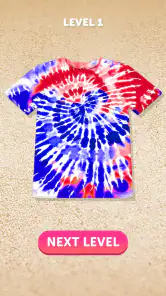
Analysis by Reviewed
I like the idea of making a bright, patterned garment without setting up a craft table or worrying about dye on my clothes. Tie Dye turns that simple appeal into a casual mobile game: choose an item, work with color, and see what kind of design your choices produce. It is best approached as a quick creative diversion, not as a detailed art program or a realistic lesson in fabric dyeing.
Choosing colors, shapes, and a pace that suits you
What makes this kind of creative play appealing is the small decision at its heart: which clothing item to work on, which colors to combine, and how bold to make the result. I find that it suits short breaks better than a long, demanding session. You can approach each design as a quick experiment rather than a project that needs to be perfect. If I were playing while waiting for a ride or taking a quiet moment at home, I’d focus on one color idea at a time and see where it leads.
That freedom comes with a trade-off. A colorful result is easy to enjoy, but players who want precise control over every detail may find the tactile gestures take some practice. I’d treat early designs as tests: try a restrained palette first, then add stronger contrasts once you have a feel for how the colors land. That simple approach makes experimentation less frustrating and gives you a clearer sense of what you actually like.
Reads About Tie Dye
Unleash Your Creativity
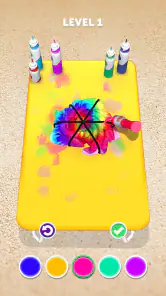
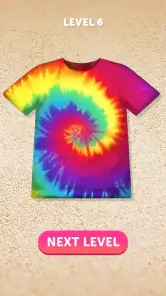
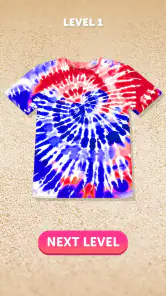
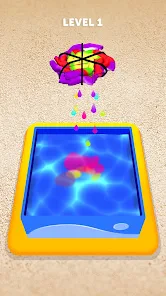
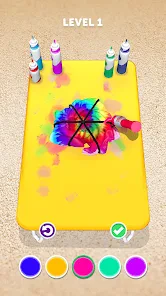
When you first open Tie Dye, you're greeted with a splash of colors and a simple interface that screams “Let’s get creative!” The app offers a wide selection of clothing items to dye, from t-shirts and hoodies to socks and shorts. You get to choose your canvas and then dive into an impressive palette of colors. The best part? You can mix and match shades to your heart's content, without worrying about running out of dye or making a mess.
For a more deliberate result, I’d decide on a mood before choosing colors: a few related shades can feel calmer, while contrasting colors make a design feel louder. That small bit of planning is useful when you want a pattern to look intentional instead of simply busy. It also helps if you’re using the game as a low-pressure creative prompt rather than trying to reproduce a specific real-world shirt.
Easy to Use, Hard to Master
The game’s user-friendly interface ensures that even beginners can create designs with ease. Just pinch, twist, and slide to apply colors in various patterns. Feeling adventurous? Try out different tying techniques and watch how the colors blend and swirl. The tactile feedback makes the experience surprisingly immersive, almost as if you’re working with actual fabric. However, mastering the art of virtual tie-dyeing takes a bit of practice, making it all the more rewarding when you nail that perfect design.
I’d recommend changing one thing at a time when you’re learning the gestures. If you switch both your color choices and your approach to the fabric at once, it can be harder to tell which decision produced a result you enjoy. That makes the game more approachable for younger players, too: it gives them room to experiment without turning every attempt into a pass-or-fail test. It is still a simple simulation, though, not a substitute for learning how real dyes behave on real cloth.
More From Our News Desk

X Under Pressure: Can It Recover When Posting Goes Wrong?

Clash of Clans Is Won Between the Battles

Android Auto Makes the Case for Quieter Car Software

MobiOffice: Transforming Mobile Productivity with Seamless Integration

EA SPORTS FC™ Mobile Soccer: Redefining Mobile Sports Gaming

How Microsoft OneDrive Became a Mobile Productivity Giant
When a quick creative break is enough
A realistic everyday use is a short session after school or work: pick an item, make a few color choices, and enjoy the visual result without setting up materials or cleaning afterward. That is where I think this game has the clearest advantage over a craft activity. Real tie-dye offers physical texture and a wearable outcome, but it takes supplies, preparation, and care; this is easier when you want the playful design stage without the practical work.
On the other hand, players who want a deep fashion simulator, detailed garment customization, or a serious art tool should look elsewhere. Tie Dye’s appeal is its narrow focus on colorful, hands-on experimentation. The trade-off is that repeating the same basic creative loop may feel less satisfying if you want a campaign, complex goals, or substantial progression. I’d choose it for casual creativity, not as my main game when I’m looking for a long-term challenge.
Planning a design without overthinking it
A useful way to approach each garment is to set a tiny goal before you start. You might aim for a soft, coordinated look, or decide that this attempt should use a bolder contrast than the last one. That gives each session a clear direction without turning a relaxing activity into homework. I also find it helpful to pause after choosing a color and look at the overall balance before adding more; stopping early can be better than piling on shades just because they are available.
This is especially useful for children or anyone who enjoys making choices but gets frustrated when a result feels unpredictable. Keep the first attempt simple, then invite them to describe what they would change next time. The game becomes a small exercise in visual decision-making rather than a race to produce a perfect design. It is still worth remembering that touch controls and screen size can affect how comfortable the process feels, so a larger device may be easier for someone who finds small gestures fiddly.
Share Your Masterpieces
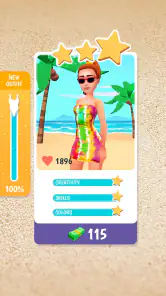
Once you've created a design that you're proud of, the app allows you to share your work with friends and family directly through social media platforms. It’s a fun way to showcase your creativity and maybe even inspire others to try their hand at tie-dyeing. Plus, the app’s community feature lets you browse through other users' creations, offering a steady stream of inspiration and friendly competition.
Looking through other designs can also help when you feel stuck. Rather than copying a whole look, I’d borrow one idea—such as a color pairing or a general sense of contrast—and then make the next design my own. That gives browsing a practical purpose: it can help you decide what to try next, instead of turning the experience into passive scrolling.
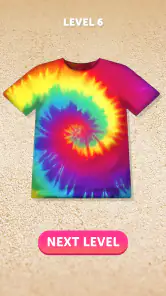
Another cool feature is the ability to use your designs as wallpapers or print them on real-life items. Imagine flaunting a t-shirt with a design you crafted yourself! This feature truly bridges the gap between virtual creativity and tangible results.
I’d keep expectations measured around that bridge: the appeal is imagining a design beyond the screen, while the strongest part of the experience remains making and enjoying the virtual pattern. If your main goal is to produce a physical garment, a real craft kit or a service built specifically for custom printing is a better fit. If you mainly want a colorful idea to share or save, the design process is the reason to play.
Knowing when another creative option fits better
Compared with a conventional coloring game, this one puts more emphasis on manipulating a garment and seeing colors blend into a pattern, rather than filling a fixed outline with careful strokes. That makes it a better choice when you want to play with the overall look of clothing. A drawing app is the stronger pick if you need exact placement, fine lines, or a blank canvas for a specific image. A real tie-dye project wins when the finished object matters more than convenience, but it asks for time, materials, and cleanup.
There is also a difference between this and a fashion game built around styling outfits. Here, the appeal is the making of a colorful surface, not assembling a complete wardrobe or planning a look from head to toe. I’d choose it for a brief, tactile-feeling design break; I would not choose it to develop technical art skills or to plan a real clothing purchase. Keeping that distinction in mind makes the game’s narrow focus feel like a deliberate strength rather than a missing feature.
A casual game with a clear niche
CrazyLabs LTD’s Tie Dye is a free simulation game, rated Everyone, and it has a 4.5 average from around 584,000 ratings, with over 100 million installs. It was released on July 7, 2020, and version 4.9.0.0 requires Android 6.0 or later. Those details place it among widely played casual games, but popularity alone doesn’t make it the right choice for every player. I’d recommend it to anyone who enjoys color, quick creative choices, and low-stakes experimentation; I’d skip it if I wanted intricate tools or a more strategic game.
The game is free to download, with in-app purchases ranging from $2.99 to $49.99 per item. Since purchases are optional, I’d start by seeing whether the core creative loop holds your interest before spending anything. That is a sensible approach for a casual game: enjoy what is available, then decide whether extra options matter enough to you to justify a purchase. The age rating makes it suitable for a broad audience, while younger players may still benefit from an adult helping them make purchase decisions.
For parents deciding whether it suits a child, the simple creative premise and Everyone rating make it an easy game to consider, but I would still treat purchase prompts as a reason to check in. For adults, the same advice applies in a different way: start with the free experience and only consider spending if you have found a specific reason to expand it. This is a casual pastime, so there is little point paying simply because an option is presented. A player who wants a predictable, structured set of goals may also find the open-ended design loop less motivating than a level-based puzzle or management game.
So, Is It Worth It?
In my opinion, Tie Dye is a delightful game that combines fun, creativity, and a hint of nostalgia. It’s perfect for those lazy afternoons when you want to unwind and let your creative juices flow. The game is free to download, with in-app purchases available for additional items and patterns. While some might find the ads a bit intrusive, they’re a small price to pay for the hours of entertainment this game provides.
What matters most is whether you enjoy repeating a simple creative loop: choosing an item, testing colors, and seeing how a gesture changes the design. I find that satisfying in short bursts, but I wouldn’t expect it to replace a more varied simulation or a hands-on craft. If you want a relaxed way to play with color and don’t mind practicing the controls, it is easy to recommend; if you need deep customization or a clearly defined challenge, another option will suit you better.
One practical question is whether it works as a quick game when you have only a few minutes. I think it can, because the appeal is in making a compact set of choices and seeing the result, not in committing to a long session. If you are trying to unwind between tasks, decide on one small experiment and leave it there. If you want a longer activity with goals that build from one stage to the next, a more structured simulation will probably hold your attention better.
Another question is whether the virtual designs translate into real-world craft results. I would use them as inspiration, not as reliable instructions: the game is about playful visual experimentation, while real fabric and dye involve materials and handling that a screen cannot reproduce. For a wearable item, follow the directions for the actual materials you are using. That distinction helps keep the game enjoyable without expecting it to do the job of a craft tutorial.
So go ahead, download the game, and get ready to immerse yourself in the vibrant world of tie-dye. Who knows, you might just discover a hidden talent or a new favorite pastime!
Tie Dye Frequently Asked Questions
What should I know about Tie Dye before downloading it?
Tie Dye is a mobile simulation game centered on making colorful clothing designs. It may suit players looking for a casual, creative activity rather than a complex game with a long learning curve. Before downloading, consider whether its bright, do-it-yourself style is appealing to you and whether your device meets the operating system requirement.
Who is Tie Dye designed for, and what is its content rating?
Tie Dye has an Everyone content rating, and its simple creative premise can make it approachable for a broad audience. Younger players may enjoy experimenting with colorful designs, while adults can use it as a light, casual game. As with any app, parents may want to review its in-app purchase options before letting a child play.
What kind of game is Tie Dye, and who makes it?
Tie Dye is a simulation game from CrazyLabs LTD, built around creating colorful designs on clothing. Its store summary describes mixing and painting hair dye to make clothes with a cheerful, do-it-yourself color-pop style. If you enjoy experimenting with visual designs in a casual game, its creative focus may appeal to you.
What is Tie Dye and what can I expect from this app?
Tie Dye is a creative and fun mobile application that lets users design and create unique tie-dye patterns on virtual clothing items. Users can expect an engaging experience where they can experiment with colors and patterns, enhancing their creativity. The app is user-friendly and provides a relaxing, artistic outlet for users who enjoy fashion and design.
Is Tie Dye a free app or does it include in-app purchases?
Tie Dye is free to download and play, but it includes in-app purchases priced from $2.99 to $49.99 per item. These purchases can enhance your experience by unlocking additional features, patterns, or colors. While the basic features are sufficient for casual users, those seeking more advanced tools and customizations may consider these optional purchases.
Pros
- Fun and creative outlet for all ages
- Easy-to-use interface with intuitive controls
- Vibrant and diverse color options
- Great for stress relief and relaxation
- Encourages artistic expression
Cons
- Limited design patterns available
- In-app purchases can be frequent
- Ads can interrupt gameplay
- Some colors may not display accurately
- Requires internet for full functionality
- Category
- Simulation
- Version
- 4.9.0.0