Phone Case DIY
- 10.81K
- 4.4
- Installs
- 100.00M
- Price
- Free

Screenshots
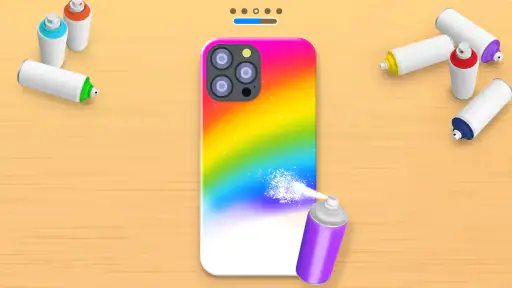
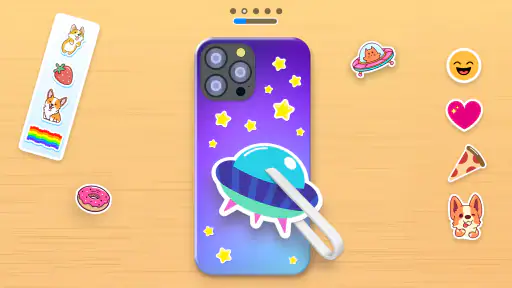
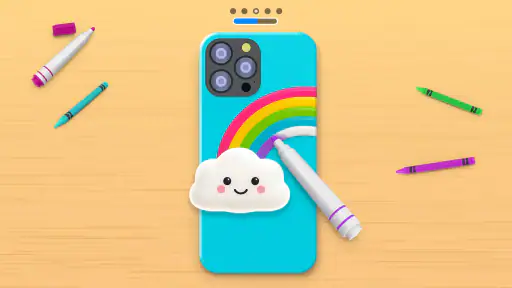

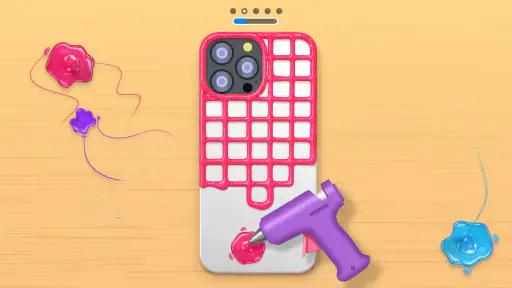
Analysis by Reviewed
I’d reach for this game when I want a small creative task rather than a serious design project. The basic appeal is easy to grasp: work on a phone case, make choices about its look, and see a design take shape. Phone Case DIY is a casual simulation game from CrazyLabs LTD, and its focus on decorating makes it best suited to quick bursts of playful experimentation.
A good fit for spare moments
The short, self-contained nature of a case design makes this a handy choice for a quiet break: I can start with a color idea, explore a few visual choices, and stop when the result feels complete. It suits players who enjoy arranging colors and decorative details more than solving puzzles or managing a complex simulation. If you’re looking for a demanding challenge, an elaborate story, or a long-term building project, I’d choose another game instead.
It can also work as a low-pressure activity to share with a child. Rather than expecting polished art, you can take turns suggesting a mood or a focal point and see how those ideas look together. The Everyone age rating makes it broadly accessible, but the most enjoyable way to approach it is as casual creative play, not as a lesson in professional design.
Reads About Phone Case DIY
Start with a look, then make choices
The satisfying part is having a visual goal from the outset: turn a plain case into something that feels more personal. I’d begin with one clear idea—bright and playful, for example, or calmer and more restrained—rather than trying to use every option at once. That makes it easier to judge whether each new choice improves the design or just adds clutter.
It also helps to treat each case as a tiny project with a stopping point. Pick a color direction, try a few decorative decisions, then pause and look at the whole composition. This is a useful approach for younger players, too: the activity invites creative choices without requiring drawing experience or a long tutorial. The age rating is Everyone, though adults who enjoy light, hands-on customization may find the same simple appeal.
Create Your Masterpiece
When you first open Phone Case DIY, you’re greeted with a simple, user-friendly interface that immediately gets you in the mood to craft. The app walks you through a variety of tools and options to help you design the phone case of your dreams. Whether you’re into bold colors, intricate patterns, or minimalistic designs, there’s something for everyone.
Tools and Features
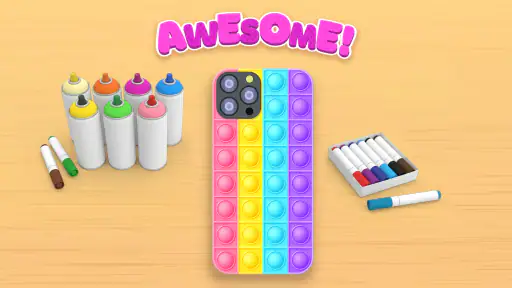
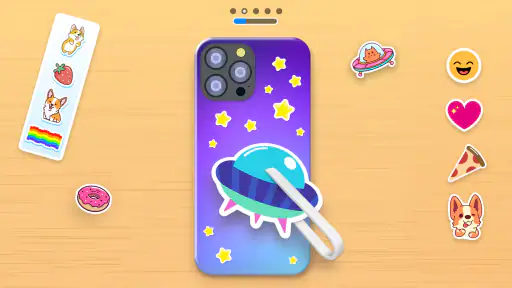
The app offers a range of features that are both fun and functional. You can choose from a plethora of colors, patterns, and textures to customize your case. Plus, there are stickers, decals, and even the option to add text. Want to make a statement? Go ahead and slap on a quirky quote or your name in a funky font. You can even layer designs to add depth and dimension to your creation. It’s like having a tiny art studio right in your pocket!
More From Our News Desk

Clash of Clans Is Won Between the Battles

Android Auto Makes the Case for Quieter Car Software

MobiOffice: Transforming Mobile Productivity with Seamless Integration

EA SPORTS FC™ Mobile Soccer: Redefining Mobile Sports Gaming

How Microsoft OneDrive Became a Mobile Productivity Giant

How Google Translate Breaks Language Barriers Effortlessly
One of the coolest things is the real-time preview feature. As you make changes, you can see exactly how your phone case will look. No more guessing games or unpleasant surprises. It’s like trying on clothes before buying them—it just makes sense!
Keep the feedback useful
The preview is most helpful when I use it to make deliberate comparisons rather than treating every new decoration as an automatic improvement. If a case has several competing elements, temporarily stepping back from the latest choice makes it easier to spot what is actually drawing the eye. That small pause turns the feedback into a practical design check: keep the addition if it supports the original idea, and reconsider it if it distracts.
There’s a trade-off in that immediate visual response. It makes experimentation easy because I can see the effect of a change right away, but it also encourages tinkering past the point where a design is already working. I’d set a simple personal limit—perhaps settle on a main color, one feature that stands out, and a few supporting details—then stop to review the whole case. The goal is not to use every available choice; it’s to make the choices feel connected.
Why You'll Love It
This app isn’t just about creating something pretty; it’s about expressing yourself. With Phone Case DIY, you can let your personality shine through every design. Whether you’re customizing a case for yourself or designing one as a gift, the possibilities are endless. And let’s be honest, there’s something incredibly satisfying about holding a piece of art that you’ve personally crafted.
Make a design feel intentional
A practical trick is to choose a focal point before layering anything else. If you add text, let it lead and keep the surrounding decoration quieter; if a pattern is doing the work, avoid crowding it with too many competing details. This makes the preview more useful than a quick final check: you can compare the balance as you go and back away from a choice that makes the case feel busy.
That workflow also suits an everyday pause. I can imagine opening it while waiting for a friend or winding down after school, finishing one design idea, and putting the phone away without needing to commit to a long session. It’s a better fit for low-pressure play than for someone who wants precise professional controls or a real-world ordering process. The appeal is the act of decorating on screen, not planning a physical product.
When the simple loop works
The loop is straightforward: make a visual choice, see its effect, and keep shaping the case until it feels finished. The immediate preview gives each change a clear response, while the satisfaction comes from arriving at a look that feels like yours. After that, the natural reason to start again is to try a different mood or arrangement—not to master a complicated system. If you enjoy making several variations, that can be relaxing; if you need a deep goal or a demanding challenge, the loop may feel thin.
That reset is easiest to enjoy when I deliberately change the brief for the next case. Instead of repeating a favorite palette, I might aim for a quieter look, or make text the main feature after relying on pattern before. Giving each attempt one small constraint creates a fresh decision to solve without pretending the game has a complicated progression system. It also helps me decide when I’m done: once the new idea reads clearly, another round is optional rather than necessary.
How it compares with other creative options
Compared with a general drawing app, this game narrows the task to decorating a phone-case shape. That focus can be a relief if an open canvas feels intimidating, because the object gives the choices a clear purpose. The reverse is true for someone who wants to sketch freely, control fine details, or build an illustration from scratch: a dedicated art app is the better tool. Likewise, a real custom-case service is the practical choice if the aim is to buy a physical accessory. This game is for imagining designs, not ordering them.
It also differs from management-heavy simulation games. There’s no reason to approach it as a test of planning a large system; its appeal is concentrated in choosing, previewing, and refining one small design. That makes it easier to pick up casually, but players who need unlock goals, strategy, or a strong sense of progression may find that the decorating itself has to be enough.
Choosing the right moment to play
A realistic use is a short wait between errands or activities. I could open it while a friend is running late, pick a theme for a case, and use the preview to see whether a new detail strengthens the look. If the time is interrupted, the activity has a natural stopping point: I can leave the design at a decision rather than needing to finish a long sequence. For a family, taking turns proposing one change at a time can make the choices more thoughtful than simply adding everything that catches the eye.
For younger players, I’d keep the emphasis on trying ideas rather than judging whether a case looks “right.” For adults, it works best as a small creative diversion, not a substitute for a more capable design tool. The same simplicity that makes it approachable also limits how much control and depth a serious hobbyist may want.
Compared with many simulation games that ask you to manage a larger setup or follow a longer progression, this one keeps attention on a single decorative object. That narrow focus is a strength when you want a quick creative outlet, but it also sets expectations: it is not a full drawing studio, a case-shopping tool, or a substitute for crafting a physical accessory. I’d choose a dedicated art app for freeform illustration and a shopping service if I wanted to order a custom case.
Cost, access, and expectations
The game is free to download, with optional in-app purchases ranging from $0.99 to $12.99 per item. I’d decide whether to spend only after trying the basic creative loop; the core question is whether making and revising designs is enjoyable for you, not whether a purchase will turn it into a different kind of experience. Its age rating is Everyone, which helps families assess whether the general audience label fits their needs.
It has a 4.4 average from around 875,000 ratings and over 100 million installs, so many players have tried this light decorating concept. It was released on September 26, 2020, and version 4.1.0.0 requires Android 6.0 or later. Those details are useful for checking basic compatibility and audience fit, while the deciding factor remains whether this particular creative loop appeals to you.
Another thing I appreciate is how the app caters to all skill levels. Whether you’re a seasoned designer or just someone looking to kill time with a fun project, you’ll find the app intuitive and engaging. It doesn’t throw a bunch of complicated tools at you; instead, it offers a straightforward approach that encourages creativity without overwhelming you.
When I’d pass
I’d skip it if I wanted exact control over a real product, a blank canvas with professional-grade editing, or a simulation built around meaningful long-term goals. I’d also pass if decorating a single object feels repetitive rather than relaxing. Those aren’t flaws that can be solved by approaching the game differently; they’re signs that its intentionally narrow scope may not match what I want from a mobile game that day.
For anyone who does enjoy visual customization, the useful question is whether the act of trying combinations is satisfying on its own. If it is, the limited scale becomes a feature: a case is small enough to finish, review, and move on from. If the fun depends on collecting rewards or steadily gaining new systems, I’d look elsewhere before expecting this simple format to provide that kind of motivation.
Final Thoughts
In a world where everything feels mass-produced, Phone Case DIY offers a refreshing break from the norm. It’s a chance to create something that’s uniquely yours, that stands out in a sea of sameness. So why not give it a shot? Download the app, unleash your inner artist, and start crafting phone cases that are as unique as you are. Trust me, you won’t regret it!
Phone Case DIY Frequently Asked Questions
Does Phone Case DIY need an internet connection to play?
Phone Case DIY is a casual simulation game built around decorating phone cases with color and dye-art effects. If you prefer games you can open for a quick creative session, its focused theme may appeal to you. Keep in mind that its app-store description mentions painting and decorating, rather than making or ordering a real phone case.
How much storage space does Phone Case DIY require?
Before installing any game, it is sensible to check that your device has room for it and its updates. Phone Case DIY is a free mobile simulation game about decorating phone cases, so you can decide whether its creative theme is a good fit before downloading. The minimum operating-system requirement is Android 6.0, which can help Android users check compatibility.
Is Phone Case DIY appropriate for a quick, casual gaming session?
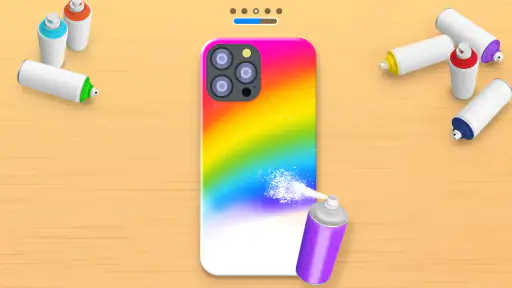
Phone Case DIY is a simulation game focused on phone-case decoration, with spray painting, bright colors, and dye art at its center. That straightforward creative premise makes it an option for players who want a light activity rather than a complex game. It is listed for Everyone, so its general audience rating is broad, while parents can still check purchase settings.
What kind of phone case designs can I create in Phone Case DIY?
Phone Case DIY is a simulation game centered on decorating phone cases, with a store summary that highlights spray painting, happy colors, and dye art. It is a fit for players looking for a light, hands-on creative activity. Before downloading, keep in mind that the game is about designing cases on screen rather than producing a physical case.
What is Phone Case DIY and how does it work?
Phone Case DIY is a creative application that allows users to design and customize their own phone cases. It offers a wide range of design tools, templates, and color palettes to help you create unique and personalized phone cases. Users can apply various patterns, stickers, and text to make their phone case truly one-of-a-kind. The app is user-friendly and suitable for all ages, making it an enjoyable experience for everyone.
Pros
- Easy to use interface for customization
- Variety of design templates available
- Supports multiple phone models
- High-quality print results
- Affordable pricing for custom cases
Cons
- Limited color palette options
- Occasional app crashes
- No option for 3D designs
- Requires internet connection
- Longer delivery times for custom orders
- Category
- Simulation
- Version
- 4.1.0.0