Scrabble® GO-Classic Word Game
- 64.71K
- 4.3
- Installs
- 10.00M
- Price
- Free

Screenshots
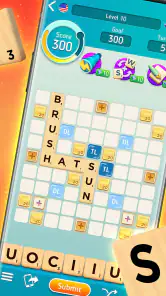
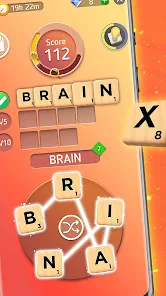
Analysis by Reviewed
I came to Scrabble® GO-Classic Word Game for the familiar letter-tile challenge, but the first thing I’d tell a friend is to set expectations: this is a word game wrapped in a more feature-rich mobile experience than a bare digital board. That gives you more ways to play, but also means it can take a little exploring before you find the pace and style you enjoy most.
Where players can get stuck
The basic appeal is easy to understand: make words from your rack, use the board strategically, and try to outscore your opponent. The less obvious adjustment is deciding how much of the surrounding game experience you want. If you are looking for a quiet, traditional match, extra modes and competitive options may initially feel like distractions. I’d start with the familiar board-style play, then explore other choices only if you want more variety.
It also helps to remember that a strong move is not always the longest word you can make. A short placement that reaches a premium square or blocks a useful opening can be more valuable. When I’m stuck, I look for a safe way to use awkward letters and leave a balanced rack for the next turn instead of spending too long chasing an impressive word.
One source of friction is the gap between knowing the rules and knowing the app’s layout. A player who expects one simple board may need a little time to distinguish the traditional match from the other choices around it. I wouldn’t judge the game by the first screen alone: take a moment to locate the style of play you want, then stay with it long enough to see whether the board itself clicks.
Setup checks and a smoother routine
Before inviting someone to play, I’d make sure the app is installed and opening normally, then take a moment to find the mode and opponent options you intend to use. If you’re joining a friend, agree on the kind of match first; that avoids the small annoyance of each person looking for a different style of game. For a casual daily habit, keeping one match going while you take short breaks can suit the turn-based feel better than expecting every session to be a quick, uninterrupted round.
The game is free to download, with optional in-app purchases priced across a wide range, so I’d treat purchases as an extra rather than a requirement for deciding whether the core word game suits you. The developer is Scopely. It is rated for Everyone, and the Android version requires 5.1 or later. Those basics make it easier to check fit before installing, especially if you’re setting it up on an older device or for a younger player.
For a first session, I’d keep the goal modest: open a match, learn how your rack and the board fit together, and avoid trying every option at once. That makes it easier to tell whether a confusing moment comes from the rules, the interface, or simply unfamiliarity. If you are installing it for someone else, let them try a few turns before explaining every feature; the central tile-and-board idea is easier to learn by doing.
More From Our News Desk

Weather by Xiaomi Review: Clear at a Glance, Less Clear Up Close

X Under Pressure: Can It Recover When Posting Goes Wrong?

Clash of Clans Is Won Between the Battles

Android Auto Makes the Case for Quieter Car Software

MobiOffice: Transforming Mobile Productivity with Seamless Integration

EA SPORTS FC™ Mobile Soccer: Redefining Mobile Sports Gaming
It is also worth deciding how you want to handle purchases before handing a device to a younger player. The game is free, but optional items have prices that range from under a dollar to nearly three hundred dollars per item. I’d check the device’s purchase controls and keep any spending intentional rather than treating an in-game offer as part of the basic cost of playing.
Gameplay and Features
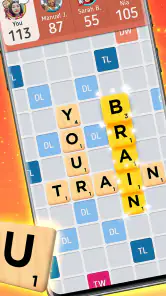
So, what makes Scrabble® GO-Classic Word Game a must-have on your phone? First off, it stays true to the original game that we all know and love. You get the same thrill of strategically placing tiles to create high-scoring words. But what really sets this app apart are its unique features that add a whole new layer of fun.
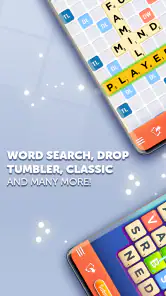
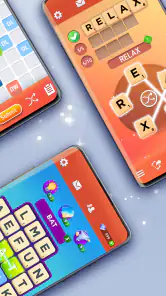
One of the coolest features is the variety of game modes. Whether you're in the mood for a quick match or looking to challenge yourself with something more intense, there's something for everyone. You can play against friends or take on players from around the world. Trust me, there's nothing like testing your skills against someone thousands of miles away!
And let's not forget about the power-ups. These little helpers can really turn the tide in a game, allowing you to shuffle your tiles or even boost your score. It's these small additions that keep the game engaging and make it more than just a digital version of a board game.
User Experience and Design
In terms of design, the app is sleek and user-friendly. The interface is intuitive, making it easy to navigate through different modes and features. I particularly appreciate the vibrant colors and smooth animations that add to the overall experience without being too distracting.
One thing I found really helpful is the in-game dictionary. It's a lifesaver when you're stuck and need a bit of inspiration for your next move. Plus, it helps in learning new words, which is a nice bonus for all the word nerds out there.
I find the dictionary most useful after a turn, when I can check an unfamiliar word and remember it for later, rather than turning every difficult move into a lookup exercise. That small distinction matters: using it as a learning aid can make a close match more interesting, while checking constantly can interrupt the flow and make play feel less like a test of your own vocabulary.
For better turns, I try to look at the board before rearranging my whole rack in my head. First I scan for open premium squares and exposed spaces where an opponent could build a large score; then I consider which letters I can use without leaving an easy reply. This is a more useful habit than simply searching for the longest word, and it gives the game a satisfying tactical layer even when my vocabulary doesn’t offer an obvious answer.
Social and Competitive Elements
If you're someone who thrives on a bit of competition, Scrabble® GO has got you covered. The app offers various leagues and tournaments where you can compete for a spot on the leaderboard. It's incredibly satisfying to see your name climb up the ranks as you improve your skills. Plus, the chat feature is a fun way to interact with opponents, adding a social element to the game.
And for those who love a bit of nostalgia, there's even a classic mode that lets you play the game just like you would on a physical board. It's a perfect blend of old-school charm and new-age technology.
When I’m playing with someone I know, I’d agree on the tone before the first move. Some friends enjoy discussing odd words or teasing each other through chat; others would rather concentrate on the board. A quick shared expectation about conversation and dictionary use can keep a friendly game friendly, especially if one person treats every turn as serious competition and the other just wants a relaxed diversion.
Against an unfamiliar opponent, I treat the social side as optional background rather than the reason to play. The core appeal is still responding to the board: looking for a scoring opportunity while limiting the openings I leave behind. If you want a word game that feels private and self-contained, the opponent-facing and competitive aspects may not add much for you; a solo puzzle is a better fit for that mood.
Recovering from a frustrating session
If a match seems to stall or a screen behaves oddly, I’d close and reopen the app, check that the device has a working connection, and return to the match before making assumptions about the game itself. For a word dispute, use the in-game dictionary as a learning aid, but remember that looking up a word can change the feel of a friendly match; I prefer agreeing with friends beforehand whether dictionary checks are part of the fun.
A practical tip is to treat power-ups as a choice, not an automatic move. Shuffling can help when your rack is awkward, but it also gives up the chance to work through the letters yourself. I save that kind of assistance for when I’m genuinely stuck, especially if I’m playing mainly to practise spotting combinations. Players who want every turn to be a pure test of vocabulary may find the added helpers less appealing than a simpler word-game app.
If a match appears to have stopped progressing, I’d first check whether the device can connect normally, then reopen the game and look for the match again. I wouldn’t immediately start another game or repeat a move while unsure what happened; a cautious check helps avoid confusion about which board you meant to continue. If the same problem persists, basic app and device troubleshooting is a more sensible next step than assuming the opponent has deliberately abandoned the match.
It is also helpful to separate a difficult turn from a technical problem. A poor rack, a move you regret, or an opponent taking time can feel like the app is working against you, but those are ordinary parts of a turn-based word game. I take a break rather than spend several minutes forcing a move; returning with fresh eyes often reveals a simple placement I missed.
Who will enjoy it, and who may prefer another option
This is a good fit if you like Scrabble-style planning, enjoy having opponents beyond the people in the room, or want to keep a friendly match moving in spare moments. A realistic use is starting a game during a quiet part of the day, making a considered move, then returning later rather than needing to schedule a whole group around one sitting. For a family or friend group, the familiar board rules can make it easy to get started, while the digital format removes the need to set out tiles.
Compared with a simple word puzzle built around finding answers alone, this puts more emphasis on blocking, board position, and reacting to another player’s choices. That competitive element is the main reason I’d choose it over a solo word search. On the other hand, if you dislike waiting for opponents, prefer a completely quiet experience, or want a minimal interface with no extra modes to explore, a solo puzzle or a straightforward digital board may suit you better.
For a practical everyday example, I’d use it as a small break between tasks rather than as something that needs my full attention for a long stretch. I can study the board, make one thoughtful move, and return to other things. That makes it more flexible than arranging a physical game with everyone present, but it won’t satisfy someone who wants an immediate, self-contained puzzle with a clear finish in every short session.
The choice between this and a plain digital board comes down to what you want surrounding the game. Here, opponents, competitive options, and power-ups create more variety, while a stripped-back alternative can make it easier to focus only on tiles and scoring. I’d pick this when I want social play or a little extra to explore; I’d choose a simpler app when a clean, quiet board is the whole point.
Scopely’s game has an average rating of 4.3 from around 530,000 ratings, and it has passed 10 million installs. It launched on March 3, 2020; version 1.92.1 is the current release. I see those figures as signs that it has found a broad audience, not a guarantee that its busier, social approach will fit every word-game fan.
One question people often have is whether they need to spend money to enjoy the board. I’d start without buying anything and see whether the available play options and your own patience with the extra elements are enough. Purchases are optional, and the sensible test is whether you enjoy the central word game before considering anything beyond it.
Another useful question is whether it suits a complete beginner. I think it can, because the basic idea of making words from letter tiles is familiar, but a newcomer may need time to learn how board placement changes the value of a word. I’d begin with the traditional style and take turns at a relaxed pace; the competitive extras are easier to judge once the fundamentals feel comfortable.
For experienced players, the trade-off is different. The familiar board gives you room to use tactical instincts, while helpers and extra modes may make the experience feel less like a strict test of board skill. If your enjoyment depends on a minimal rule set and no assistance, a plain digital board is likely a closer match to what you want.
Finally, if you are deciding between playing with friends and opponents you don’t know, think about whether flexibility matters more than a shared schedule. A friend match can make the game personal and give you a natural conversation starter, while broader competition offers someone to play when your usual group is unavailable. Neither is inherently better; the best choice depends on whether you value familiar company or a wider pool of opponents.
My practical verdict
In conclusion, Scrabble® GO-Classic Word Game is a fantastic app that brings the classic word game into the digital age with style and flair. Whether you're a seasoned Scrabble player or new to the game, there's plenty to enjoy here. So go ahead, download the app, and let the word battles begin!
My recommendation is to try it if you want familiar tile strategy with friends and competitive variety, while keeping in-app purchases optional in your own mind. If the extra modes, power-ups, or waiting between turns get in the way of what you enjoy about word games, that’s a useful signal to choose a leaner alternative. For me, the best reason to keep playing is still the board itself: weighing a word, a square, and the move I might leave for my opponent.
Scrabble® GO-Classic Word Game Frequently Asked Questions
Does Scrabble® GO have a tutorial for first-time players?
Yes. Scrabble® GO includes a tutorial that introduces the basics of placing words and scoring, so newcomers can learn the flow before settling into matches. If you already know classic Scrabble, the familiar word-building format should feel approachable, while the tutorial can still help you get comfortable with the mobile controls and the app’s match setup.
Can I play Scrabble® GO with friends, or am I limited to playing strangers?
You can play with friends as well as online opponents. The game is built around taking turns in word-building matches, and its store summary highlights playing with friends as one of its main attractions. If you would rather test your skills against other players, online matches provide another way to enjoy the game. The app also includes solo practice against the computer.
Is Scrabble® GO free to download, and what does it cost to play?
Scrabble® GO is free to download, so you can try its word-game format without paying upfront. It also offers optional in-app purchases, with prices ranging from around 49 cents to nearly $300 per item. These purchases are not required to enjoy the core game, but it is worth checking the purchase options and your device’s payment settings before playing.
What devices can run Scrabble® GO?
Scrabble® GO is available for Android and iOS devices. On Android, the listed minimum operating system is version 5.1, so check your device’s software version before downloading. The game is designed for mobile play, letting you build words and take turns on a phone or tablet. Its age rating is Everyone, making it suitable for a broad audience.
What is Scrabble® GO-Classic Word Game?
Scrabble® GO-Classic Word Game is a mobile adaptation of the classic board game Scrabble. It allows players to compete against friends, family, or online opponents in a word-building challenge. The app features various modes, including classic, duels, and tournaments, adding new dimensions to the traditional gameplay. This game is available for both Android and iOS platforms.
Pros
- Rich multiplayer experience
- Engaging word puzzles
- Intuitive user interface
- Frequent updates
- Diverse mini-games
Cons
- Contains ads
- In-app purchases
- Requires internet connection
- Can be slow on older devices
- Limited offline mode
- Category
- Word
- Version
- 1.92.1













