Sago Mini School Toddler Games
- 642.00
- 3.5
- Installs
- 5.00M
- Price
- Free
Screenshots
Analysis by Reviewed
I’d treat Sago Mini School as a short, hands-on activity for a young child, rather than a digital replacement for preschool or a long stretch of screen time. Its appeal is the way playful interactions invite little learners to explore at their own pace. For a parent, that makes it useful during a quiet moment at home, while waiting for an appointment, or when you want to offer a more purposeful alternative to a general entertainment game.
A simple routine works best
I’d start by sitting with your child for the first few sessions. Let them choose what catches their eye, then ask them to describe what they are doing or what they notice. That small bit of conversation can turn tapping through an activity into a chance to practise naming, counting, or explaining. Once they are comfortable, you can step back and let them explore independently while staying nearby.
For a realistic everyday use, imagine a short break before dinner: your child opens the game, spends a few minutes trying an activity, and then tells you what they found. Keeping the session brief helps the game feel like one part of the day, not the default solution whenever a child is bored. I also find it useful to end with a simple prompt—“Which part would you show me?”—so the transition away from the screen feels more natural.
Check the practical details before handing it over
The game is free to download, but it offers in-app purchases priced from $7.99 to $99.99 per item, so I’d review purchase settings on the device before a child plays alone. That is a more practical preparation than relying on a young child to understand purchase prompts. The age guidance is Everyone, and the game is aimed at children from 2 to 5; I would still choose activities and screen time according to the child in front of me rather than treating an age label as a learning plan.
It was released on February 10, 2021, and its current version is 4.5, with Android 5.1 as the minimum requirement. Play Piknik is the developer. Those details are useful if you are checking compatibility on an older device or comparing what is installed at home, but they do not tell you whether a particular activity will hold your child’s interest. I’d let the child’s response guide that decision.
Who will enjoy it, and where it falls short
This is a good fit for families who want a child-focused educational game with a playful presentation, especially for a toddler who likes exploring without being rushed through a formal lesson. It is less suitable if you need a structured curriculum, measurable teaching goals, or an app designed for older children. Compared with basic alphabet or number drills, its broader, game-like approach may feel more inviting; compared with an adult-led workbook or a preschool class, it offers less structure and less conversation unless you join in.
I would also keep expectations grounded. A colorful game can encourage curiosity, but it cannot replace hands-on play, reading together, or the give-and-take of learning with another person. The reported average is 3.4 from around 6,500 ratings, alongside roughly 538 written reviews and over a million installs. That gives a useful sense that families have tried it, but popularity alone cannot predict whether your child will connect with its style.
More From Our News Desk

Weather by Xiaomi Review: Clear at a Glance, Less Clear Up Close

X Under Pressure: Can It Recover When Posting Goes Wrong?

Clash of Clans Is Won Between the Battles

Android Auto Makes the Case for Quieter Car Software

MobiOffice: Transforming Mobile Productivity with Seamless Integration

EA SPORTS FC™ Mobile Soccer: Redefining Mobile Sports Gaming
My practical tip is to notice which kinds of activities your child returns to, then use those as a starting point for a real-world follow-up: count objects at snack time, spot letters in a favorite book, or talk about something they saw in the game. This makes the app a prompt for shared learning rather than a substitute for it. If you prefer a tightly sequenced teaching tool, choose a more structured alternative; if your goal is playful exploration for a preschooler, this may be a better match.
Making the most of a short session
I’d think of the game as one option in a small rotation, rather than something that has to carry an entire afternoon. A useful pattern is to offer it when a child has enough time to settle into an activity but not so much time that stopping becomes a battle. Before opening it, I might name the boundary plainly: “We have time for one little game, then we’ll get ready.” That routine helps the child understand the transition and gives the activity a natural endpoint without turning play into a test.
There’s also value in letting a child revisit something familiar instead of always steering them toward a new activity. Repetition can give a toddler room to notice details they missed before and to practise explaining what they are doing. I would avoid correcting every choice or turning the session into a quiz. A curious question—“What made you choose that?”—is usually more useful than asking for a right answer, particularly when the goal is relaxed exploration.
Settings and household preparation
The most important setup decision is not an in-game learning option; it is making the device appropriate for a young child to use. Since purchases are available, I’d check the device’s purchase controls and make sure the child cannot approve spending accidentally. This is especially worthwhile if the phone or tablet is also used by adults, because a child may encounter prompts while simply trying to continue playing. I’d handle that housekeeping before the first independent session, rather than interrupting play to sort it out later.
I’d also prepare the physical setting. A child using a tablet at the dinner table may tap quickly and move on, while the same child sitting beside an adult can pause to talk about what they see. Keep the device within view, and decide in advance whether the game is for a quiet waiting period, a shared activity, or a brief independent break. That small choice makes it easier to judge whether the app is helping in that moment or merely filling silence.
Choosing between playful exploration and lessons
Parents often have to choose between open-ended digital play and apps that teach through a clear sequence of exercises. I see this game as the more playful side of that choice. It can suit a child who is drawn in by colorful characters and likes moving between activities, while a child who responds best to predictable repetition may do better with a focused letter or number practice app. Neither style is automatically better; the useful question is whether the child stays engaged and whether the activity fits what you want from that particular screen break.
It also differs from a physical puzzle, picture book, or counting game because the adult can’t see the whole interaction as easily unless they sit nearby. With a book, it is natural to stop and ask what a picture shows; with a digital activity, a child may move on before a conversation starts. I’d bridge that gap by asking the child to show one thing they enjoyed, then carrying that interest into an offline activity. That makes the choice less about replacing traditional play and more about giving digital play a purposeful place alongside it.
When it may not be the right fit
I would skip this as the main learning tool if you are looking for a clear lesson path, progress measures, or a resource that will work well for a child who needs closely guided instruction. I’d also be cautious about expecting it to occupy a child for a long stretch without adult involvement. The experience may be less satisfying for a preschooler who has outgrown early-childhood activities, or for a child who prefers building, drawing, or movement to tapping through screen-based play.
For a family with several young children, it can still be useful, but I wouldn’t assume that one child’s enthusiasm predicts another’s. A younger toddler may need help navigating and staying with an activity, while an older preschooler may want more challenge or a more structured task. Let each child try it briefly, observe what they actually do, and be willing to switch to a book, blocks, or a conversation if the game is not holding their attention. That is a better test than trying to make the app fit every child in the household.
A Whimsical Learning Adventure
The moment I opened Sago Mini School, I was greeted by a vibrant and colorful interface that immediately captured my child’s attention. The app is packed with a plethora of activities that are not only fun but also incredibly educational. It’s like a magical learning adventure that kids can embark on right from the comfort of their homes.
Interactive and Engaging Content
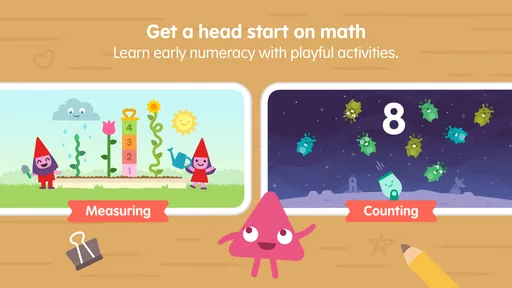
The app features a variety of subjects such as math, literacy, and science, all wrapped up in delightful games and activities. Each section is designed to stimulate a child’s imagination and curiosity. My kid couldn’t get enough of the cute characters and interactive elements that made learning feel like playtime.
Personalized Learning Experience
What I absolutely love about this app is its ability to tailor the learning experience to each child’s pace and preferences. It adapts to their progress, ensuring that they are constantly challenged but never overwhelmed. This personalized touch makes Sago Mini School a standout educational tool for young learners.
Safe and Kid-Friendly Environment
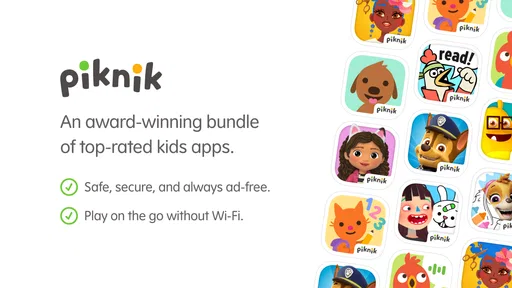
As a parent, safety is always a top priority, and I’m pleased to report that this app is as safe as they come. It’s ad-free and doesn’t require an internet connection, meaning your child can explore and learn without any interruptions or unwanted surprises. Plus, the app has a simple and intuitive interface, making it easy for little hands to navigate.
To sum it all up, Sago Mini School is a delightful blend of fun and learning, making it a must-have app for young children. Whether you’re looking to supplement your child’s education or simply keep them entertained with something constructive, this app is a fantastic choice. So, if you’re ready to embark on a whimsical educational journey, give Sago Mini School a try. Trust me; your kids will thank you for it!
Sago Mini School Toddler Games Frequently Asked Questions
What is Sago Mini School, and what does it focus on?
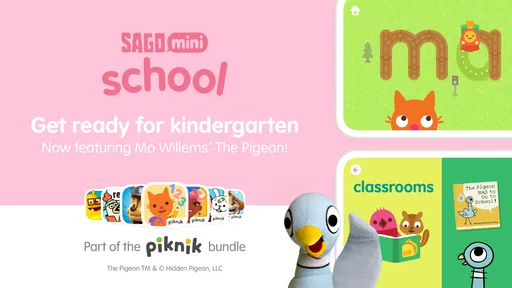
Sago Mini School is an educational game for young children, with classroom-style activities that cover early learning from ABCs to numbers. Its playful format is intended to make exploring basic concepts engaging for preschoolers. It is developed by Play Piknik and is listed for everyone, while its activities are aimed specifically at children aged 2 to 5.
What age group is Sago Mini School designed for?
Sago Mini School is specifically designed for young children aged 2 to 5 years. This app offers a range of educational activities that cater to preschoolers and toddlers, focusing on early learning skills and cognitive development. It incorporates engaging themes, interactive play, and educational games to keep young minds stimulated and entertained.
What types of learning activities does Sago Mini School offer?
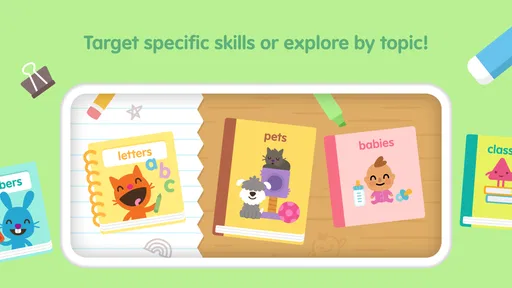
Sago Mini School provides a variety of learning activities that cover essential early childhood education topics. These include basic literacy, numeracy, creativity, and problem-solving skills. Children can engage in interactive lessons, puzzles, and games that are designed to encourage exploration and curiosity while reinforcing foundational knowledge in a fun and engaging way.
Is Sago Mini School safe for children to use independently?
Yes, Sago Mini School is designed with young children's safety in mind. The app is ad-free and does not require any in-app purchases, ensuring a distraction-free environment. Additionally, it features a user-friendly interface tailored for young users, allowing children to navigate the app independently without any risk of encountering inappropriate content.
Does Sago Mini School require an internet connection to function?
Sago Mini School can be used both online and offline. While an internet connection is required to download new content and updates, the app allows children to access previously downloaded activities and lessons without needing to be connected to the internet. This offline capability makes it convenient for use during travel or in areas with limited connectivity.
Pros
- Engaging learning activities
- Colorful
- kid-friendly graphics
- Easy-to-navigate interface
- Offline play available
- Encourages creativity
Cons
- Limited free content
- Subscription required for full access
- May require parental guidance
- In-app purchases available
- Not suitable for older kids













