My Singing Monsters Composer
- 1.88K
- 4.0
- Installs
- 100.00K
- Price
- $4.99
Screenshots
Analysis by Reviewed
I like music games that let me try an idea before I have to understand a lot of equipment or theory, and this one is built around that kind of quick experiment. You choose monster sounds, arrange them, and listen to the group take shape. The fun is not only in making a finished tune; it is also in discovering what a new voice does to a combination that seemed settled a moment ago.
A good fit for playful musical experiments
I’d recommend this music game most to people who enjoy the world of My Singing Monsters and want a low-pressure way to play with musical ideas. It can also suit a curious beginner who would rather hear distinct character sounds than start with a blank staff or a bank of conventional instruments. If your goal is formal music training, detailed notation, or a full production studio, though, a dedicated composition tool will be a better match. The appeal here is the playful cast and the quick path from choosing sounds to hearing them together.
That difference matters in everyday use. You might open it during a short break, try a small melodic phrase, then return later to see what happens when another monster joins in. There is no need to arrive with a finished tune in mind; testing a few combinations is part of the fun. I find that the strongest reason to start another session is the simple curiosity of hearing how a new arrangement changes the character of the piece.
Discover the World of Musical Monsters
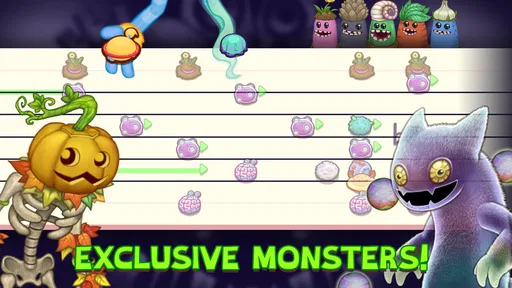
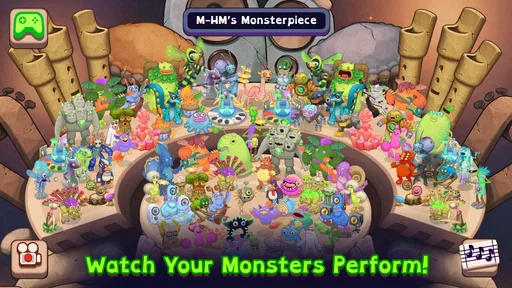
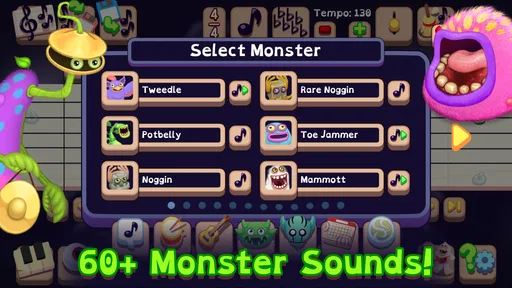
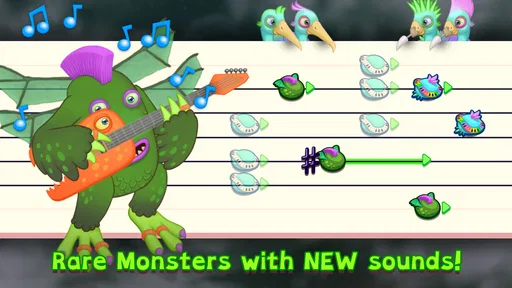
First off, the charm of My Singing Monsters Composer lies in its unique concept. Instead of dealing with boring old instruments, you get to create music with adorable, melodious monsters. Each monster represents a different sound or instrument, and you can mix and match them to create your own harmonious or quirky compositions. It’s like conducting a monster orchestra, and trust me, it's as fun as it sounds!
Getting Started
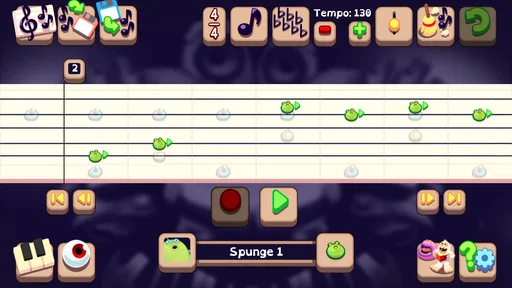
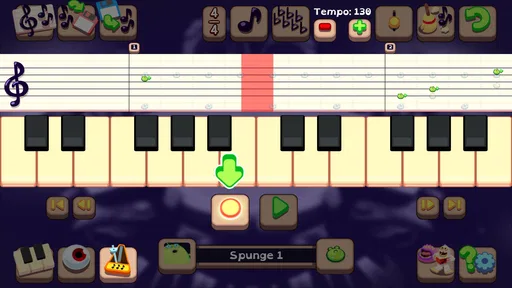
The app is incredibly user-friendly, which is a huge plus for beginners. You start by selecting a monster from a diverse repertoire, each with its own unique sound. Simply tap on the monster to hear its tune and add it to your composition. The interface is intuitive, and within minutes, you'll be dragging and dropping these little creatures onto a grid to form your own musical masterpiece. The drag-and-drop feature is seamless, making the whole process feel like child's play.
A useful way to approach that grid is to build in stages rather than trying to fill everything at once. I’d first listen to one part on its own, then add another and check whether the combination feels balanced. That makes it easier to tell which sound is doing useful work and which one is crowding the idea. For a child or a first-time composer, this is also a gentle way to notice how separate musical parts can fit together without turning the activity into a lesson.
Unleash Your Creativity
One of the standout features of the app is the ability to create complex compositions. You can layer different monster sounds to produce intricate melodies and harmonies. The app also lets you adjust the tempo, volume, and pitch, giving you full control over your musical creation. Whether you're composing a soothing lullaby or an upbeat dance track, the possibilities are endless.
More From Our News Desk

Weather by Xiaomi Review: Clear at a Glance, Less Clear Up Close

X Under Pressure: Can It Recover When Posting Goes Wrong?

Clash of Clans Is Won Between the Battles

Android Auto Makes the Case for Quieter Car Software

MobiOffice: Transforming Mobile Productivity with Seamless Integration

EA SPORTS FC™ Mobile Soccer: Redefining Mobile Sports Gaming
Those controls are most helpful when used to solve a specific problem: if a combination feels too busy, try changing the balance or slowing the pace before adding more sounds. Small adjustments can make a playful arrangement easier to follow, while changing pitch can shift its mood. I would treat these options as creative tools rather than a promise of unlimited studio control; the game’s identity remains centered on arranging its monster voices, not replacing a full digital audio workstation.
Share Your Masterpieces
Once you've created your monster hit, the app makes it easy to share your compositions with friends and family. You can export your music as audio files or share them directly through social media platforms. This feature is great for those who love to showcase their talents and get feedback from others. Plus, it’s a fantastic way to inspire others to join the monster music-making fun!
For a realistic small-session routine, I’d make a short idea, listen back, and decide whether one change improves it before sharing. That keeps the process enjoyable instead of turning every experiment into a project that has to be polished. The game is a better fit for exchanging a fun creation or inviting someone to react than for musicians who need a broader collaboration workflow or detailed production tools.
How it compares with other music apps
Compared with a standard beat-making app, this one puts character and recognizable monster sounds ahead of building tracks from conventional drum kits and synths. Compared with a notation app, it makes immediate listening and playful arranging the focus rather than written scores. That makes it an inviting starting point for casual creativity, but a poor substitute if you need precise editing, conventional instruments, or a structured route through music theory. I’d choose it for an imaginative musical break, and choose a specialist tool when the goal is a finished, technically controlled recording.
Big Blue Bubble Inc developed this paid game, which costs $4.99. It has an Everyone age rating, an average rating of 4.2 from around 5.7 thousand ratings, and over 100 thousand installs. It was released on April 25, 2018; version 2.0.3 supports Android 5.0 and later. Those details make it easier to judge whether it suits your device and budget, but the more important question is whether you want a playful monster-based composition experience rather than a general music editor.
Small choices that make a session work
I find it helps to decide what a part is meant to contribute before filling another space on the grid. A sound might carry the tune, add a pulse, or simply give a phrase a stranger personality. That little bit of intent makes listening more useful: instead of asking whether the whole arrangement is “good,” I can hear whether each monster is helping the idea. If a layer distracts from the part I want to notice, removing it can be a more revealing experiment than adding yet another sound.
This is also a practical way to keep a casual session from becoming frustrating. When a mix feels crowded, I would change one thing at a time and listen again, rather than adjusting several choices together and losing track of what helped. The same approach works for a young player: make one change, hear the result, and decide whether to keep it. It turns trial and error into a clear feedback loop without demanding that anyone know musical terms.
Who will get the most from it
The strongest audience is someone who enjoys playful sound and wants to make a small piece without first learning a conventional instrument. Fans of the monster world have an obvious reason to be curious, but a child, parent, or beginner can also use the character voices as an accessible way to explore how sounds interact. It suits a short creative break particularly well: there is a clear action to take, an immediate result to hear, and room to return later with a different arrangement.
For example, I can imagine opening it after school or during a quiet evening at home, letting a child choose the first voice, and taking turns deciding what should join next. The point would not be to produce a polished track; it would be to listen, laugh at an unexpected combination, and make one more deliberate change. That shared activity is a better use for the game than expecting it to serve as a complete music course or a serious recording setup.
On the other hand, I would steer away from it if you want to compose with familiar acoustic instruments, write notation, or make detailed edits for a finished release. A traditional music-making app is more appropriate when precision and a broad instrument palette matter more than character. Someone who dislikes the monster theme may also find the central sound palette limiting, because that identity is the point rather than a skin that can be switched for a conventional studio.
What to expect from the paid format
At $4.99, this is a paid game rather than a free sampler that I’d recommend trying casually without thinking about the purchase. I’d make the decision based on whether the specific monster-led approach appeals to you: if you expect to revisit arrangements and enjoy listening to variations, the price may feel worthwhile. If you only want a general-purpose music editor, spending on a tool designed for that job is likely the more sensible choice. The Everyone rating makes it suitable for a broad audience, though younger players may still appreciate an adult joining in to help turn random placement into purposeful listening.
Its average rating of 4.2, drawn from around 5.7 thousand ratings, and more than 100 thousand installs suggest that it has found an audience, but neither figure tells me whether it matches an individual’s taste. I’d pay more attention to the simple question of whether you enjoy hearing the monsters as an ensemble. The game’s distinctiveness is also its trade-off: it gives the music a recognizable personality, while placing a boundary around the kinds of sounds and workflows a user should expect.
Final Thoughts
In conclusion, My Singing Monsters Composer is not just an app; it's a delightful gateway to the world of music composition. It makes creating music accessible and enjoyable for everyone, regardless of their musical background. The app’s playful design, coupled with its powerful features, makes it a must-have for anyone looking to explore their musical side. So, why not give it a try? Who knows, you might just discover the composer within you!
My recommendation is strongest for fans who want to make their own arrangements, families looking for a creative activity, and beginners who learn best by listening and experimenting. I’d skip it if you expect a conventional studio, need advanced music-editing workflows, or simply don’t enjoy the game’s monster theme. For everyone else, the loop is clear: place a sound, hear how the ensemble responds, adjust the arrangement, and come back when another combination catches your imagination.
My Singing Monsters Composer Frequently Asked Questions
What is My Singing Monsters Composer?
My Singing Monsters Composer is a musical composition game where users can create and share their own songs using the unique sounds of various monsters from the popular My Singing Monsters game. It offers a fun and interactive way to explore music composition, with an easy-to-use interface suitable for all ages.
Is My Singing Monsters Composer suitable for children?
Yes. My Singing Monsters Composer is rated Everyone, and its monster-based music-making approach makes it approachable for players of different ages. Children can experiment with arranging sounds and building songs, while adults can enjoy shaping their own compositions. As with any app, parents may want to review the experience together with younger children before downloading.
What is the price of My Singing Monsters Composer?
My Singing Monsters Composer costs $4.99 to download, so it is a paid app rather than a free download. The original published description says there are no in-app purchases or ads, offering an uninterrupted creative experience after purchase. Check the relevant app store for the price shown in your region before completing the download.
Is My Singing Monsters Composer free to download and use?
My Singing Monsters Composer is available for purchase on both Android and iOS platforms. It is not a free app; therefore, users need to pay a one-time fee to download and access its features. There are no in-app purchases or ads, allowing for an uninterrupted creative experience.
Can I share my compositions with others in My Singing Monsters Composer?
Yes, My Singing Monsters Composer allows users to share their musical creations with friends and the wider community. The app supports exporting songs as audio files, making it easy to share your compositions on social media or with other My Singing Monsters enthusiasts.
Pros
- Intuitive interface for beginners.
- Large variety of monsters to compose with.
- High-quality sound output.
- No internet required to use.
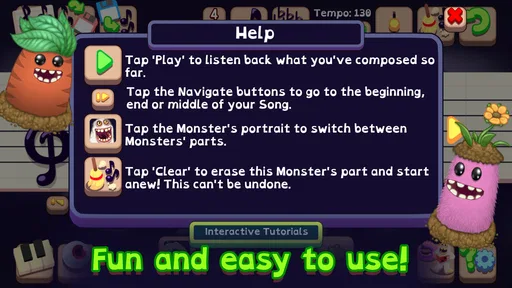
- In-app tutorials enhance learning.
Cons
- Limited free features available.
- Occasional app crashes reported.
- Lacks advanced editing tools.
- No cloud save option.
- Ads can be intrusive at times.













