

My Singing Incredible Music
- 22.00
- 4.4
- Installs
- 500.00K
- Price
- Free

Screenshots
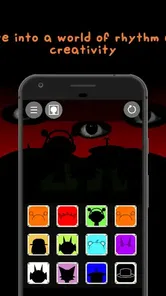
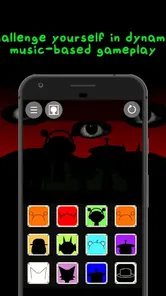
Analysis by Reviewed
On a shared phone or tablet, a music game can turn a quiet stretch of the day into a quick group activity. I’d use My Singing Incredible Music for that kind of casual turn-taking: one person experiments with the mix, then hands the device to someone else to try a different vocal or effect. The fun is in hearing how small choices change the feel, not in expecting everyone to produce a finished song.
A shared-device music break
I can picture this music game working best as a short, low-pressure activity in a household where people take turns with one phone or tablet. One person can try building a beat, then pass the device along so someone else can change the vocal or effect choices. That makes the appeal less about producing a polished track and more about hearing how different people respond to the same musical starting point.
For a practical routine, I’d keep each turn focused: make one small change, listen together, and decide whether it improves the mix. That simple approach helps younger players explore without turning the session into a contest over who gets to control the device. It also gives adults an easy way to join in without needing music-production experience.
Unleashing Your Inner Composer
When I first opened My Singing Incredible Music, I was immediately drawn in by its user-friendly interface. The layout is intuitive, making it easy for anyone to dive right in and start creating tunes. Whether you're a seasoned musician or someone who just loves to dabble in music, you’ll find something to enjoy here.
The app allows users to create their own unique compositions with a variety of instruments and sound effects. I found myself lost for hours, experimenting with different beats and melodies. The range of options is impressive, yet not overwhelming, striking a perfect balance between creativity and simplicity.
Making turns work on one device
In a shared setting, I’d treat each session as a separate experiment rather than assuming that everyone is contributing to one lasting project. Before handing the device over, it helps to agree on what the next person is trying: a different rhythm, a vocal change, or an effect that shifts the mood. This gives each player a clear role and makes the comparison more fun than randomly tapping through options.
There is also a useful distinction between this kind of playful mixing and a conventional music-making app. A full digital audio workstation is a better choice if you need detailed editing, precise arrangement, or a workflow aimed at finishing a track. This game is more suited to casual experimentation: the attraction is trying combinations and enjoying the result, not treating the phone as a studio with professional controls.
More From Our News Desk

 Gmail
GmailGmail in a Busy Inbox: Who Benefits Most?
From first account to crowded workday, Gmail earns its place through dependable search and flexible sorting—but its best fit depends on how much inbox maintenance you can tolerate.

 Prime Video
Switching to Prime Video: What Changes in Your Viewing Routine
Prime Video can make a compelling second home for streaming, but switching means learning a different catalog, rental layer, and route from browsing to playback.

 Universal TV Remote Control
Universal TV Remote Control Works Best as a Reliable Backup
A phone remote earns its place through quick setup and reliable habits. Here is how to get more from Universal TV Remote Control—and where its limits show.

 Weather - By Xiaomi
Weather by Xiaomi Review: Clear at a Glance, Less Clear Up Close
Xiaomi’s weather app makes everyday forecasts quick to scan, but its calm surface can leave useful details and recovery paths harder to find than they should be.

 X
XX Under Pressure: Can It Recover When Posting Goes Wrong?
A resilience-focused review of X, examining setup, mistaken posts, interruptions, weak connections, and the gaps that matter when recovery needs to be dependable.

 Clash of Clans
Clash of Clans Is Won Between the Battles
Its raids are quick; its community is a long-term project of coordination, teaching, rivalry, and shared responsibility—with all the friction that entails.
Latest News



Features That Hit the Right Note
The standout feature for me was the app's ability to let you collaborate with friends. You can easily share your musical creations and even work together in real time. This aspect makes it not just a solo adventure but a community experience. I had a blast teaming up with a friend to create a duet, and the in-app messaging made communication a breeze.
Another feature worth mentioning is the built-in tutorials. For those who might feel a bit intimidated by the idea of composing music, these guides are a game-changer. They walk you through the basics and offer tips to help refine your skills. I appreciated how the tutorials were engaging and not just a series of dry instructions.
Keeping expectations clear
Because the game is designed around quick musical play, I wouldn’t choose it when the main goal is to learn formal music theory or record a carefully arranged song. Its value is in accessible exploration, and that can feel limited to anyone who wants fine-grained control. A helpful way to use it is to pick one sound element to focus on each time; listening for how a single change affects the overall mix makes casual play feel more intentional.
If several people share a device, it is worth agreeing on whose turn it is and whether anyone is changing settings or leaving a session before passing it along. I would not assume that a shared screen automatically means separate personal spaces. Keeping the device handoff simple and supervised is a sensible boundary, particularly when children are involved.
Jamming on the Go
What I love most about My Singing Incredible Music is its portability. Whether you’re commuting, on a lunch break, or just lounging at home, you can whip out your phone and start jamming. The app runs smoothly, and I didn’t encounter any glitches, which is a huge plus in my book.
The sound quality is top-notch, ensuring that your creations sound just as good through your headphones as they do on your home speakers. Plus, with regular updates, the app keeps getting better, adding new features and instruments to keep things fresh.
Age, access, and everyday fit
As a free music game from Friendly Ghost Std, it has a low barrier to trying it out. It has a Teen content rating, so I’d still check that age guidance against the person who will use it rather than treating musical play as automatically suitable for every child. The game is version 1.3 and needs Android 5.1 or later; that makes the minimum system requirement worth checking before setting it up on an older shared device.
Its 4.4 average from around 4.7 thousand ratings and more than 500 thousand installs suggest that plenty of players have tried it, though popularity alone doesn’t tell me whether it fits a particular household. I’d recommend it to people who enjoy playful sound mixing and want an easy activity to share. If your priority is structured lessons, precise composing, or clear individual account separation, I’d look at a dedicated learning or production option instead.
Choosing the right moment to play
For me, this is most useful when there is a little time to fill but no appetite for a long game. A short break between chores, a wait before dinner, or a relaxed stretch on the sofa gives everyone room to listen and make a few choices without turning the device into the centre of the day. The music itself becomes a prompt for conversation: which version sounds calmer, busier, or more surprising?
It is less suited to a setting where people need to be quiet or where playing audio aloud would bother others. Headphones can make a quick solo session more considerate, but they change the shared quality of the activity because other people cannot hear the result as easily. In a group, I’d use the device speaker at a reasonable level and keep the session brief; for private play, headphones make more sense.
Small experiments beat random tapping
A useful way to get more out of the mixing is to make a rough “before and after” comparison. I’d listen to the current combination, change only one element, and listen again. If several sounds are changed at once, it is harder to tell which choice made the mix more appealing. That one-change-at-a-time habit is not a formal lesson, but it gives a casual player a clearer sense of cause and effect.
I’d also give each turn a simple constraint, such as trying to make the mix feel more energetic or softer without changing everything. This keeps a shared session from becoming a scramble through every option and gives children a manageable creative task. The trade-off is that players who prefer open-ended tinkering may find a constraint unnecessary, so I’d treat it as a prompt rather than a rule.
What to expect from the music tools
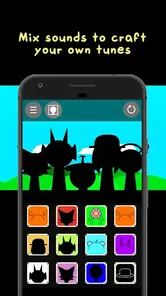
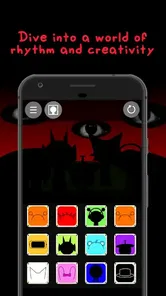
The appeal is the combination of beat, vocal, and effect choices, which makes the game approachable for someone who wants to shape a sound without first learning a complex interface. That is different from a conventional rhythm game, where the main challenge is usually timing inputs to music. Here, I’d focus on listening to the mix and making choices, rather than expecting a score-based test of timing or a full production workspace.
That distinction helps set expectations before installing it. If you want to practise an instrument, read notation, or follow a structured course, a music-learning app is a more direct fit. If you want to record a song with detailed tracks and fine control, a production tool is better. I’d choose this game when the goal is playful sound exploration and the barrier to getting started should be low.
Keeping shared access comfortable
When a household shares one device, I’d decide in advance whether the game is for a quick group session or for one person’s individual play. That small agreement avoids awkwardness around someone changing another player’s mix or leaving the game in a state the next person did not expect. It is a practical habit, not a substitute for separate profiles or account controls.
For children, I’d let an adult handle the initial setup and stay nearby during shared use, especially if the device itself is also used for messaging, purchases, or other apps. The Teen rating is a useful age cue, but it does not replace a parent’s judgement about an individual child or the wider device environment. I would not hand over a shared device on the assumption that the game creates a private child-only space.
Where it fits among music games
Compared with rhythm games built around hitting notes at the right moment, this one sounds more appealing to players who want to make choices about the musical texture. Compared with a full composing app, it asks less of the user but also gives up depth and precision. I see that middle ground as its clearest strength: it can make musical play feel approachable without pretending to be a substitute for lessons or studio software.
That middle ground will not suit everyone. Someone who enjoys a clear win condition may prefer a rhythm challenge, while a budding producer may quickly want more control than a light music game can offer. I’d suggest it to families and friends who enjoy listening together and swapping ideas, but not to someone whose main reason for downloading is to develop professional editing skills.
Final Thoughts
In a nutshell, My Singing Incredible Music offers a delightful blend of creativity and fun. It’s more than just an app; it’s a gateway to exploring your musical potential. Whether you’re looking to kill time or seriously delve into music creation, this app has something to offer.
So, if you’re on the hunt for an app that inspires creativity and offers endless entertainment, look no further. Download it, and let your musical journey begin!
My household recommendation is to think of it as a small shared activity, not as a personal music workspace. It works best when players take turns, listen to each other’s choices, and keep expectations modest. If you want a relaxed way to experiment with beats, vocals, and effects, it is an easy game to try; if you need strong account boundaries, formal teaching, or detailed track production, a different kind of app will serve you better.
My Singing Incredible Music Frequently Asked Questions
What is My Singing Incredible Music app about?
My Singing Incredible Music is an engaging app that allows users to create and share their unique musical compositions using a wide array of virtual instruments and sound effects. It's designed for both beginners and seasoned musicians, offering features that cater to a wide range of musical creativity.
Is My Singing Incredible Music app free to use?
My Singing Incredible Music offers a free version with basic features, but there is also a premium version available through a subscription model. The premium version unlocks additional instruments, advanced sound editing tools, and ad-free experience, making it a worthwhile investment for serious music enthusiasts.
What platforms is My Singing Incredible Music available on?
My Singing Incredible Music is available for download on both Android and iOS devices. Users can find the app on the Google Play Store and Apple App Store, ensuring accessibility for a wide audience. Regular updates are provided to enhance the user experience across all platforms.
Can I share my music creations with others using My Singing Incredible Music?
Yes, My Singing Incredible Music allows users to easily share their musical creations with friends and family. The app provides options to export your compositions and share them via email, social media, or directly within the app's community, fostering a collaborative and interactive environment for music lovers.
Does My Singing Incredible Music app support offline usage?
My Singing Incredible Music offers offline capabilities, allowing users to work on their music projects without an internet connection. This feature is particularly useful for users who want to compose music on-the-go or in areas with limited connectivity. However, some features, like sharing and downloading new content, require an internet connection.
Pros
- User-friendly interface is easy to navigate.
- Wide variety of songs to choose from.
- Regular updates with new features.
- High-quality audio output enhances experience.
- Supports offline mode for uninterrupted use.
Cons
- Contains in-app purchases and ads.
- Requires internet for some features.
- Not all songs are free to access.
- Limited customization options.
- Occasional crashes reported by users.











