Kids Coloring Pages & Book
- 22.00
- 4.4
- Installs
- 10.00M
- Price
- Free

Screenshots
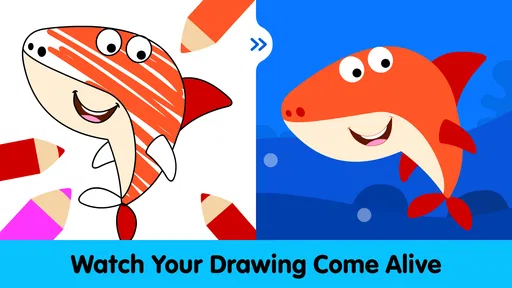
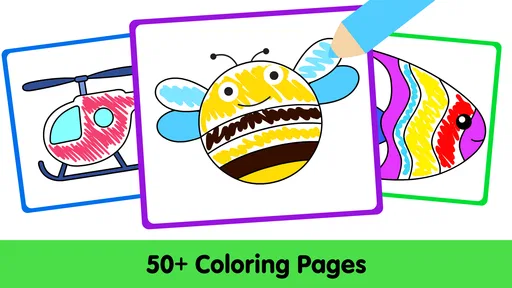
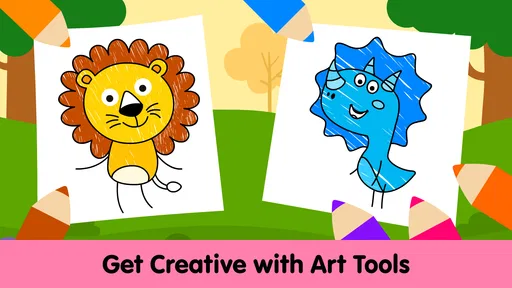
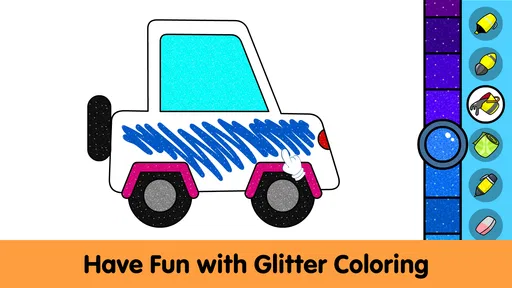
Analysis by Reviewed
In my first few sessions, Kids Coloring Pages & Book felt like an easy way to give a young child a creative activity without needing paper, crayons, or a cleared table. It is an educational game from IDZ Digital Private Limited, aimed at pre-k and kindergarten children, and its appeal is straightforward: choose a page, pick colors, and get started. I can see it fitting a short wait at a café or a quiet spell at home, especially for a child who enjoys making choices but is not ready for a complicated drawing app.
Why the first sessions are easy to start
The uncomplicated coloring premise is a real advantage in the first week. A preschooler can focus on selecting a picture and trying colors rather than learning a complex set of controls or deciding what to draw from scratch. That makes it a handy option when an adult needs a contained activity during a short pause in the day. I would introduce it when I can sit nearby for a moment, help the child choose a page, and then let them explore without turning the session into a lesson.
Its appeal is also tied to a specific age and skill level. Children who are just beginning to recognize colors or enjoy filling in shapes may find the outlined pictures reassuring: there is a clear task, and they can see progress as they work. A child who already draws detailed scenes or wants to build a story around every picture may quickly want more freedom. In that case, a blank drawing canvas, physical art materials, or a story-based creative activity is likely to hold attention better.
Color Your World
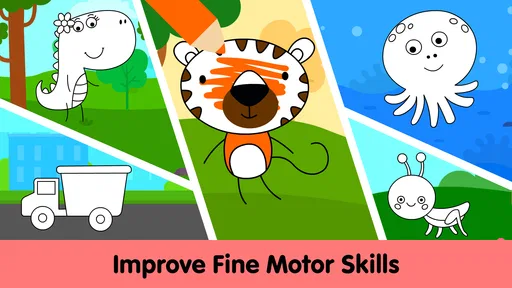
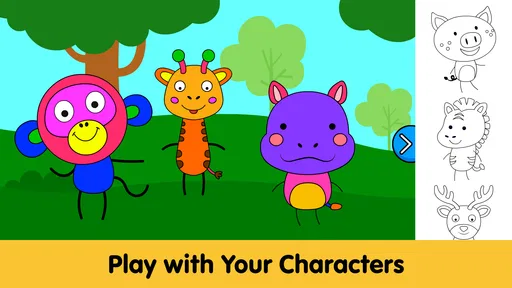
The first thing that struck me about Kids Coloring Pages & Book is its vast library of coloring pages. Whether your child is into animals, fairy tales, or even vehicles, there’s something here to spark their interest. The categories are well-organized, making it a breeze for kids to find their favorite themes. The app’s intuitive interface means that even the youngest of users can navigate through it with ease.
Features That Shine
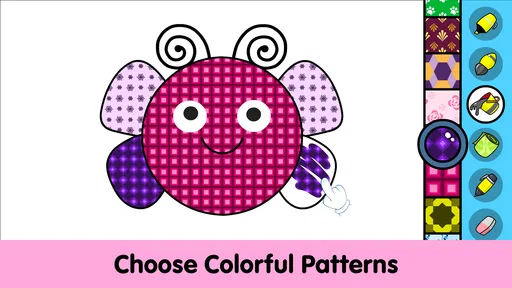
One of the standout features of this app is its range of coloring tools. From crayons to markers, and paint buckets to stickers, the variety is impressive. Kids can experiment with different textures and effects, bringing a new dimension to their artwork. Plus, the undo and redo buttons are lifesavers for those little "oops" moments.
Another feature worth mentioning is the save and share option. Once a masterpiece is complete, it can be saved to a gallery or shared with family and friends. This not only boosts a child’s confidence but also allows them to showcase their creativity to a wider audience.
Making the tools work for different children
Those choices are most useful when an adult gives them a little structure. I would suggest a child try one tool at a time rather than cycling through every effect on the same picture. That gives them a chance to notice what a crayon-like stroke feels different from a marker-like one, without the session becoming a hunt for buttons. For a child who finds the outlined areas tricky, the undo option can make experimentation feel safer; for a child who is comfortable coloring, it can be more rewarding to choose a palette first and stick with it for a while.
More From Our News Desk

Weather by Xiaomi Review: Clear at a Glance, Less Clear Up Close

X Under Pressure: Can It Recover When Posting Goes Wrong?

Clash of Clans Is Won Between the Battles

Android Auto Makes the Case for Quieter Car Software

MobiOffice: Transforming Mobile Productivity with Seamless Integration

EA SPORTS FC™ Mobile Soccer: Redefining Mobile Sports Gaming
The save option can support a small routine without making the app the center of the activity. A parent might ask the child to pick one finished picture to keep, then talk about a color choice or favorite detail. Sharing is better treated as an adult-led decision, not an automatic next step after every picture. That keeps the child’s work focused on the enjoyment of making it and gives caregivers a natural chance to decide what is appropriate to show others.
Learning and Fun
While the app is primarily focused on fun, it subtly integrates educational elements. As kids color, they learn about different shapes, colors, and patterns. The app also encourages fine motor skills as children use their fingers to color within the lines. It’s a delightful blend of learning and play, keeping children engaged for hours.
A realistic place in the routine
For a useful everyday routine, I’d treat a coloring session as a small activity with a clear beginning and end, rather than handing over a device indefinitely. A parent could let a child choose a page, ask them to name the colors they want to use, and then talk about the finished picture. That turns the screen time into a shared moment and gives the child room to make decisions. Saving a picture can make a nice record of what they enjoyed, though I would not assume every saved design needs to be shared.
One practical approach is to set up the choice before opening the app: ask whether the child would rather color an animal or a vehicle, then let them pick from that theme. This avoids spending the whole available break browsing, and it gives the child a manageable decision rather than an overwhelming one. If the child loses interest halfway through, there is no need to insist on completing the page. A short, positive session is more useful than turning coloring into a task that must be finished.
The main difference from paper coloring is convenience: there is no mess to clear, and a mistake can be undone. Paper is still better when a child wants to draw freely, use physical materials, or take a picture away from the screen. Compared with a general drawing app, this game’s ready-made pages make it easier for a preschooler to begin without needing to invent a subject. That focus is also a limitation for children who want open-ended drawing or more involved creative projects.
Choosing it over familiar alternatives
Against a paper coloring book, the game wins on portability and quick cleanup, but it cannot offer the feel of pressing a crayon on paper or the satisfaction of putting a physical picture on the fridge. Those differences matter more to some children than to others. If a child is especially interested in texture, cutting and arranging materials, or making a keepsake, traditional supplies are the stronger choice. If the challenge is finding a compact activity for a waiting room or a trip, the digital format is easier to manage.
It also sits between a simple coloring book app and a general drawing program. Ready-made pages reduce the blank-page problem, which can help a young child get going independently. A more open drawing app is a better match for a child who wants to invent characters, combine scenes, or practice drawing lines without a template. I would not judge this game by how much freedom it offers; its value is the low-friction start, not replacing a full art toolkit.
What parents should weigh
The game is free, has an Everyone age rating, and is compatible with Android 5.0 and later. Its average rating is 4.0 from around four thousand ratings, and it has over five million installs. It was released on September 23, 2021, and the current version is 1.0.7. Those figures suggest that it has reached many families, but they do not tell me whether a particular child will stay interested; the child’s own response matters more than popularity.
It is available at no upfront cost, but the free starting point is not the whole cost picture: in-app purchases are offered at $4.99 per item. I would check purchase controls on the device before handing it to a child, since small children can tap quickly and may not understand the difference between an activity button and a purchase prompt. Families who prefer to avoid optional spending can still decide whether the free experience suits them, but they should make that choice with the purchase setup in mind.
For a parent wondering whether a child can use it alone, I would separate navigating a page from managing the whole experience. A child may be able to choose a picture and color independently, but younger users still benefit from an adult setting expectations, helping with any confusing controls, and deciding when the session ends. The Everyone rating makes it suitable for a broad audience, but it does not remove the value of ordinary supervision for preschoolers using a device.
I would also check the purchase setup before letting a child use it independently. The game offers in-app purchases at $4.99 per item, so the claim that it has no purchases is not accurate. A parent should manage purchase access through the device’s usual controls and supervise younger children, especially if they tend to tap buttons quickly. For families who want a strictly offline, paper-only activity or prefer to avoid optional purchases altogether, a coloring book and washable crayons may be the better fit.
Month-to-month value and fatigue
The collection of more than one hundred pages gives a child options beyond a single session, but lasting value depends on whether the child likes returning to familiar themes as well as trying new ones. I’d use the page choice to keep the activity fresh: offer two different subjects rather than browsing together for a long time, then let the child lead the coloring. This small limit can reduce decision fatigue and keep the app from becoming a scrolling exercise.
Over time, I would look for signs that the child is using the activity in more than one way: perhaps choosing a different subject, trying a new tool, or naming colors while working. The point is not to keep raising the bar or demand increasingly elaborate pictures. A child who returns to a favorite page and enjoys coloring it differently is still getting something from the experience. If interest fades, putting the app aside for a while is more sensible than trying to manufacture a daily habit.
Some children may tire of filling outlined pictures, particularly if they prefer building, storytelling, or drawing their own characters. Others may repeat the same page or color combinations, which is not necessarily a problem; repetition can be part of practicing color recognition and hand control. The useful test is whether the child is engaged by the process, not whether each image looks polished. If sessions turn into frustration over staying inside the lines, I’d switch to free drawing or physical coloring rather than push through.
When the routine stops working
The most likely source of fatigue is not simply seeing a familiar picture again; it is when the activity no longer matches what the child wants to do. A child looking for a story, a puzzle, or a chance to create something from nothing may see coloring as too narrow. Another may enjoy coloring but become impatient with the small precision needed for some outlined areas. In either case, changing the format is a better response than adding pressure to finish pages.
I would also avoid making the app a default answer to every quiet moment. Keeping paper and crayons available alongside it gives a child a real alternative and helps reveal what they actually enjoy. On a day when the device is already part of a long stretch of screen time, a quick paper activity may be the better choice; on a crowded outing, the digital pages may be the practical option. That flexibility is what makes it more likely to remain useful without becoming a habit that the family feels obliged to maintain.
Learning and Fun
For children who enjoy coloring but need an easy starting point, I think this app can earn a place in a family’s rotation. IDZ Digital Private Limited has made a focused activity rather than a broad creative suite, and that simplicity is its strength when a child wants to begin quickly. It is less suitable as a substitute for hands-on art supplies or as a long-term choice for a child seeking open-ended tools. My recommendation is to try it in short, supervised sessions and see whether the child returns to it after the novelty wears off.
Final Thoughts
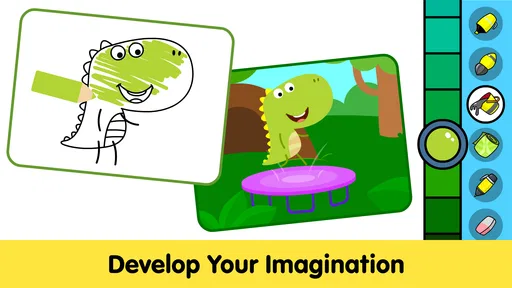
Wrapping it up, Kids Coloring Pages & Book is more than just a coloring app; it’s a gateway to a world of creativity and learning. The app’s user-friendly design, coupled with its rich array of features, makes it a standout choice for parents looking to nurture their child’s artistic side. It’s a digital playground where imagination knows no bounds. So, if you’re on the hunt for an app that’s both entertaining and educational, this one definitely deserves a spot on your device.
My longer-term recommendation is more measured: give it a place in the rotation if your child genuinely likes choosing and coloring outlined pictures, and let their interest decide how often it returns. The strongest case for it is a young child who wants an immediate, manageable creative activity and a caregiver who values portability and easy cleanup. If your child prefers inventing images, tactile materials, or activities that do not involve a screen, choose those instead. The best reason to keep it installed is not the size of its collection, but whether your child still asks to color when the first-week novelty has passed.
Kids Coloring Pages & Book Frequently Asked Questions
What devices and operating systems can run Kids Coloring Pages & Book?
Kids Coloring Pages & Book is available for Android devices running Android 5.0 or later. Before downloading, check your device’s operating system so you can be sure it meets this requirement. It is an educational game for young children, and its simple coloring activities are intended to make getting started straightforward for families.
What kind of activities does Kids Coloring Pages & Book include?
The game focuses on coloring, with more than 100 pages designed for pre-kindergarten and kindergarten children to learn about colors. Its child-friendly theme makes it suitable for short creative sessions as well as relaxed play at home. Children can explore the coloring pages at their own pace while practicing color recognition and expressing their ideas through art.
What age group is Kids Coloring Pages & Book suitable for?
Kids Coloring Pages & Book is ideal for children aged 3 to 8 years. The app is designed with simple and engaging coloring pages that cater to young children's creative needs, helping to develop their motor skills and artistic expression. Parental guidance is recommended for the youngest users to enhance their experience.
Does Kids Coloring Pages & Book offer any educational benefits?
Yes, Kids Coloring Pages & Book offers several educational benefits. It helps children improve their fine motor skills, hand-eye coordination, and color recognition. The app also encourages creativity and artistic expression, making it a fun and educational tool for young minds to explore and learn while having fun.
Is Kids Coloring Pages & Book free to use?
Kids Coloring Pages & Book is free to download with basic features available. However, it offers in-app purchases to unlock additional content and features. These optional purchases can enhance the app experience by providing more coloring pages and tools, allowing children to explore their creativity further. In-app purchases are priced at $4.99 per item, so parents may want to review purchase settings before handing the device to a child.
Pros
- Wide variety of coloring pages.
- User-friendly interface for kids.
- Promotes creativity and learning.
- Offline mode available.
- Frequent updates with new content.
Cons
- Contains in-app purchases.
- Limited free content.
- Ads may interrupt gameplay.
- Requires parental guidance for purchases.
- No multiplayer or sharing options.













